
Tesseract OCR Extraction and ALTO Generation
The OCR tool used for full text extraction has been upgraded to Tesseract version 5.5.2. The system can now also generate ALTO files when possible, in addition to plain text.
ALTO files enable word level search and hit- highlighting in the viewer.
Steps to Recreate
-
Open a digital title.
-
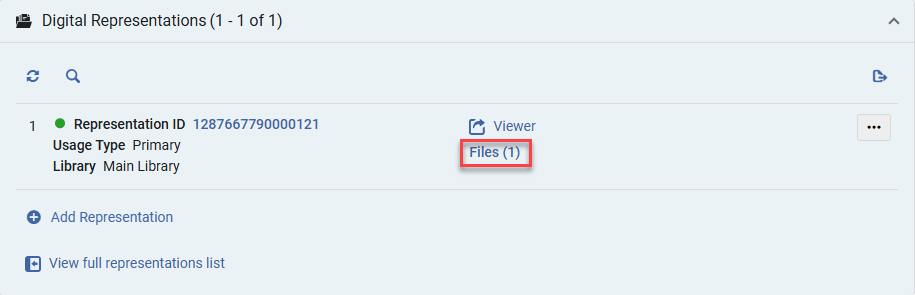
Scroll to the digital representations section.
-
Select the Files option.
-
Select More Actions > Full Text > Extract.
Note: There is no need to select the extraction type, as the tool will detect and extract automatically.
-
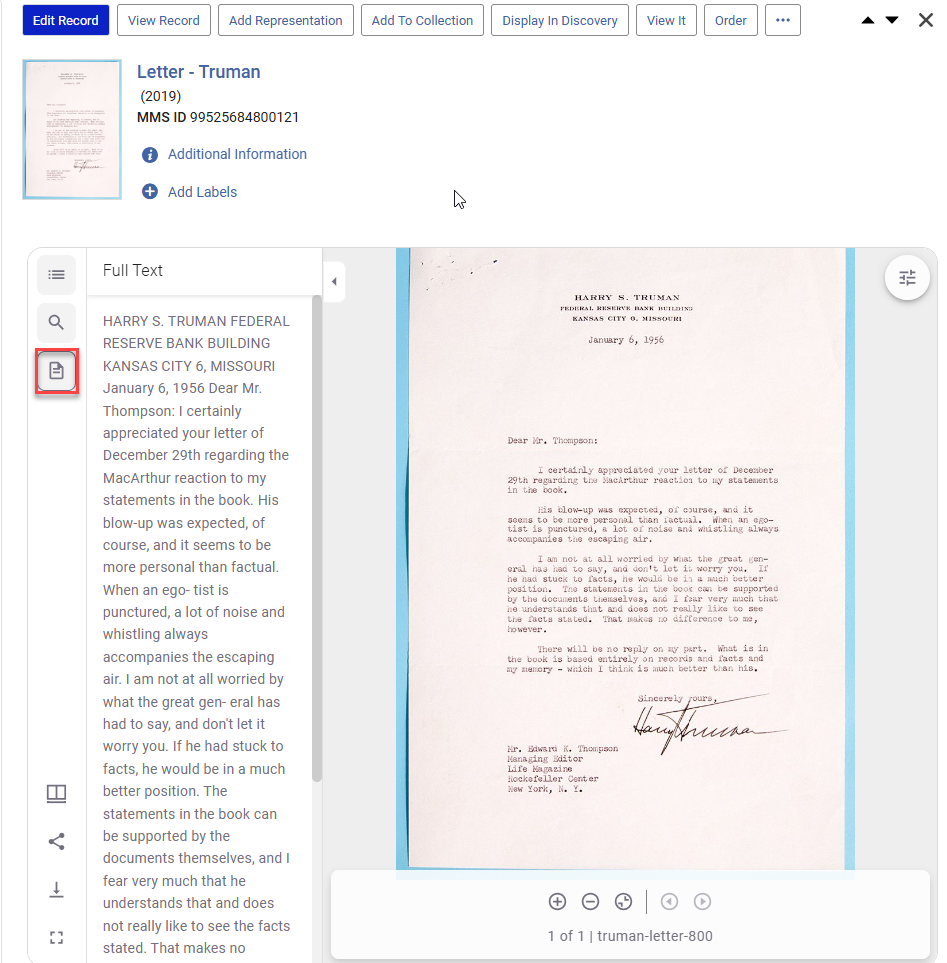
Select the file icon in the Viewer to preview the extracted text
Technical Information
-
ALTO generation is preferred when possible, plain text is used as a fallback.
-
PDF extracted full-text always generates a Plain text file, with hit-highlight functionality built into the PDF viewer.
-
Only works for typed or printed scanned documents, handwritten content is not reliably supported.
How This Benefits the User
The upgraded OCR process improves both the quality and usability of extracted full text. Generating ALTO files enables word level search hit-highlighting, allowing users to quickly locate relevant terms within documents rather than scrolling through large blocks of plain text. This is especially beneficial when working with long or complex scanned documents, where traditional full text output can be difficult to navigate. Even when ALTO cannot be generated, improved plain text extraction still enhances searchability and accessibility.
This feature:
-
Improves discoverability of digitized content.
-
Enables in document search and hit-highlighting.
-
Enhances usability of OCR output in the viewer.
