May 2026
New Alma Specto Menu
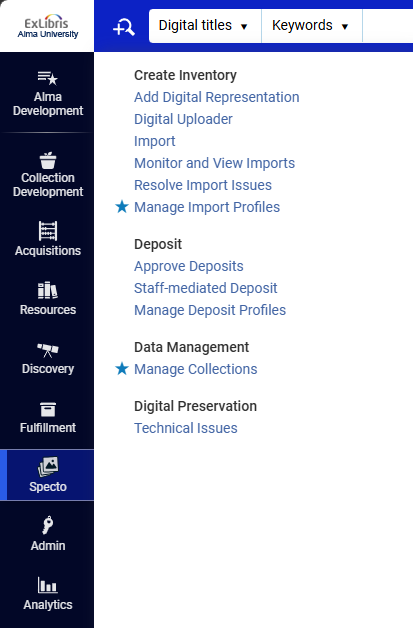
A new Specto menu centralizes actions related exclusively to digital cataloging and digital content management.
Highlights
-
Digital-only actions are available in a single dedicated menu
-
Shared actions are duplicated to preserve existing workflows
-
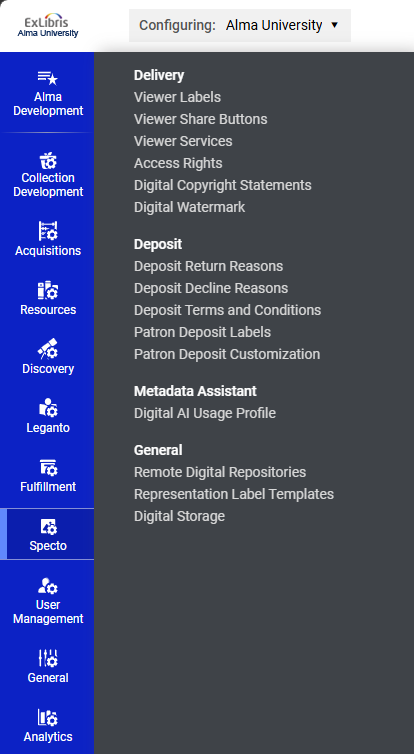
Matching Specto section added under Configuration
-
Improved access to digital workflows
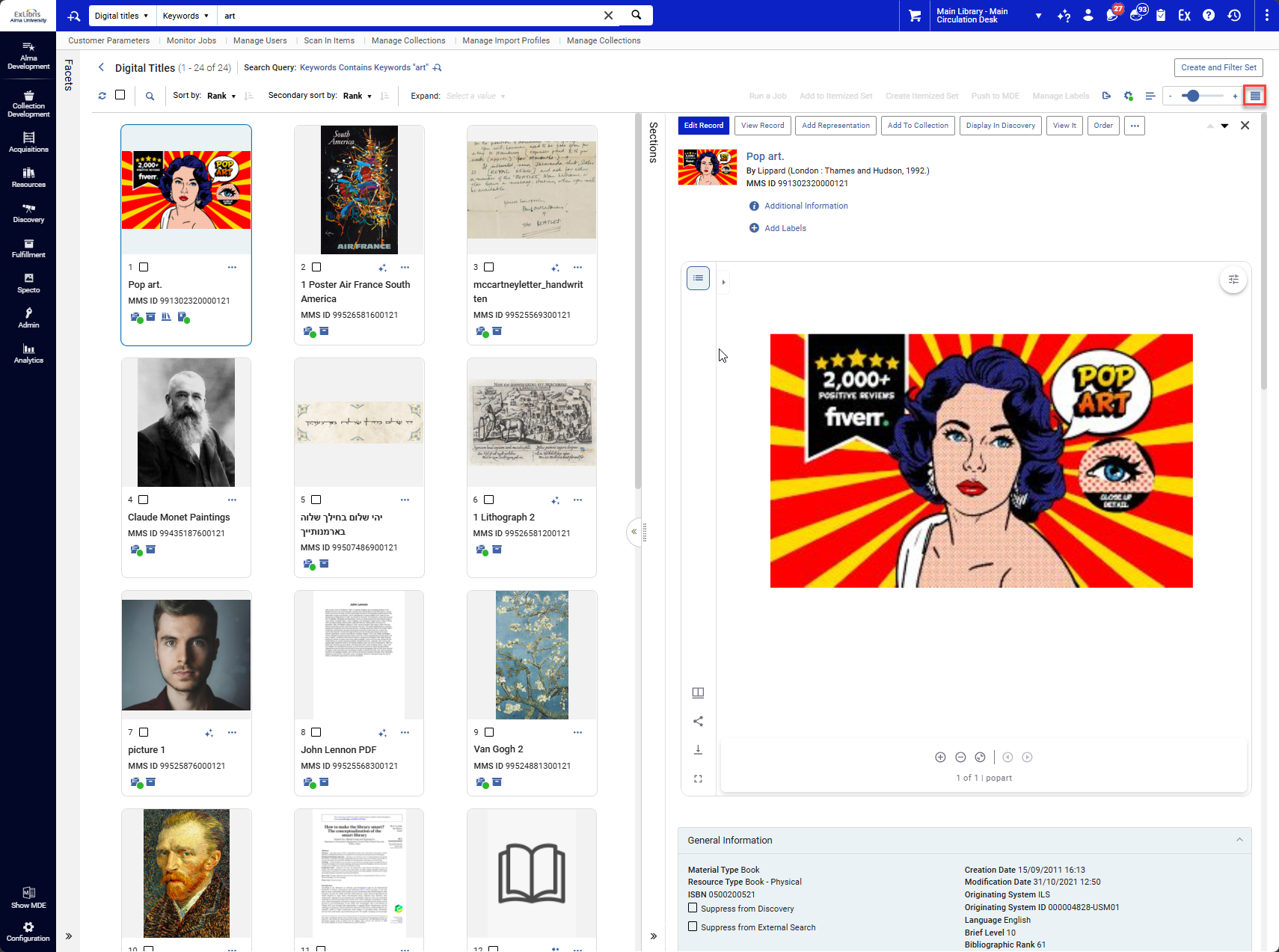
Gallery View in Digital Title Search
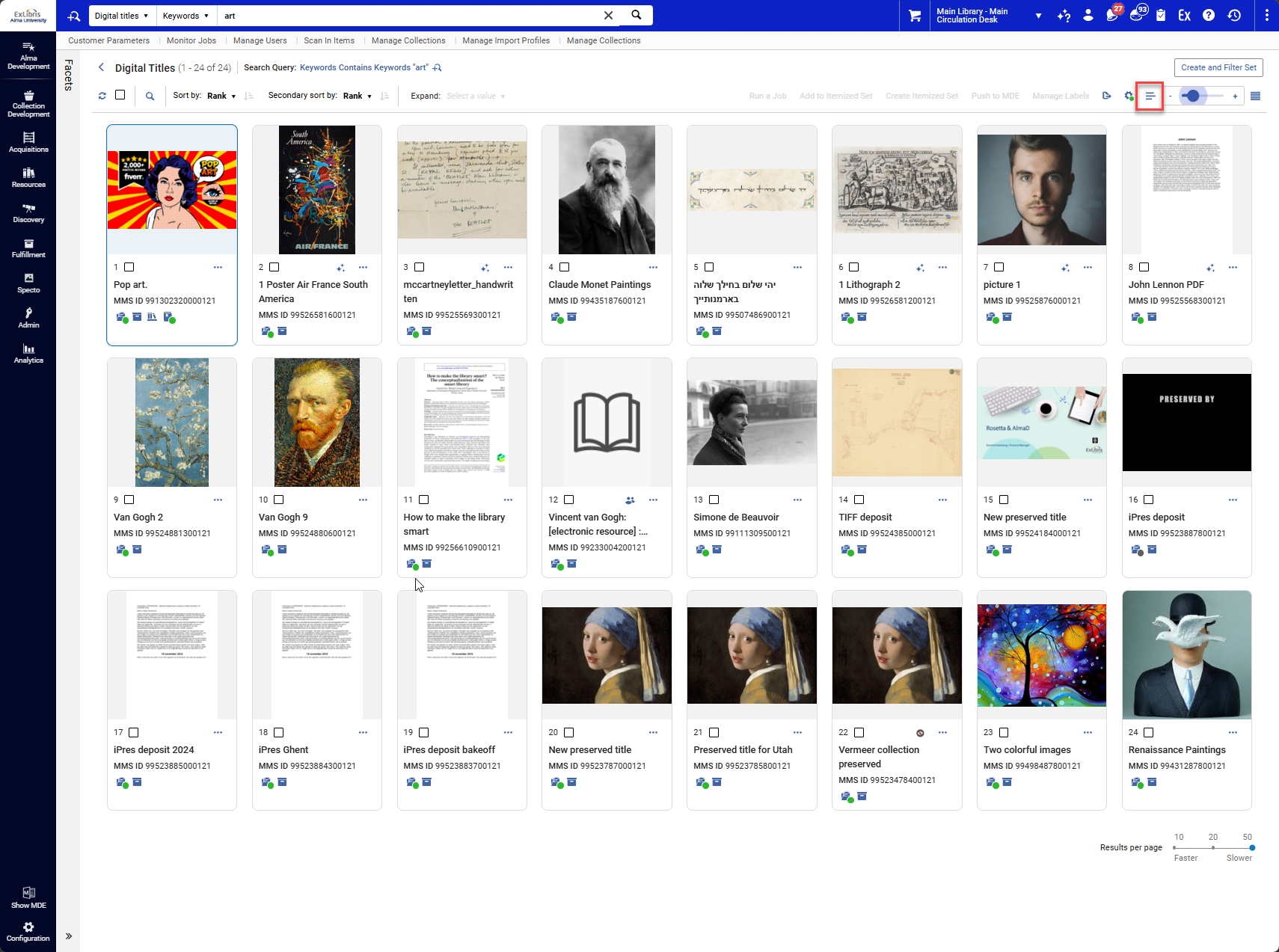
A new Gallery View displays digital titles in a visual-first layout.
Highlights
-
New Gallery View alongside Record and Table views
-
Visual emphasis on digital content
-
Thumbnail zoom control
-
Sticky view preference across sessions
New Viewer in Right-Hand Side Slide-In
Digital content can now be previewed directly in Alma via a right-hand slide-in viewer from Digital Title Search.
Highlights
-
Built-in viewer accessible from search results
-
Enables viewing digital content directly within Alma without need to click out to the resource
-
Supports image format (e.g., JPG, PNG, TIFF), and PDF formats, with plans to expand to support all content types (video, audio, and more)
-
Uses the same viewer as Primo NDE
Next-Generation Digital File Search
What's new
The Digital File Search page has been upgraded to Alma’s Next-Generation interface.
Highlights
-
Modern NG layout and styling
-
Improved responsiveness and facets
-
No functional change to search behavior
-
Consistent experience with other Alma NG pages
Add MARC21 Fields Job
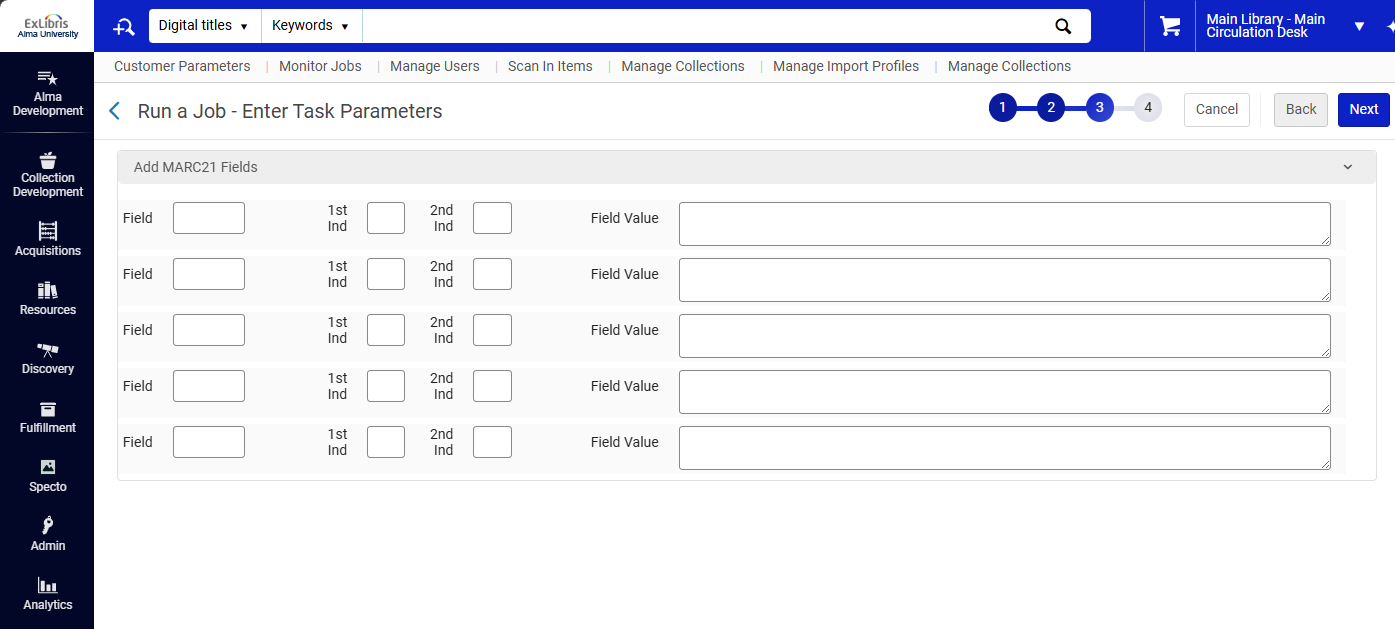
A new job enables bulk addition of MARC21 fields to Bibliographic records.
Highlights
-
Run the job from searches or saved sets
-
Supports standard MARC field and subfield syntax
-
Record-level validation applied after execution to align with institutional validation rules
-
Available for all Bibliographic titles
Tesseract OCR Extraction and ALTO Generation Upgrade
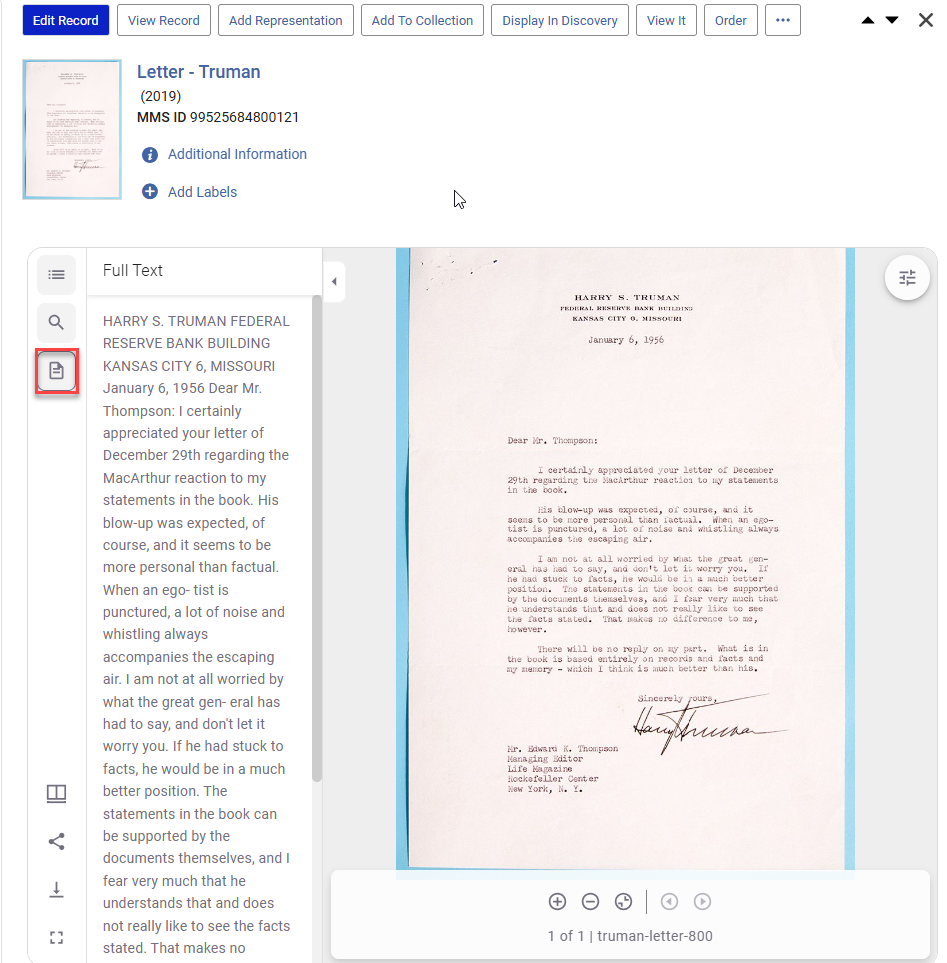
The full text extraction tool has been upgraded to generate ALTO files when possible.
Highlights
-
Improved OCR accuracy for typed scans
-
Automatic ALTO generation with fallback to plain text
-
Enables in-document search highlighting
-
Enhances full-text discovery
Side-by-Side Metadata Editor with Viewer
The Metadata Editor now supports viewing digital content alongside metadata editing.
Highlights
-
View digital content directly in the Metadata Editor: Select View Related Data > View Digital Content or Keyboard shortcut Alt + Shift + D
-
Supports selecting different representations via the Digital Inventory list
-
Improves cataloging accuracy and efficiency
