
Quick Edit
This feature is currently available for Alma Starter customers only!
The following roles are required for Quick Edit:
- Cataloger
- Catalog Manager
- Catalog Administrator
- Cataloger – Limited
Introduction
Quick Edit provides the convenience of swiftly modifying a designated group of fields, eliminating the necessity to access the Metadata Editor. This functionality is particularly advantageous in two scenarios:
- For staff users who may not possess an in-depth understanding of cataloging intricacies such as MARC21 standards.
- For catalogers aiming to rectify minor errors or make slight adjustments within a specific field, preferring to utilize a specialized form rather than navigating through the Metadata Editor interface.
Quick Edit Utilization
Use Quick Edit to easily edit designated groups of fields.
Quick Edit encompasses several search result pages, namely All titles, Electronic titles, and Physical titles. Primarily, this feature assumes the foremost position when accessible (by default). It supports multiple formats, including MARC21, UNIMARC, KORMARC, and CNMARC. Additionally, the associated linked records comprise of editable Network Zone records and non-editable Community Zone records that prohibit identifier modification.
Records being edited by other users:
The scenario of a record concurrently edited by another user involves distinct outcomes. If an ongoing working copy exists, the form is displayed in View mode, accompanied by a notification indicating that the record is currently being edited by another user. Attempting to access the Quick Edit form, however, does not generate a new working copy. However, the Quick Edit form enables multiple users to edit simultaneously. Following the initial user's Save action, subsequent users are prompted to refresh the form data or store their modifications, signaling the need for data synchronization.
- In Alma, search for a title. The search results page is displayed.
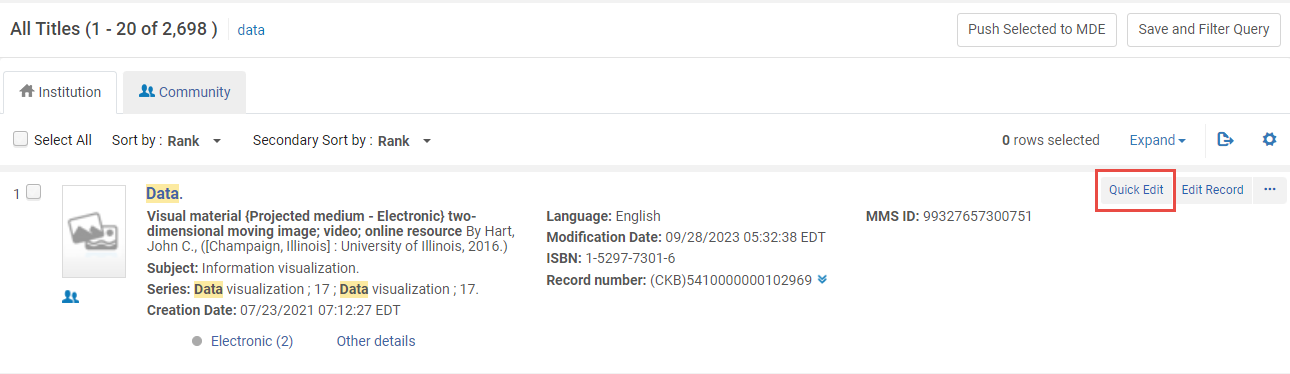 Search results indicating the Quick Edit button
 - Locate a search result item you wish to edit and select the Quick Edit button. The Quick Edit form is displayed.
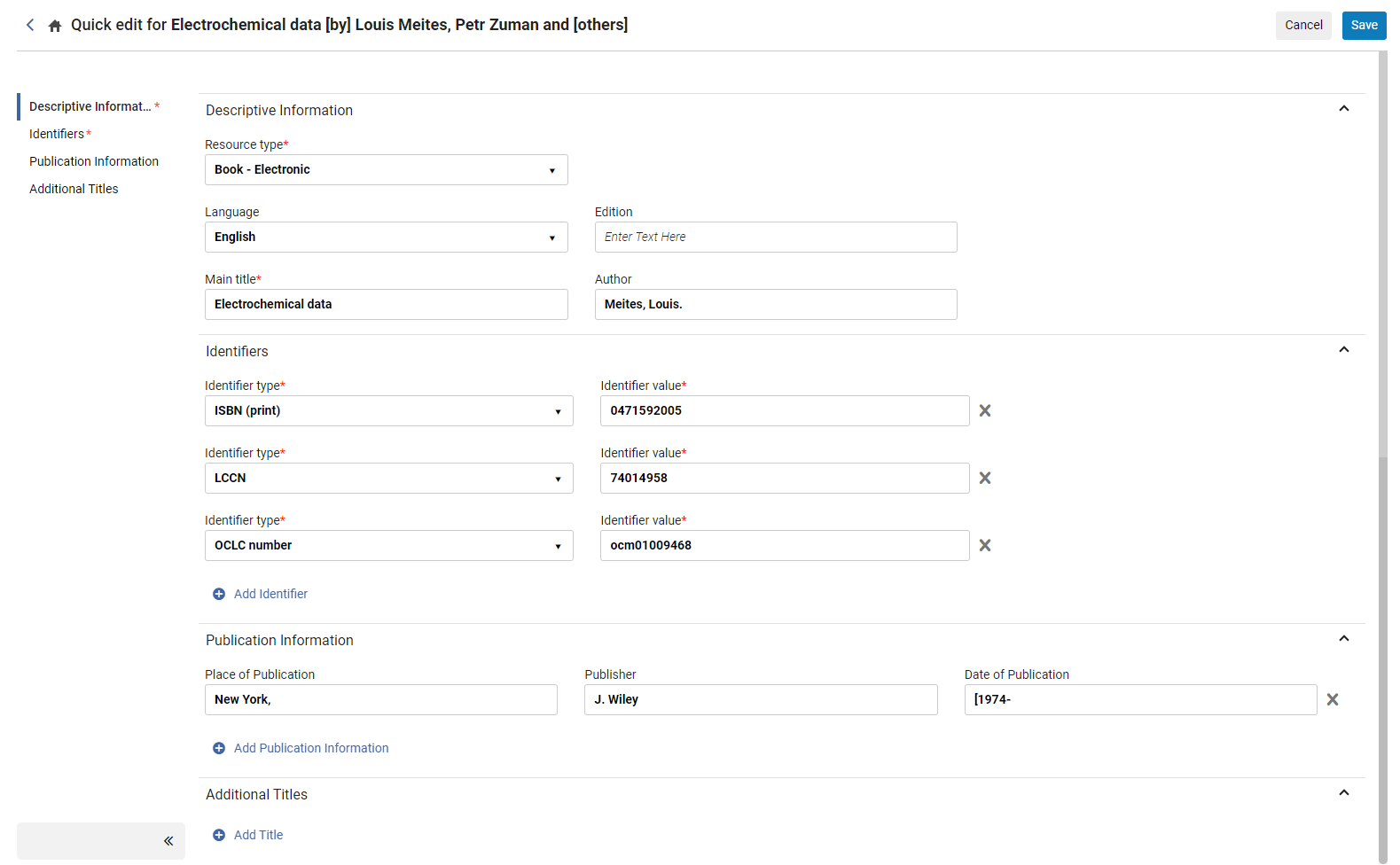 Quick Edit Form
 - The following fields can be edited in the form. When finished editing, select Save.
Descriptive Information: Field Name MARC21 and KORMARC UNIMARC CNMARC Resource Type For information on the standard Resource Types that are used by Alma, see The Resource Type Field. Language 008 positions 35-37 101.a 101.a Main Title 245.a 200.[a, e] 200.[a, c, d, e] Author 100.a 700.[a-d] 700.[a, b] Edition 250.a 205.a 205.a Identifiers: Only relevant identifiers can be defined, determined by the specific format and the classification as a monograph or serial.
Identifier type Monograph/Serial MARC21 and KORMARC UNIMARC CNMARC ISBN (print) Monograph For physical record: 020.a For non-physical record: 776.z
010.a 010.a ISBN (electronic)
Monograph
For physical record: 776.z
For non-physical record: 020.a
Not relevant
Not relevant
ISBN (Incorrect)
Monograph
020.z
010.z
010.z
ISSN (print)
Serial
For physical record: 022.a
For non-physical record: 776.x
011.a
011.a
ISSN (electronic)
Serial
For physical record: 776.x
For non-physical record: 022.a
011.f
011.f
ISSN (Incorrect)
Serial
022.y
011.y
011.y
DOI
Both
024.a
When first indicator is 7 and subfield 2 it is doi (in lower case)
Not relevant
LCCN
Both 010.a
Not relevant
Not relevant
OCLC number
Both 035.a (with OCLC prefix)
035.a (with OCLC prefix)
035.a (with OCLC prefix)
Public Information: Field Name MARC21 and KORMARC UNIMARC CNMARC Place of Publication
260.a or 264.a
210.a
210.a
Publisher
260.b or 264.b
210.c
210.c
Date of Publication
260.c or 264.c
210.d
210.d
Additional Titles: Field Name MARC21 and KORMARC UNIMARC CNMARC Uniform
130.a or 240.a
500, 605
500, 605
Alternative
246.a
510.a
510.a
Abbreviation
210.a
531.a
531.a
Page tags: article:topic product:alma content:Documentation
