
Configuration of Digital Shipping for Resource Sharing
This page describes how to configure digital shipping for resource sharing including copyright information and shipping terms of use. For general information on copyright management see Configuring Copyright Management.
For links to all the main fulfillment documentation pages see Fulfillment.
For links to the main resource sharing online help pages, see Resource Sharing.
Configuring a Resource Sharing Copyright Declaration
- General System Administrator
- Fulfillment Administrator
You can configure a resource sharing copyright declaration that is displayed to patrons before they request an item from a partner.
Before a copyright declaration is configured, the copyright acceptance box must be visible in the RS form, otherwise it will block all RS requests.
You configure the declaration on the Configuration File page (Configuration Menu > Fulfillment > Copyright Management > Resource Sharing Copyright Declaration).
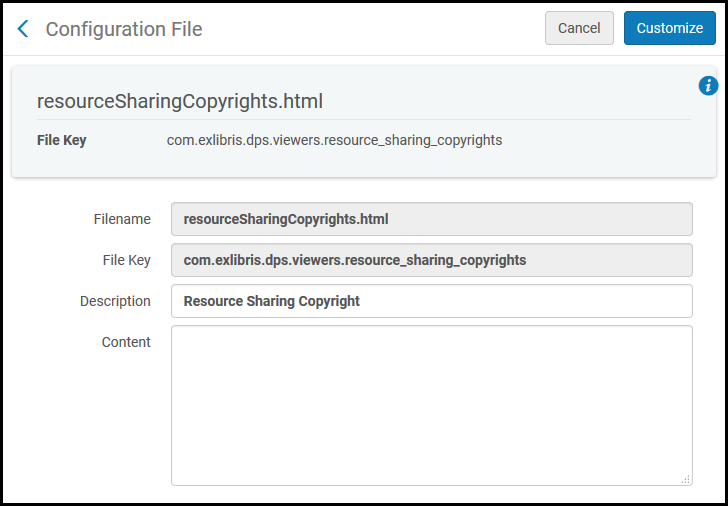
- In the Content field, enter the text that you want to display to patrons.
- From the Enabled drop-down list, select Yes.
- Select Customize to store the declaration in the system.
Configuring Resource Sharing Copyright Statuses
- General System Administrator
- Fulfillment Administrator
See also Configuring a Resource Sharing Copyright Declaration.
You can configure the descriptions for the resource sharing copyright statuses on the Resource Sharing Copyright Statuses code table (Configuration Menu > Fulfillment > Copyright management> Resource Sharing Copyright Status). This option appears only if the parameter rs_borrower_copyright_management is set to true(see Configuring Other Settings). For more information about code tables, see Code Tables.
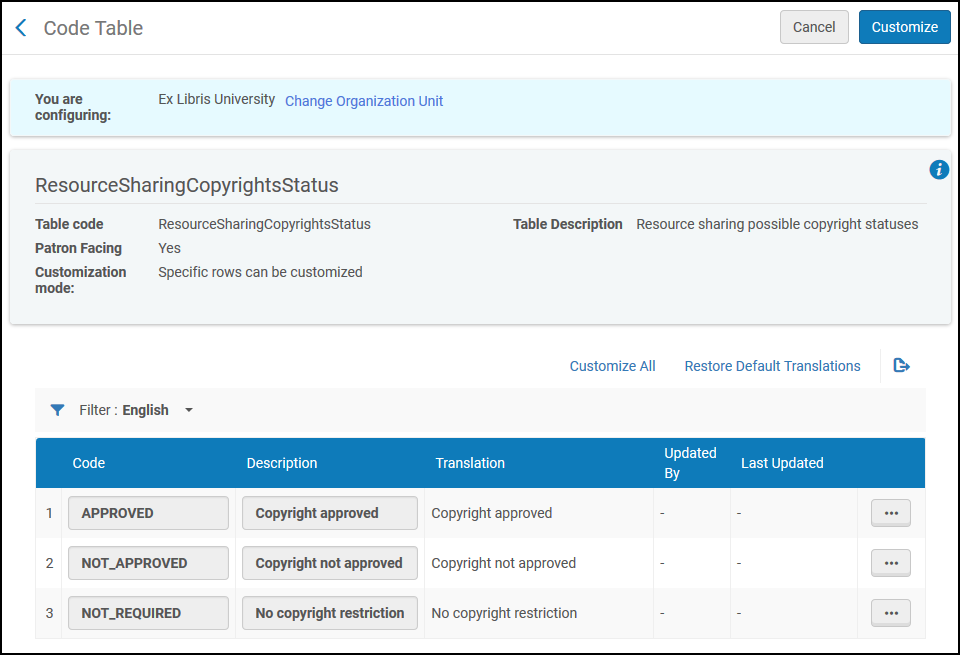
You can only change descriptions on this page. You cannot add, remove, enable, or disable statuses.
Configuring Digital Shipment Terms of Use
You can enable specific terms for digital terms of use from the Digital Shipment Terms of Use page at Configuration > Fulfillment > Resource Sharing > Shipping Terms of Use.
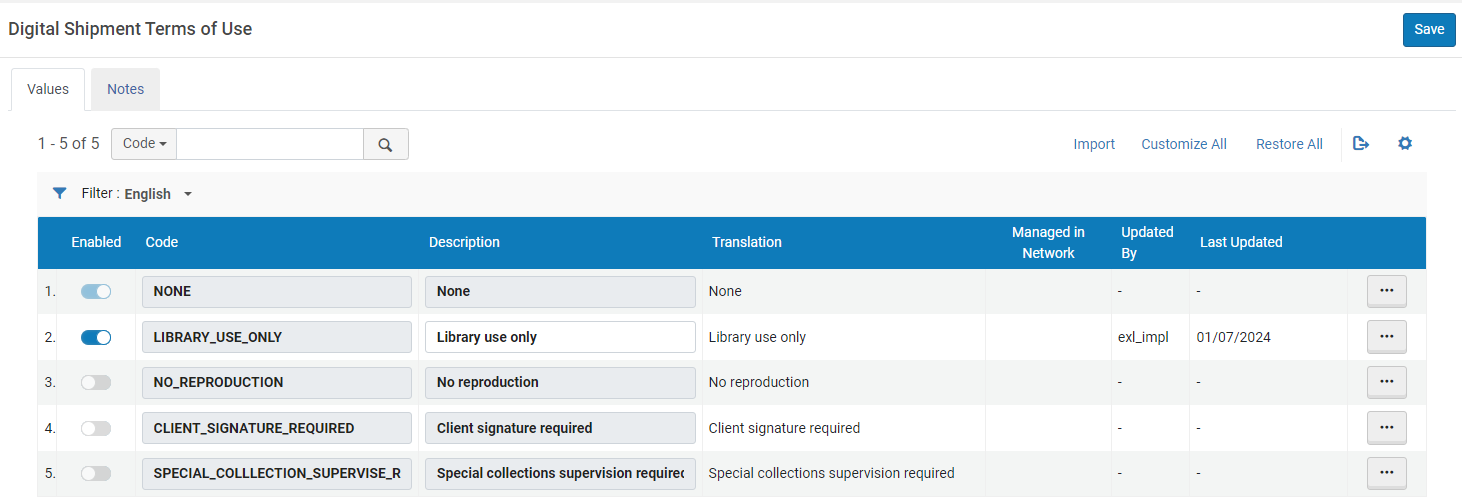
You can use the Import action to make bulk changes to rows of the table. To do this, you can use the export action to export an Excel file and make relevant changes to the Description column. You can then use the updated file as input to the Import action to update the existing rows. Note that when using the Import action in Alma, you can only add new rows to a table if there is an Add Row action.
See also Delivering Digitized Items Using the Document Delivery Page.
Page tags: article:topicproduct:almacontent:Documentationlang:english
