
Acquisitions - December 2017 Enhancements
Option to Send/Not Send Vendor Letters for PO Lines
When defining a PO line, you can now determine whether to send a letter to the vendor. For each acquisition method, there are now two options: one that sends a letter to the vendor and one that does not. By default, the new options that were created to support this functionality are disabled. They may be enabled from the Acquisition Method code table (Configuration Menu > Acquisitions > Purchase Orders > Acquisition Method).
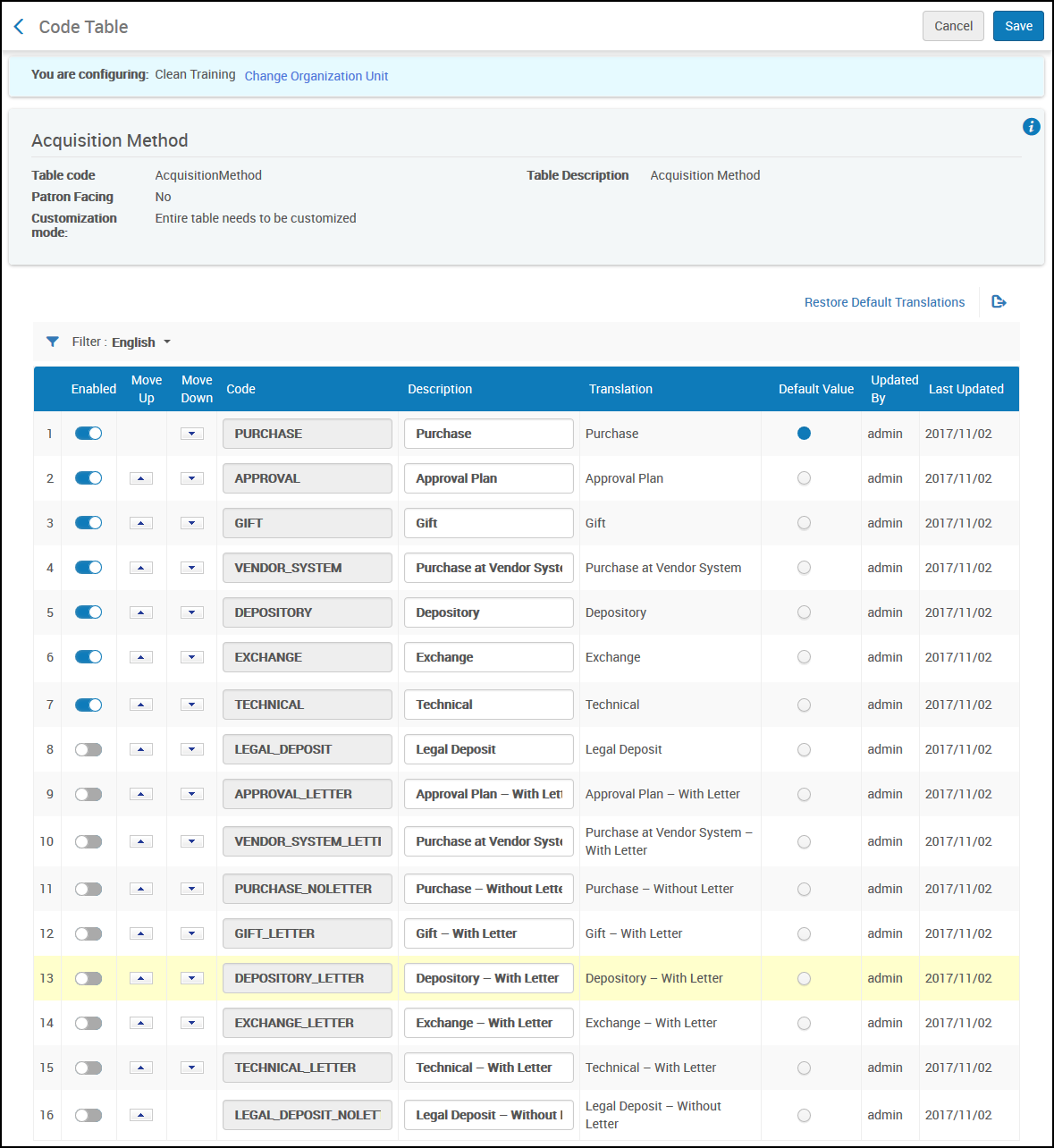
Once the options have been enabled, they are displayed in the Acquisition method drop-down list in the Purchase Order Line Details.
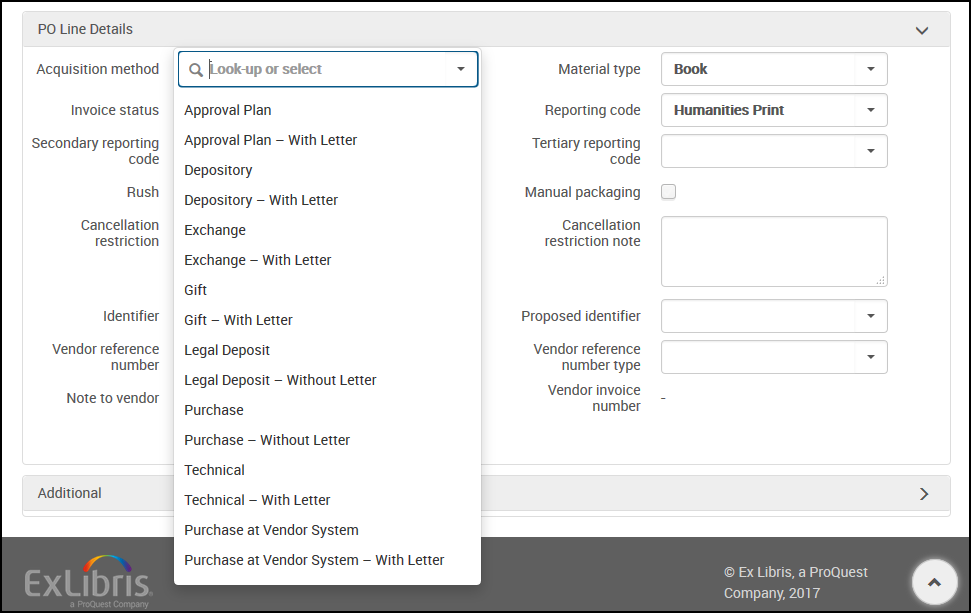
See Configuring Acquisition Methods.
Remove Historical License References
Idea Exchange: In the Inventory tab of the license (Acquisitions > Acquisitions Infrastructure > Licenses), a resource may now be removed from the license history.
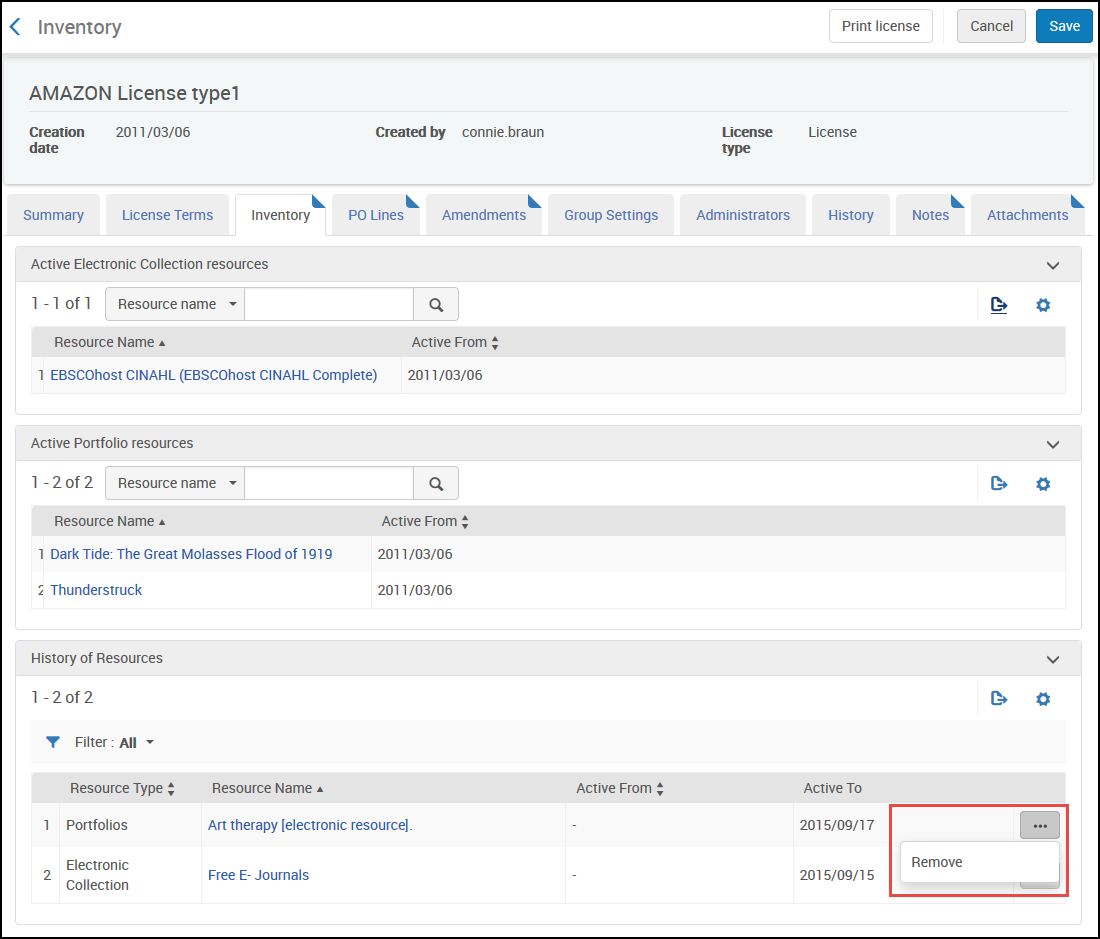
See Adding an Amendment to a License.
Adding a License to a PO Line with No Inventory
You can now add a license to an electronic PO line without inventory. On an existing order, click Additional Order, select Other Service - One Time in the Purchase Type drop-down list, and click Create PO Line. The License can be selected on the Purchase Order Line Details page that follows.
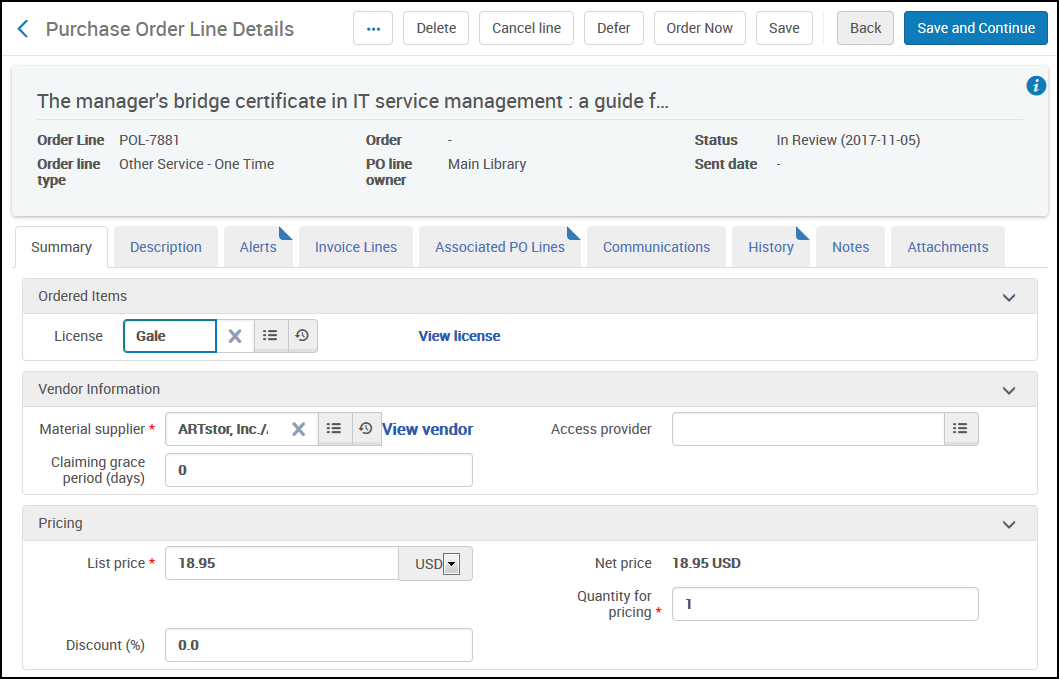
See Manually Creating a PO Line.
Add Group Settings to a License
A group setting may now be associated with a license for environments with multiple campuses or libraries. The license contains a new tab,Group Settings, for licenses of type License or Negotiation.The group may be added or removed.
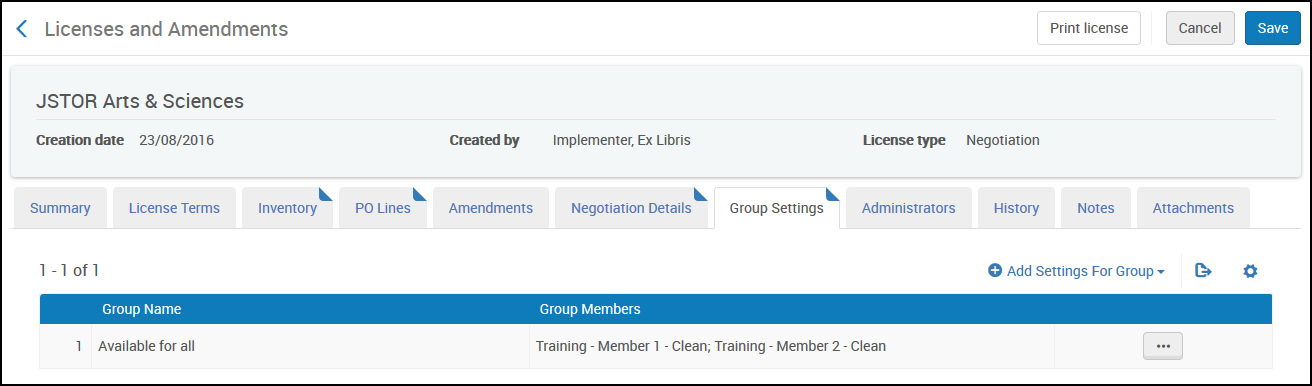
See Editing Licenses or Amendments.
Page tags: article:topicproduct:almacontent:Documentationlang:english
