
Digital Resource Management - June 2017 Enhancements
Sorting Collection List By Date and Name
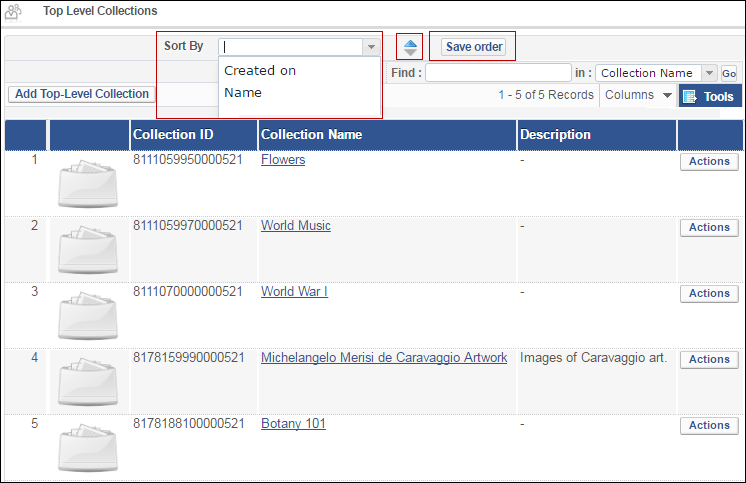
You can now sort the list of collections and sub-collections by Creation Date or Collection Name by selecting an option from the Sort By drop-down list. You can select ascending or descending order by clicking the up and down arrows. To save the sort so that it appears the next time you view the page, click Save order. The order appears in your discovery system.
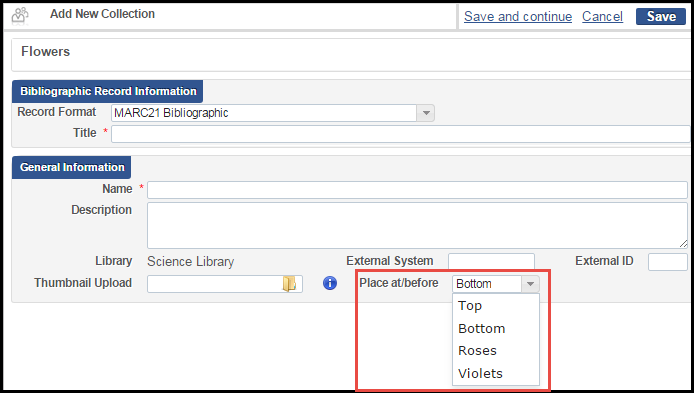
When creating a new collection or sub-collection, select from the Place at/Before drop-down list to have it placed at the top, bottom, or before an existing collection or sub-collection.
Additional Digital Resource Management Enhancements
- On the Approve Deposits page, the Assign drop-down list was replaced by the Assign Selected button and the Process Selected button was added:

Approve Deposits You can select deposits and click Assign Selected to assign them to other users or click Process Selected to approve, decline, and return the deposits.
Page tags: article:topicproduct:almacontent:Documentationlang:english
