
February 2023 Feature Release Highlights

GuideMe
GuideMe was launched in early 2020 to provide users with step-by-step guides on a curated set of workflows within Alma.
Since then, we’ve released over 30 walkthroughs ranging from creating sets for manual jobs, to activating electronic collections from the community zone, and running the fiscal period close rollover.
While feedback on these walkthroughs has been largely positive and reaffirms that providing in-app help enhances the overall customer experience. we will be decommissioning GuideMe from the February 2023 release.
In the interim, we will be investigating other third-party digital adoption options. While we currently cannot commit to a timeline until we complete our due diligence, we will keep you updated as we get closer to finding an alternative solution.

Idea Exchange - Electronic Service - Expiry Date Option for the "Service Temporarily Unavailable" Message
A new field "Display unavailable message until date" allows the Alma user to set a date for when the "Service temporarily unavailable" message will expire and will no longer display in the "View it" of the resource.
 The Alma user no longer needs to proactively move the "Display temporarily unavailable message" back to "No".
Idea Exchange - Automatically Control the Availability of Portfolios
Two additional fields have been added to the Portfolio Editor screen (as well as to the New Portfolio screen when adding a new local portfolio):
- Field 1 - "Available from date" specifies when the portfolio is automatically set to "Available."
- Field 2 - "Available until date" specifies when the portfolio is automatically set to "Not available."
Automation of aspects of electronic resources management.
Menu Keyboard Shortcuts in the New MD Editor
It is now possible to easily and quickly access menus in the new Metadata Editor using a keyboard only.
This is especially useful for catalogers that rely on keyboard shortcuts in their work.
To assure a quality release of the personalized quick links in the new Metadata Editor, we will be postponing their deployment to the May release to invest further time in providing a robust and fully tested capability. We will delay the classic MD Editor sunset to coincide with this important enhancement to the new MD Editor’s capabilities and efficiencies.
Updates to the MARC21 Profile
The following MARC21 updates are available for bibliographic, holdings and authority profiles:
- Update No. 33, November 2021
- Update No. 34, July 2022

Improved UX in the Alma Viewer
The Alma Viewer design has been improved to provide maximum space for the file content thus providing an optimal end user experience. Several new configurations allow collapsing information panes by default. The file display has been expanded to improve the viewing experience.
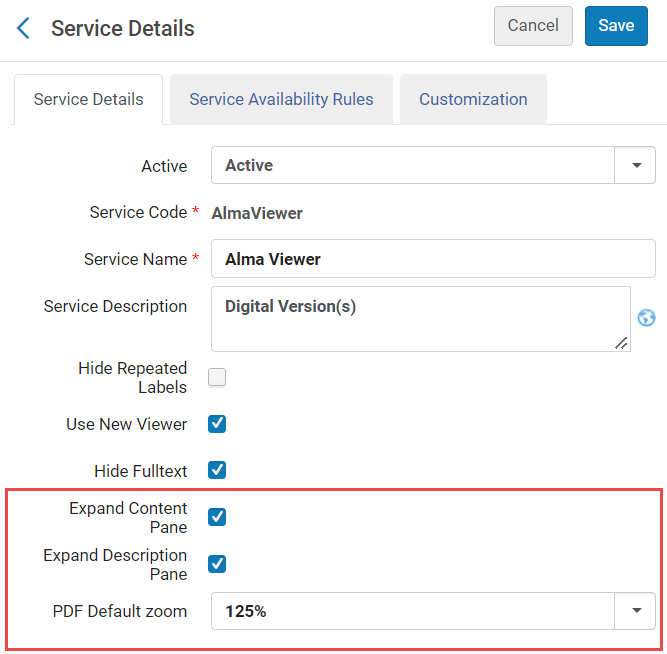
These improvements will provide an optimal end user experience for patrons viewing the library’s digital resources.

NERS Request - Customize Request Cancellation Reasons
It is now possible to edit the Request Cancel pop up screen to remove request cancellation reasons and to add new options as required. The library can customize a list of cancellation options that is relevant for the library.
When cancelling a patron request, the user will only see a list of request cancellation reasons used at the library, preventing mistakes of selecting a reason that should not be used.

New Resource Sharing Task Lists
After having released the new resource sharing task lists with an opt-out option in the previous release, we plan to retire the old task lists in the May 2023 Feature Release, leaving the new task lists as the only available option.

New UI for Analytics Management
The Analytics Object List is now accessible with a new UI design. You can personally opt in to use the new UI, or continue using the current version of the analytics lists.
The new UI for analytics has many benefits, including:
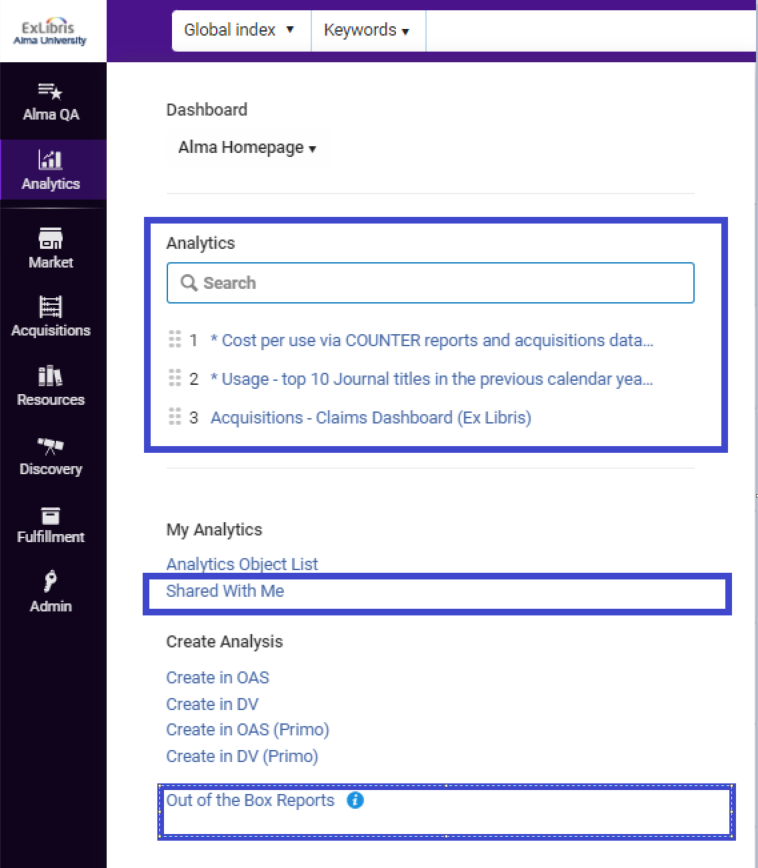
- An all-new analytics menu including: an integral search box for analytics objects, customizable quick links for favorite reports, a dedicated separate area for out-of-the box reports and a new "shared with me" list where all shared reports are in one central and searchable list.
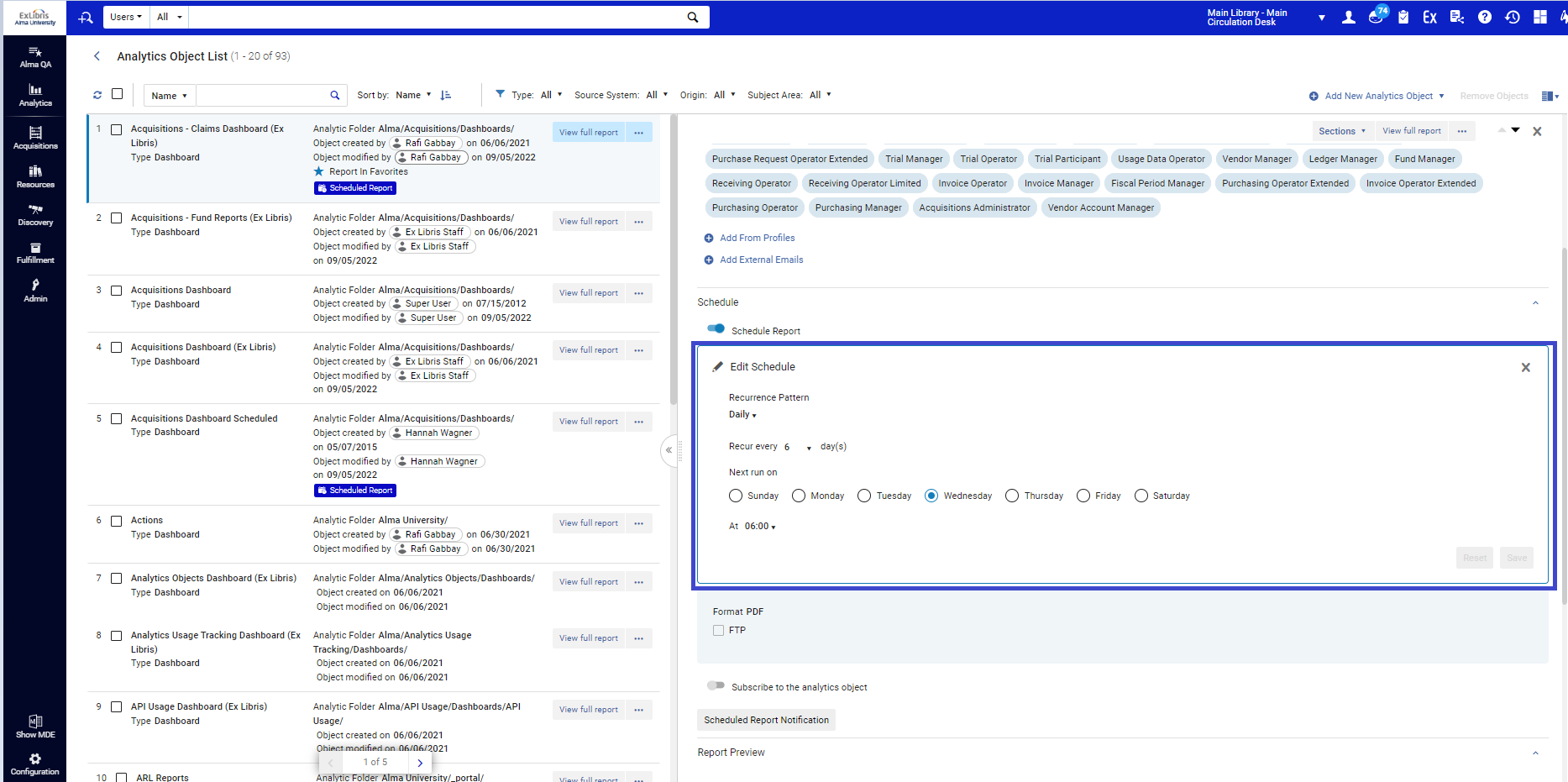
- A side by side view including a right pane work area that will enable inline editing of the analytics object in focus, with no need to navigate to a separate edit form and lose the context of the analytics object list that is being processed.
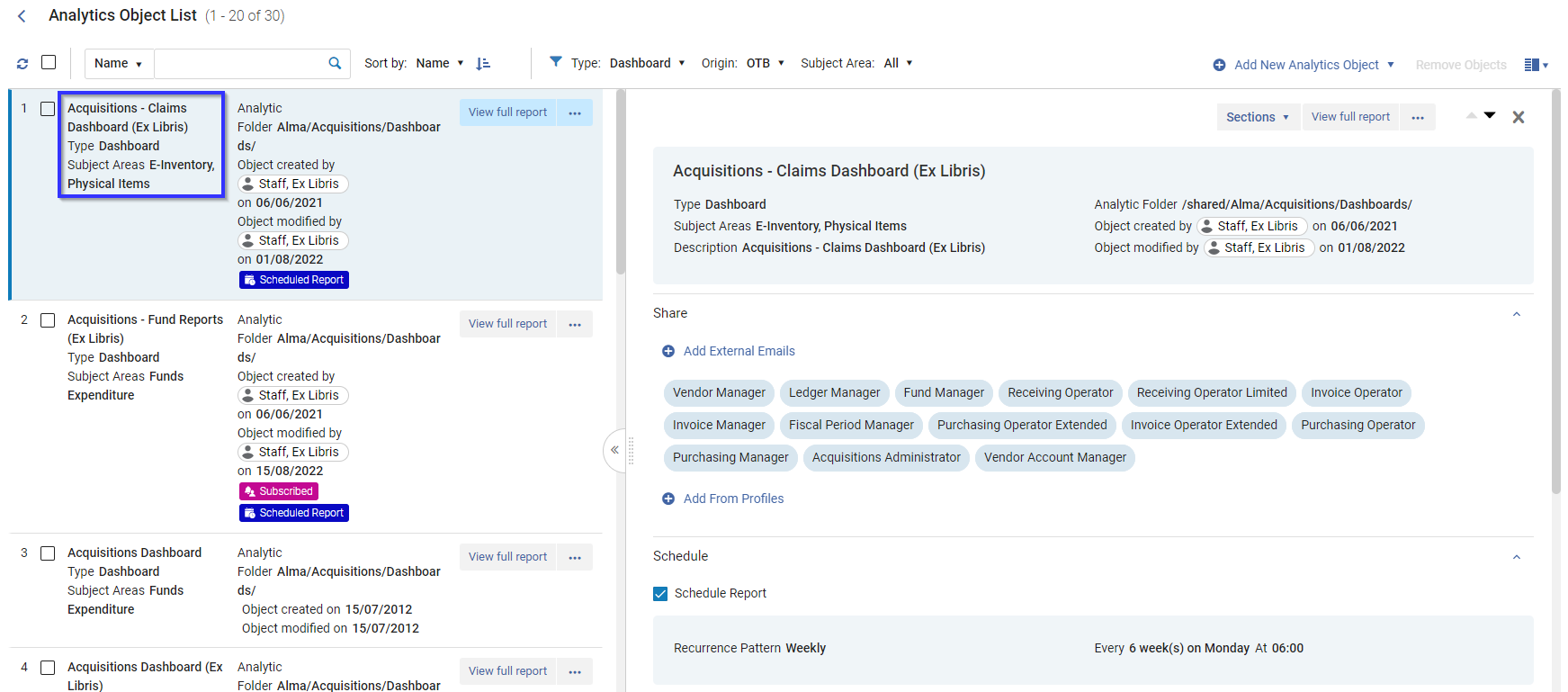
- A preview of the analytics report is available within the Alma UI, making it easier to manage analytics objects in one application, rather than having to open Oracle Analytics Server.
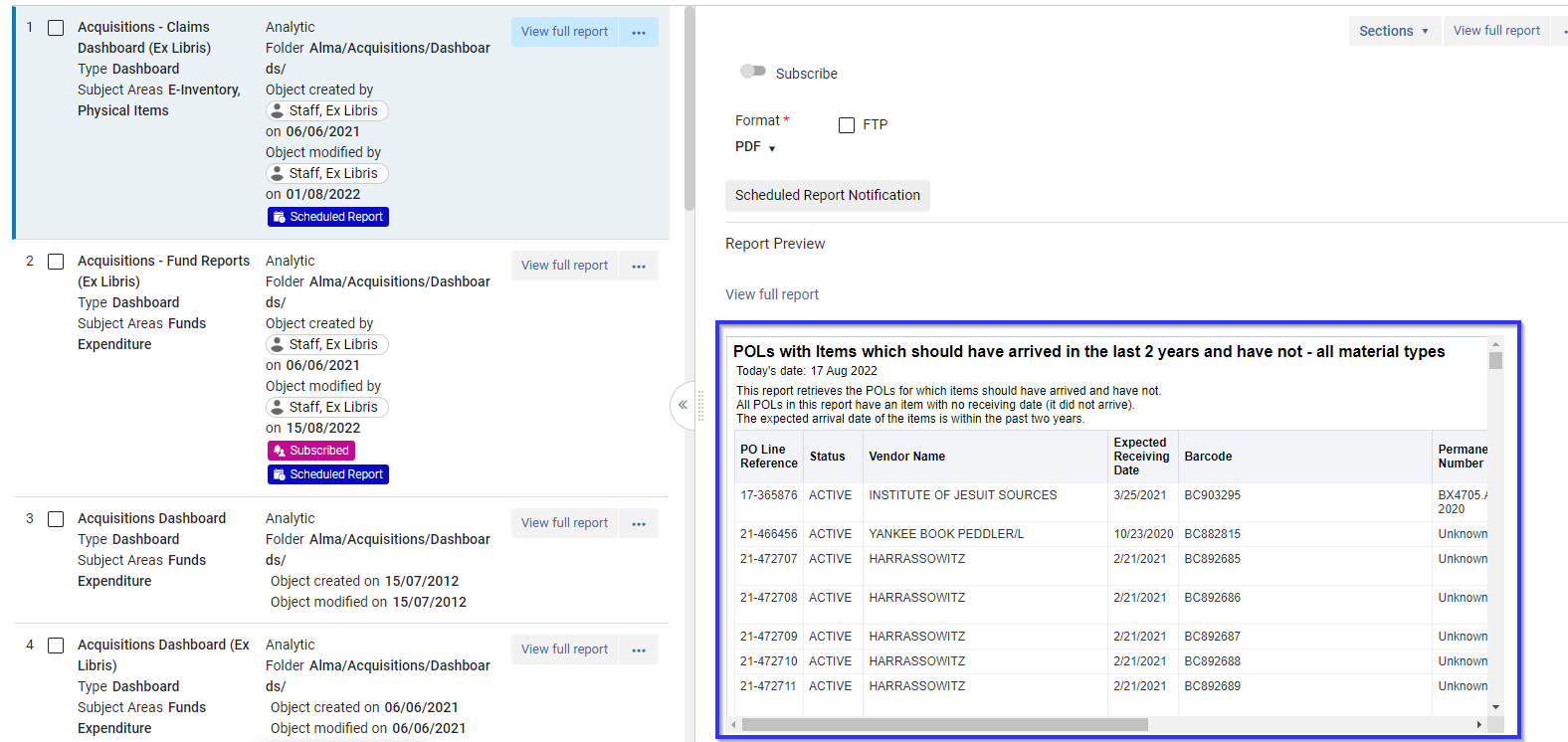
- Multiple search, sort and filter options to easily find relevant analytics objects including sorting by “Subject Area”.

- A flexible and intuitive way scheduled analytics with a wide variety of customization
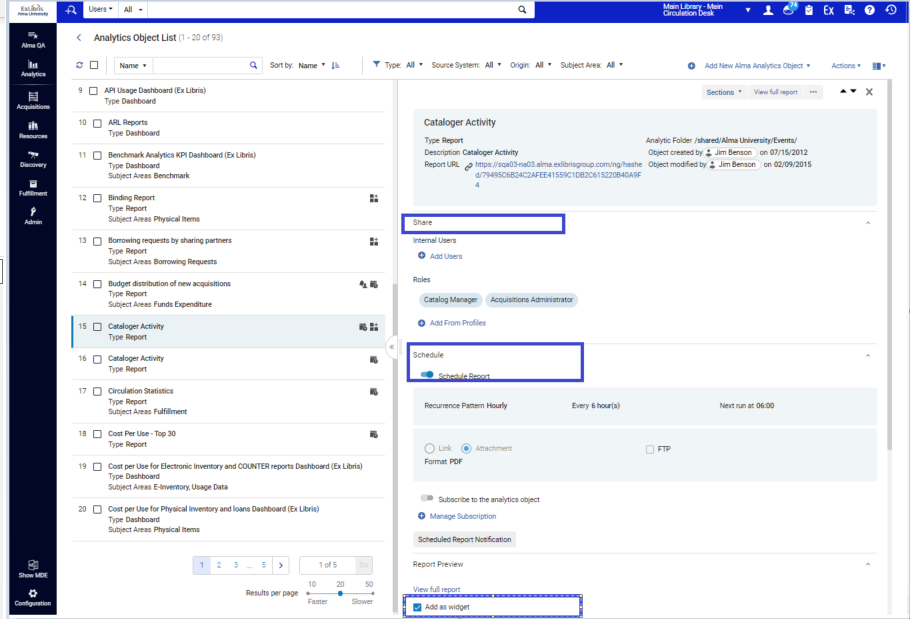
- A "one stop shop" approach to creating objects: allowing sharing, scheduling and adding analytics as widgets in one analytics object rather than importing analytics several times as different objects.
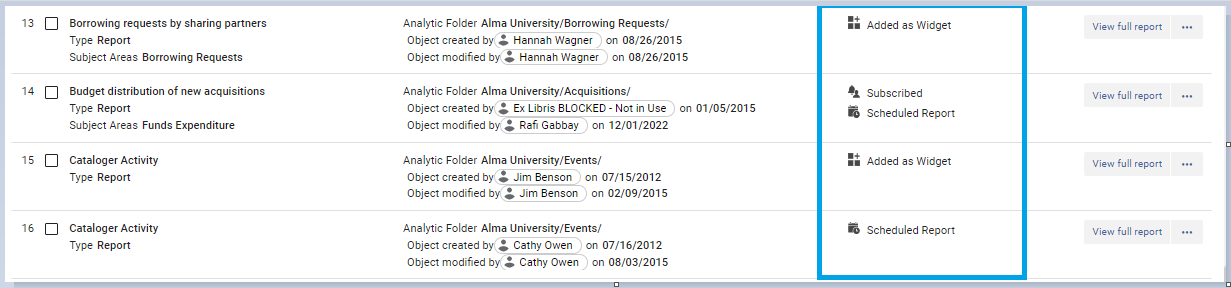
- Labels provide a quick visual indication of whether a report is scheduled, added as a widget and whether you are subscribed to it.
Page tags: article:topicproduct:almacontent:Documentationlang:english
