
Alma AI Assistant – Acquisitions Funds and Ledgers
- You must have a General System Administrator or an Acquisitions Administrator role to enable the Alma AI Assistant.
- You must have the Fund/Ledger Manager role at the institution scope to use the Alma AI Assistant.
What is the Alma AI Assistant?
The Alma AI Assistant is an initiative that leverages advanced technologies to support Alma staff users in their day-to-day work. The Alma AI Assistant is designed to enable intuitive, natural-language interactions, helping staff ask questions and receive responses more easily within Alma.
The first focus area for the Alma AI Assistant is Acquisitions - Funds and Ledgers. Staff users with the Fund/Ledger Manager role (from the institution level) can ask questions about their institution’s funds and ledgers and receive immediate, natural-language responses. The AI Alma AI Assistant uses a Large Language Model generative AI to process the question, in the context of the conversation, and generate the relevant data to answer the question.
In general, using the Alma AI Assistant is similar to common AI chat experiences:
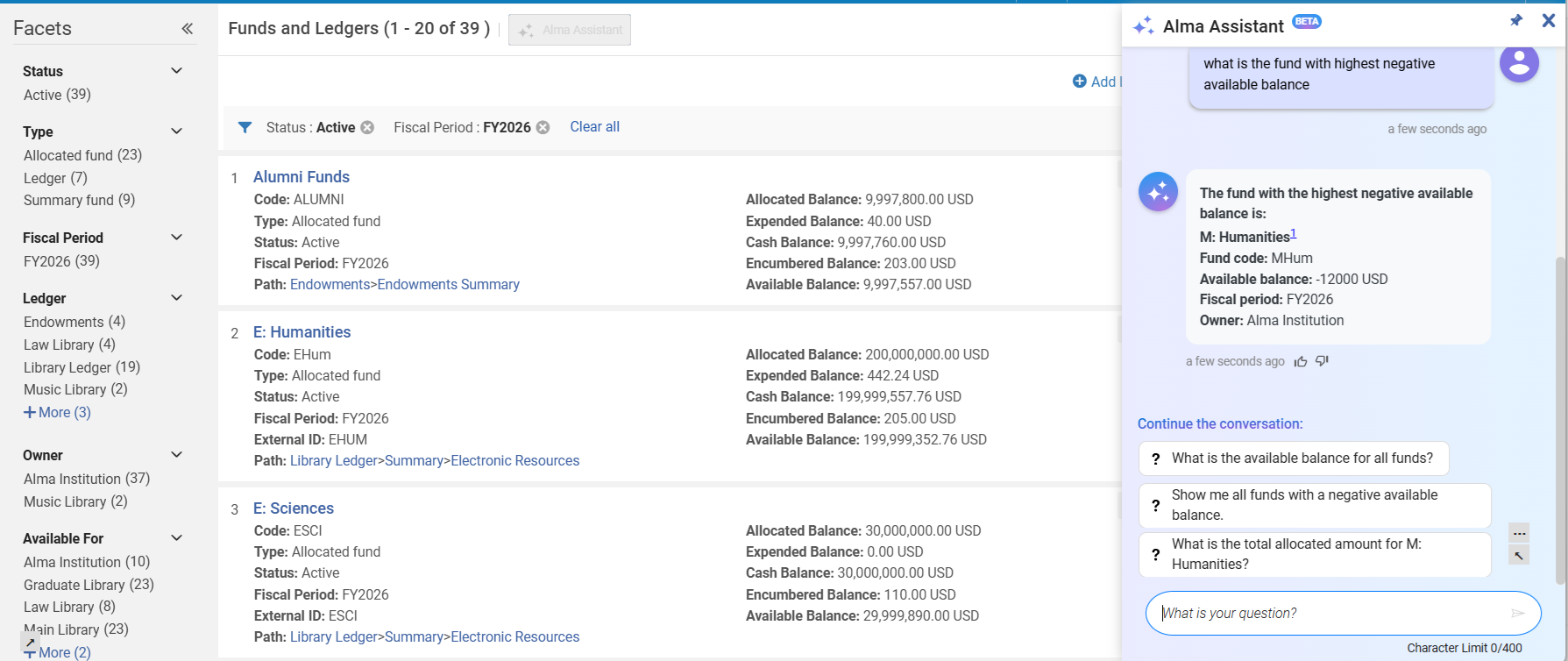
Watch the Alma AI Assistant – Funds and Ledgers video (3:20 minutes).
The Alma Assistant Capabilities
At this stage, the Alma AI Assistant supports conversations in English. It can answer questions regarding funds, ledger and their related data: reporting code, fund types, etc. The Alma Assistant identifies funds regardless of the case. For example, questions on fund "data" are answered even when the fund name in Alma database is DATA.
The assistant can also answer questions on the fund transactions – for example, "which funds do not have any expenditures". Questions on fund transactions are answered with information on the transaction's related PO line or invoice. The response includes the PO line number or invoice number and line number. Staff users can use the information and continue their work in Alma.
The assistant can also return information as a visual graph.
Special characters in fund names are supported. For example, "Art & History fund".
When referring to a specific fund, the assistant provides a link that can be used for reviewing the fund data in Alma:
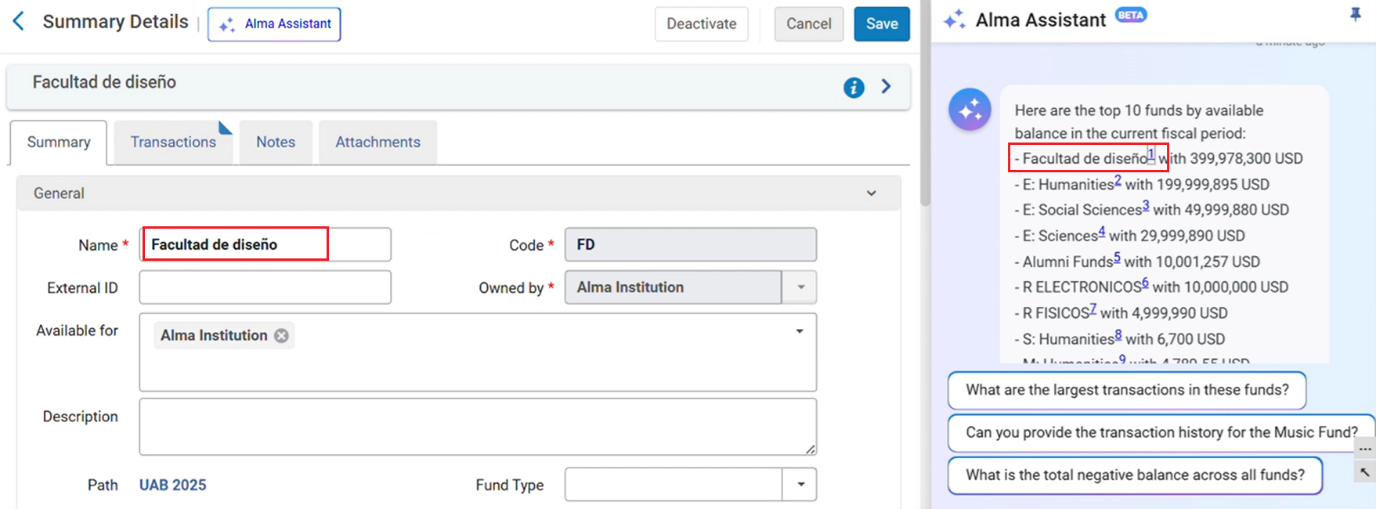
We recommend pinning the Alma AI Assistant before selecting the link so the navigation does not lose the conversation.
The Alma AI Assistant can answer a single question at a time.
Supported Actions
You can perform actions directly from the Assistant chat interface.
Supported actions include:
- Activate/deactivate a specific fund
- Allocate money to a specific fund
- Transfer money from fund to fund
Like the assistant's follow-up questions, it also suggests actions to take based on the conversation's context. For example:
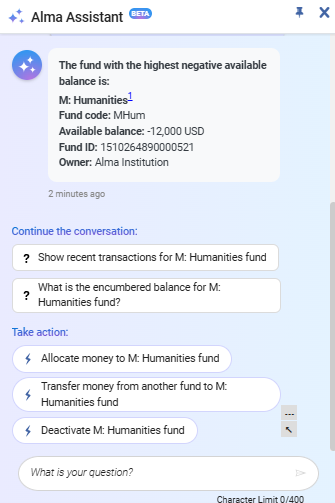
Before taking action, the assistant checks that all necessary information has been supplied and requests confirmation.
The action is performed using the Alma APIs (which the assistant know as its tools). Similarly to cloud apps which utilize APIs, the user who is kept as the modifier is the connected user.
Best Practice
- Ask a single question at a time.
- The Assistant is not familiar with your data – try to make the question clear. If you specify fund name or code, put them in quotes ("").
For example, ask:
What is the available balance for fund with "Main library fund" name.
Instead of:
What is the available balance for Main library fund
In the second example, the assistant might understand the name as "Main library" or "Main library fund". It might also understand that you are asking for fund that has the "Main" library defined as owner.
Example Questions
- What is the total available balance in the institution?
- How much money do we have available in fund x?
- Which funds have a negative balance?
- Which funds do not have expenditure transactions?
- How much do we still have encumbered for 2025?
- Can you show the largest expenditure transaction for fund x?
- Do I have enough available money to add a subscription package that is $8,387.00 per year?
- Build me a graph that shows the spent in the various funds.
- How much have we spent from fund x? At the current rate, when will the fund run out?
Future Plans
Future phase plans include supporting the following:
- Conversation in non-English languages
- Additional information relating to PO lines and invoices
Enabling the AIma Assistant for Funds and Ledgers in Your Environment
To enable AIma Assistant, you must have the following roles:
- General Administrator
- Acquisitions Administrator
The Alma Assistant for funds and ledgers is disabled by default in all institutions.
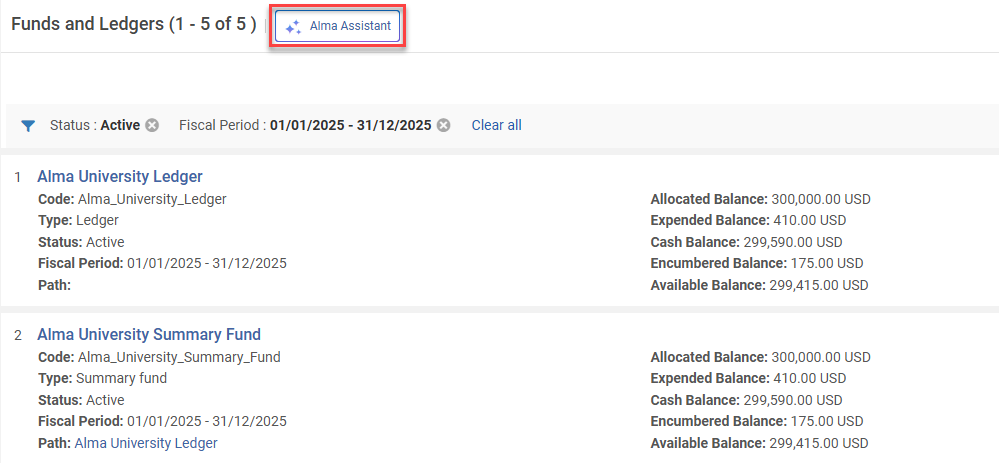
Administrators with the above roles can enable this feature in Configuration > Acquisitions > AI Features > AI Features Management(see AI Features Management).
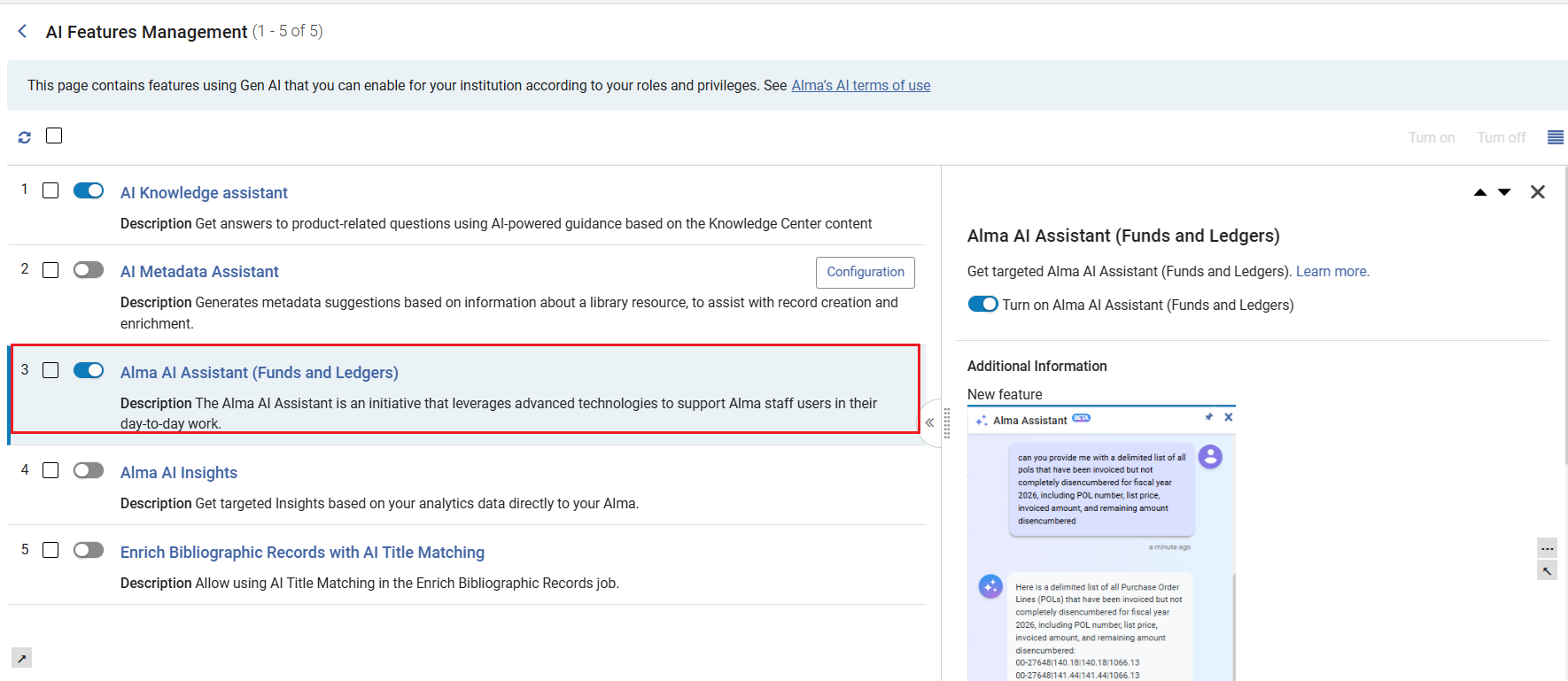
The new assistant is then visible on the Funds and Ledgers page.
Testing In a Sandbox Environment
The AI Alma Assistant settings are periodically updated using the Synchronize AI settings job. This ensures that the AI prompt remains effective and up-to-date as AI models evolve and change.
As scheduled jobs are disabled in Sandbox environments, before testing the AI Metadata Assistant, run the Synchronize AI settings to test with current settings.
- Select Monitor Jobs > Scheduled tab.
- Filter by Job Category = Data services.
- Select Run Now(available in Sandbox environments) from the Synchronize AI settings row actions.
After the job is completed, users with the required roles can test the Alma Assistant in the Funds and Ledger page.
Enabling the AI Alma Assistant in the AI Usage Profile configuration page may need to be reset after the sandbox is refreshed.
Frequently Asked Questions for the Alma AI Assistant
- Is our data used to train the AI? A: No – The AI is not trained on your data, and in fact does not even see it. It only produces the query to retrieve the data, which is then being processed by Alma.
- What LLM are you working with? A: Models are subject to change as models and capabilities evolve. As of the February 2026 release, the Alma AI Insights were working with the GPT 4O LLM model.
- What is your policy regarding AI? A: Clarivate’s Academia & Government policy for use of generative AI is available in the link:https://clarivate.com/ai/academia/policy/
- Why am I getting slightly different answers for the same question? A: Large Language Model generative AI tools are agile, and their responses differ between uses and evolve over time. The returned answer by the AI will vary each time according to the information provided to it, and the AI’s internal processing itself.
- Can I trust the AI to always give the “correct” answer? A: AI provides data-driven suggestions, not absolute truths. It’s designed to assist decision-making, not replace human judgment. Always consider AI answers as one input among others, especially in complex or high-impact scenarios.
Page tags: article:topicproduct:almacontent:Documentationlang:english
