
Fines and Fees
Configuration
How are fines and fees managed in Alma?
Alma's TOU policies allow the library to determine the fines and fees policies that are applied to the use of library resources.
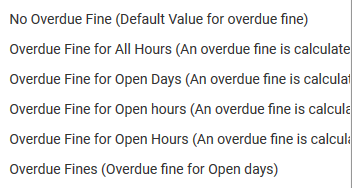
This includes overdue fines and lost item fees, among others. Overdue fines are assessed and registered when the item is returned or renewed. Fines can be calculated by the hour or day; parameters also allow for defining if the fine runs when the Library is closed, or only during open hours. Separate fine policies may be defined for recalled items.
All details of the patron's transactions relating to fines and fees are stored in the patron record. From the patron record, an authorized staff user can manually add or waive library fines and fees.
Automatic Generation of Fines and Fees
Alma supports both automatically generated charges, and manually added charges.
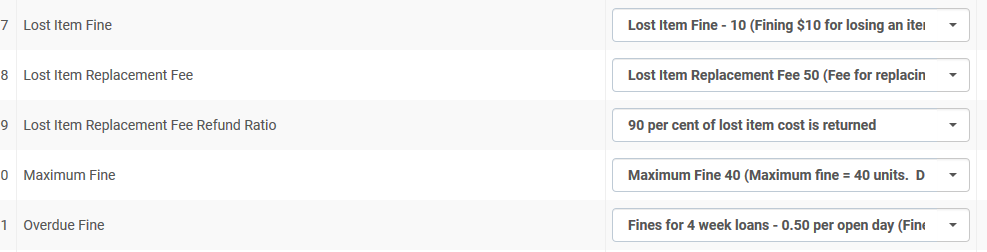
Automatically generated charges are set in the Terms of Use (TOU) configuration. Each TOU policy will have definitions related to fines and fees for the policy – e.g.:
- A renewal fee
- A lost item replacement fee
- A lost item fine
- An overdue fine, maximum fine, etc.
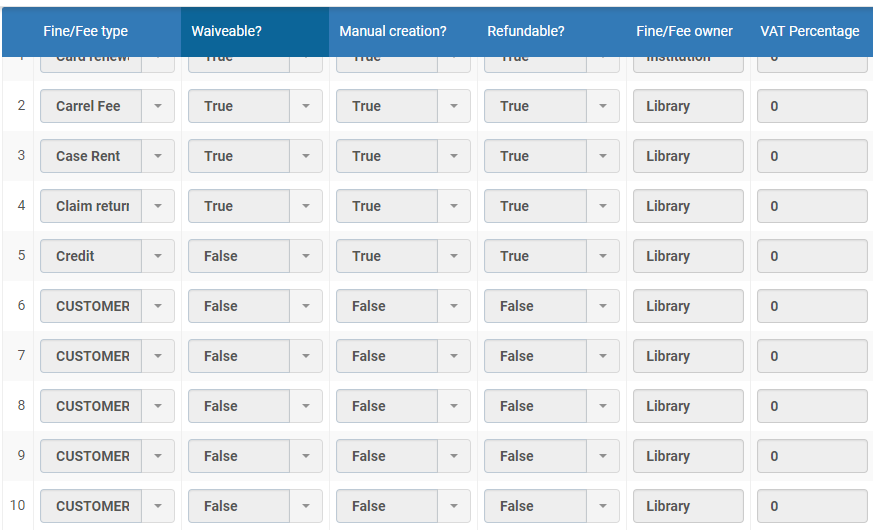
A configuration table (User Management Configuration> Patron Charges > Fines/Fees Behavior) in Alma allows for configuring the parameters of a fine or fee related to various activities in the library – e.g., overdue fine, registration fee, notification fee, lost item charge, etc. In this table it is possible to define if:
- A fine/fee can be waived;
- It can be created manually, or is automatically generated by the system;
- It can be refunded;
- The fine/fee is on the level of the library or the institution.
How are fines calculated?
Does Alma allow for blocking patron activity based on the amount of fines accrued?
Can the library charge the patron for fine notifications?
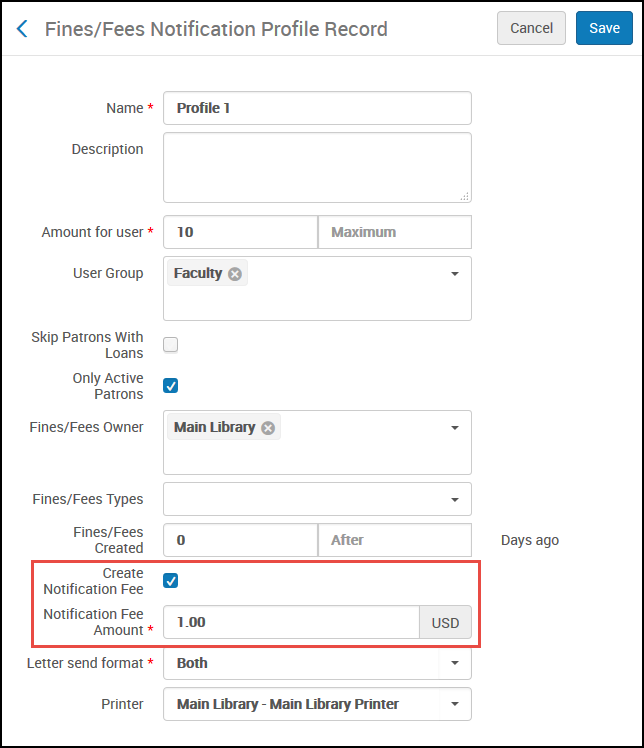
A library may configure the Fines and Fees Notification Profile to charge a handling fee to patrons for sending a fines and fees notification letter. The Fines/Fees Notification Profile has a check box, Create Notification Fee. When this check box is selected, the Notification Fee Amount field is also displayed.
General
Can a fine be added manually?
What details are recorded for each fine or fee?
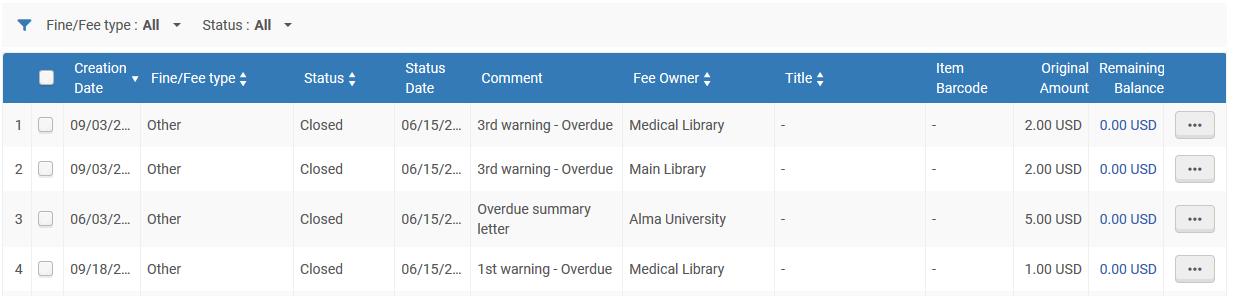
Each Fine or Fee is listed with:
- Fine/Fee Type (such as Overdue Fine)
- Creation Date
- Status (Active, Closed, In Dispute)
- Status Date
- Comment (if added)
- The Fee Owner (Institution or Library)
- Title (if fine is related to a loan/request)
- Item Barcode (if applicable)
- Original Amount
- Remaining Balance (different to the original amount after partial payment)
Can fines and fees be filtered or sorted by library?
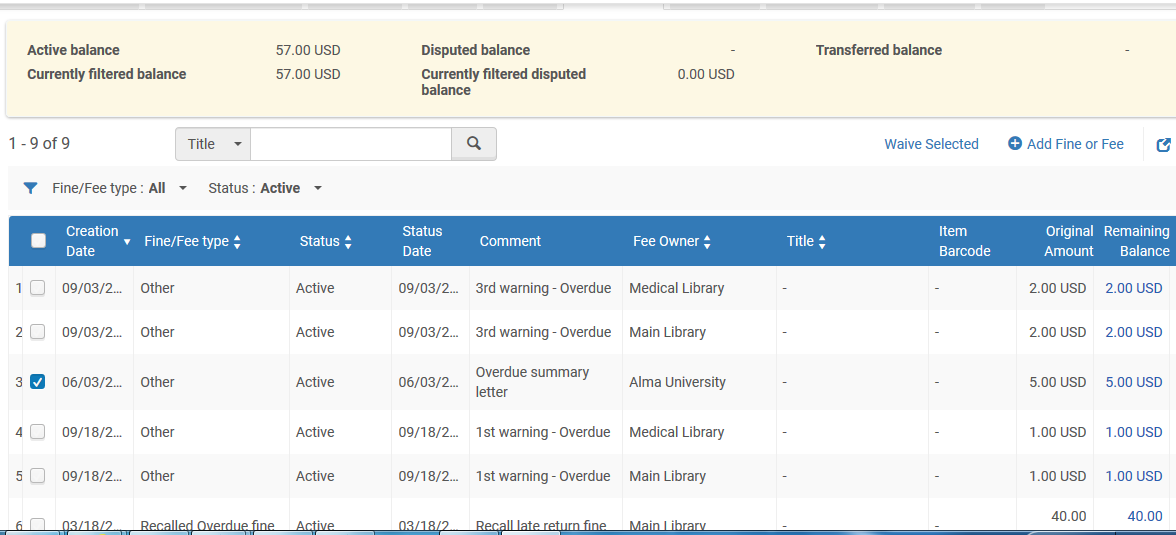
You can filter by fee owner in order to see only the fines under an individual library's responsibility. The filter is available in the Fines/Fees tab of User Details and the User Fines and Fees window when selecting a specific fine to pay in Manage Patron Services:
How is payment handled?
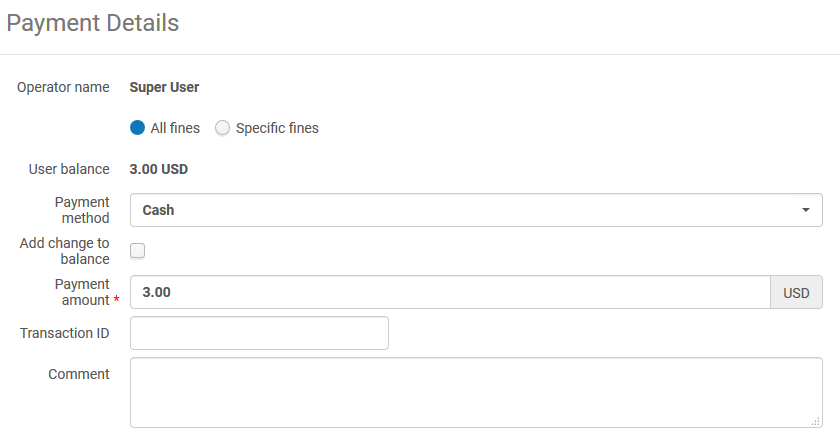
Circulation desk operators can view and receive payments for patron fines and fees. Within the patron services page staff users can opt for the Pay link. The Payment Details dialog box appears. Within the dialog box staff users can enter payments for either all fines or specific fines. Furthermore it is possible to:
- Chose a payment method (cash, credit card, online… - depending on institutional payment methods and integrations)
- Add the change to the user's account (the change is retained as credit for future fines and fees)
- Fully or partially pay the amount
- Enter a transaction ID
- Add a comment
Does Alma retain a history of fines?
Is data about the operator receiving fine payment recorded?


Can the patron see their fines and fees in Primo?
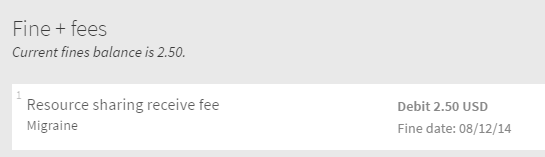
Can patrons receive notification of fines and fees owing?
Can fines and fees be exported to a third party system?
- getUserCash – Retrieve User Cash
- payFine – Pay User Fine/Fee
- waiveFine – Waive User Fine/Fee
- disputeFine – Dispute User Fine/Fee
- restoreFine – Restore User Fine/Fee
How can a fines and fees report be generated?
- Received by library – Filters by the library at which the fine/fees were paid. This filter cannot be used for reporting waive actions.
- Received by circulation desk – If a library is specified, filters by the circulation desk at which the fine/fees were paid. This filter cannot be used for reporting waive actions.
- Transaction types – Filters by the type of transaction:
- Payment and Waive – includes both payments and waivers
- Payment – includes only payments
- Waive – includes only waivers
- Fine owner – Filters by the owner of the fine/fee, which may or may not be the same location where the fine or fee was paid or waived.
- A list of all a user's cash transactions
- A list of all the open cash transactions by patron group
- A list of users that have fines and fees with their preferred address, phone, and email information
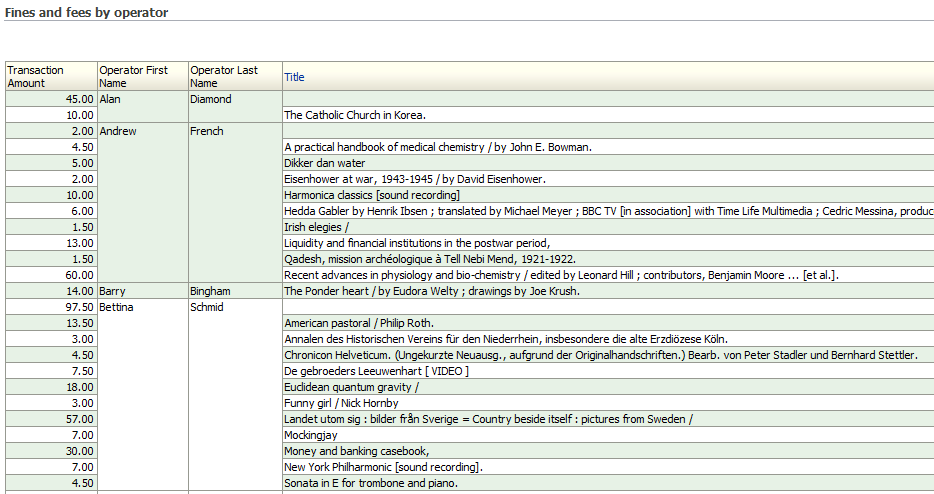
- A list of all the transaction types and amounts per library
No fines or waiving fines
Can a policy be defined where no fines are accrued for overdue items?

Can fines be disabled?
Can fines be waived?

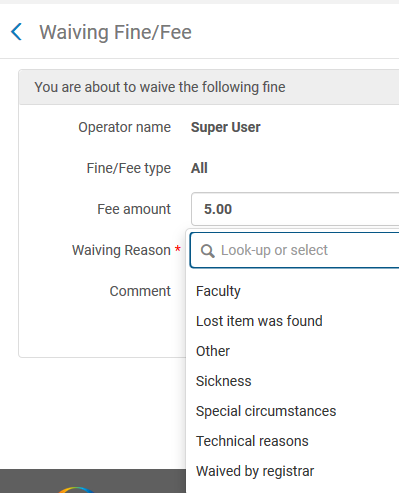
An option also allows for waiving more than one line item. This is achieved by clicking on the 'Waive Selected' link.
Does Alma support bulk fine waiving?
Privacy
Can fines and fees be anonymized?
How does Alma ensure payment confidentiality?
- Staff member authentication prior to accessing Alma
- Each staff has privileges and access to data according to his/her role
- Only authorized staff members have access to patron data, to view and edit
- Alma's browser sessions are encrypted using SSL
- Sensitive Patron information is encrypted
Total views:
Page tags: article:topicproduct:almacontent:Documentationlang:english
