
情報を公開
- 一般システム管理者
- リポジトリ管理者
- 目録管理者
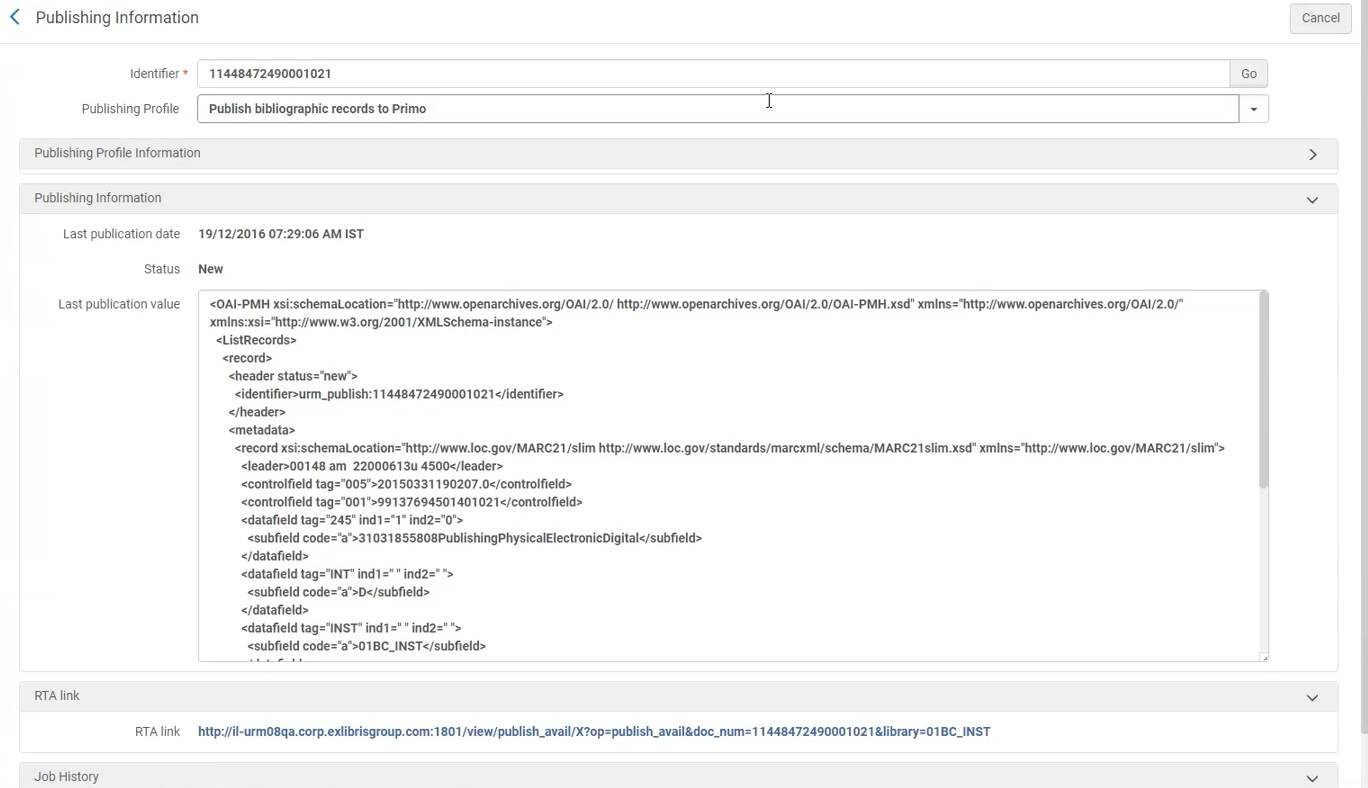
Similar to the Publishing Information search results list action (see Performing Actions on the Repository Search Results Page), the Publishing Information feature (Resources > Publishing > Publishing Information) provides the following information after the General Publishing, Primo, Summon, OCLC, Central Discovery Index, Libraries Australia, and Google Scholar publishing jobs are run:
-
Campus/OCLC institution symbol – If the institution is publishing at the campus/symbol level, in addition to the record ID you'll also need to specify the campus/symbol for which you want to see the publishing information.
- Publishing Profile – This parameter identifies the publishing profiles that were used to publish the record specified in the Identifier parameter.場合によっては、レコードが複数の公開プロファイルによって公開される場合があります。公開プロファイルパラメーターのドロップダウンリストには、レコードが実際に公開されたすべてのプロファイルが一覧表示されます。
- プロフィール情報の公開:
- Information related to the selected publishing profile: Profile description, sets selected in the profile (only for PUBLISHING_PLATFORM), whether the profile is currently active or inactive, its schedule, and last run date
- 「プロファイルの編集」リンク。Select the link to navigate to the publishing profile.
- 情報公開:
- Last publication date – This shows the date and timestamp information for when a record was published.
- Status – This shows New, Updated, or Deleted for the record's status in Alma when it was published.
- Last publication value – This shows the record data that was published for a given publishing profile, as identified in the Publishing Profile parameter (see above).
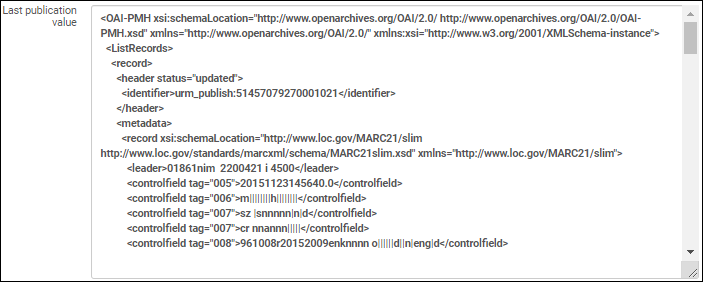 最終公開値
- RTA Link – This type of link appears for the different types of Primo publishing.
- Job History – In some cases, there is a link provided for accessing the job history list.これが表示されるまでに時間がかかる場合があります。
[情報公開] メニューオプションを使用すると、識別子パラメータに次のいずれかのタイプの ID を入力するだけで、上記の詳細を表示できます。
- 書誌MMS ID(書誌レベルが一般公開プロファイルタイプのとき)
- 典拠MMS ID(典拠レコードレベルが一般公開プロファイルタイプのとき)
- Title ID (for the Primo, OCLC, Central Discovery Index, and Google Scholar publishing type profiles)
- 所蔵ID(所蔵レベルが一般公開プロファイルタイプのとき)
- ポートフォリオID(ポートフォリオレベルが一般公開プロファイルタイプのとき)
- アイテムID(アイテムレベルが一般公開プロファイルタイプのとき)
一部の公開プロファイルではデータの強化や正規化が行われるため、公開されたデータは元のリソースレコードとはまったく異なる場合があります。Using the information provided for Last publication value, you can view and verify the actual data that was published.
Page tags: article:topicproduct:almacontent:Documentationlang:english
