
Library Mobile 2025 July Release Notes
Developments
Selection of Multiple Alerts - Mobile
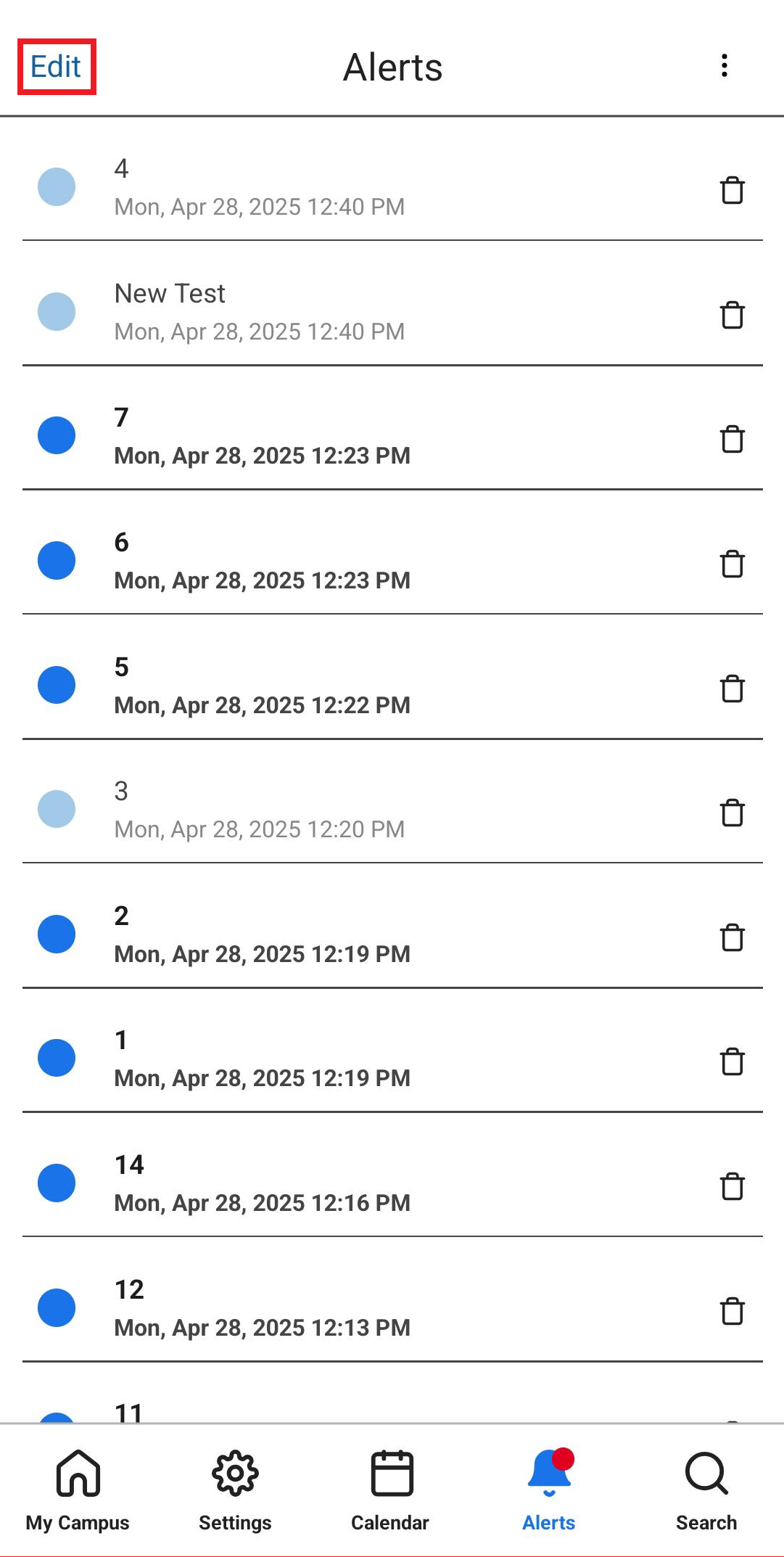
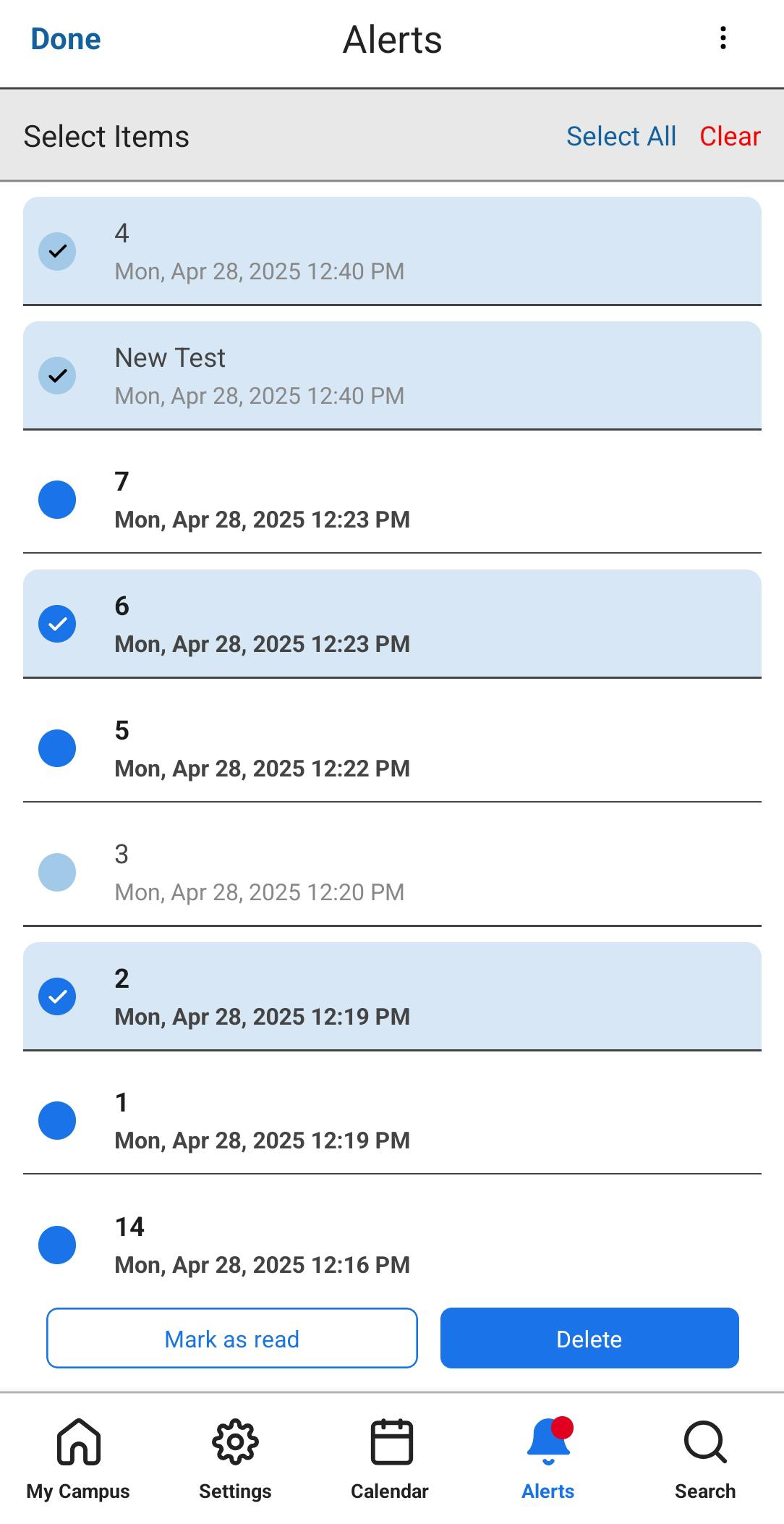
End-users can now select multiple Alerts in the mobile app in order to Mark as Read or Delete them in bulk. This functionality is accessed by tapping the "Edit" button on the top left of the screen.
End-users may manually select several alerts by tapping on them, select all alerts by using the "Select all" option, and deselect all alerts by using the "Clear" option. After selecting the desired alerts and selecting the desired action, users are asked if they are sure they want to perform the action. Once the alerts are deleted/marked as read, a small feedback message appears.
This ability is currently mobile-only, and will be added to the web app in future releases.
PrimoVE Product Integration - slimmer UI
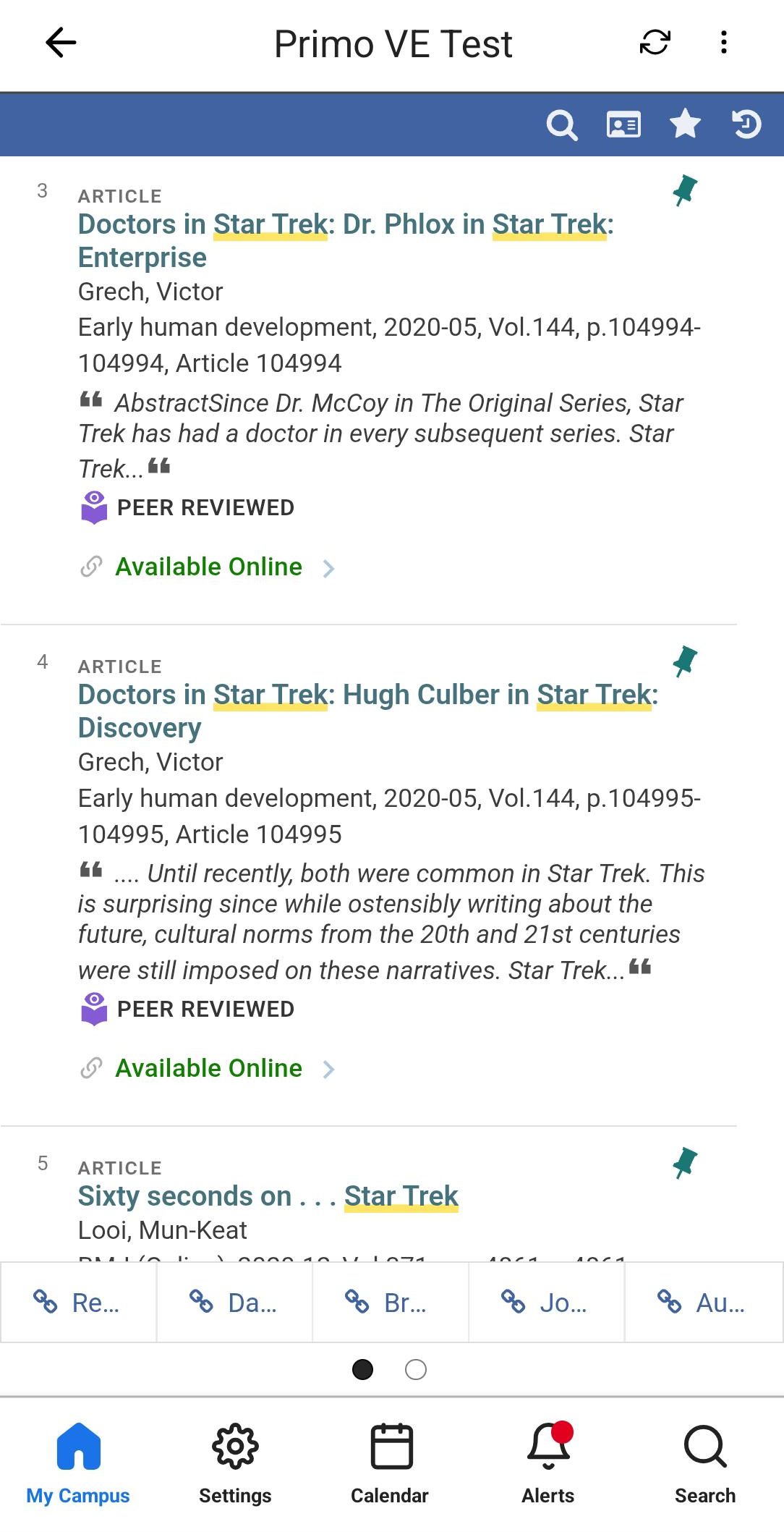
To allow for more room in the PrimoVE Product Integration screen, and specifically for the new AI Research Assistant, the campusM UI on the screen edges has been made smaller.
Bug Fixes
| SF number | Platform | Description |
|---|---|---|
| 08009269 | Web | In some cases, links to items in the Newsfeed Product Integration were not opened correctly on the web platform. This was fixed. |
| 07694947 | iOS (iPad) | Previously, when logging into a Standard Authentication profile on iPad in landscape mode, the login fields could not be seen. This was fixed, and users may now scroll down to see the necessary fields. |
| N/A | iOS | Previously the homepage presented an unhelpful error when trying to load the home page without an internet connection on an iOS device. Now the error page indicates the connectivity issue and a "Retry" button to press once the connection is restored. |
| 07842975 | Web | Previously the Feedback form on the Web app was not accessible. Accessibility features were now added to this page. |
| 07793446 | All | The badge counts on live tiles were not updating as often as expected on the home-screen. This was fixed, and they now update at least once per minute. |
