
July 2017 - campusM Personalization
What is campusM Personalization?
The campusM Personalization features allow users to better enhance their experience by customizing various areas and functions of their app and web interface.
The homescreen personalization includes the ability for users to customize their tile layout, moving, adding and selectively removing tiles. In this way, users can make the app their own, moving what ’s important to them to the top of the screen and removing those tiles that may not apply to their situation.
With this significant enhancement, users can:
- Move and arrange tiles on their homescreen
- Add and remove selected tiles from their homescreen
- Search and find new tiles to enhance their homescreen
- Synchronize web interface homescreen customizations across devices, retaining their layout as they move from one desktop to another
- Retain app customizations locally on their native devices when using the campusM native app
And institutions can:
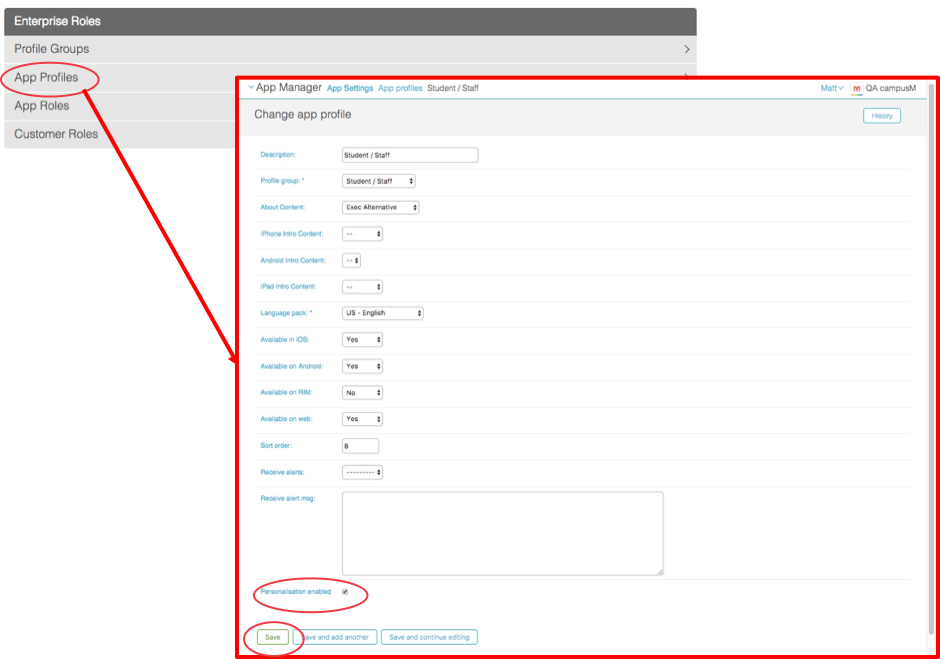
- Select which profiles to enable users to personalize
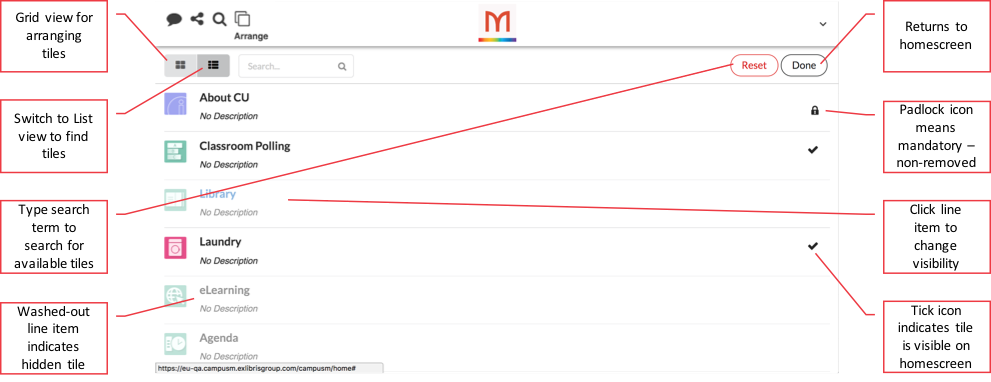
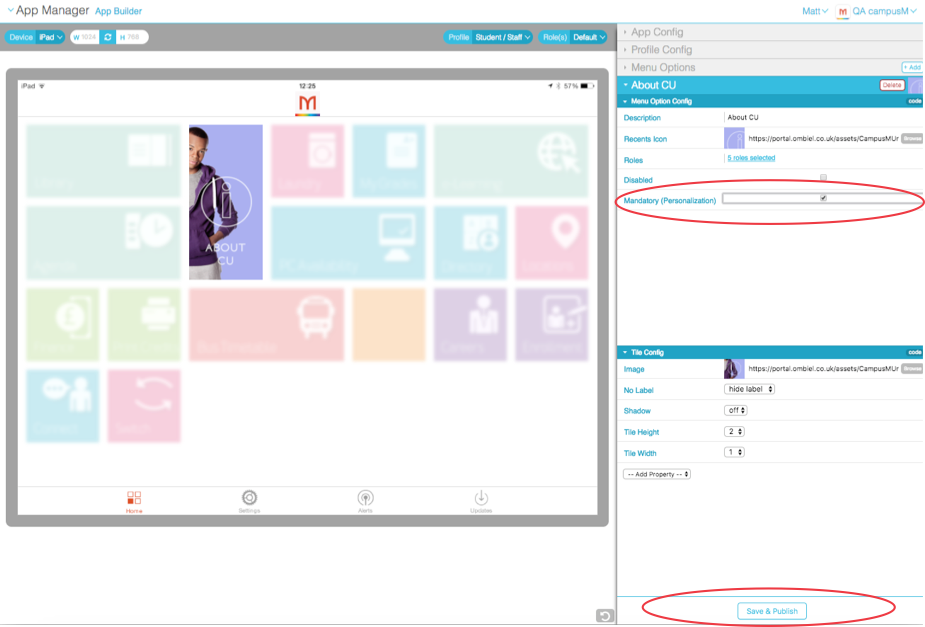
- Indicate certain tiles as mandatory, that cannot be removed from a user ’s homescreen
How does it work?
For the End User:
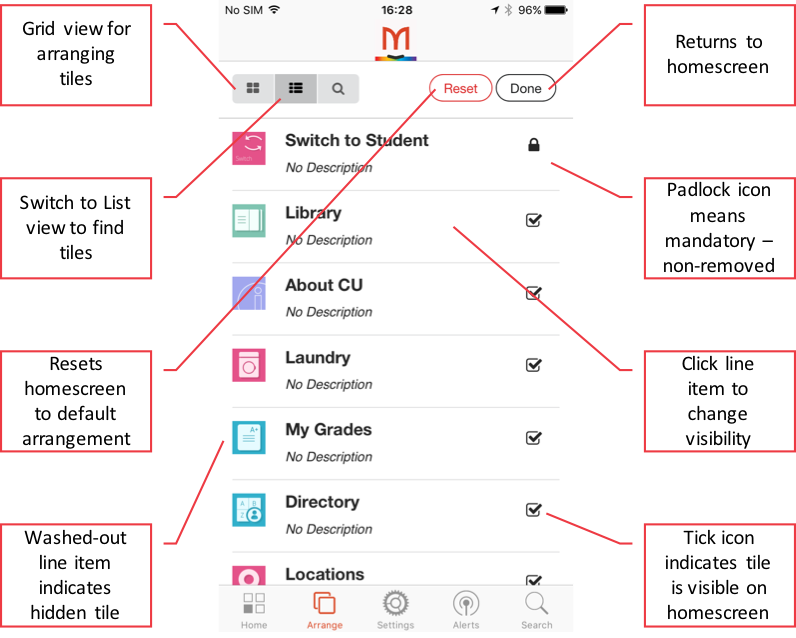
From a user ’s point of view, if a profile is enabled for personalization, they gain access to the Arrange option:
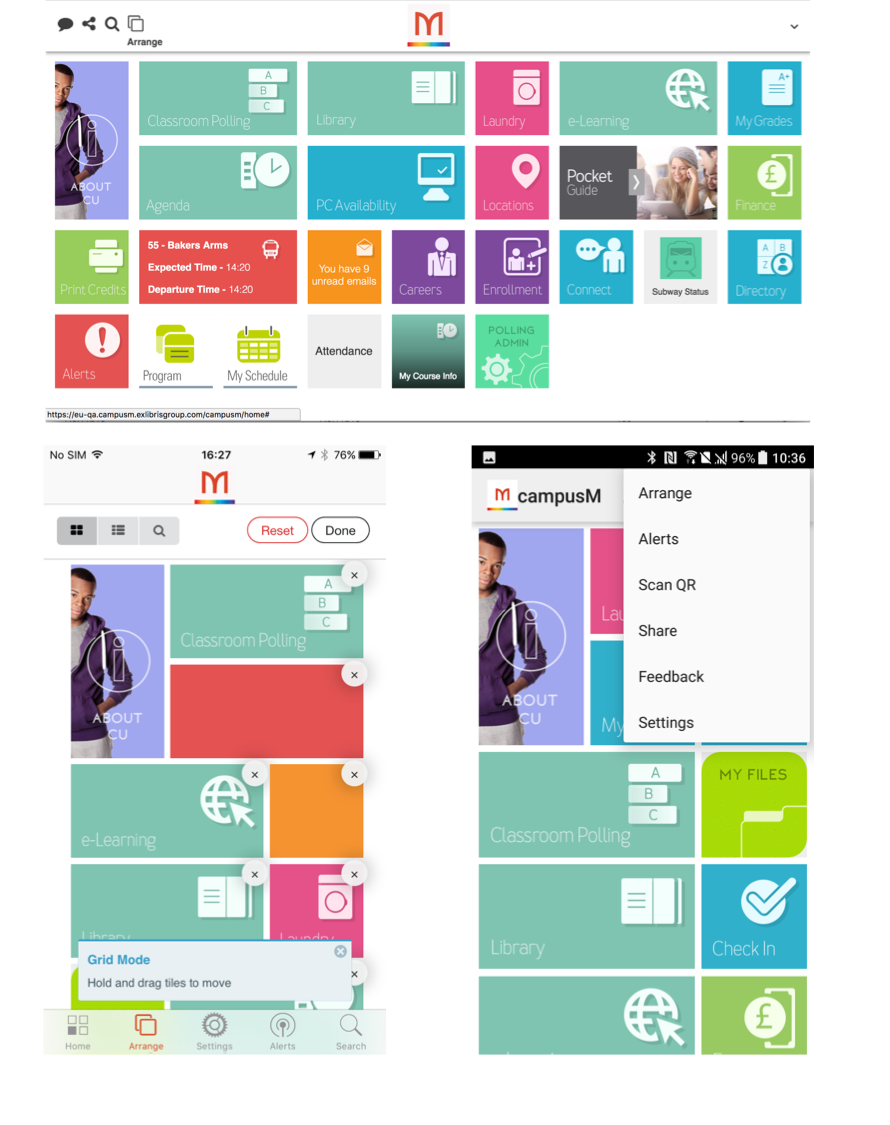
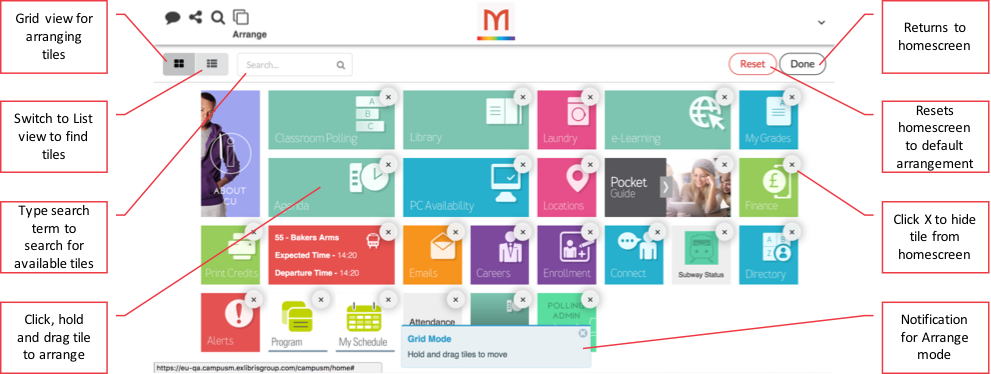
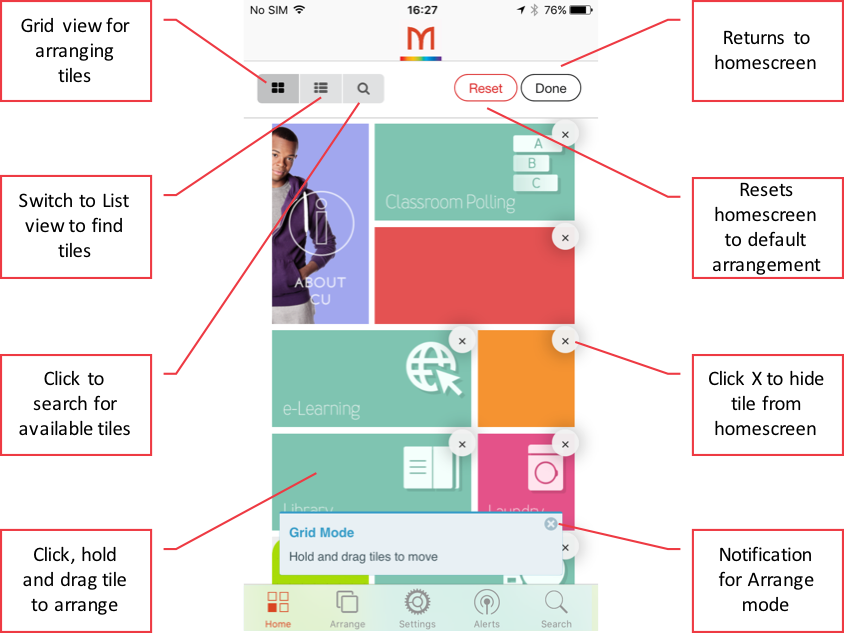
Selecting this opens the editable grid view, which enables tiles to be dragged and dropped into different locations, to be removed from the home screen, or to reset the screen to the default for that user ’s profile/role(s).
Rollout Process
Page tags: article:topic-guidecontent:Release_Noteslang:englishPersonalizationHomescreencommunity:training_materialsproduct:alma_specto
