
Intota: COUNTER Report Data Details Page
- Product: Intota
How do we use the COUNTER Report Data page in Intota?
The COUNTER Report Data page displays your Counter data. From your COUNTER Reports page, click on a Report link to view its Report Data page.

Below is an example Report Data page for a journal report. The view allows you to see the specifics of the spreadsheet as it was uploaded into Intota.
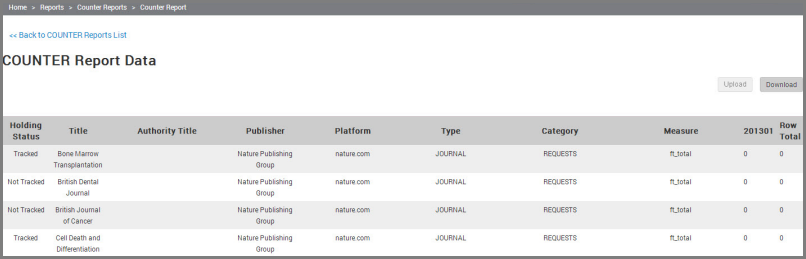
The above view currently provides the ability to Download and Upload your spreadsheets if you wish to overlay the Counter data. In development is the ability to:
- Identify duplicate titles (that may have caused the report to file) and delete them "on the fly," then upload.
- Delete Untracked titles with zero usage.
- Identify journals or databases with no authority titles and attempt to connect them to a "Variant" title (so that your costs per use and fund code information will map to Counter reports).
- Date Created: 12-Jun-2014
- Last Edited Date: 20-Jun-2014
- Old Article Number: 10900
