
Leganto August 2025 Release Notes
September 2025 Sneak Preview
-
AI Syllabus Assistant for Instructor Use
Main Features
Leganto Inventory Reports
August 2025 Analytics and Insights URM-247762
Leganto now provides out-of-the-box reports for better understanding of physical and electronic availability for citations. The Inventory (Leganto > Reports > Inventory) out-of-the-box reports now include the following reports:
- Active items for which the title has both physical and electronic inventory
- Active items for which the title has both physical and electronic inventory (with pub year and edition)
- Active items for which the title has electronic inventory
- Active items for which the title has only electronic inventory
- Active items for which the title has only physical inventory
- Reading List Items (Advanced)
Additional Enhancements
-
August 2025 Analytics and Insights URM-243375 The following fields were removed from the Course Reserves/Reports:
- Item Copyright: Required Pages From 1 (to be deprecated)
- Item Copyright: Required Pages From 2 (to be deprecated)
- Item Copyright: Required Pages To 1 (to be deprecated)
- Item Copyright: Required Pages To 2 (to be deprecated)
-
August 2025 Leganto URM-247763 The Leganto List Creation Method field was added to the Reading List folder and the Leganto Item Creation Method field was added to the Reading List Item folder.
-
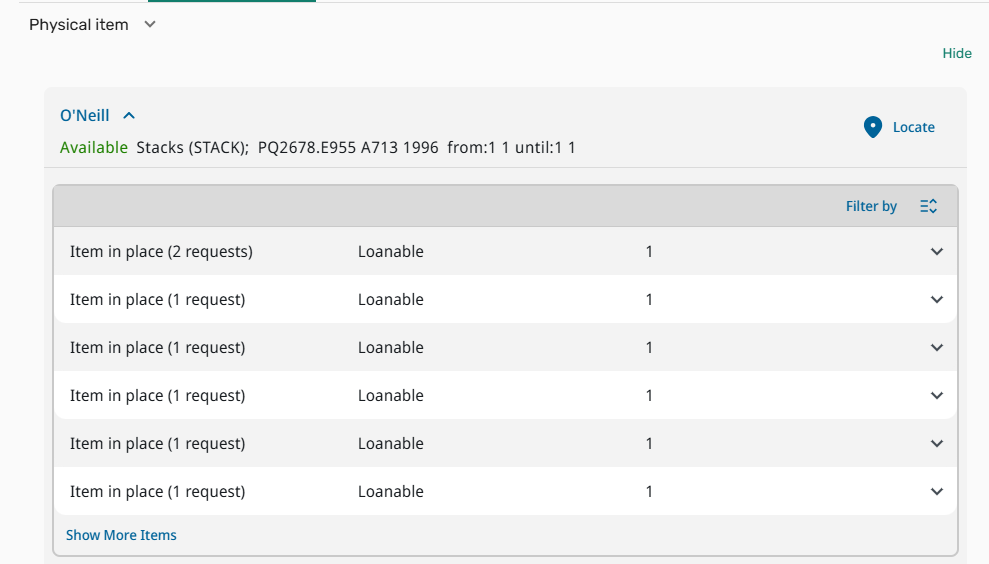
August 2025 Leganto URM-241266 Primo is transitioning to a new user interface (NDE), which includes changes to the Get It section. Leganto has been updated to align with this change and now supports physical availability display using the updated Primo Get It format.
Institutions using Primo NDE with Leganto now see the updated display under Full Details > Links & Availability.
-
August 2025 Leganto URM-248007 It is now possible for instructors to publish lists in Leganto without sending them to the library for review. When instructor_publishing_options is set to 3(configured under Configuration > Leganto > List Management > Settings), the send_list_on_publish parameter can now be used to prevent automatic list submission upon publishing.
When you set send_list_on_publish to false(default true), instructors can still publish their lists, but the system keeps the list and item statuses unchanged and does not generate a review request. The interface has been updated accordingly, including modifications to the publish dialog.

This update provides institutions with greater flexibility to tailor publishing workflows to local practices, particularly in cases where instructors manage and publish lists independently of library review.
For more information, see Publishing Options for Reading Lists. -
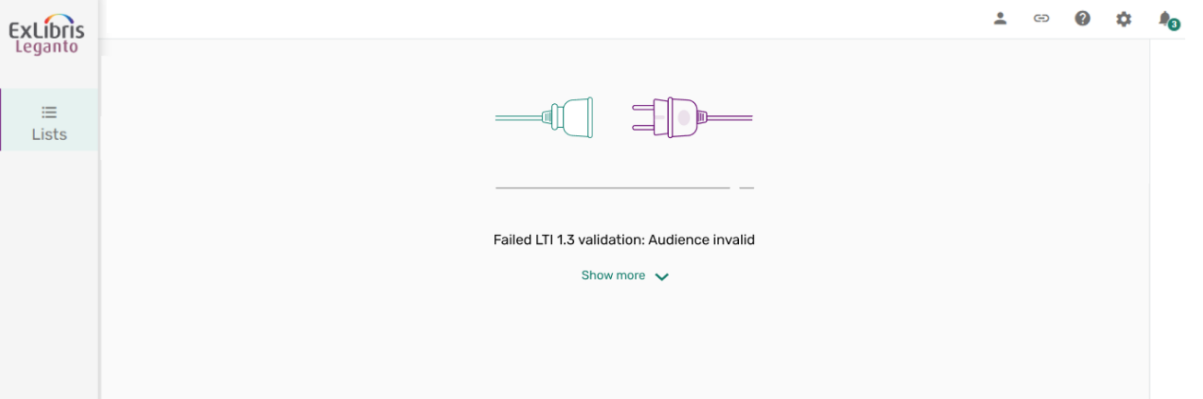
August 2025 Leganto URM-235379 As part of the ongoing transition to the new Leganto UI, a few remaining error messages have been updated to match the new design. Users with internal-only accounts now see a redesigned error screen that clearly informs them they cannot access Leganto. This error page appears only if the allow_internal_users parameter in Configuration > Leganto > LTI > Settings is set to false.

An error message for the LTI 1.3 user validation issue now also reflects the new UI look and feel.
-
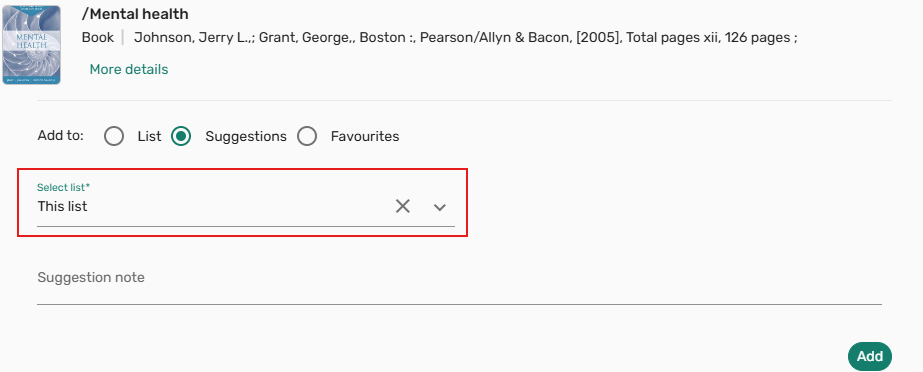
August 2025 Leganto URM-244199 When suggesting items from the library search within a list, the current list is now automatically preselected in the Select list field. This update streamlines the workflow by reducing manual input and helps ensure suggestions are directed to the intended list. Users can still manually change the target list if needed. This enhancement applies only when accessing Library Search > Suggestions at the list level.
Resolved Issues
| SF number | Description |
|---|---|
| 08060348 URM-252359 | In some cases, running a course rollover triggered purchase requests based on item processing rules. This was fixed. |
| 08062055 URM-252203 | When duplicating a list, the description text was not saved or displayed in the newly created list. This was fixed. |
| 08060228 URM-252103 | It was previously not possible to upload text files using the AI Syllabus tool. This was fixed. |
| 08032459 URM-252043 | Full text availability did not display for lists associated with campuses that had access to the full text in Primo views. This was fixed. |
| 08045944 URM-250148 | Using Advanced Search in Library Search with the Publication/Creation Date filter returned no results unless Any year was selected. This was fixed. |
| 08006467 URM-249913 | When editing Notes, applying formatting (for example, bold or italic) to text containing hyperlinks caused the HTML to break. Additionally, after refreshing the page, student notes could no longer be formatted. Both issues were fixed. |
| 08028773 URM-249181 | During rollover, if a course was selected and then removed before saving, the deleted course was still associated with the new list. This was fixed. |
| 07982640 URM-248840 | If a copyright was approved by a copyright rule, the item-level copyright status remained as Waiting for Approval / DCS Auto Approval and could not be updated manually. This was fixed. |
| 08012596 URM-248354 | When manually adding a copyright file, selecting the navigation step icons for page 2 did not auto-fill page numbers or process copyright clearance, unlike selecting the Next button. This was fixed so that both actions behave consistently. |
| 08013131 URM-248253 | When adding an item via manual entry, selecting the Digitize button under Library Services did not create a digitization request in the Digital Content Store (DCS). This was fixed. |
| 07996406 URM-247656 | When using Cite it! (Chrome extension or Bookmarklet) to add a suggestion with umlaut characters (for example, ä, ö, ü) in the suggestion note, the umlauts were incorrectly converted to ? characters. This was fixed. |
| 07948081 URM-246038 | In the Analytics report within Leganto, the Item search bar did not display all results by default when the Section was set to all. Users had to re-select the all option to see the complete list. This was fixed. |
| 07948965 URM-245119 | When adding an item from Primo to a list with the Being processed status, the list status did not update to Ready for processing. This was fixed. |
| 07499698 URM-231253 | The Blacklight integration’s advanced search returned results that were inconsistent with those from the basic search when using the same parameters. This was fixed. |
