
View Inheritance
View inheritance allows Primo sites that have multiple views with similar characteristics to update a single view and propagate the changes to common areas in the other views. This is accomplished by defining a parent view and one or more child views, which inherit elements from the parent view.
The child views can inherit the following elements from the parent view:
-
Layout (from General Attributes)
-
CSS (from General Attributes)
-
List of search scopes
-
Tabs (except for the specific search scopes that are defined per tile. Note that these tabs often differ between views.)
-
Tiles – every tile as a separate and complete element
Defining Parent and Child Views
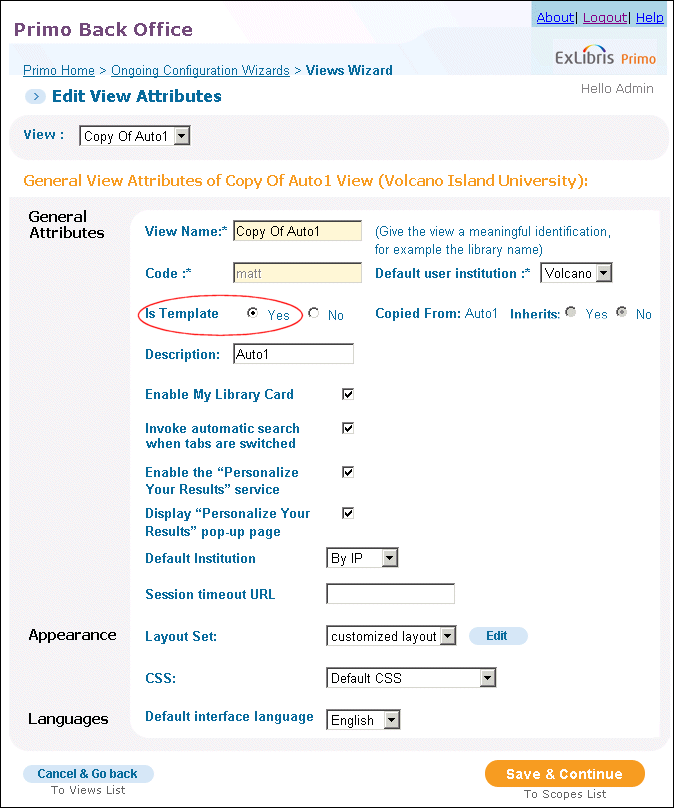
The Edit View Attributes page (see Edit View Attributes (Parent View)) allows users to define parent and child views.
To define a view as a parent view, set the Is Template field to Yes. Note that a child view cannot be a parent view, too.
To define a view as a child view, set the Inherits field to Yes.
Propagating Views
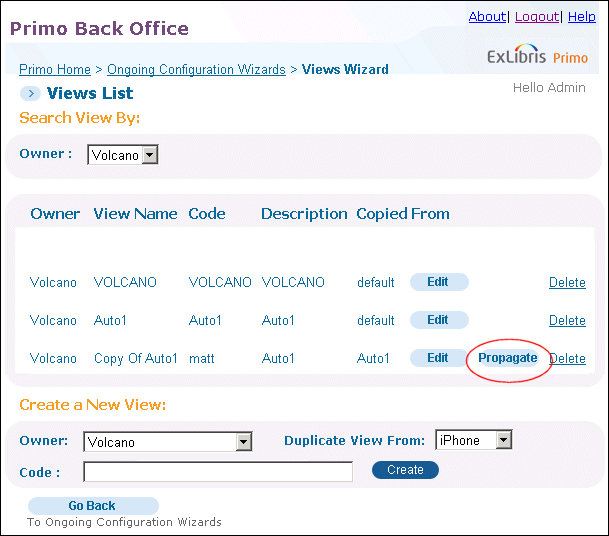
Parent views can propagate certain parts of their setup to their child views. To do this, a user must select the Propagate button on the Views List page (see Views List - Propagate Button). The child views appear under the parent view in the list.
During propagation, the system displays the following pages:
-
Inheritance elements– This view allows you to select elements to update in the child views. After you have selected one or more items, click Continue to display the next page.
 View Inheritance Elements
 -
View Inheritance Selection– This page opens each child view and each element you selected on the previous page. It allows you to update specific views and elements for each. To update the views, select Propagate Elements.
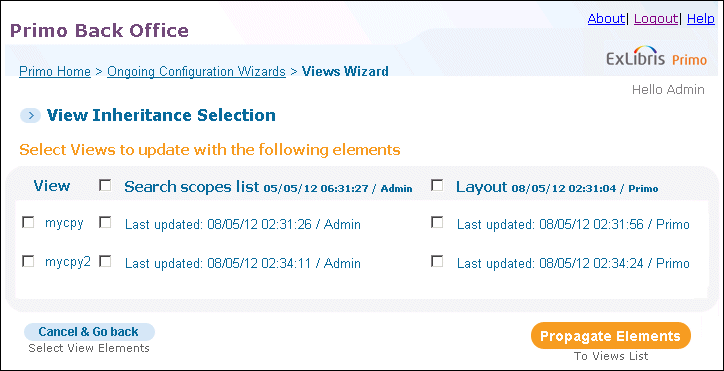 View Inheritance Selection
Page tags: article:topicProd:Primocontype:documBack Office GuideConfiguring Primo’s Front Endproduct:primocontent:Documentationlang:english
