
Subject Areas
This section describes each of the subject areas provided with each type of Usage report.
Summon Action Usage
Using the Summon Action Usage subject area, you can create reports that help to answer the following types of business questions:
-
How many times did users invoke a certain action in Summon (such as basic versus advanced searches)?
-
On average how many times are specific actions invoked in a single session?
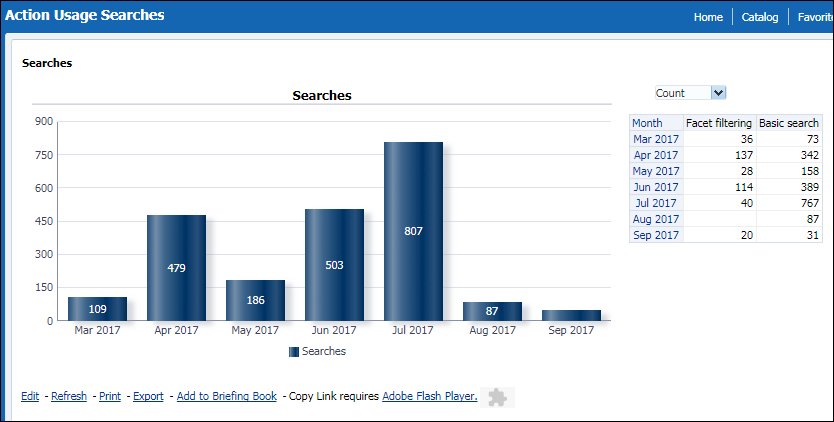
The Summon Action Usage subject area contains many fields used to create reports associated with usage. Refer to the following sections for more information on each field.
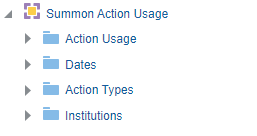
Action Usage
The Action Usage table is the fact table that stores information about the actions taken by end users in Summon.
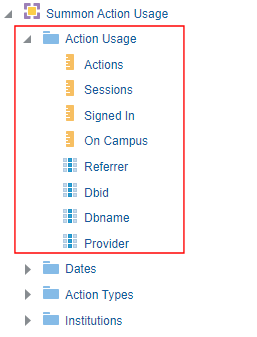
The following table lists the fields provided by the Action Usage fact table:
| Field | Description |
|---|---|
| Actions | A measurement field that tracks the number of times an action was taken. |
| Sessions |
A measurement field that tracks the number of sessions in which an action was taken. Sessions are counted only once per action. For example, if the user ran two searches in the same session, the session is counted only once. If you total the number of sessions in the Actions table, it will be greater than the number of sessions for the same period in the Sessions table because the same session is counted more than once. |
| Signed-in |
A measurement field that tracks the number of times an action was taken from a user who was signed-in. Not used. All usage, whether signed in or not, is recorded. |
| On Campus | A measurement field that tracks the number of times an action was taken from a user who was on campus. |
| Referrer | A search attribute field that contains the referrer information (such as Google Scholar, Yahoo, and Summon), which indicates how users are accessing information from Summon. |
| Dbid | A search attribute field that contains the ID of the database that users are accessing. |
| Dbname | A search attribute field that contains the name of the database that users are accessing. |
| Provider | A search attribute field that contains the name of the database's provider. |
Dates
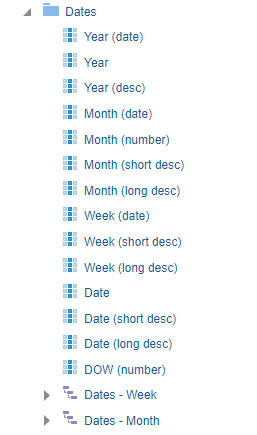
The Dates table is a dimension table that contains different date ranges and formats. The date dimension is used to limit reports to specific date ranges (such as year, month, week, and day).
Action Types
The Action Types table is a dimension table with several attributes.
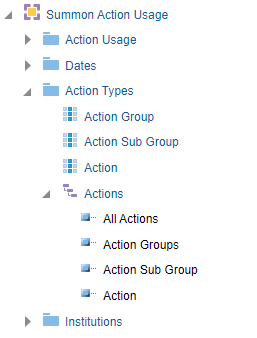
The following table lists the attributes contained the Action Types dimension table.
| Field | Description |
|---|---|
| Action Group |
An attribute field that divides actions into groups. See Action Groups and Subgroups for list of Actions groups. |
| Action Sub Group |
An attribute field that divides actions into subgroups. See Action Groups and Subgroups for list of Action subgroups. |
| Action |
An attribute field for the type of action. See Action Attributes by Group for a list of actions. |
| Actions | A hierarchical attribute field in which actions are organized into groups and subgroups. |
The following table lists the action groups and their associated subgroups.
| Group | Subgroups |
|---|---|
| Document |
This group utilizes all linking actions under the following subgroups:
|
| Exploration |
This group includes all actions that utilize the following exploration features:
|
| General | This group includes general actions taken and contains the General subgroup. |
| Results List | This group includes all actions taken on the results list and contains the General subgroup. |
| Search |
This group includes all search related actions and contains the following subgroup:
|
The following table lists the hierarchical attributes of the actions:
| Subgroup | Action | Description |
|---|---|---|
| Document: | ||
| Link | Local link 01 - Local link 50 | A page accessed via a local link. |
| Lateral Linking | Lateral Linking – Local Field 30 - Lateral Linking – Local Field 39 | A search invoked through a lateral link. |
| Title Clicks | Click on title | A title was clicked in the results. |
| Exploration | ||
| Citation Trail | Display citations from citation trail | User clicked a citation link in the results. |
| Display Cited By from citation trail | User clicked a cited-by link in the results. | |
| Resource Recommender | Click on recommended resource | User clicked a recommended service in the results. |
| General | ||
| General | Disable personalized results | User disabled personalized results. |
| Enable personalized results | User enabled personalized results. | |
| Results List | ||
| General | Facet filtering | User clicked a facet to filter results. |
| Facet set as persistent - Exclude | User excluded a facet. | |
| Facet set as persistent - Include | User included a facet. | |
| Search | ||
| Search | Advanced search | A search invoked from the Advanced search box. |
| Basic search | A search invoked from the Basic search box. | |
Institutions
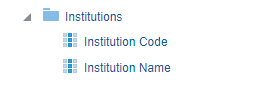
The Institutions table is a dimension table with the following attributes: Institution Code and Institution Name.
Summon Device Usage
Using the Summon Device Usage subject area, you can create reports that show the number of actions and sessions that are processed for each device type (including the operating system and browser type). For example:
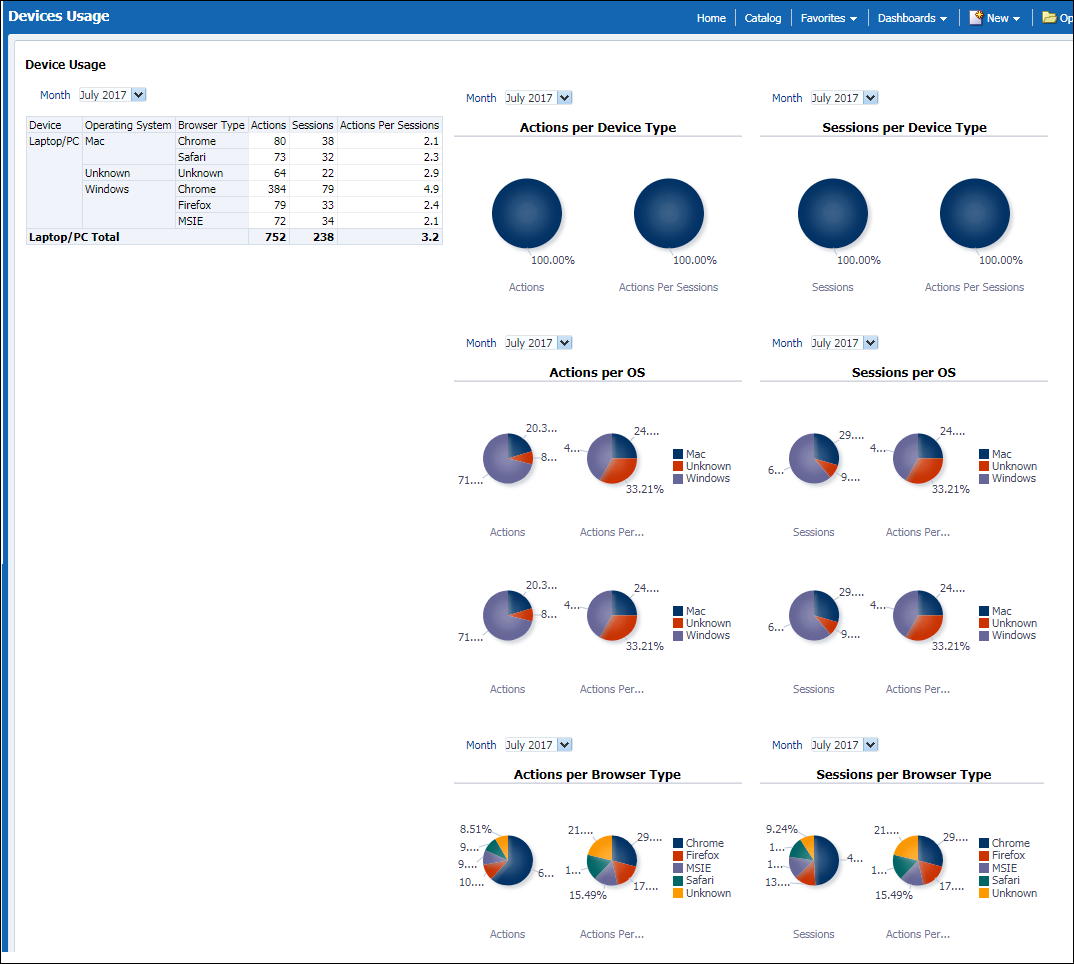
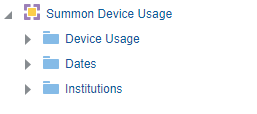
The Summon Device Usage subject area contains many fields used to create reports associated with device usage. Refer to the following sections for more information on each field.
Device Usage
The Device Usage table is the fact table that stores information about device usage.
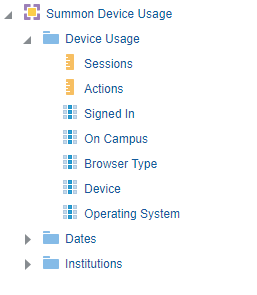
The Device Usage fact table has two measurement fields and several attribute fields:
| Field | Description |
|---|---|
| Sessions | The number of times in which a type of device was used. |
| Actions | The number of actions for a device type. |
| Signed-in |
A measurement field that tracks the number of times a user signed in when using a type of device. Not used. All usage, whether signed in or not, is recorded. |
| On Campus | A measurement field that tracks the number of times a user was on campus when using a type of device. |
| Browser Type | An attribute field that stores the type of browser. |
| Device | An attribute field that stores the type of device. |
| Operating System | An attribute field that stores the type of operating system. It allows you to merge different versions of the same operating system into a single value. |
Dates
For more information, see Dates.
Institutions
For more information, see Institutions.
Summon Facet Usage
Using the Summon Facet Usage subject area, you can create reports that help to answer the following types of business questions:
-
Which facets are most used?
-
On average how often are facets used in a single session?
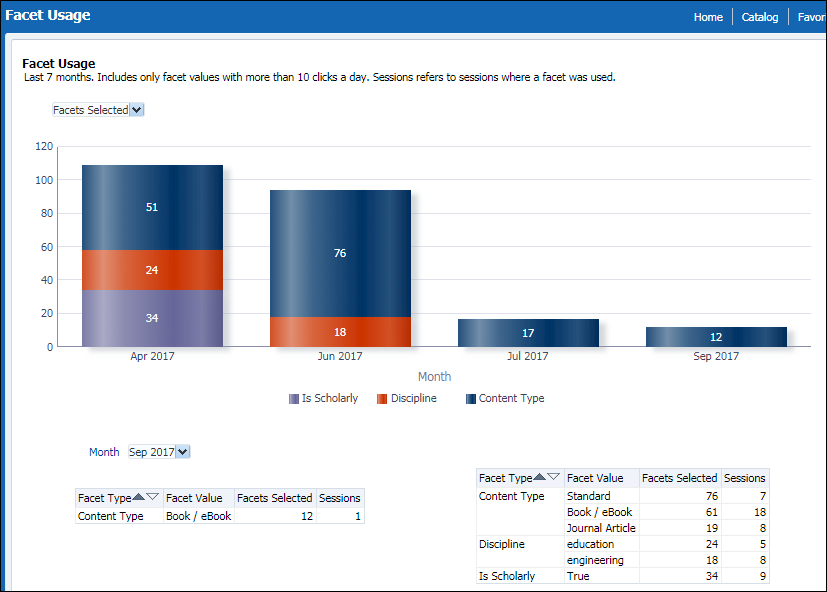
The Summon Facet Usage subject area contains many fields used to create reports associated with facet usage. Refer to the following sections for more information on each field.
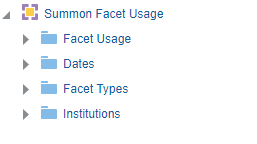
Facet Usage
The Facet Usage table is the fact table that stores information about the facets selected by end users in Summon.
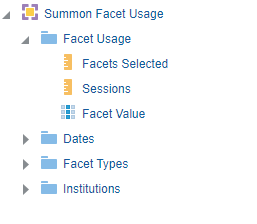
The following table lists the fields provided by the Facet Usage fact table:
| Field | Description |
|---|---|
| Facets Selected | This measurement field tracks the number of times an action was taken. |
| Sessions |
This measurement field tracks the number of sessions in which an action was taken. Sessions are counted only once per action. For example, if the user selected a facet twice in the same session, the session is counted only once. If you total the number of sessions in the Facets table, it will be greater than the number of sessions for the same period in the Sessions table because the same session will be counted more than once.
|
| Facet Value |
An attribute field that stores the specific facet value that users select. If this attribute is added to a report, nothing will appear for other facets. |
Dates
For more information, see Dates.
Facet Types
The Facet Types table is a dimension table with a single attribute: the type of facet.
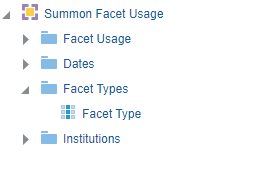
The following table lists the fields provided by the Facet Types fact table:
| Field | Description |
|---|---|
| Facet Type | The facet type. All out-of-the-box and locally defined facets are included. |
Institutions
For more information, see Institutions.
Summon Popular Searches
Using the Summon Popular Searches subject area, you may create reports that help to answer the following types of business questions:
-
Which queries are most popular?
-
Are there any trends in popularity of certain topics over time?
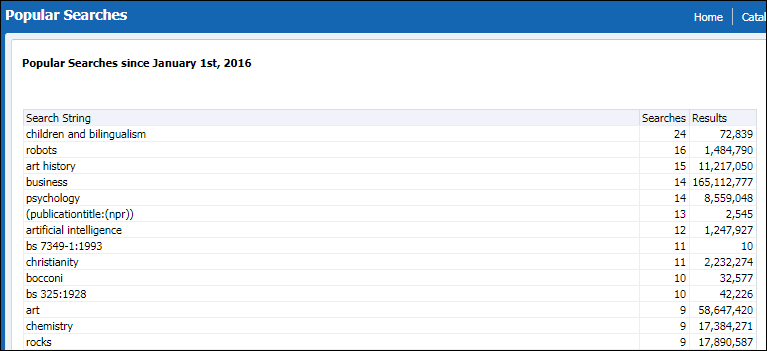
The Summon Popular Searches subject area contains many fields used to create reports associated with popular searches. Refer to the following sections for more information on each field.
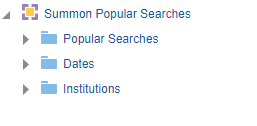
Popular Searches
The Popular Searches table is a fact table that stores information about the most popular searches. Popular searches are gathered on a monthly basis. A search is considered popular if it has been performed at least 10 times within a month. Up to 500 popular searches are saved per month. At least 200 searches will be saved even if they are not considered popular. This means that no more than 200 searches will be saved unless there are 200 or more searches with 10 occurrences.
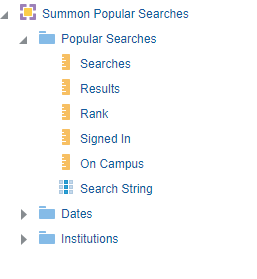
The following table lists the fields provided in the Popular Searches fact table:
| Field | Description |
|---|---|
| Searches | A measurement field that stores the number of searches for the query. |
| Results | A measurement field that stores the average number of results per search. |
| Rank |
The rank of the search in terms of number of results. This field can useful for sorting purposes. |
| Signed-in |
The number of times an action was taken when the user was signed-in. Not used. All usage, whether signed in or not, is recorded. |
| On Campus | A measurement field that tracks the number of times an action was taken from a user who was on campus. |
| Search String | The user’s query. |
Dates
For more information, see Dates.
Institutions
For more information, see Institutions.
Summon Quicklinks
Using the Summon Quicklinks subject area, you can create reports that help to answer the following types of business questions:
-
How often are users using Quicklinks?
-
Do users prefer to use PDF or HTML Quicklinks?
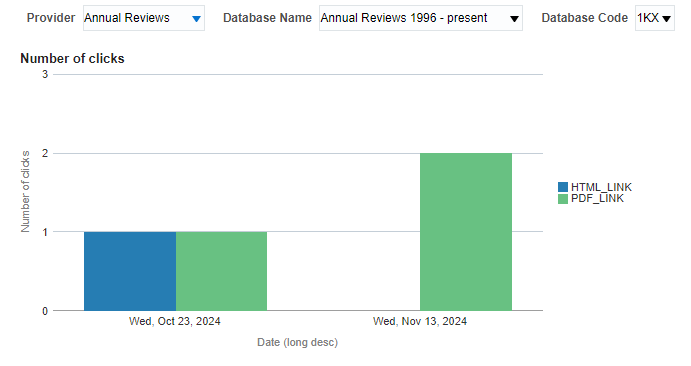
The Summon Quicklinks subject area contains many fields used to create reports associated with Summon Quicklinks. Refer to the following sections for more information on each field.
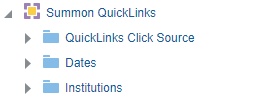
Quicklinks Click Source
The Quicklinks Click Source table is the fact table that stores information about Summon Quicklinks usage.
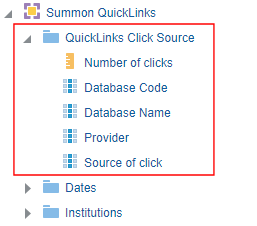
The Quicklinks Click Source fact table has one measurement field and four attribute fields:
| Field | Description |
|---|---|
| Number of clicks | A measurement field that tracks the number of clicks. |
| Database Code | A search attribute field that contains the database code of the Quicklink. |
| Database Name | A search attribute field that contains the database name of the Quicklink. |
| Provider | A search attribute field that contains the database's provider. |
| Source of click | A search attribute field that indicates whether the source of the click was either PDF or HTML. |
Dates
For more information, see Dates.
Institutions
For more information, see Institutions.
Summon Sessions
Using the Summon Sessions subject area, you can create reports that help to answer the following types of business questions:
-
How many sessions are opened in a given time period?
-
On average how many actions are taken within a session?
-
In which countries are users located when they open a session?
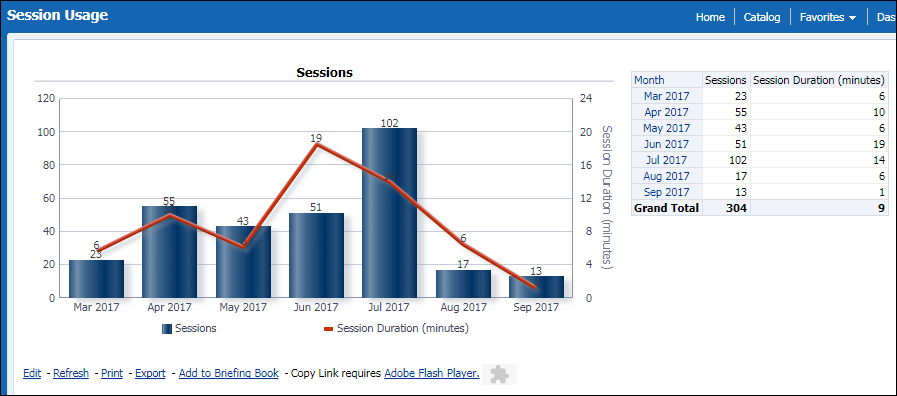
The Summon Sessions subject area contains many fields used to create reports associated with Summon sessions. Refer to the following sections for more information on each field.
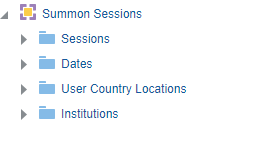
Sessions
The Sessions table is the fact table that stores information about sessions.
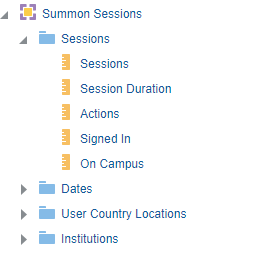
The Sessions fact table has four measurement fields and one attribute fields:
| Field | Description |
|---|---|
| Sessions | The number of sessions. |
| Session Duration | The average session duration, which is counted from the first action to the last action within a session. |
| Actions | The number of actions within sessions. |
| Signed-in |
A measurement field that tracks the number of times a user signed in within a session. Not used. All usage, whether signed in or not, is recorded. |
| On Campus |
A measurement field that tracks the number of times an action was taken from a user who was on campus (which is determined by the IP ranges configured for the Summon institution). This field is available with the November 2015 release. |
Dates
For more information, see Dates.
User Country Location
The User Country Location is a dimension table for information about the location of end-users when they start sessions.
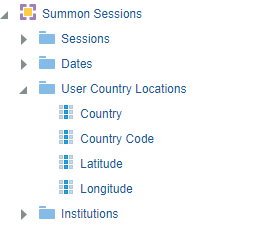
The User Country Location dimension has the following attributes:
| Field | Description |
|---|---|
| Country | The country name, which is based on the end user’s IP. Country information is not tracked so this field always displays 'US'. |
| Country Code | The country code, which is based on the ISO 3166-1 standard. |
| Latitude | The latitude of the country. |
| Longitude | The longitude of the country. |
Institutions
For more information, see Institutions.
Summon Zero Result Searches
Using the Zero Results Searches subject area, you may create reports that help to answer the following types of business questions:
-
Which kind of queries result in no results?
-
What kind of errors do end users make in queries that cause no results to be found?
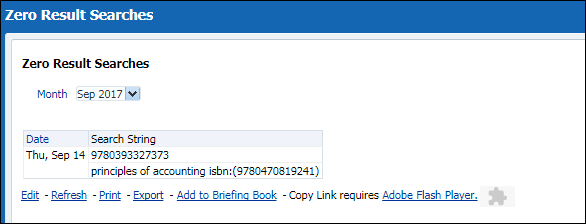
The Summon Zero Result Searches subject area contains many fields used to create reports associated with searches that return no results. Refer to the following sections for more information on each field.
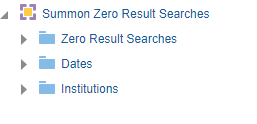
Zero Result Searches
The Zero Result Search table is a fact table that stores information about searches that had zero results.
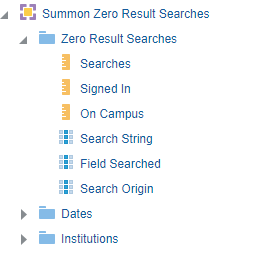
The following table lists the fields provided by the Zero Result Searches fact table:
| Field | Description |
|---|---|
| Searches | The number of searches for the query. |
| Signed-in |
A measurement field that tracks the number of times a signed-in user performed a search and received no results. Not used. All usage, whether signed in or not, is recorded. |
| On Campus |
A measurement field that tracks the number of times an action was taken from a user who was on campus. This field is available with the November 2015 release. |
| Search String | An attribute field that stores the search string that returned no results. |
| Field Searched | An attribute field that stores the field being searched. This is relevant if the user performed a search on a specific field (such as authors only). |
| Search Origin | A search attribute field that indicates the the origin of the search. |
Dates
For more information, see Dates.
Institutions
For more information, see Institutions.
Page tags: article:topiccontent:Documentationlang:englishproduct:summon
