
Release Date: August 2, 2023
Delete/Edit Sender Info Options
Super Admins and Admins can now edit the Sender Name via the kebob menu in Library Settings -> Emails -> General -> Sender Info Options for existing sender entries.
Super Admins and Admins can now also delete unassigned sender entries via the kebob menu using the path above in LX Admin. Sender entries that are currently assigned to Notices and/or Promote Campaigns will be blocked from deletion until they have been removed from the assigned Notices and/or Campaigns.
LX Admin will alert staff to the list of affected Notices and/or Campaigns so staff can remove the sender from the appropriate areas.
Error Message when Subject Line is Missing
An error message will now appear next to the subject line and a tool tip will appear when hovering over the save changes button if a subject line has not been entered when editing a notice which is in “Setup Required” mode or a Promote email template.
Exclude "/polaris" in URL for Notice Items
Polaris customers who are not appending /polaris to their PowerPAC catalog URLs will now be able to exclude /polaris with the URL for Notice Items option.
For Polaris customers without a Vega Discover license installed, a checkbox will now appear under Library Settings -> Emails -> Notices -> URL for Notice Items.
When checked, /polaris will not be appended to the catalog domain entered under this option.
When unchecked, LX Starter will append /polaris to the catalog domain entered under this option.
BUG FIXES
Merge Tags Incorrectly Displaying on Preview Page
A bug fix was made to correct merge tags in preview mode that were displaying when they should not be (see screenshot for example of previous behavior). We have corrected this display issue and the merge tags have been removed from the preview display on notice pages.
Improved Soft Bounce Handling
A bug fix was made to treat soft bounces as a failed notice and to notify the ILS that the notice has failed which will limit the ILS from re-sending the soft bounced notice to LX Starter. AWS will continue to retry sending the soft bounced notice up to 12 hours.
We plan on working on a subsequent fix in a future release to better address this problem while allowing for the standard 12-hour retry window that AWS has for soft bounced emails.
Improved Patron Scoping by Library Location
Some libraries have reported that if a patron has a library card at multiple library systems that are using LX Starter the notice activity log can include notice activity for those other library systems.
We have corrected this issue to include checks for library site code to filter notice activity log data for a specific patron.
Innovative LX Admin UI Logo Updated to Clarivate Version
A bug fix was made to update the Innovative logo which appears when loading LX Admin to the Clarivate version.
Deleting Currently Displayed Logo in LX Admin Changes Displayed Logo to Innovative Logo
A bug fix was made to resolve an issue where deleting the currently displayed logo in Library Settings -> Brand would change the display logo to the III logo even if other logos have been added.
Now, if other logos are available after the currently displayed logo is deleted, LX Admin will use the last uploaded logo as the default displayed logo.
Release Date: August 16, 2023
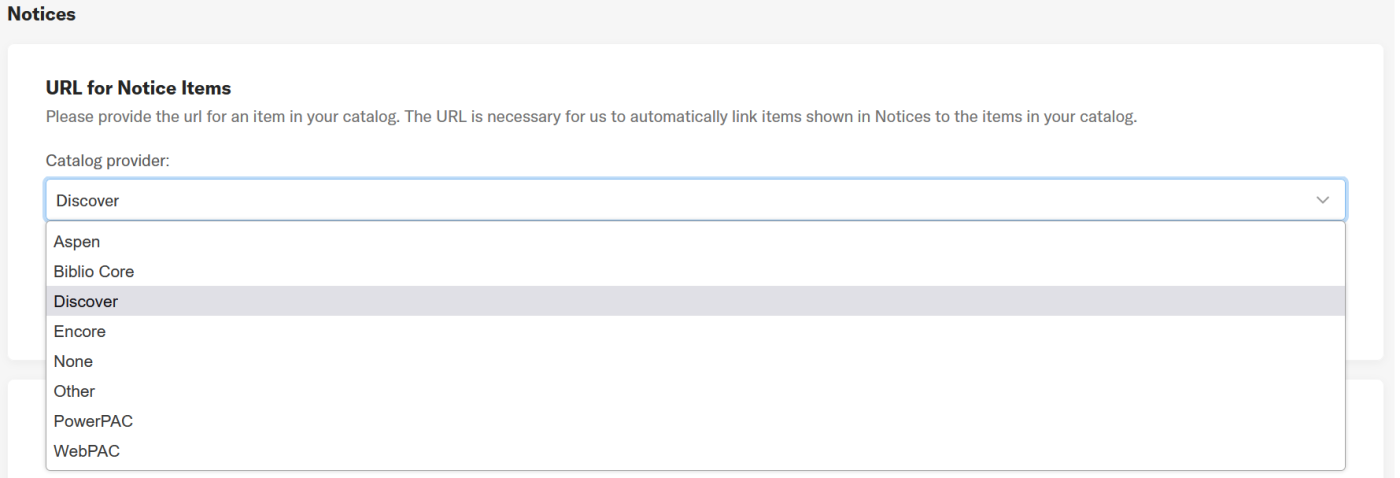
Select a Catalog for Item Linking
Additional supported catalog options for item linking have been added to LX Admin.
For item linking from notices, LX Starter will now support:
-
Vega Discover
-
WebPAC
-
PowerPac
-
Encore
-
BiblioCore
-
Aspen
-
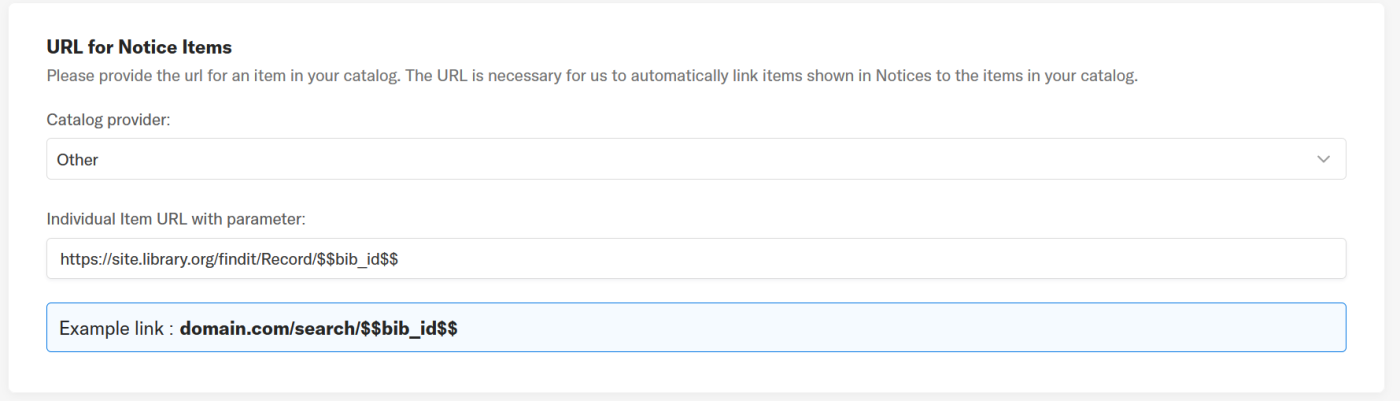
Other (for catalogs not included above)
-
None (the item linking functionality is disabled)
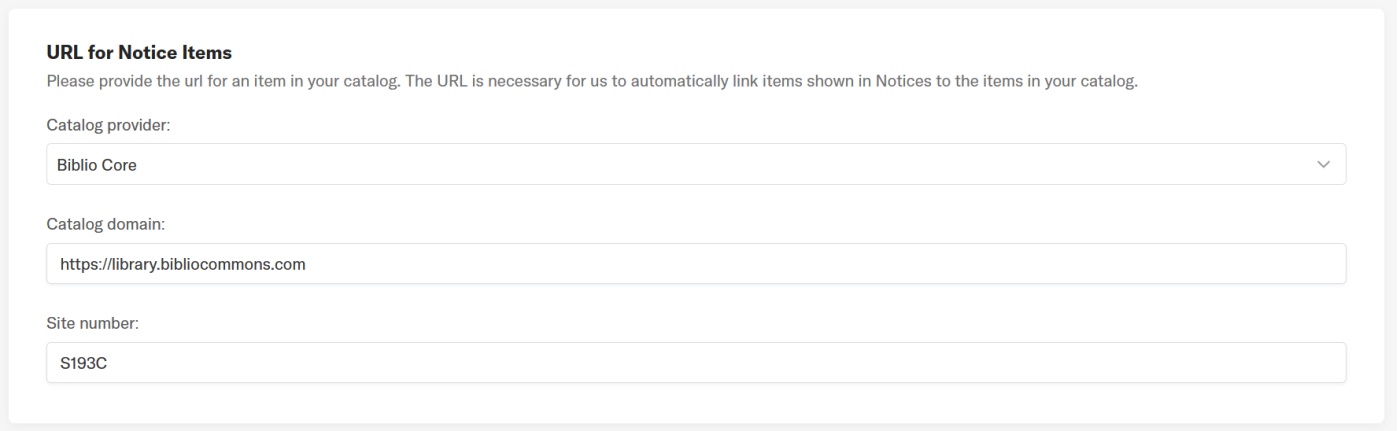
A dropdown menu will allow for selection of the desired catalog option and a text box will request the catalog domain (e.g., https://grizzly-sierra.iii.com).
Additional inputs will be required for BiblioCore (Site Code number - S###C where ### is the BiblioCommons assigned site code number) and Other (syntax of bib record link URL).
Unpublish Notices
The ability to unpublish notices has been added to LX Admin.
Published notices which are subsequently unpublished will return to draft status and can be published again when ready.
Published notices which have unpublished changes at the time of unpublishing will have two options:
-
Keep the unpublished changes and use that notice template as the new draft
-
Discard the unpublished changes and use the currently published notice template as the new draft
Any scheduled LX Starter notices at the time of unpublishing will be sent via LX Starter at the next available time within the library send queued notices schedule.
Notice metrics for unpublished notices will be retained, but the metrics will appear grayed out until the notice is published again.

Release Date: August 30, 2023
Add Reply Email Address
A reply email address can now be added to LX Admin for use with LX Starter and configured by notice type to direct email notice replies to the desired email address.
Adding, editing, and deleting a reply email address is restricted to Super Admins and Admins. Reply email addresses are added through Library Settings -> Emails -> Notices -> Reply Email Address(s).
Reply email address is an optional setting and can be set to 'None' per notice type which disables the usage of a reply email address.
In the case of no reply email address, replies will continue to be directed to the source (from) email address.
Deletion of a reply email address currently in use with a notice type is prevented and an error message will instruct which notices have the reply email address currently assigned.
BUG FIXES
Renewal Count merge tag not appearing in Polaris Almost Due notices
A bug was fixed where the Renewal Count merge tag was not appearing in emailed Polaris Almost Due notices. Polaris Almost Due notices containing this merge tag will now be included in emailed notices.
Maximum email sending rate per second
A configuration change was made with Amazon to increase the maximum email sending rate to 400 emails per second for customers within the ca (Canada), eu (Europe), and ap (Asia-Pacific) Vega environments.
