
Release Date: October 12, 2023
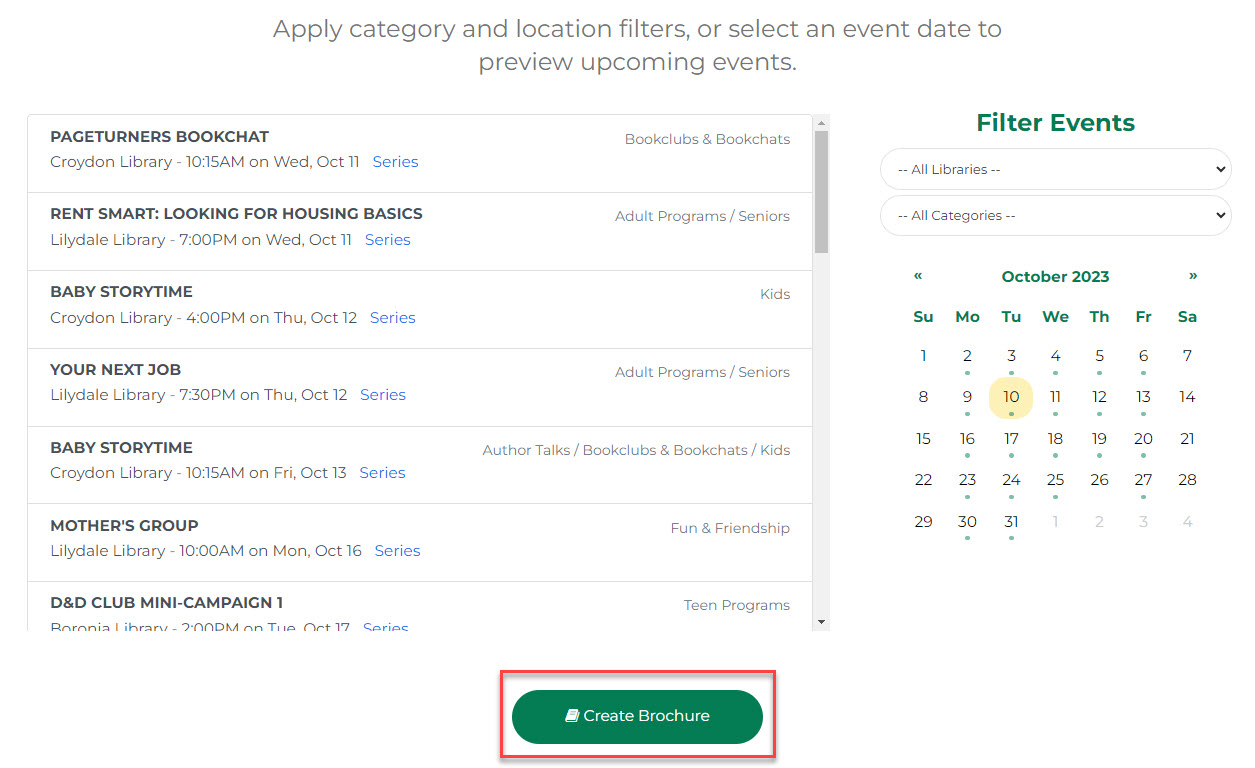
Create Brochure
A 'Create Brochure' button has been added after the Filter Events section. This calls out a powerful feature so users don't have to scroll to the footer link.
Room Layout + Booking Fee
Flat rates have been added to Booking Types, this will allow you to set a flat rate and a fee for each additional hour.
Release Date: October 18, 2023
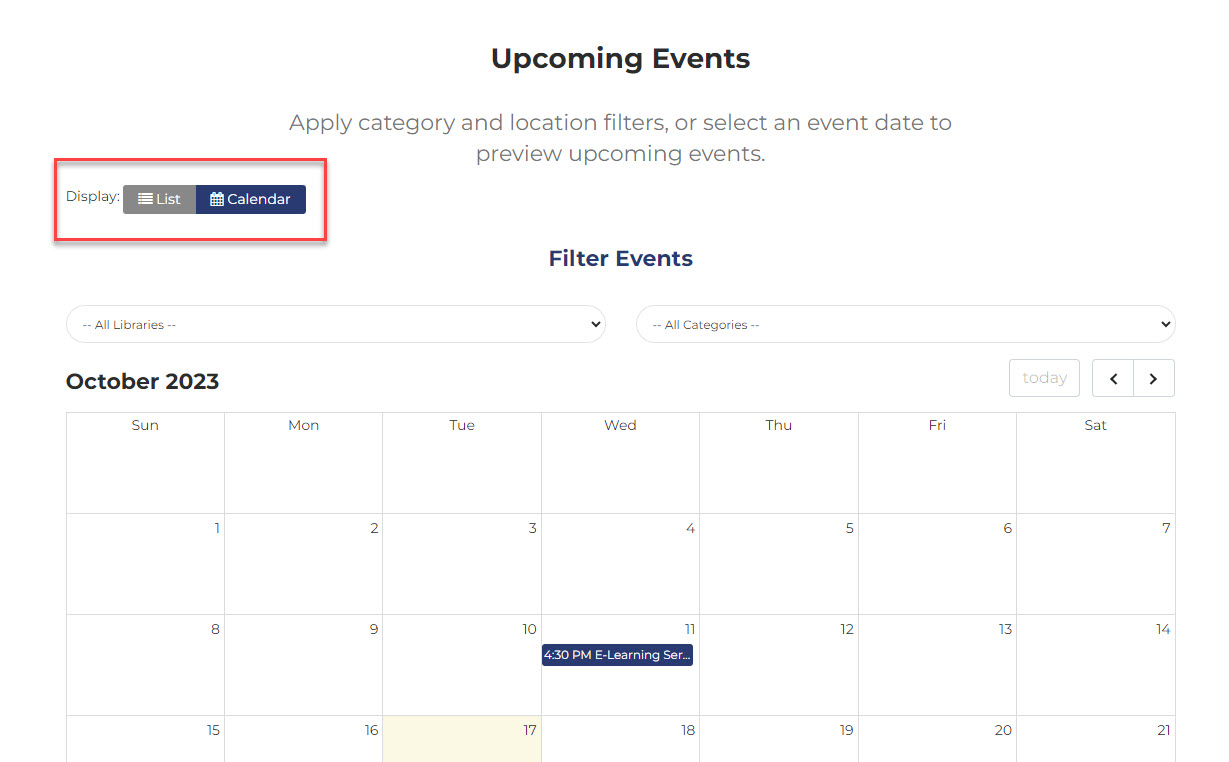
Calendar View for Patrons
From Upcoming Events, patrons can choose to see events in the list view or switch to a calendar view. Both views update according to selected filters, and the list view remains the default.
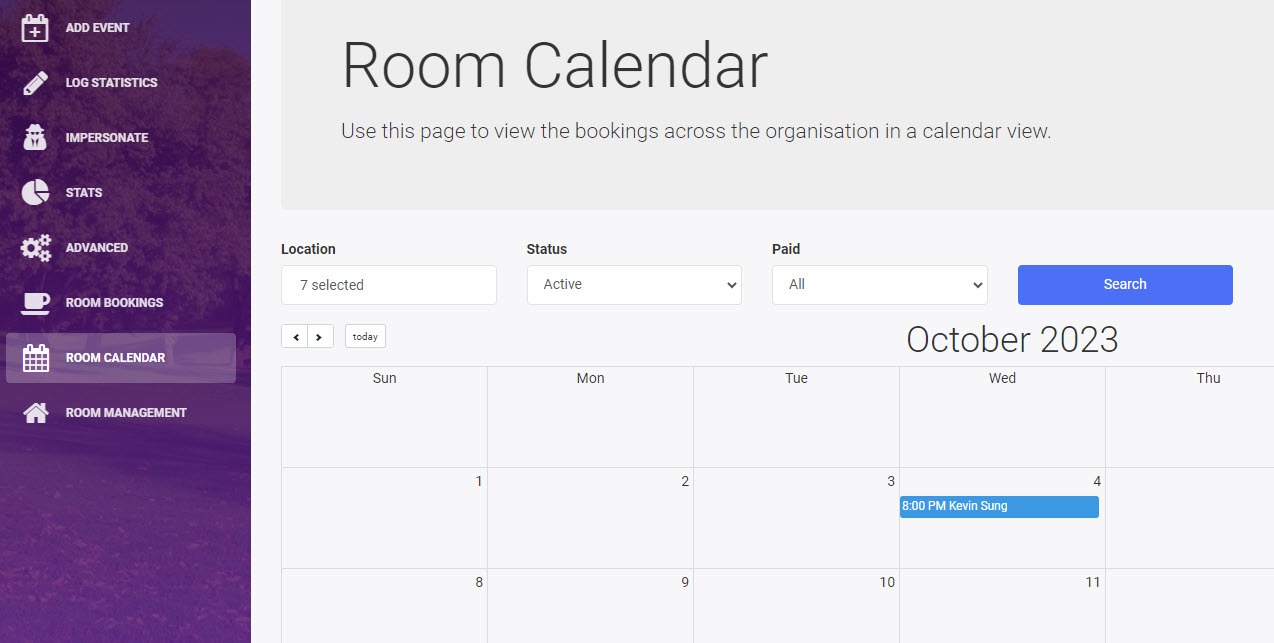
Room Calendar for Staff
Calendar View has been removed from the left menu and replaced by Room Calendar. Staff can apply filters to refine the room bookings for an at-a-glance view. Click on an event title for more information and to click through to the event page.
Waiting List Granularity
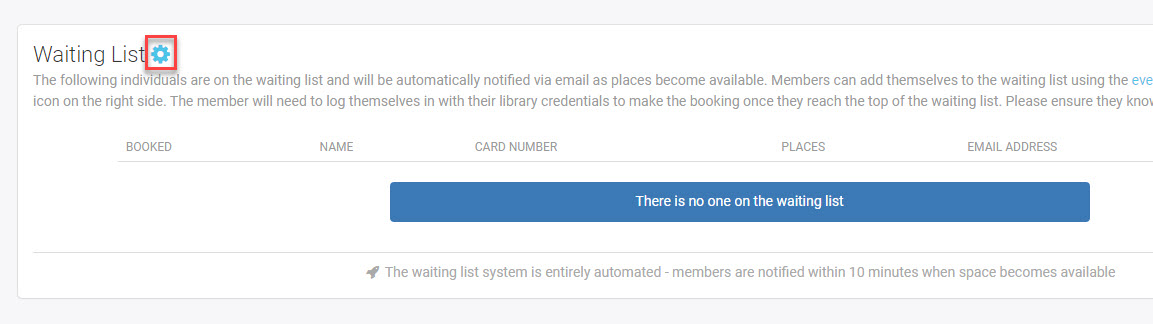
After publishing an event, you can set the number of wait list spots available. This will allow you the flexibility to set a number that is higher or lower than the default.
-
Search for your event
-
Scroll down to Waiting List
-
Click on the cog icon
-
Set Automatic notifications On or Off
-
Enter the Waiting List Capacity for the event
-
Click Save
To check the current capacity, open the cog and use the X or Cancel button to close.
Multiple Approvals
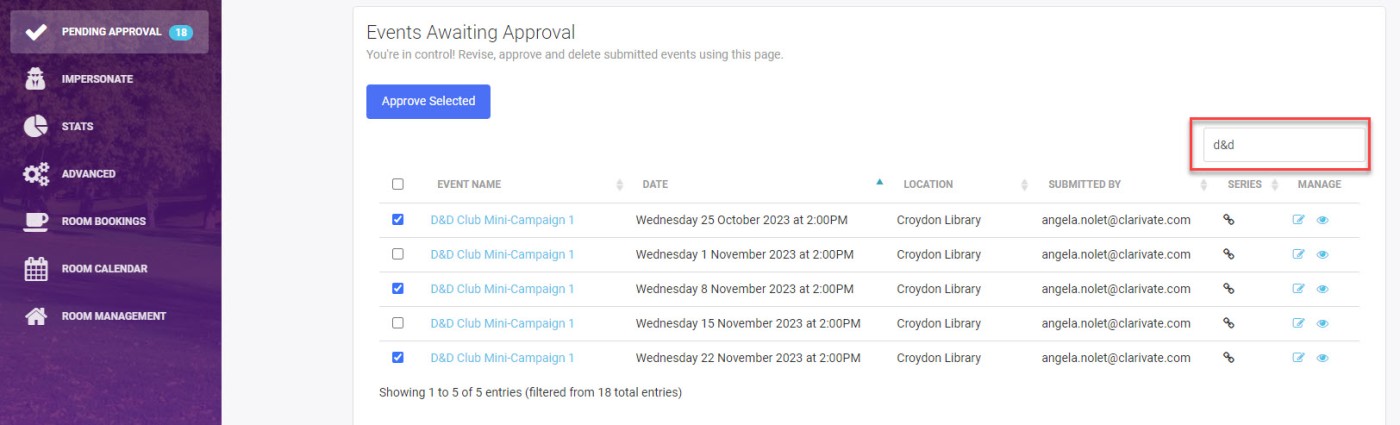
Managers and Admins will see the option to approve multiple events from the Pending Approval menu. You can filter events by title to quickly approve some or all events in a series without opening an event.
Select the check box next to Event Name column header to select all the events on the page for approval.
Release Date: October 23, 2023
Private Event Type
Admins can set the visibility of an event category to staff or public.
Filter by Available Room Time
Users can pick a capacity, location, and amount of time needed. This will return a list of the next available rooms that meet their criteria. When a user selects a room, unavailable times are removed from the dropdown picker.
Disable All Waiting Lists
Admins can set the Default Waiting List Capacity field to 0 on the first Settings tab.
