
Short-Term Digital Lending
Digital Lending Overview
Short-term digital lending allows libraries to lend a digital copy of a physical resource in a "lend like print" manner — that is, in the same way in which they lend the physical resource itself. Short-term lending gives libraries and patrons the option of accessing materials in a more flexible manner.
Specto Starter provides a complete workflow for short-term loans, including storing the scanned files, creating policies for maintaining an own-to-loan ratio between the print and digital copies, managing a waitlist of patrons to access the resource, usage analytics, and more.
Currently, digital lending is available for short-term and long-term loans, which are used mostly for supplying university students with the reading material they need for their courses. The procedure for short-term digital loans is described below.
Digital Lending For Short-Term Loans
The following is the workflow for Short-term digital lending.
Create Digital Inventory
The first step in configuring short-term lending is to create the digital content in the library's repository that you want to lend. There are several ways to place inventory in the repository including a manual upload, either to a new bibliographic record or to an existing record which already has physical inventory, a bulk upload using the Specto Starter Uploader, and allowing for patrons to submit digital files. For more information, see Creating Digital Inventory.
Configure a Waitlist
After you create the digital inventory in the repository, you can configure a waitlist to manage the number of patrons that can access the digital resource at the same time. Create access rights for the resource that limits the number of concurrent users that can access the resource at the same time. Configure the options to create a waitlist, such as a grace period during which patrons must access the resource or lose their place in line and the hours during which the digital waitlist is active. Access rights policies can define additional access criteria such as user group or IP range. For more information, see Configuring a Patron Waitlist and Configuring Access Rights Policies.
Patrons Request the Digital Resource
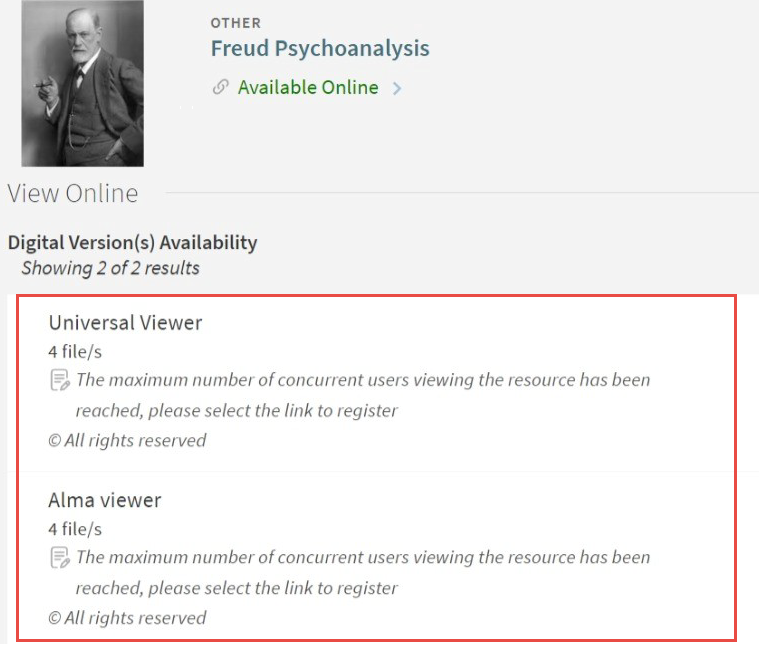
Patrons can find digital resources using a discovery tool such as Primo and Leganto. If short-term lending is configured for the resource, a customizable message appears when the patron selects it (for example, "The maximum number of concurrent users viewing the resource has been reached, please select the link to register.")
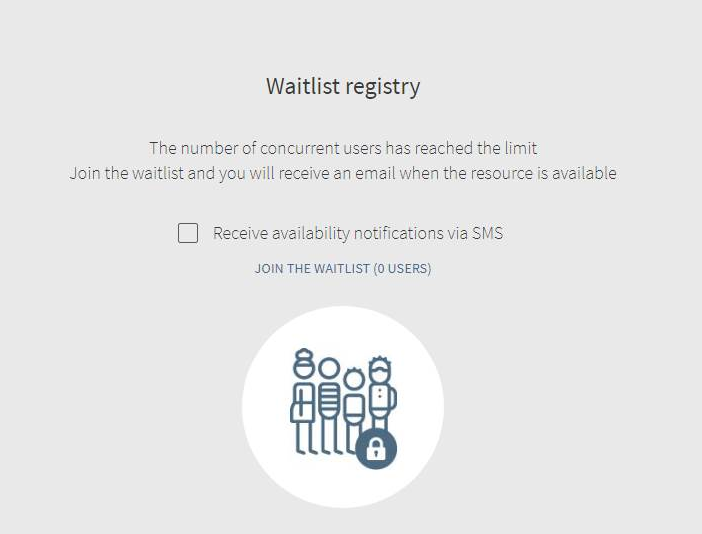
After clicking the link, the following message appears. Patrons can select Join the Waitlist to be notified when the resource is available.
Patrons Receive Access to the Digital Resource
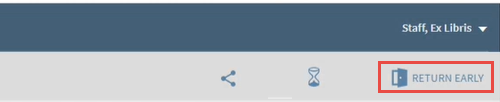
When the digital resource is available, Alma sends an email or SMS to the patron. The patron has until the end of the grace period to access the resource. A timer shows the time remaining to view the resource. If the patron finishes using the resource before the time elapses, the patron can return the resource by selecting Return Early.
For more information, see Configuring a Patron Waitlist.
Manage the Patron Waitlist
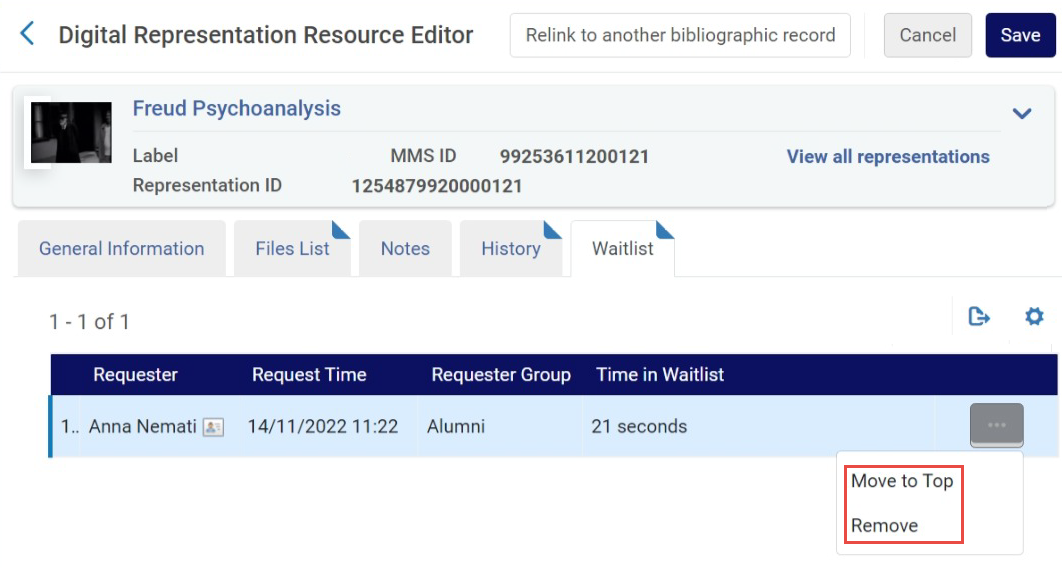
You can view a list of the patrons waiting for a digital resource, remove a patron from the waitlist, and move them to the top of the list.
For more information, see Managing a Patron Waitlist.
Analyze the Data
You can use Alma Analytics to create Digital Waitlist usage reports, which can help you answer, the following business questions:
- What is the average waiting time for a given representation?
- What is the average session length?
- How many users missed the Grace Period?
- How many sessions returned the resource early?
These types of statistics enable institutions to adjust their policies or purchase additional copies accordingly.
For more information, see Digital Waitlist.
Page tags: article:topicproduct:almacontent:Documentationlang:english
