
E-Resource Workflows
Can Alma manage electronic resources through all stages of their lifecycle?
Alma is a unified platform and handles resources of all types, regardless of format. This means that much of the functionality for e-resource management uses the same workflows as the physical resource management, allowing for consistent training, reporting, and a platform for workflow enhancements that applies to resources of any type.
Alma’s workflows support streamlining a variety of purchasing models for electronic journals and electronic books, including:
-
Individual title subscriptions;
-
Individual title purchases;
-
Full collection subscriptions;
-
“Selective” (partial) collection subscriptions; and
-
Patron-driven acquisition of e-books.
A Central KnowledgeBase (CKB) managed, maintained and updated by Ex Libris, tracks the most up-to-date vendor offerings in the shared data services environment. When acquiring a new collection, libraries may search the CKB and, when they find the collection they wish to acquire, initiate an acquisition workflow based on either the full collection or a selective subset of titles they’ve licensed from the vendor. The workflow may begin with a trial, pass through purchasing, and ultimately end up in activating the resource for all users.
Search for and Order an Electronic Resource:
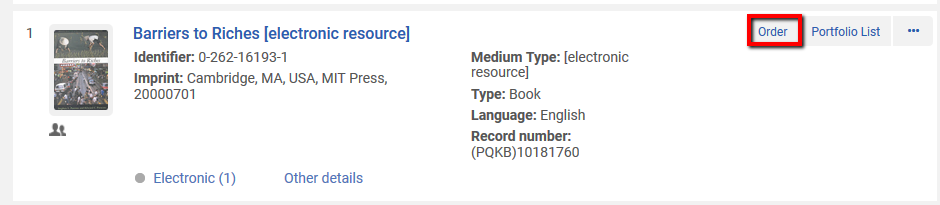
Based on agreements with the vendor, once the order has been sent, the library will be able to activate the e-resource. Staff members activate new electronic resource material in the system using a wizard from the Activation Task List.
Here, a staff member performs various activities related to activating the resource, including verification that the resource is available (using Alma’s embedded Link Resolver functionality), determination of the specific contents and coverage of the resource, and then making it available for discovery by the end user.

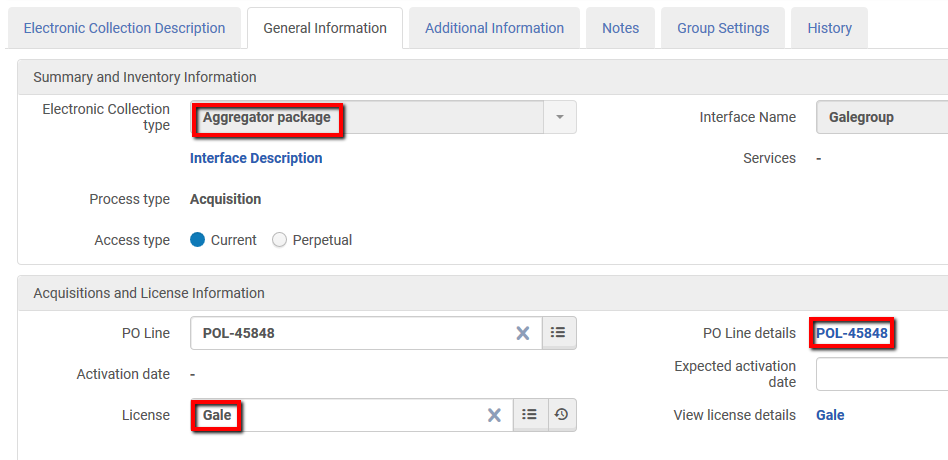
Once activated, descriptive metadata (bibliographic records) for the titles will automatically be added to the local catalog. Additionally, link resolution is built in; Alma will respond to any requests from discovery environments, with a menu with links to full text for all resources types: print, electronic and digital.
When a subscription is nearing conclusion, Alma will prompt staff to initiate an evaluation process for the collection. In the evaluation function, staff may view information about usage, cost, and how the collection has changed, in order to decide whether to renew or cancel the subscription. Cancelation will automatically remove the descriptive records from the catalog.
How does Alma manage e-resource workflow-related tasks, and how users are alerted to tasks relevant for them?
Alma supports the assignment of tasks to staff members as well as communication and notifications to users. A staff user will be able to see tasks related to their roles and authorizations in the Tasks widget on the Alma dashboard:
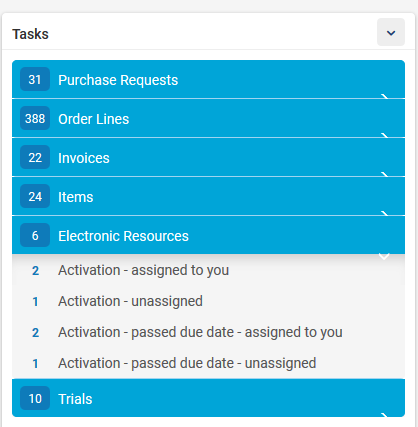
Tasks are automatically generated by Alma as an output of various workflows within the system. For example, when a subscription for an e-resource is recorded (ordered), Alma will automatically generate an activation task for the item. Initially the task will have an 'unassigned' status. When an authorized user starts working on the task, the task will automatically move from 'Unassigned to the 'My Tasks' tab of the user.
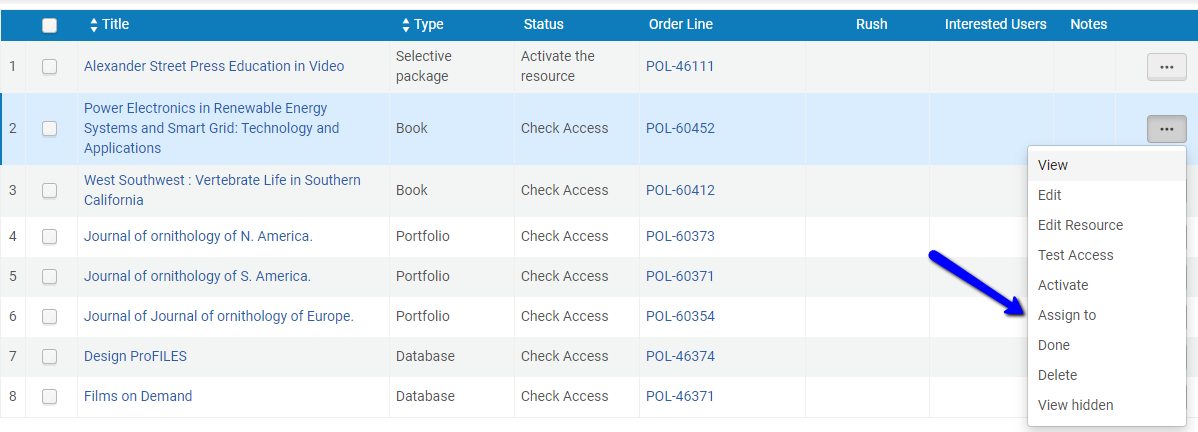
Subject to roles assigned within Alma, Managers can assign tasks to a staff member, review lists of tasks assigned to others for completion or delay. If necessary, tasks can be reassigned to another team member.
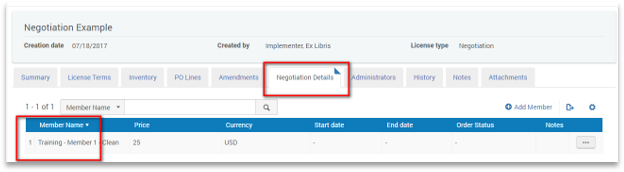
What is the workflow for central negotiations?
If a consortia chooses to manage central negotiations, the following should be set up/configured:
- Content (collection & portfolios) should be managed centrally on behalf of members
- Institutions for which the content was negotiated for should be listed centrally
- Negotiated cost-per-member should be managed centrally
- License terms should be managed centrally
- Activation of content should be done centrally on behalf of members
- Acquisition – order, fund, invoices should be managed by every individual member locally
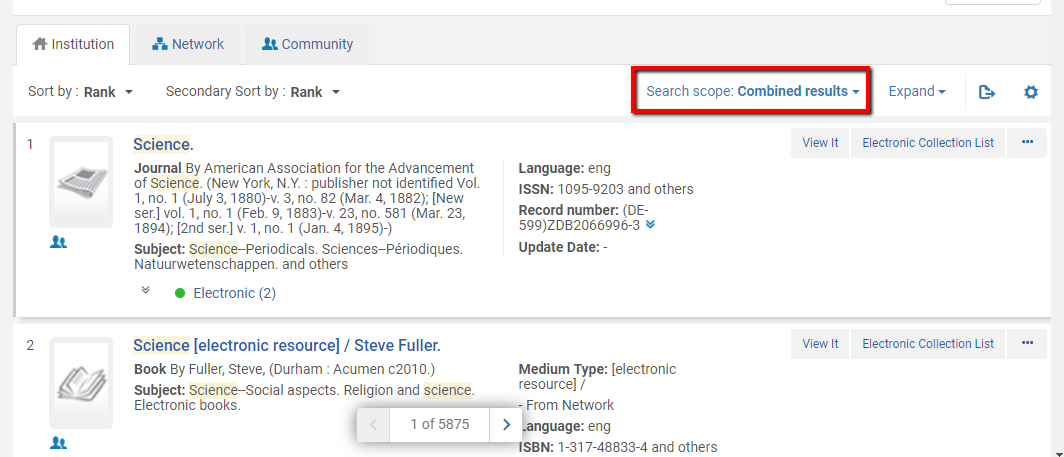
Staff will be able to see a ‘combined’ view of member and Shared (Network Zone):
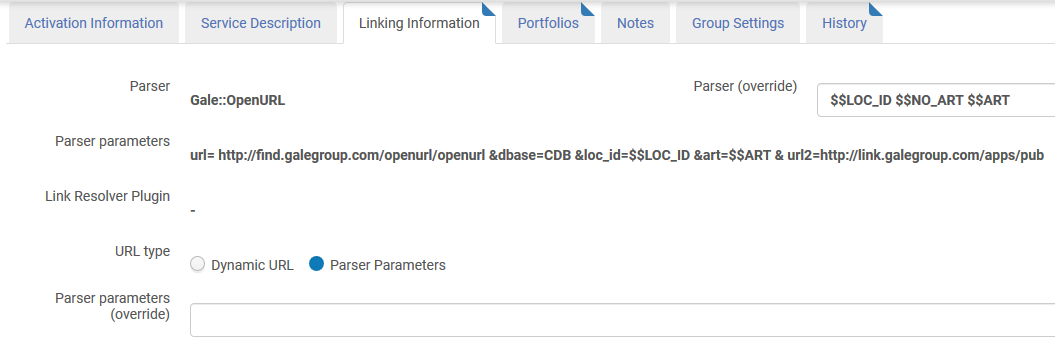
How can CKB resources be localized?
CKB electronic resources can be localized to reflect institution-specific information such as administrative/access information, coverage information for electronic journal titles, public notes, etc. Note how the library can override parser information, define a proxy, and so forth.
Can staff or patrons be notified when a collection has been activated?
A tab in the PO line allows for the listing of interested users to be notified when the order is complete (e.g. items received, or resource activated).
How can individual titles in a collection be managed and edited?
Alma provides the flexibility to manage work with electronic portfolios on an individual level or as part of a collection. This section describes modifying a portfolio that is part of a collection using the Electronic Service Editor:
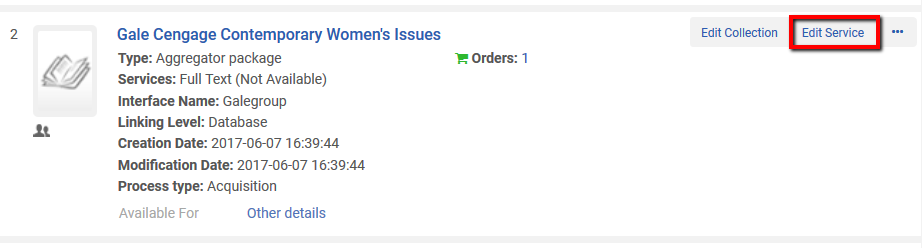
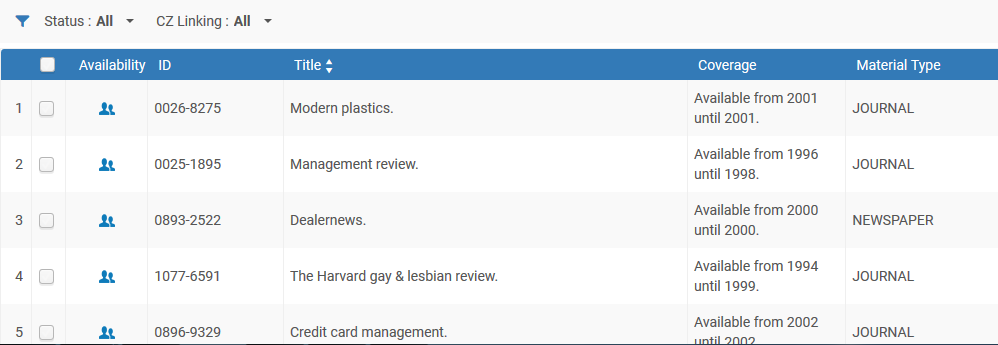
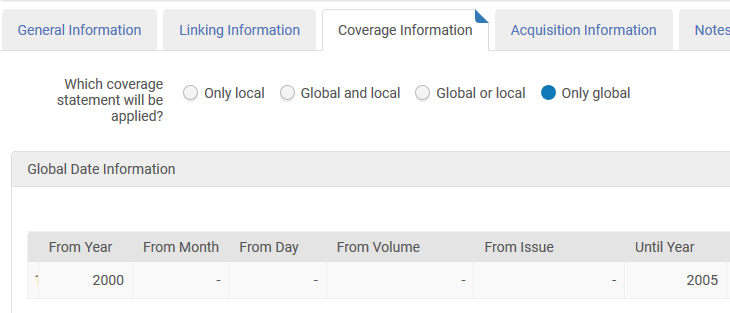
-
Remove local coverage
-
Set a proxy
-
Update URLs (such as removing the EZproxy prefix, for example)
-
Associate portfolios with a license
-
Activate/deactivate portfolios
-
Delete portfolios (with the appropriate permissions).
Can perpetual access rights for both individual titles and collections be recorded?
A collection includes an Access Type field, indicating the access level (perpetual/current). This allows tracking the details of the perpetual access even when the material is passed from one publisher to another.
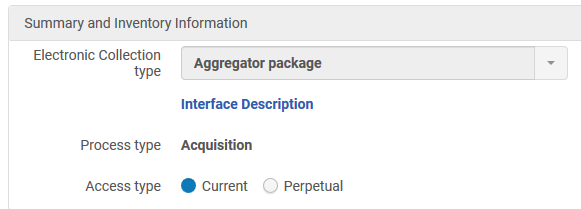
Alma supports the recording of current and perpetual access. A collection can be activated twice for the same institution: one with the content representing the perpetual access titles and one representing the current subscription titles.
Is there an option for globally updating e-resources?

Global corrections to e-resources can be done via the Portfolio update batch process, which enables performing global changes on a defined set of records. The screen capture below is an illustration of the elements that can be changed:
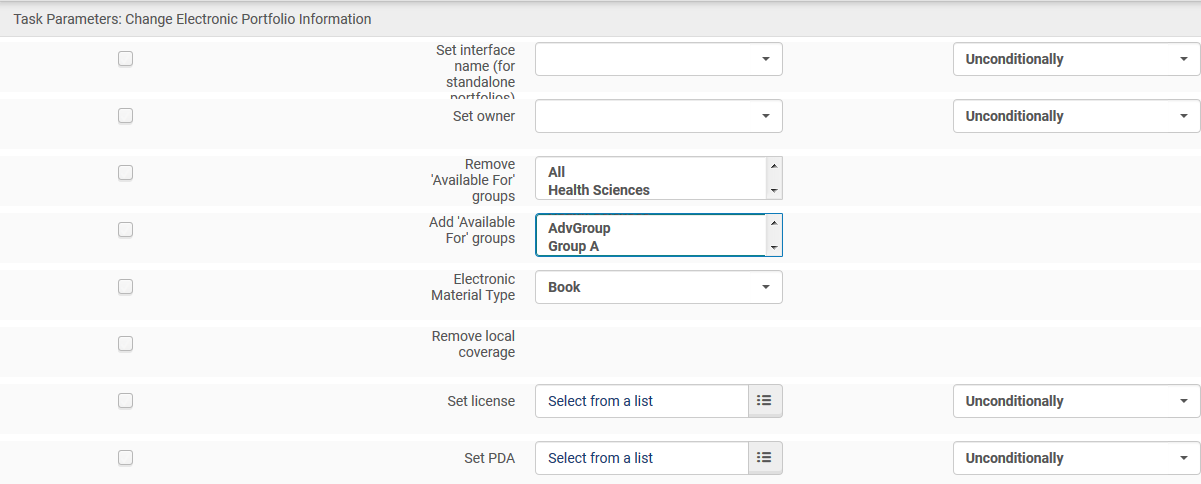
Can staff add local collections?
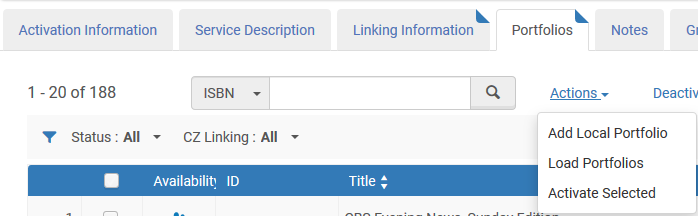
Electronic resources of any type (Database, Interface, Collection, Titles) can be locally created in the institution.
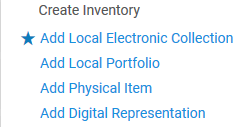
From the Alma Menu, staff users can chose different options to create local inventory:
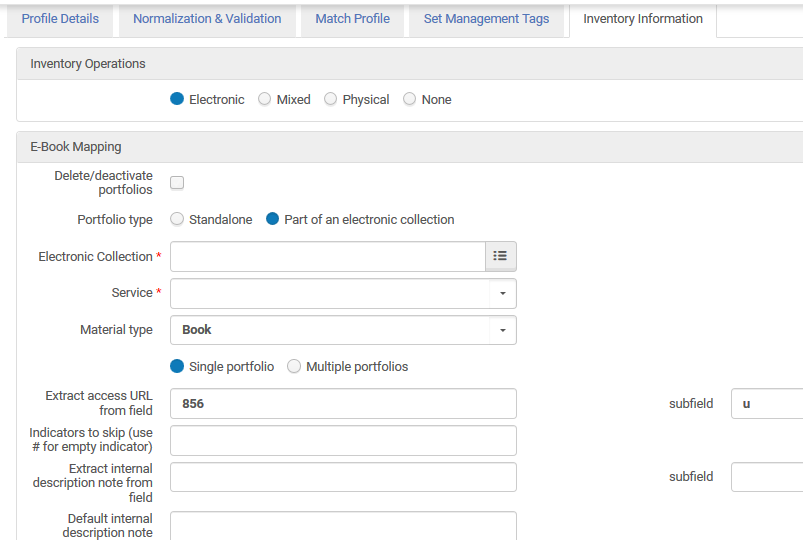
Alma supports enriching the title information with complete descriptive records using MARC-based imports, as illustrated below:
Can Primo be updated to reflect temporary unavailability of a resource?
Information for display in Primo can be customized if, for example, it is “currently unavailable”.
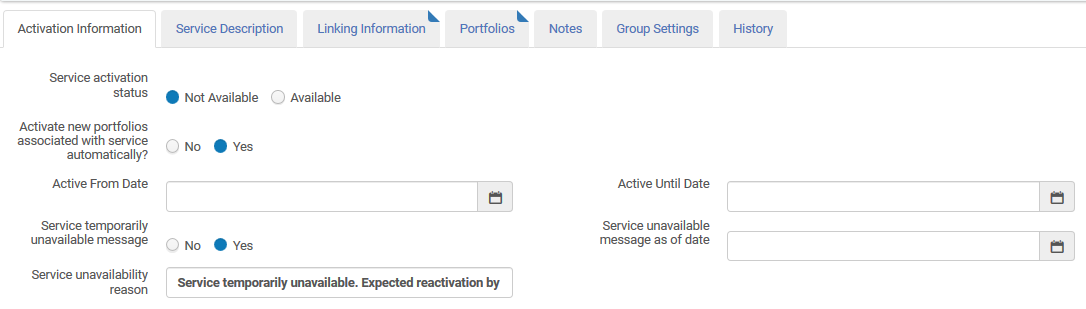
The ‘Service unavailability reason’ can be seen in Primo:

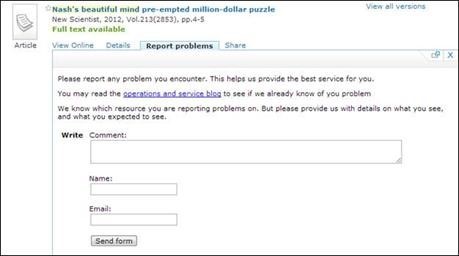
Does Alma's e-resource management support a feedback option for patrons or staff?
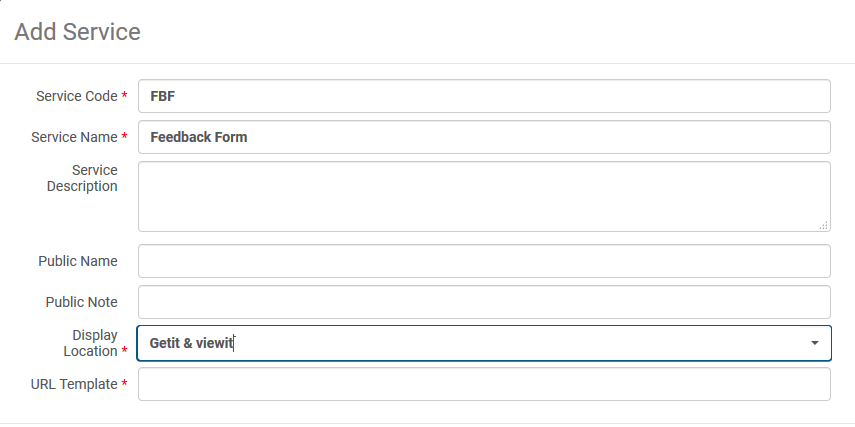
Patron feedback/support requests can be integrated directly into the Primo interface by creating a proprietary service for retrieving feedback information using the general electronic service functionality in Alma:
Defining the Service form:
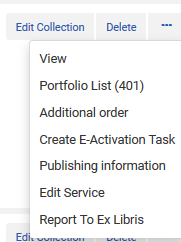
It is also possible to report an issue related to collections and portfolios to Ex Libris directly from the Alma interface. This is achieved by clicking on the “Report to Ex Libris” link from repository results screen for the e-resource:
Can collections and all associated data be exported?
Export jobs are supported for the following records:
- Physical Items
- Physical Items for Labels
- Inventory Records
- Electronic Portfolios
- Bibliographic Records
- Authority Records
These jobs are accessed by selecting Administration > Manage Jobs and Sets> Run A Job. From this page, users can find the export jobs by narrowing down the type to Export:
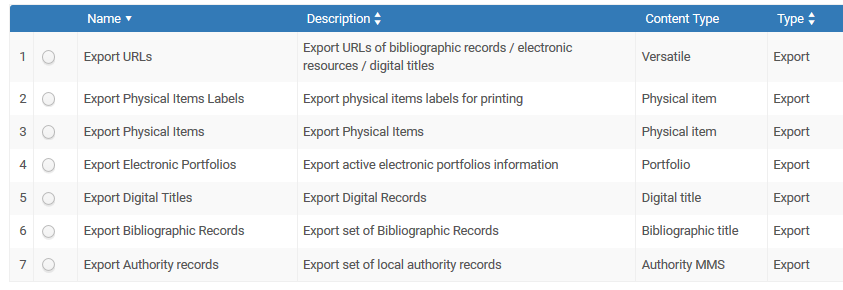
The job wizard provides the possibility to set parameters, including the format, depending on the resource type:
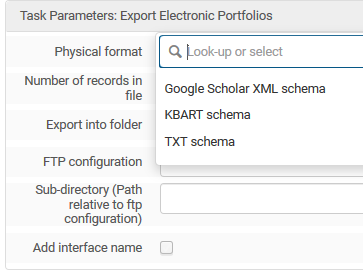
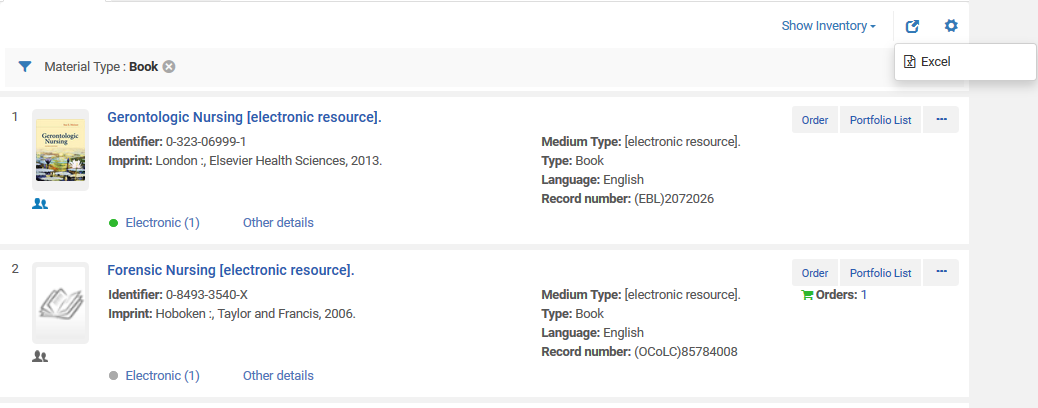
In addition to the export jobs described above, Alma menus that contain lists have a Tools button which enables staff users to export lists to Excel spreadsheets. You can therefore download to Excel a list of portfolios linked to a collection. Note the option to download current - i.e. the list on the screen or extended - i.e. the full result list:
Total views:
Page tags: article:topicproduct:almacontent:Documentationlang:english
