
Informazioni Publishing
- Amministratore di Sistema Generale
- Amministratore del Repository
- Amministratore catalogo
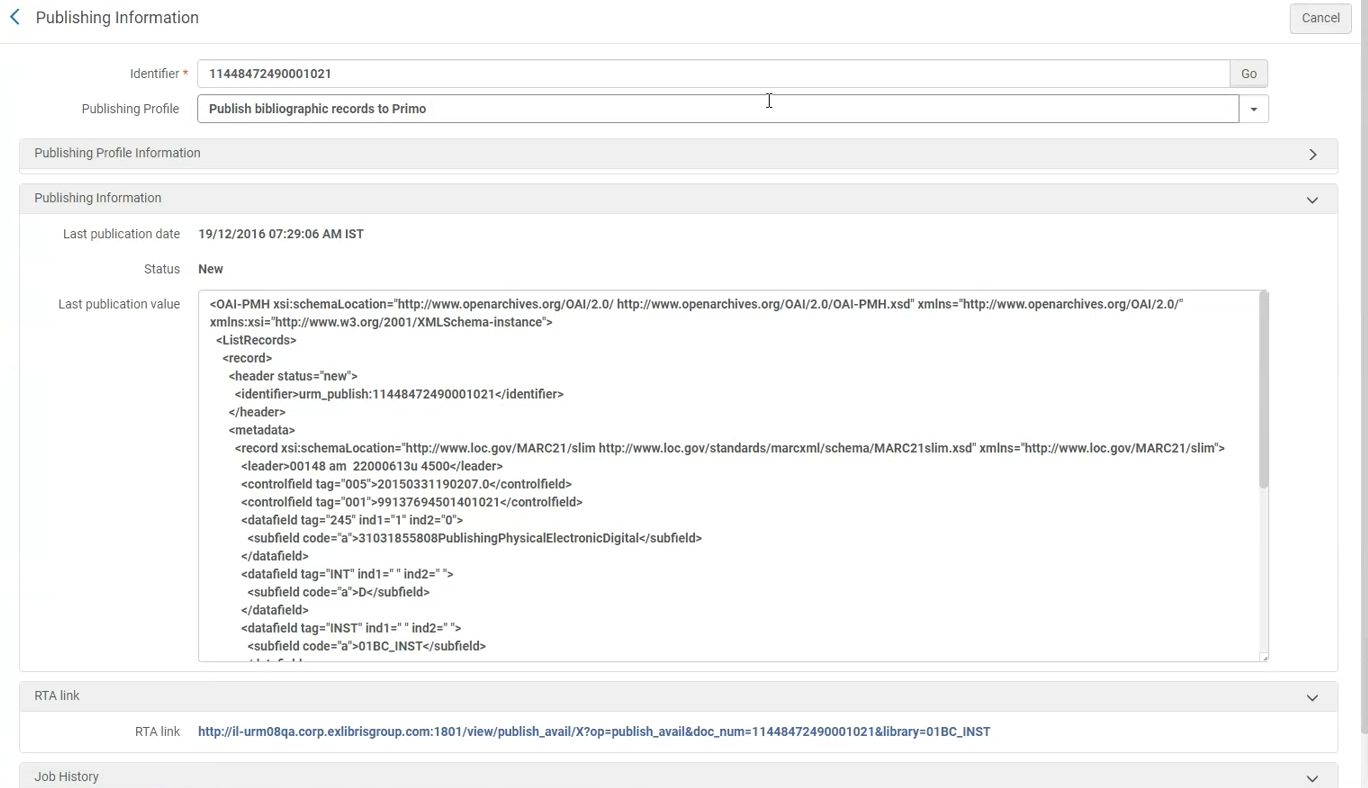
Similar to the Publishing Information search results list action (see Performing Actions on the Repository Search Results Page), the Publishing Information feature (Resources > Publishing > Publishing Information) provides the following information after the General Publishing, Primo, Summon, OCLC, Central Discovery Index, Libraries Australia, and Google Scholar publishing jobs are run:
-
Campus/OCLC institution symbol – If the institution is publishing at the campus/symbol level, in addition to the record ID you'll also need to specify the campus/symbol for which you want to see the publishing information.
- Publishing Profile – This parameter identifies the publishing profiles that were used to publish the record specified in the Identifier parameter. In alcuni casi, un record può essere pubblicato da più di un profilo di pubblicazione. Nella lista a tendina del parametro Processo di pubblicazione profilo sono elencati tutti i profili per i quali il record è stato effettivamente pubblicato.
- Processo di pubblicazione profilo Informazioni:
- Information related to the selected publishing profile: Profile description, sets selected in the profile (only for PUBLISHING_PLATFORM), whether the profile is currently active or inactive, its schedule, and last run date
- Il link "Modifica profilo". Select the link to navigate to the publishing profile.
- Processo di pubblicazione Informazioni:
- Last publication date – This shows the date and timestamp information for when a record was published.
- Status – This shows New, Updated, or Deleted for the record's status in Alma when it was published.
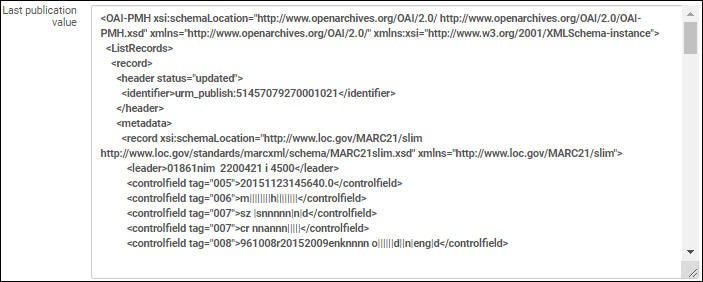
- Last publication value – This shows the record data that was published for a given publishing profile, as identified in the Publishing Profile parameter (see above).
 Valore dell'ultima pubblicazione
- RTA Link – This type of link appears for the different types of Primo publishing.
- Job History – In some cases, there is a link provided for accessing the job history list. Tieni presente che la visualizzazione potrebbe richiedere un po' di tempo.
Con l'opzione Menu Informazioni di publishing, inserisci semplicemente uno dei seguenti tipi di ID nel parametro identificativo per vedere i dettagli descritti sopra:
- ID MMS bibliografico (per il livello bibliografico del tipo di profilo General Publishing)
- ID MMS dell'authorty (per il livello record d'authority del tipo di profilo General Publishinà)
- Title ID (for the Primo, OCLC, Central Discovery Index, and Google Scholar publishing type profiles)
- ID delle holdings (per il tipo di profilo General Publishing a livello di holding)
- ID Portfolio (per il tipo di profilo General Publishing a livello di portfolio)
- ID copia (per il tipo di General Publishing a livello di copia)
Con alcuni profili di pubblicazione, si attua l'arricchimento e/o la normalizzazione dei dati, il che significa che i dati pubblicati possono differire notevolmente dai record originali. Using the information provided for Last publication value, you can view and verify the actual data that was published.
Page tags: article:topicproduct:almacontent:Documentationlang:english
