Printouts Queue
印刷キューにアクセスするには、次のいずれかの役職が必要です。
- 印刷キューマネージャー
- 印刷キューオペレータ
印刷キューを設定するには、次のいずれかの役職が必要です。
- 統括システム管理者
- フルフィルメント アドミン
Alma provides options to allow printouts, slips, and letters to be aggregated in a print queue and printed from your browser.This is in addition to the option to send printouts via email to a printer.This provides the flexibility to choose automated printing via email or online printing via the browser.
Using this option, instead of sending printouts to an email address assigned to the printer, the printouts will be saved in the printouts queue, which can be accessed at any time by authorized staff to review and send the relevant printouts to a printer via the browser.これは、物理的なプリンターに印刷するときに推奨される方法です。For more information, see  Letters - The Printout Queue and Quick Printing in Alma.
This option is defined on an individual printer.A printer must be defined as 'Printout Queue' on the Printer Details page.
For information on printing in Alma and the printout queue, watch Printing (3:22).
To set up printouts queue:
- Open the Printer Details page (Configuration Menu > Fulfillment > General > Printers).
- プリンターを追加または編集する際、印刷キューのためのオプションを選択します。
NOTE: It is possible to have a printer defined both as an email-based printer and a printouts queue printer.In these cases, the automated sending of the printout via email will take place, and a copy of the printout will also be saved in the printouts queue.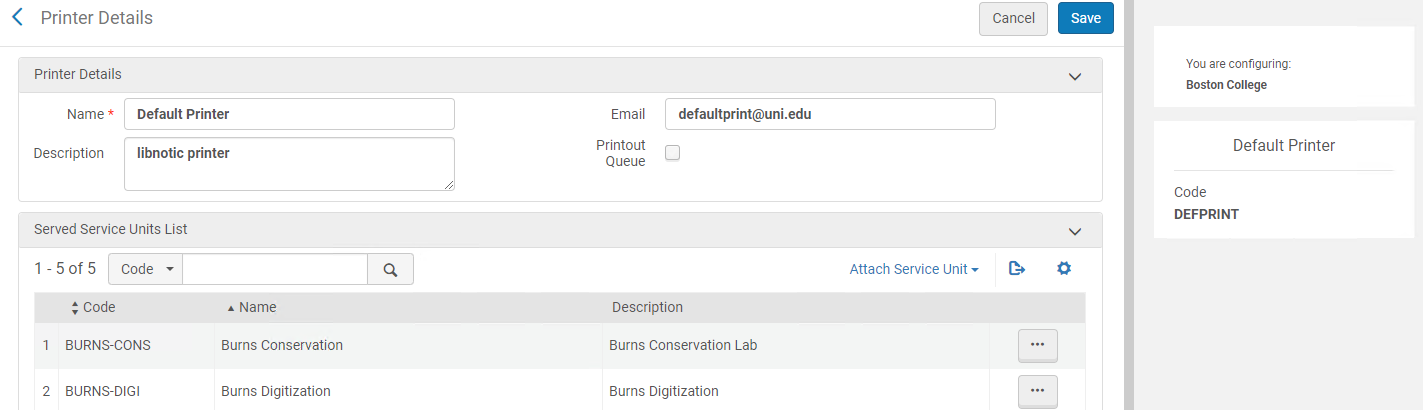
選択した場所で複数の印刷キュープリンタを使用できる場合、使用可能なオプションがメインメニューの[現在の場所]ドロップダウンボックスに表示されます。
印刷キュープリンタを選択します。This selection is retained for the next time you select this location.
Printout Queue Statuses
選択したプリンターに基づく印刷ステータスは次の通りです:
| プリンターのセットアップ | 結果 | 印刷ステータス |
|---|---|---|
| Eメールプリンターのみ | 印刷物はEメールプリンターに送信されます | 対象外 |
| 印刷キュープリンタのみ | 印刷物は印刷キュープリンターに送信されます | 保留 |
| Eメールと印刷キューの両方 | 印刷物はEメールプリンターに送信されます。さらに、再印刷のために印刷キューに蓄積されます。 | 印刷 |
Letters You Can Send to Print Queue
Any letter that can be sent to a circulation desk printer can also be routed to the print queue.Letters designed to be emailed cannot be routed to the print queue.例:
- You can send the letter “Resource Request Slip Letter” to the printouts queue, because this letter is designed to be printed on paper and then attached to the resource while the resource waits on the hold shelf.
- You cannot send the letter “Order Claim Letter” to the printouts queue, because this letter is designed to be sent to a vendor by email, and not by paper.
Managing the Printout Queue
To access the Printed By menu, you must have the following role:
- 印刷キューマネージャー
When a letter is printed to a printer that is defined as a printout queue, it goes to the printout queue (Admin > Printing > Printout Queue) and displays a Pending status.
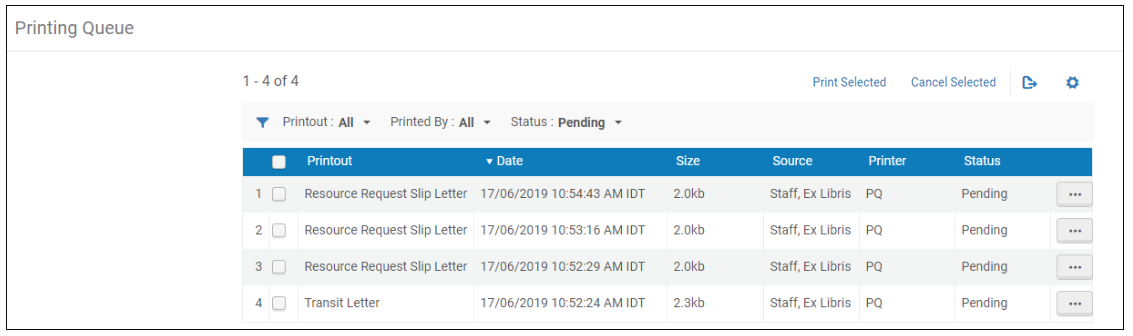
各印刷物の行で使用可能なアクションは次の通りです:
- Preview- An HTML rendering of the letter is displayed.プレビューパネルから印刷を選択できます。
- Print- The print option allows for printing from the browser printing capabilities only.第三者の印刷オプションにはアクセスできません。
- キャンセル
When selecting Preview and then Print or Print as a row action, the status of the printout changes to Printed as soon as the print option is selected (even if the letter is not ultimately printed).
複数の印刷物を選択し、選択したものを印刷を選ぶことで、複数の印刷物を1つのPDFファイルに集約することができます。
You can cancel multiple printouts by selecting all the printouts you want to cancel and selecting Cancel Selected.
Printouts are retained in the Printout Queue for 30 days, after which the Alma cleaning job deletes them from the Queue.お客様はこの保持期間を制御できません。
Automated Quick Printing
Quick Printing allows you to set that all printouts that are created as part of a workflow via the user interface (e.g. printing a slip via an action in a list) going to a specific printer should automatically print.クイック印刷を使用している場合、レターが生成されるとすぐに印刷ウィンドウが表示されます。
すべてのレターでクイック印刷オプションを使用したい場合、「現在地」ドロップダウンボックスでクイック印刷の有効化を選択します。
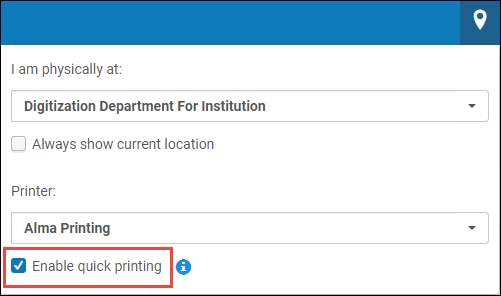
If a user selects multiple records from a list and chooses Print Slip,only the first slip is printed.
Selective Quick Printing
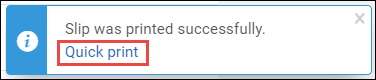
スタッフユーザーは、自動クイック印刷が定義されていない場合でも、印刷キューに送信されている印刷物をクイック印刷するよう選択できます。This is done by clicking on the Quick Print link that displays on the pop-up message.