
ダッシュボードの設定
For links to online help pages related to collaborative networks, see Collaborative Networks.
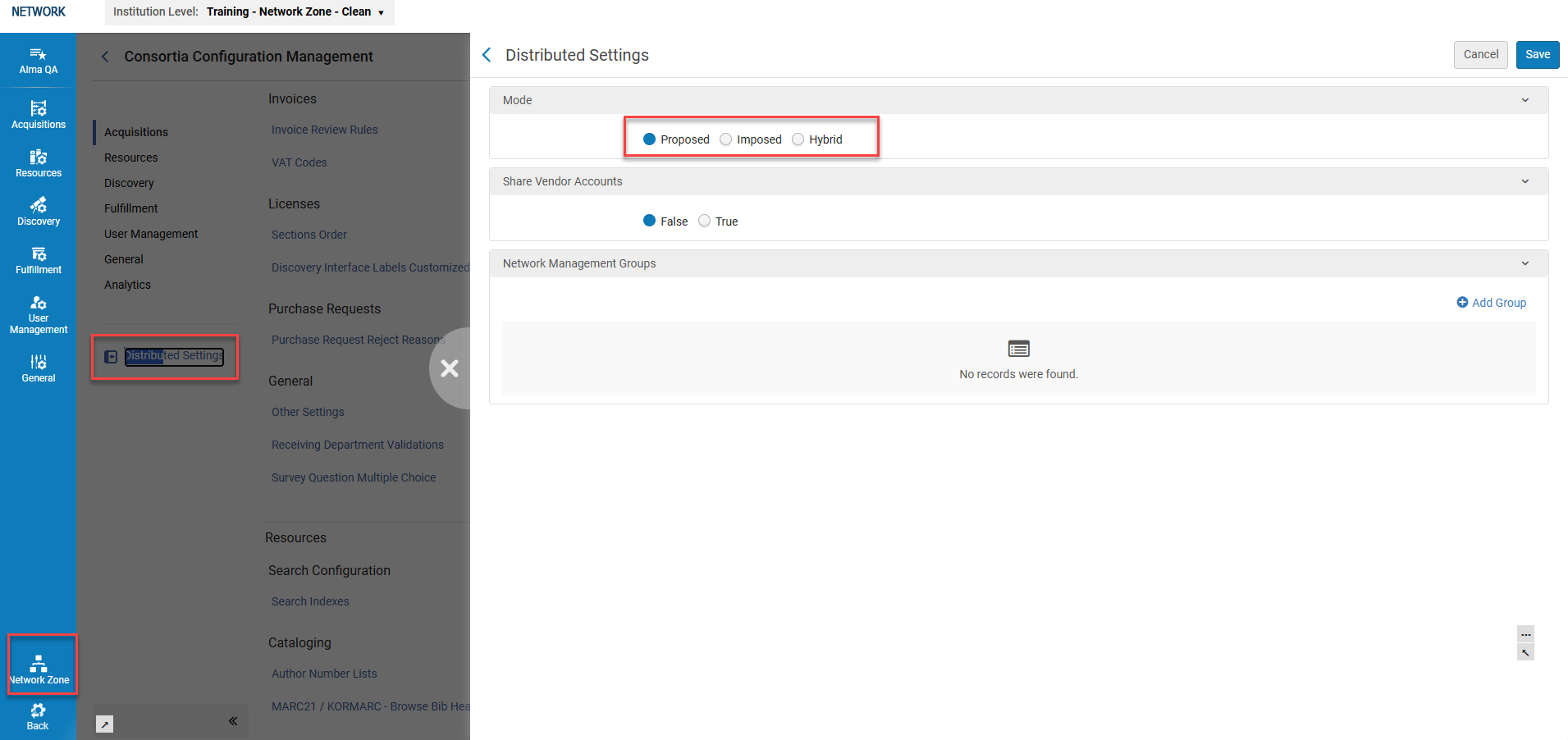
The dashboard is only visible at the Network Zone level and includes a link to "Distributed Settings," where operators can define:
- Distribution Modes: Proposed(default), Imposed, and Hybrid.
- Shared Vendor Accounts: This enables distribution of acquisition rules (True/False).
- グループ設定 : 複数の機関ゾーンをグループ化して配布します。グループ名は、すべて配布または選択配布アクションのドロップダウンで使用できます。
配布モード
ネットワーク ゾーン管理者は、次の 3 つの異なるモードで構成の変更を配布できます:
- Proposed (default) - any configuration alterations (by the network administrator) are not demanded, but proposed.If any member has made customizations or changes to the out of box configurations in their environment, the Network Zone administrator's proposed alterations will NOT take effect.
- Imposed- any configuration alterations (by the network administrator) ARE demanded.Regardless of any customizations or changes to the out of the box configurations in their environment, the Network Zone administrator's imposed alterations will override any member configurations.ネットワーク ゾーン管理者がメンバーに対して構成の変更を強制すると、メンバーが定義した既存のカスタマイズが上書きされ、削除されます。メンバーのカスタマイズ設定はすべて削除され、このプロセスを元に戻すことはできません。Member configurations will now match the Network settings, but only for the distributed configurations.
- ハイブリッド - ネットワーク ゾーン管理者が配布プロセス中に提案モードまたは強制モードのいずれかを選択できるようにします。
- Go to: Configuration Menu > Network Zone > Distributed Settings.右側のスライド パネルに分散設定画面が表示されます。
- In the Mode drawer, select the desired distribution mode:Proposed,Imposed, or Hybrid.
- [保存]を選択します。
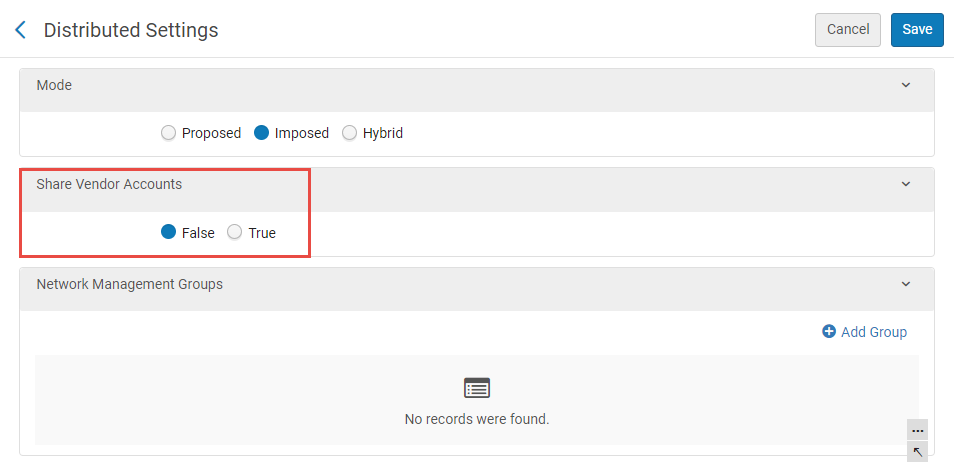
ベンダーアカウントを共有する
受入ルール構成には、一部のコンソーシアムのネットワーク ゾーンで使用できるが、そのメンバーには不要なベンダー データが含まれます。このような構成を配布する場合、ベンダー データが構成の一部として含まれる可能性があります。
- Share Vendor Accounts is False, the distribution buttons will not be available for the Acquisition rule configurations.
- Share Vendor Account is True, the distribution buttons are available for the Acquisition rule configurations.この場合、配布プロセスが実行され、メンバー機関において欠落している情報(例:ベンダーデータ)が作成されます。
ネットワーク管理グループの作成
Instead of Network Zone administrators selecting members individually (one-by-one) to distribute the configuration alterations, they can create groups to simplify the distribution process.A group comprises of any number or subset of members that Network zone administrators define for the group.For instance, a Network zone has 60 members.Twenty members are large establishments, ten are medium establishments and the remaining thirty are small establishments.The groups: Large, Medium, and Small can be created to contain only those establishments for the relative group.Network Zone administrators can select the group when they want to distribute the configuration settings.Only members in that selected group will receive the altered configurations.
- Go to: Configuration Menu > Network Zone > Distributed Settings.右側のスライド パネルに分散設定画面が表示されます。
- In the Network Management Groups drawer, select
 Add Group.
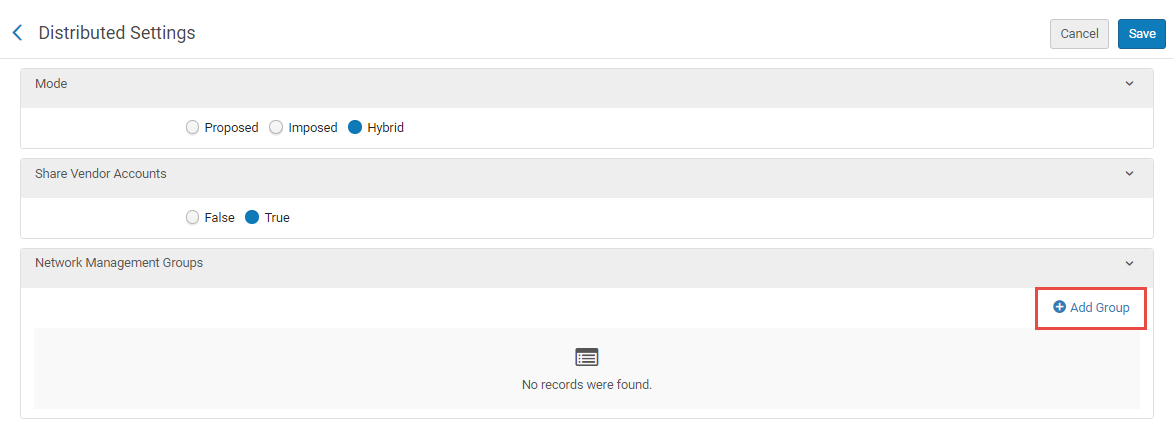 ネットワークグループの追加
- In the Add Group window, define a Group Name(mandatory) and a Group Description(optional).
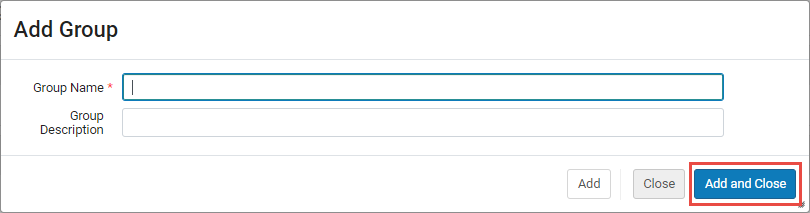 グループを追加ウィンドウ
- 追加して閉じるを選択します。
The group name is created and is displayed in the Network Management Groups drawer.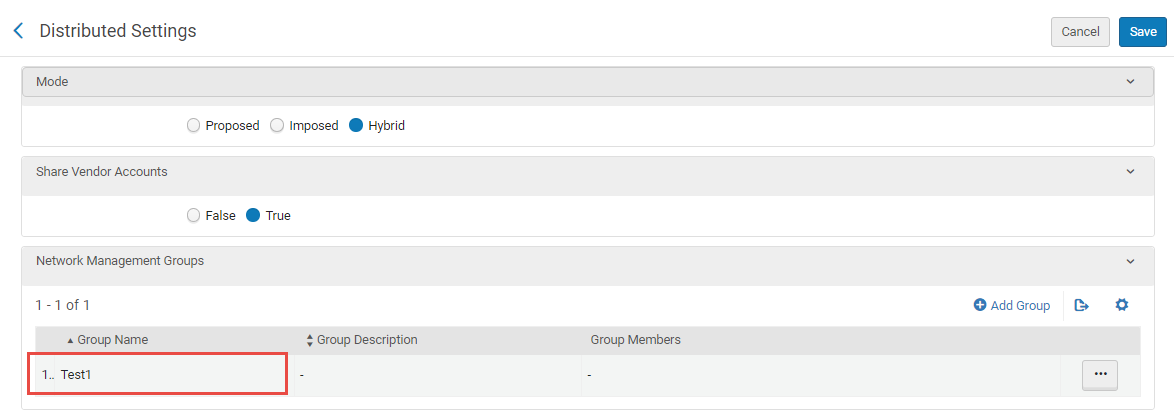 ネットワーク管理グループドロワーに作成されたグループ名
- In the desired group's row, click the row actions button (
 ) and select Edit.
The Networks Management Group Details window displays. - 別のメンバーを追加ドロワーで、フィールドをクリックし、ドロップ メニューにリストされているメンバーを選択するか、個々のメンバーの名前を入力してグループに追加します。
Multi-selection is enabled.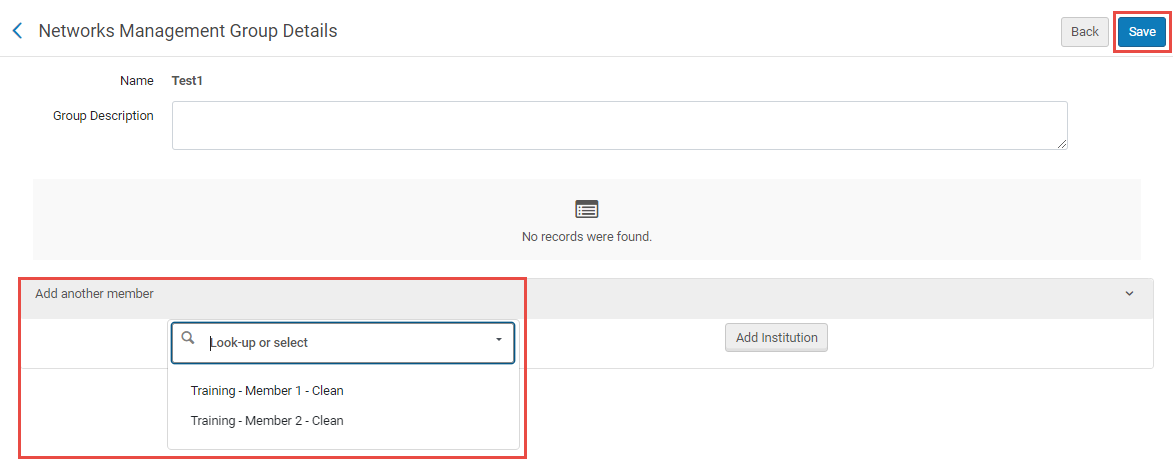 別のメンバードロワーを追加
- 希望するメンバーがすべて別のメンバーを追加ドロワーに表示されたら、保存を選択します。
The group is created with the members defined.
