
April 2020
New Features and Enhancements
Security Enhancement – Token-based Authentication (iOS, Android, Web App)
As noted in the February 2020 release, we are implementing a new authentication pattern for our customers who have yet to migrate to token-based authentication for campusM. By adding an internal campusM authentication token, we prevent a broad range of attack vectors, which requires no configuration changes from the customer side while being transparent to end users.
As part of the next stage of the rollout of this important security feature (which is a key prerequisite for Product Integrations), we are updating all Sandbox Apps to use this approach as part of the release on March 2, 2020.
If you identify an issue with authentication, log a Salesforce ticket and we will prioritize the resolution.
The final rollout of the token-based authentication to production environments will take place starting March 9, 2020, in line with our original implementation timeframe, as documented in the February 2020 release. We will contact customers through Salesforce to allocate a time slot for the production migration.
Product Integration – Resource Booking (Web App, iOS, Android)
Continuing our investment in product integrations, we are introducing a new Resource Booking integration that can be implemented and configured through App Manager.
The resource Booking PI provides a dynamic, API driven experience that allows students to reserve any type of resource (rooms, PCs, pods, etc.) through the campusM interface. Reserved items appear in their personal reservation page for reference.
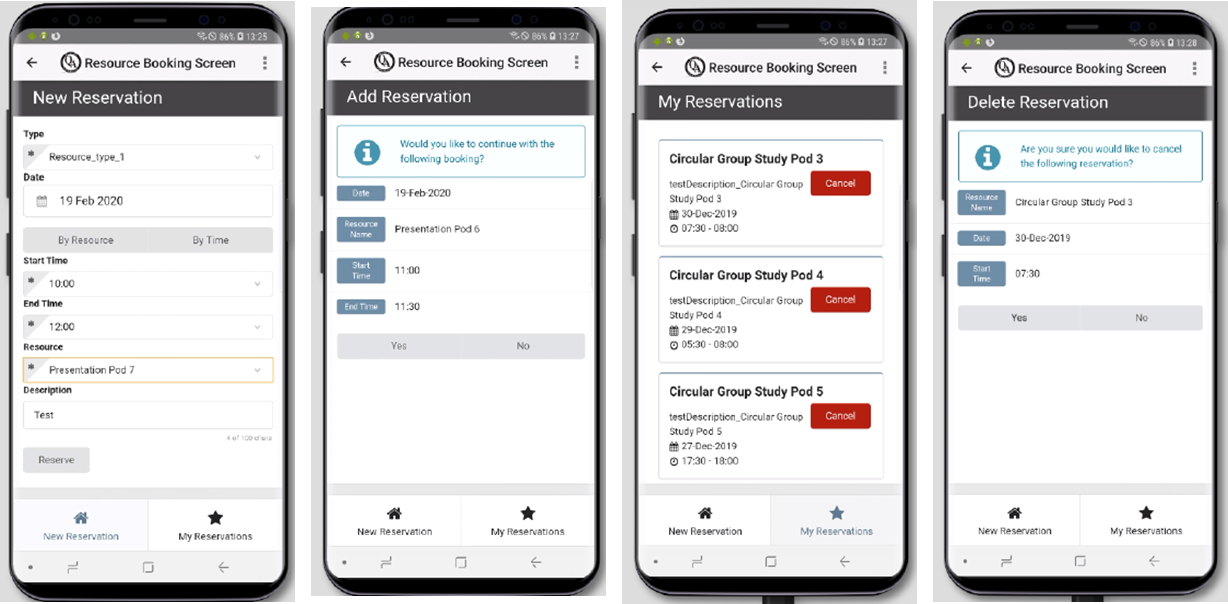
For more information on the Resource Booking Product Integration including user experience, configuration, and prerequisite details, see Resource Booking.
To find out more about setting up and configuring product integrations, see Managing Product Integrations.
Product Integration – ID Card (Web App, iOS, Android)
Another addition to our growing family of Product Integrations is our Digital ID card. This provides a simple digital ID card that can be used to verify the student ’s identity through the dynamic display of their University photo, student identifier, status, validation date and barcode. This can be used to supplement existing ID verification mechanisms used by the institution.
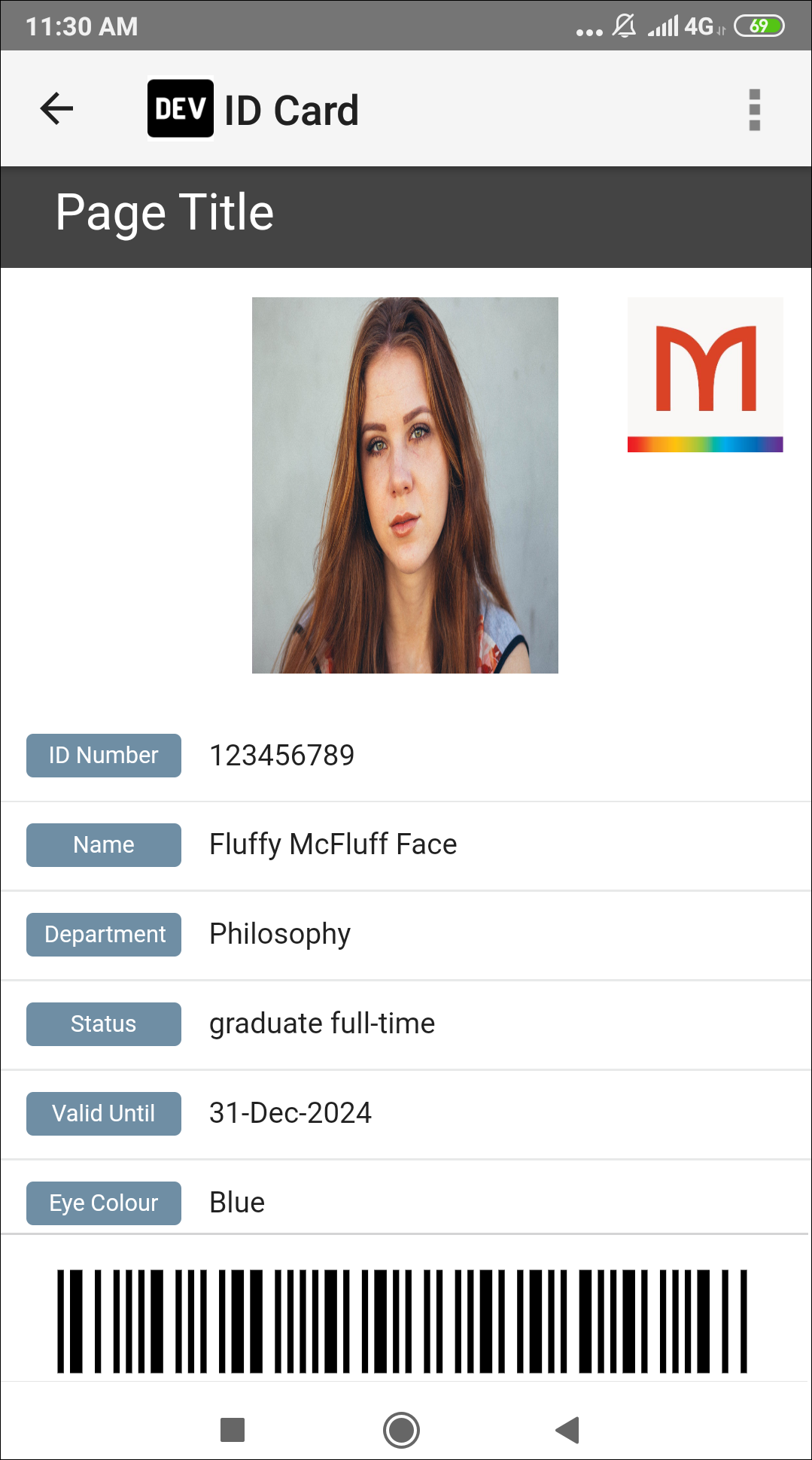
For more information on the ID Card Product Integration including user experience, configuration, and prerequisite details, see ID Card.
To find out more about setting up and configuring product integrations, see Managing Product Integrations.
Resolved Issues
No resolved issues match your criteria.
- April 2020 iOS AppSF: 00812523 Resolved an issue with linking out to Moodle from a custom AEK screen that prevented the link from opening. This was a result of the move to the latest iOS web view (WKWebview).
- April 2020 iOS App / Android App / Web AppSF: 00725385 Resolved an issue with the Event Product Integration where a blank tile was shown if no display options were enabled for the LiveTile configuration. The default tile information is now displayed.
- April 2020 Android App HOTFIXED TO FEBRUARY 2020 RELEASE: Resolved an issue that corrupted the local client database when updating from an old Android version of campusM to a new version, resulting in timetabled events not being shown on the Attendance page.
- April 2020 iOS AppSF: 00807727 Resolved an issue were Attendance reminder notifications were not being sent for the iOS app as a result of exceeding the Operating Systems maximum number of scheduled notifications.
- April 2020 iOS App / Android App / Web AppSF: 00804529 Enhanced the user experience when loading the PrimoVE Product Integration LiveTile. The dynamic data elements on the LiveTile now display as Loading… until the data is successfully retrieved from the service.
- April 2020 iOS App / Android App / Web App Resolved an issue with the Primo VE Product Integration LiveTile where if the student does not have an AlmaID and or did not log in, the LiveTile prompts with You are not logged in to Primo VE.
Page tags: article:topiccontent:Release_Noteslang:englishproduct:alma_specto
