
campusM 2025 February Release Notes
Developments
Maps - PC Availability Information
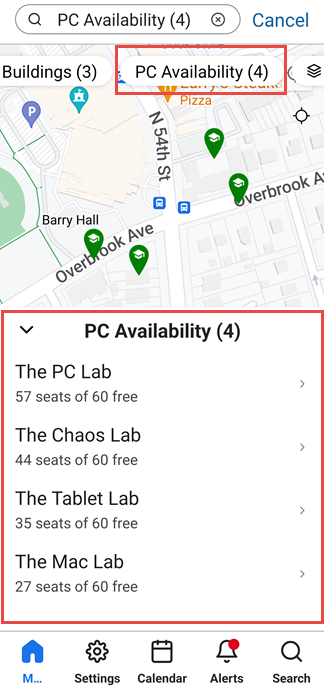
React Native now supports the display of PC-availability information in maps. This feature can be used by institutions that provide PCs for students to use, for example, in libraries or laboratory environments. If your institution offers this type of service to students, and your system keeps track of which PCs are in use at any given time and which are available for students to use, you can provide this information in campusM maps. To do this, your system must have a server that can provide information about PC availability at specific positions whenever it is requested.
PC-availability information can be included in maps by attaching it to a special location category. When the end-user selects this location category in a map, a list of relevant locations opens at the bottom of the map. The list includes information about the total number of PCs found at each relevant site and the number of these PCs currently available for use.
For more information, see Adding Maps and Locations to Services.
Analytics - Analysis of Page Views by User Role
Two new subject areas have been added to Analytics:
- Home Page by Roles
- Pages by Roles
These new subject areas enable you to break down data about tile and page selection by user roles. For example, from the Home Page by Roles subject area, you can create a report that shows how many users with specific roles selected each tile in the homepage. This can indicate which tiles are most useful to users of different types. Based on this information, you might decide to move certain popular tiles to the top of the homepage for specific types of users, or remove certain tiles that are never used by specific types of users from the homepage entirely.
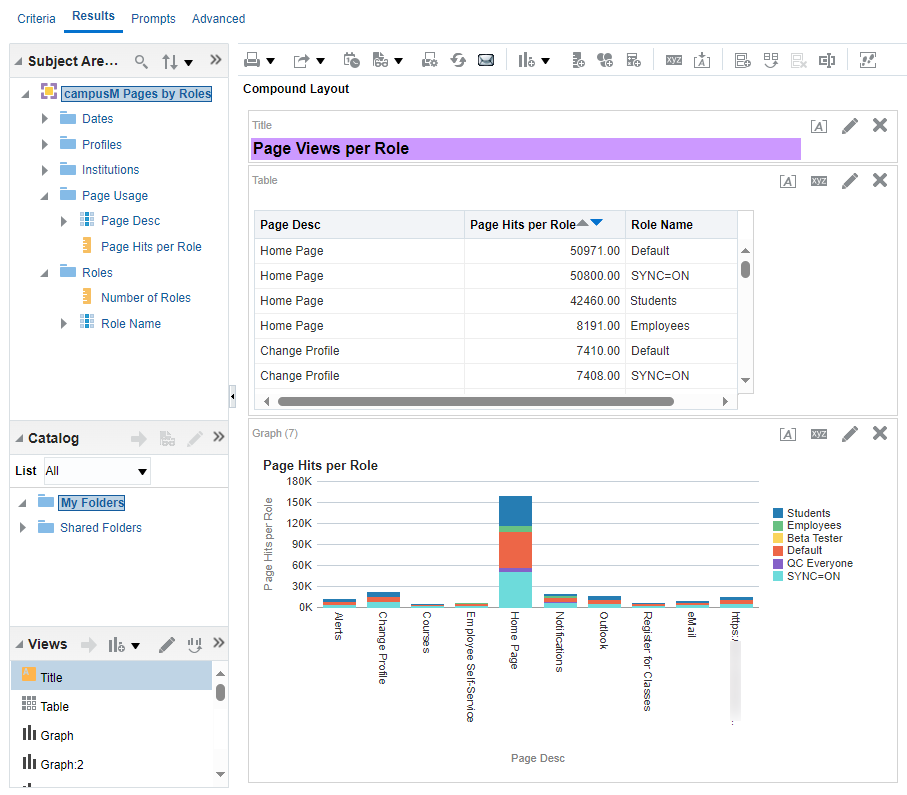
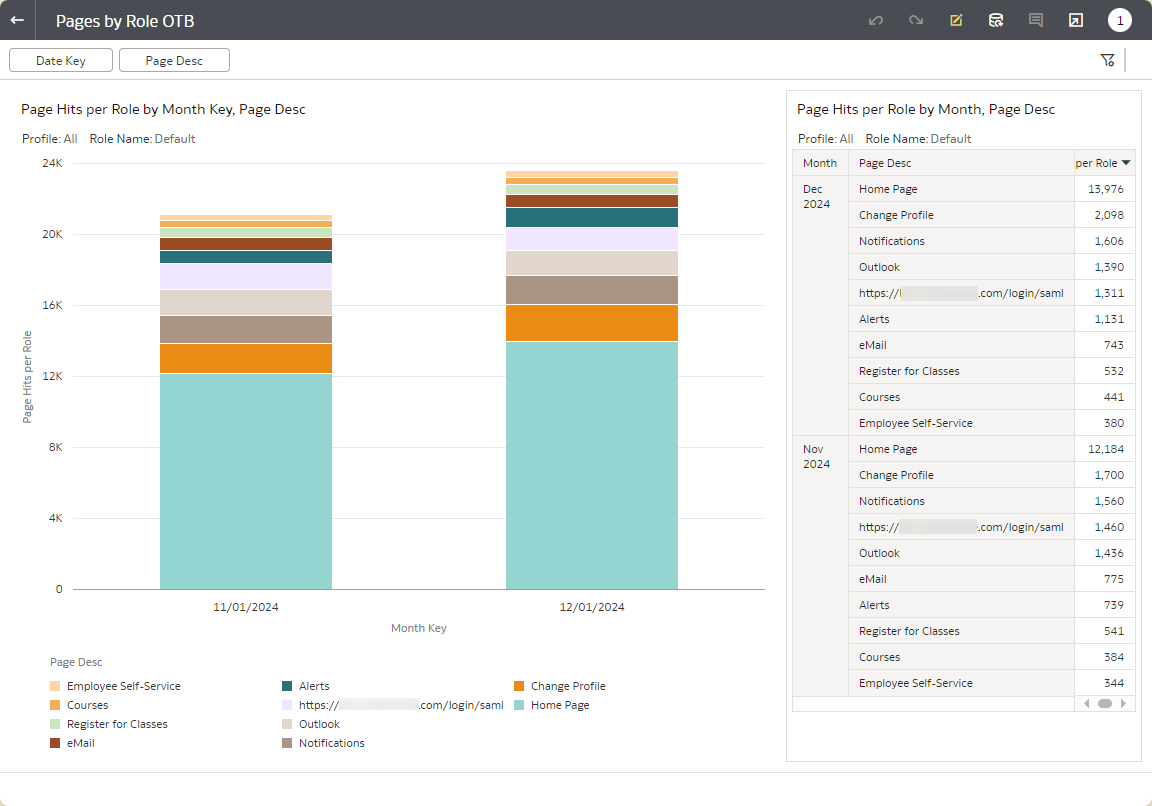
Two out-of-the-box (OTB) reports built on these subject areas are also now available:
- Home Page by Role OTB
- Pages by Role OTB
These reports can be used to quickly create reports of tile- and page-use per user role.
For more information, see campusM Analytics Subject Areas.
Bug Fixes
| SF number | Platform | Description |
|---|---|---|
| 07269332 | Android |
|
| 07485554 | All | A Canvas live-tile course icon had an exclamation point displayed on it, as if there was was an error, when in fact there was no error and the tile worked properly. This was fixed. |
| 07809400 | Mobile | When the user changed the profile in the app, the app continued to display the content for the previous profile. This was fixed. |
| 07729746 | All |
|
| 07737479 | All | When using the Events Product Integration with JSON API, modifying the configuration of the Product Integration caused the app to display no events. This was fixed. |
| 07235492 | React Native | When users zoomed in on a map position, the maximum zoom was implemented immediately, hiding the surroundings of the position. This was fixed; the zoom is now implemented in stages. |
| 07596772, 07235836 | Web | When a lecturer tried to use the bulk check-in feature to mark students as absent, and only one absence reason was defined in the system's configuration, a blank region appeared instead of the dropdown menu from which the lecturer should have been able to select an absence reason. This was fixed. |
| 07234183 | All | When a student checked-in offline, the system did not check the current IP address of their device at the time of the check-in (which should have been null if they were offline), instead recording the IP at the time the student selected the Attendance tile. This opened up the possibility that the student would appear to have been at a different location at the time of check-in than where they really were. This was fixed. |
| 07681033 | All | Alerts sent to end-users about Quick Polls did not appear in the list of notifications in the Notification Center. This was fixed. |
| 07775311, 07759769 | React Native | For customers who require a token for authentication in their attendance history endpoint, no indication of successful checking-in was shown to students after they checked in from the app. The Submit button remained visible even after the check-in was completed. This was fixed. |
| 07774871, 07269265, 07259645 07168963, 07101627 | React Native Android | When an end-user was viewing a sub-page of a page that they had opened by selecting a tile on the homepage, selecting the Back button brought them back to the homepage, rather than to the page from which they had opened the sub-page. This was fixed. |
