
Leganto November 2024 Release Notes
December 2024 Sneak Preview
- Instructor notification letter with more details about the notification
- Covered by your library indication in Cite It!
Main Features
Library View
November 2024 Leganto URM-226783, URM-226784, URM-226785, URM-226786, URM-226787, URM-226788, URM-226789
The Leganto UI now provides a dedicated Library View which aims to support more efficient and customizable list processing and list review workflows. When accessing Leganto as a library staff member, the User Menu icon now includes a library behind the user icon, indicating that the user is seeing functionality not available to instructors. Additionally, when hovering over the User Menu icon, Library view is now appended next to the user's name.

Library staff can now customize their User settings in the following ways:
- Set the preferred tab when opening an item in full view (default is Links & availability tab)
- Set the preferred tab when editing an item (default is Item details tab)
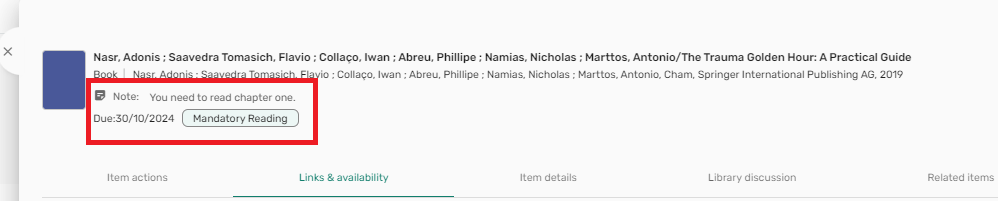
- View tags, notes, and due dates on the full view under the item summary, and visible from all tabs
- Display a Mark as done icon
 on both item brief and full views.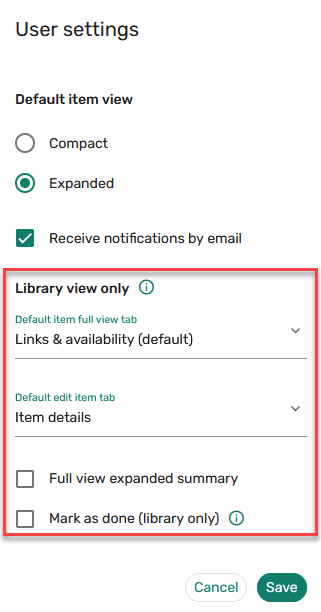
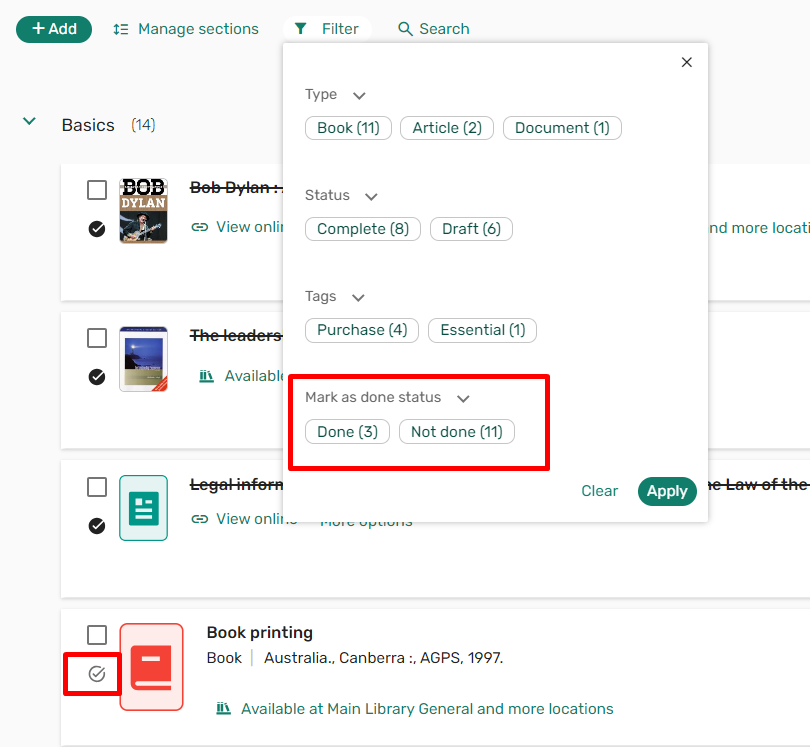
The Mark as done icon can be used to track personal progress while reviewing reading lists. Marking an item as done crosses it off in the UI, enabling you to visually track your progress. It is also possible to filter a list by the Mark as done status. Students, instructors, and other library staff do not see that you have marked an item as done.
Additionally, an edit icon is available on the brief view, providing library staff with one-click access to edit items. The edit icon is also available from the full view in Leganto standalone.
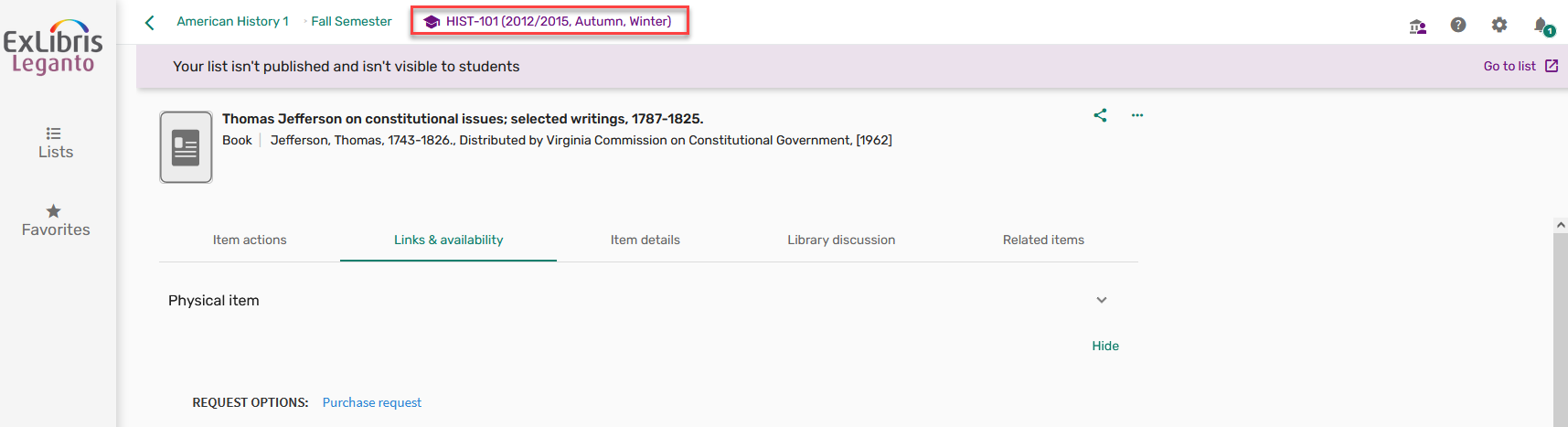
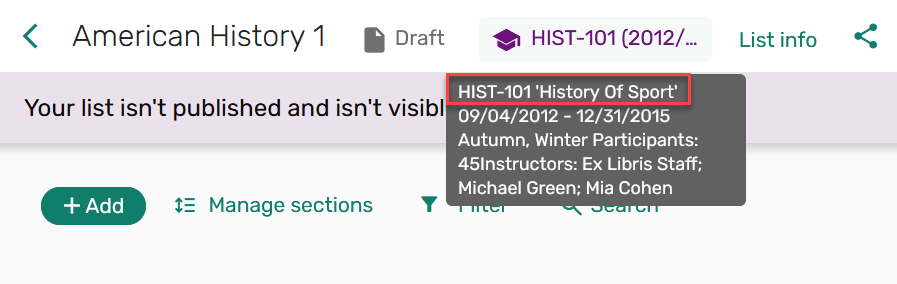
The course code is now displayed on the section and item stand-alone views of Leganto, ensuring that library staff who navigate directly to a citation from Alma can always view the course context. You can hover over the course code to see the course dates, number of participants, and other details.
Lastly, the Citation status can now be updated in bulk, providing the option to set the citation status to any out-of-the-box citation statuses or any custom status configured in the Additional Reading List Citation Statuses table (Fulfillment > Courses).
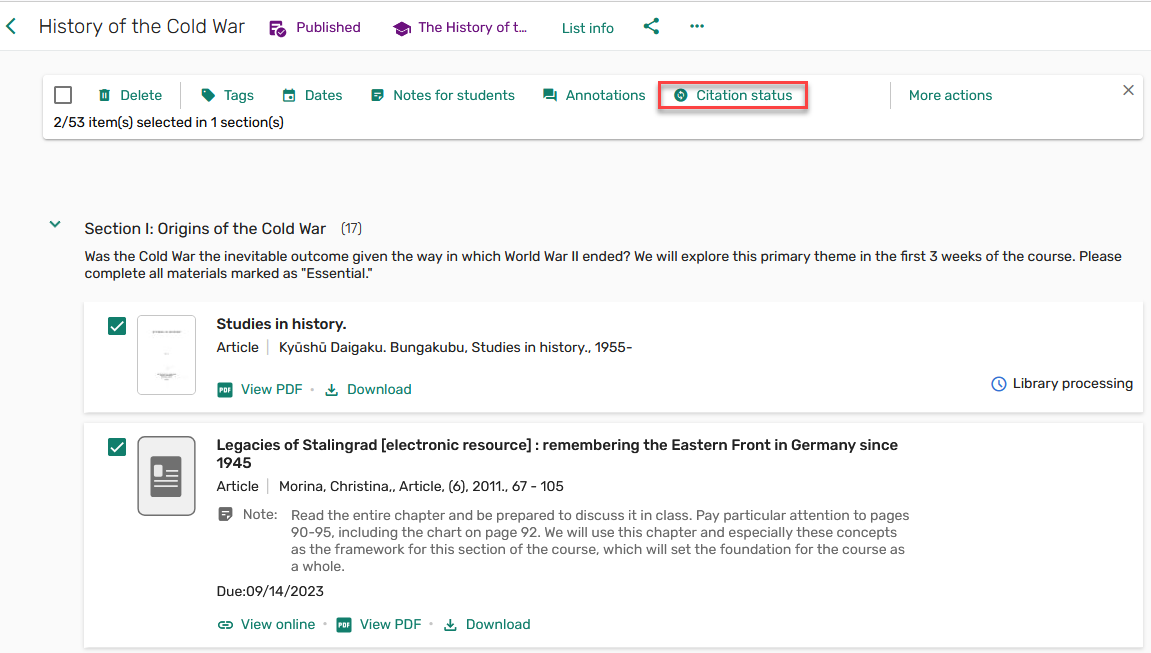
For more information, see Library View.
Search the Library Enhancements
November 2024 Leganto  Idea Exchange URM-207492, URM-199587, URM-199588, URM-228661 SF: 07150071
There are a number of enhancements to the Search the library functionality in Leganto. It is now possible to filter a library search by all material Type. The top six filters (by number of results) display, with a Show more option to see all material types. It is still possible to select multiple filters.
This enhancement is only applicable to Primo and Summon.

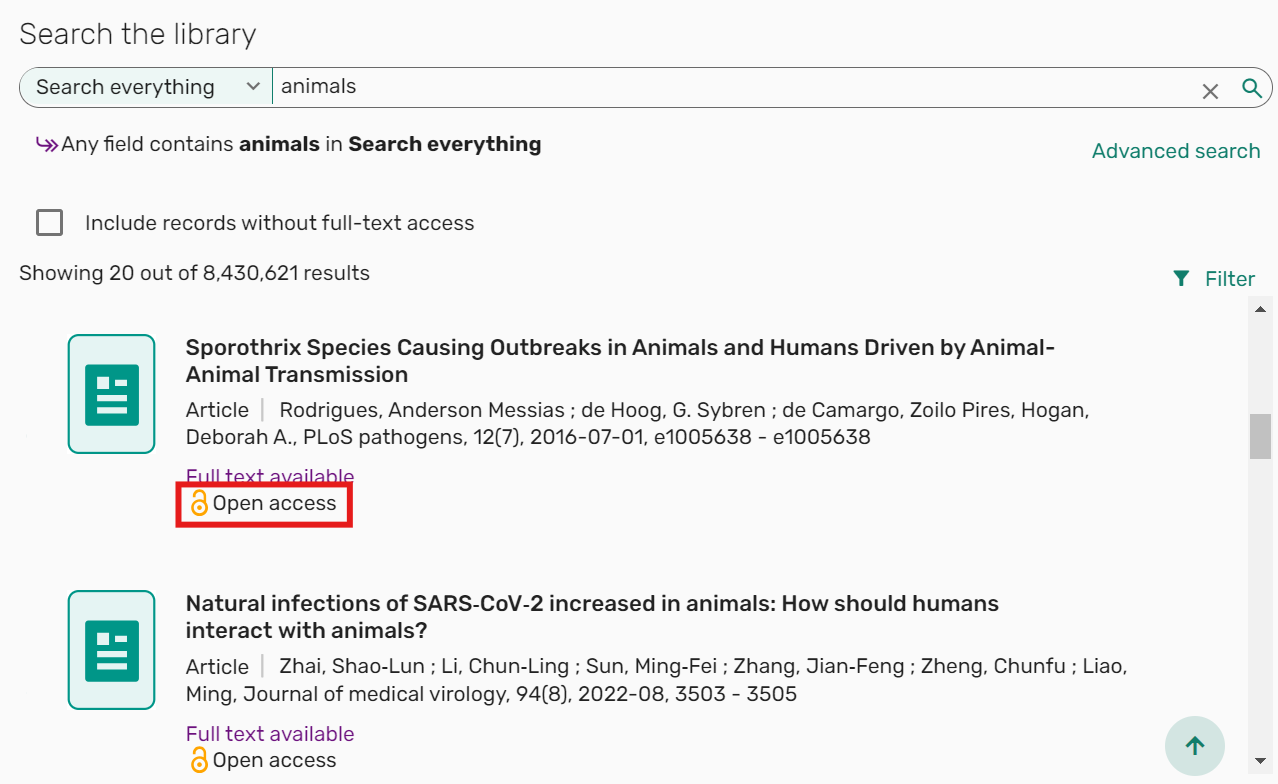
When searching the library, the Open access icon indicator is now displayed next to the relevant search results.
Additionally, the Advanced search now includes the option to search by Publication/Creation date(default Any year).
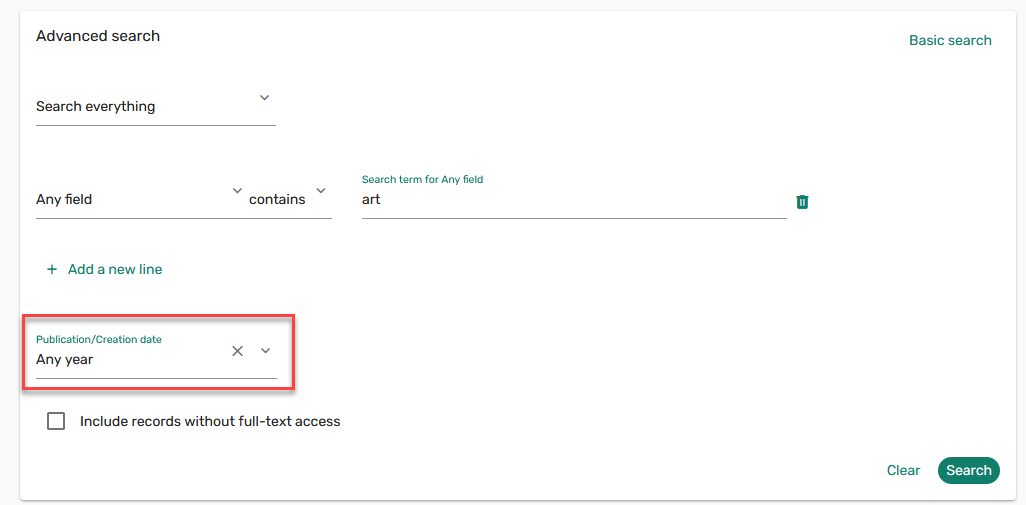
This enhancement is only applicable to Primo and Summon.
The Advanced search also includes the option to search by an exact phrase.
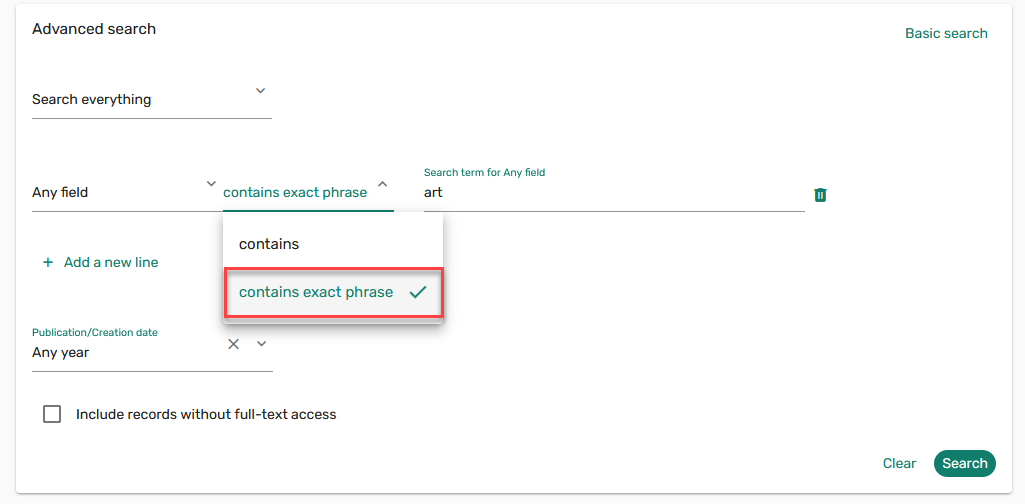
This enhancement is only applicable to Primo, Summon, and Alma.
Lastly, the Advanced search includes the option to search by DOI and Publisher.
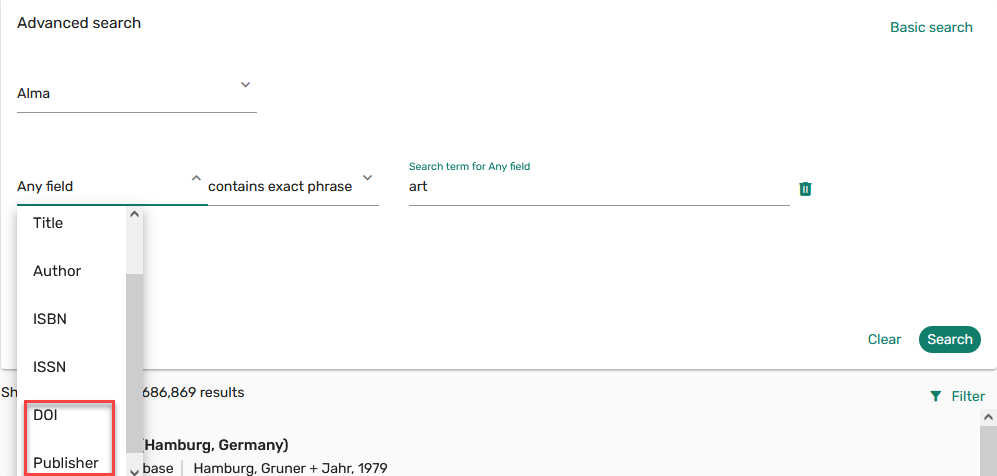
This enhancement is only applicable to Summon and Alma.
For more information, see Searching for an Item from the Institution's Library.
Save Course Reserves Search Results
November 2024 Fulfillment and Resource Sharing Idea Exchange URM-204692
To enable users to save filters/searches as sets, a Save Query button is now available on the Course, Reading list, and Citations task list screens. This makes it much easier to create sets and to take advantage of the bulk jobs available.
For Reading lists, the Save Query button is only displayed on the All tab.
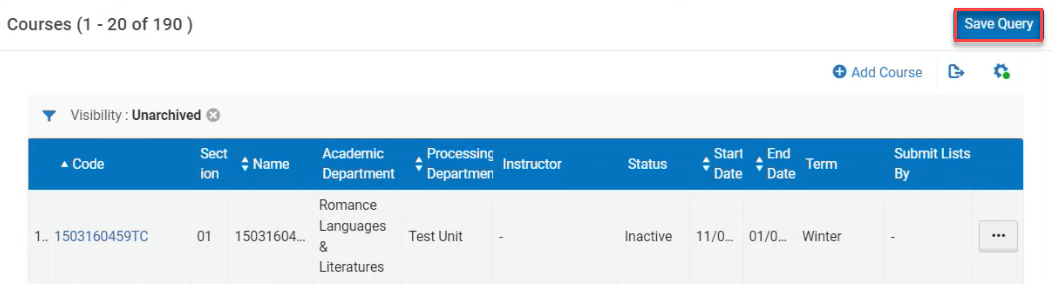
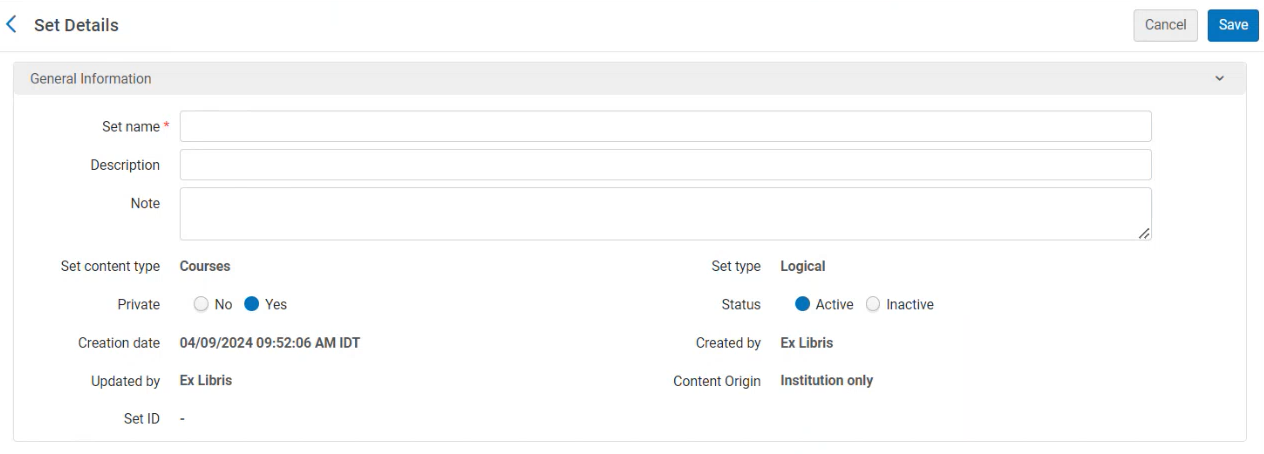
Saving a query generates a Logical set with the set type from which the query was saved. By default, the set is Private and Active.
Additional Enhancements
-
November 2024 Leganto URM-225891 When adding/editing an item, the Item details display can now be customized to show/hide the Hide from students checkbox,Due date and/or Note for Students. The parameter item_actions(Configuration > Leganto > Features > Leganto Features) can be left blank to hide all options, set to all to display all options, or set to any combination of hide,date,note to display the Hide from students checkbox,Due date and/or Note for Students.
When not set to all, this setting overrides the setting in item_actions_quick_edit. Hiding one of the actions in the full view will also hide it in the Quick edit.
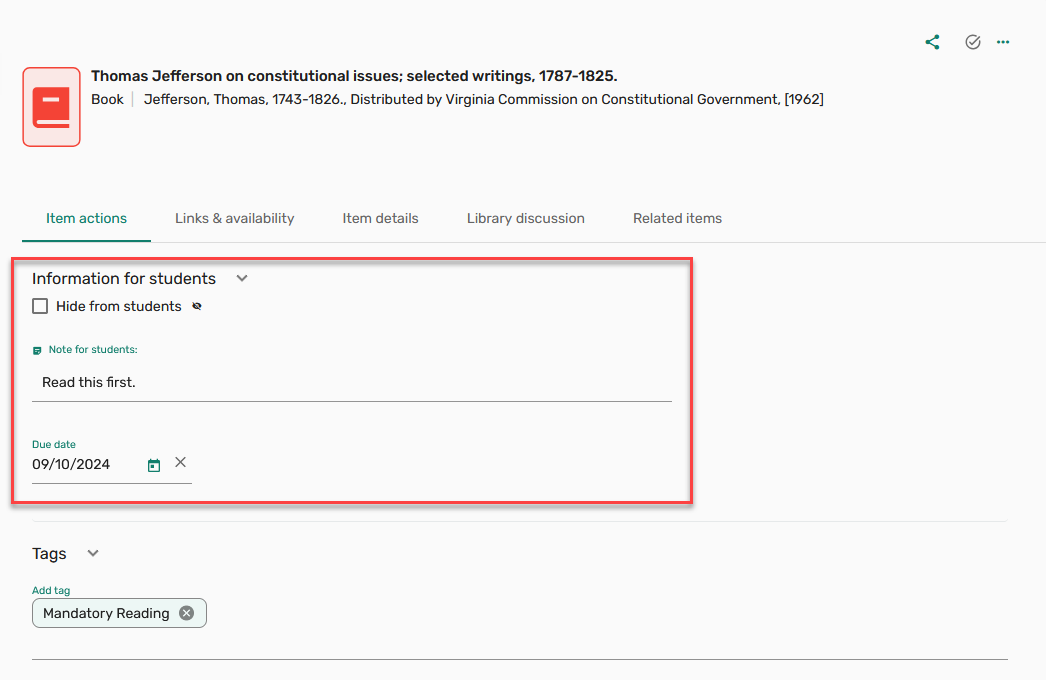
For more information, see Configuring Item Details Display.
-
November 2024 Leganto URM-222058 When a citation is in Edit mode, an Open in new tab icon
 is now available to support navigating to and checking external (non-link resolver) links on the item Links & availability tab.
 -
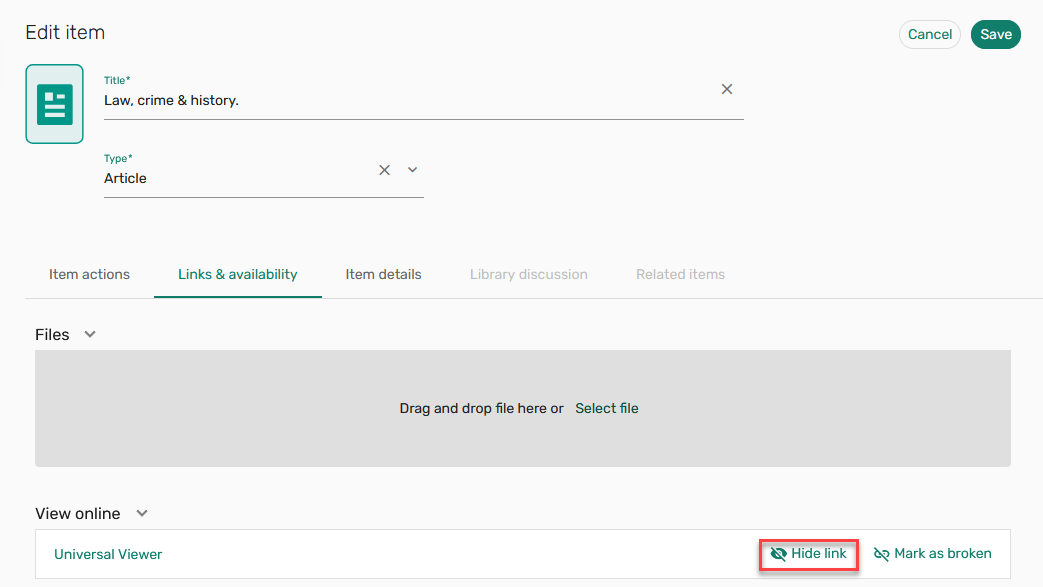
November 2024 Leganto URM-198324 Customers who use Leganto with a BrowZine integration now have the option to hide LibKey links.
-
November 2024 Leganto
IdeaExchange URM-205074 SF: 07171991 In order to keep the instructor informed of the list status, when the parameter List status marked as complete(Configuration > Leganto > Features > Notifications - instructors) is set to Yes(default No), the notification List status marked as complete is available in the Notification type list.
-
November 2024 Leganto URM-223502 URM-224221 URM-225119 URM-214062 SF: 07182104 Added from classic UI:
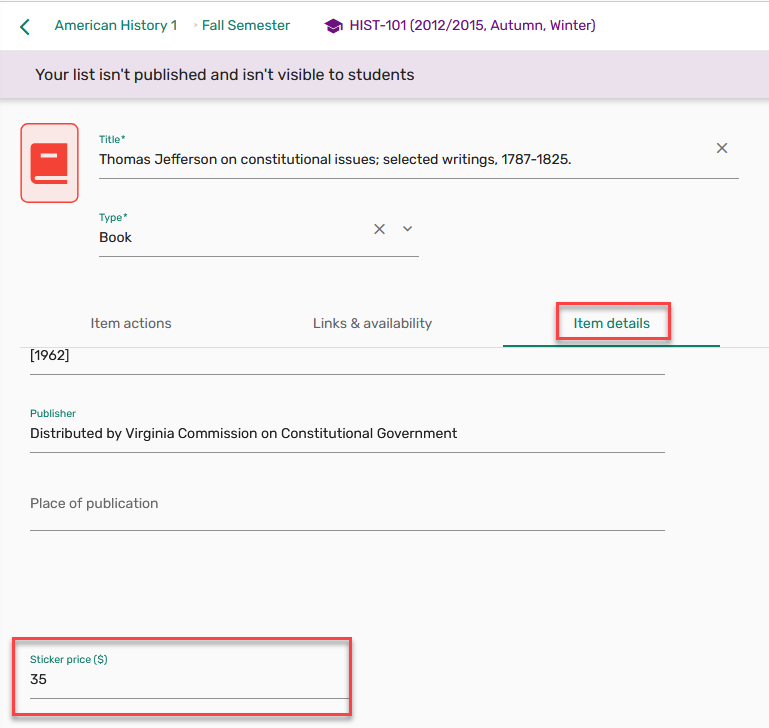
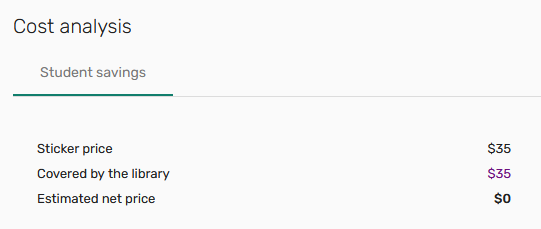
- Librarians can now view and set the sticker price in the Leganto new UI. The parameter display_sticker_price(Configuration > Leganto > Features > Leganto Features) now applies to both the classic and new UI. When set to true,all, or librarians, the Sticker price field is displayed to librarians in the new UI full view Item details tab. When a sticker price is set for an item, the Sticker price is viewable on the Cost analysis Student savings tab. Regardless of configuration, the sticker price does not display to instructors or students in the new UI.
For more information, see Configuring Sticker Prices.
- The defaultSection.title and (URM-225119)citation.request labels (Configuration > Leganto > General > Labels - New UI) are now available in the UILegantoNewLabels table.
The defaultSection.title label only affects the default section when lists are created in Alma, using the API, and when importing a list (from RIS, BibTex, References). For lists created in Leganto, the label is defined by the template.
- The Leganto new UI now supports Primo.
- Librarians can now view and set the sticker price in the Leganto new UI. The parameter display_sticker_price(Configuration > Leganto > Features > Leganto Features) now applies to both the classic and new UI. When set to true,all, or librarians, the Sticker price field is displayed to librarians in the new UI full view Item details tab. When a sticker price is set for an item, the Sticker price is viewable on the Cost analysis Student savings tab. Regardless of configuration, the sticker price does not display to instructors or students in the new UI.
-
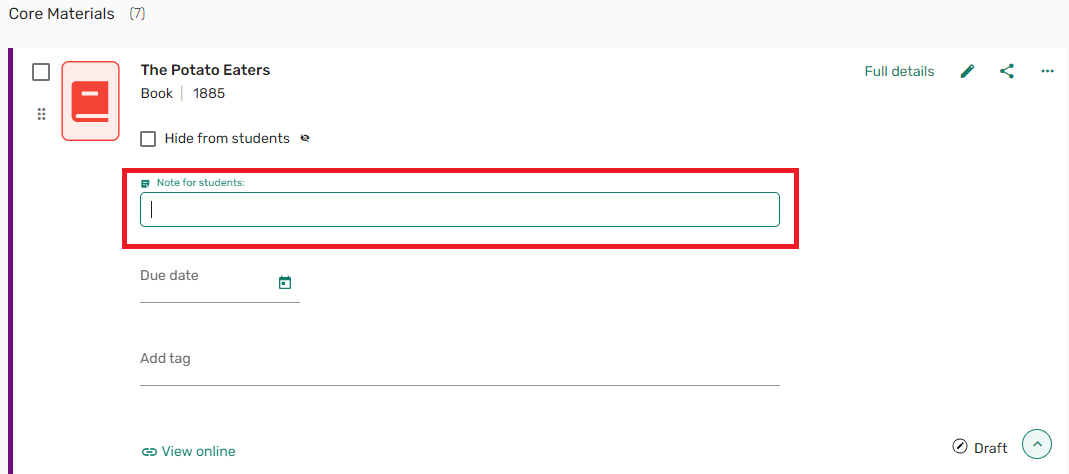
November 2024 Leganto URM-228898 Based on customer feedback, we changed the design and behavior of the text formatting options. It is now more obvious where to select to get in and out of the text field, and the formatting options are only displayed when text is highlighted. The formatting options can also be toggled on and off using common keyboard shortcuts (CTRL + B for Bold,CTRL + I for Italics,CTRL + U for Underline, and CTRL + K to insert a link).
-
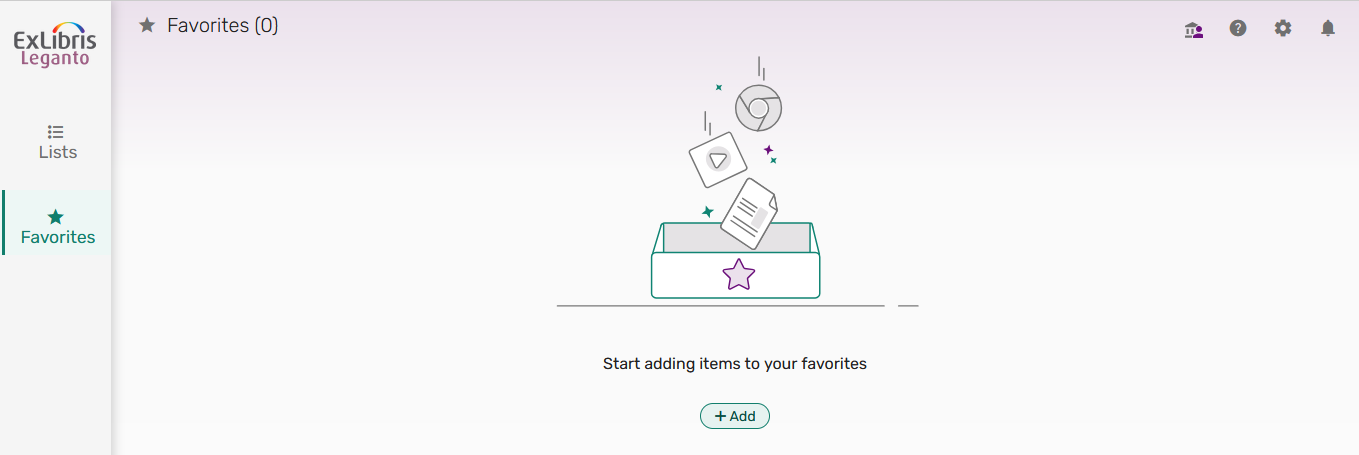
November 2024 Leganto URM-225889 Based on customer feedback, when the Favorites menu does not have any items, the message Start adding items to your favorites is displayed and items can be added using the Add button.
For more information, see Managing Favorites.
-
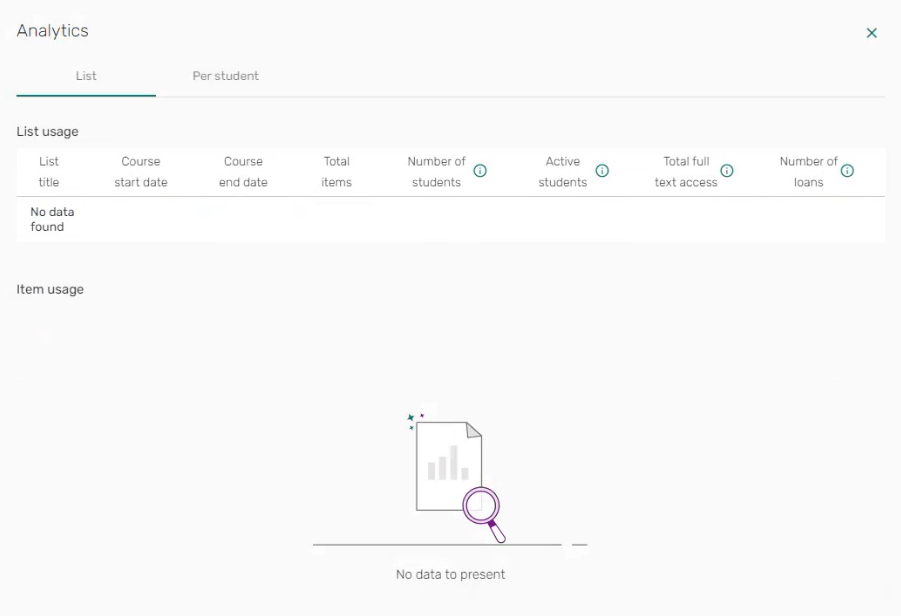
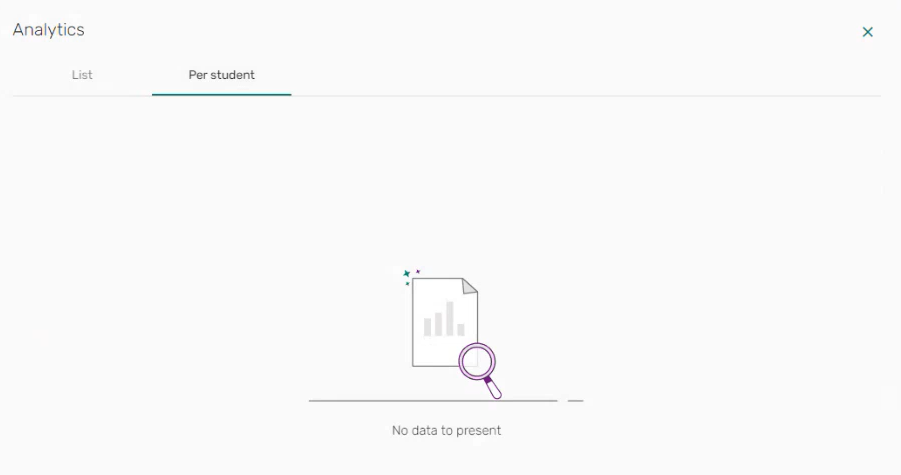
November 2024 Leganto URM-225708 Based on customer feedback, when no usage data is available for analytics, the Analytics List and Per student tabs now indicate No data to present.
-
November 2024 Leganto URM-223835SF: 07256647 When viewing a section in Leganto standalone, the Compact view/Expanded view toggle is now available.
The default presentation is according to the default User settings.

For more information, see Collapsing or Expanding a Section.
-
November 2024 Leganto URM-215486 URM-230738 URM-222075 URM-208470 URM-220939 URM-218622 URM-215422 URM-228346 URM-227020 URM-223137SF: 06925155 07156942 Based on customer feedback:
- The error message error.sub_msg.unknown_user label (Configuration > Leganto > General > Labels - New UI) now supports HTML.
- The Item details tab no longer includes the More item details button when no more details are available.
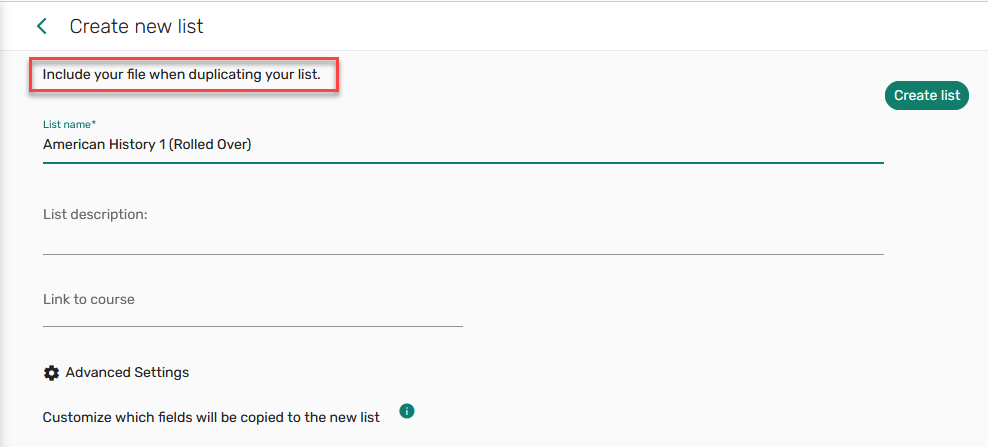
- Institutions can now display a message to instructors when duplicating a list. When list.duplicate.message(Configuration > Leganto > General > Labels - New UI) is configured (default blank), the message is displayed at the top of the Create new list window.
- When hovering over the tooltip, the full course code is now included in the tooltip. [JR: a different screenshot would be better if not too difficult to get. one that has too long of a course code to display in the regular view.]
- After using the link selection in the LMS, when a course has multiple lists, a back arrow
 is now available to return to the LMS.
 - When exporting an item to RefWorks, a Go to RefWorks link to open RefWorks is now available from the success message.

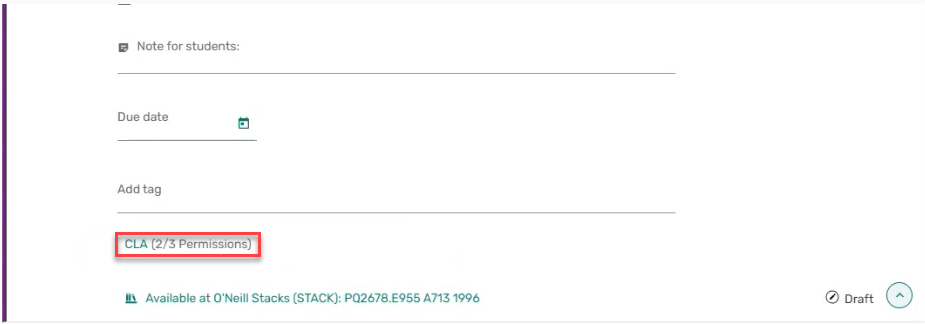
- Based on customer feedback, the icon in front of the CLA permissions link was removed. Additionally, the CLA Permissions licenses are now viewable from the item brief view.
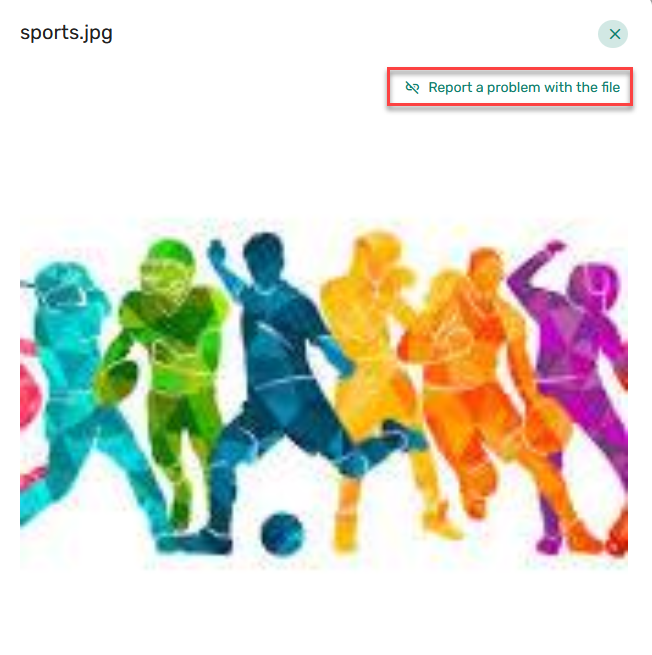
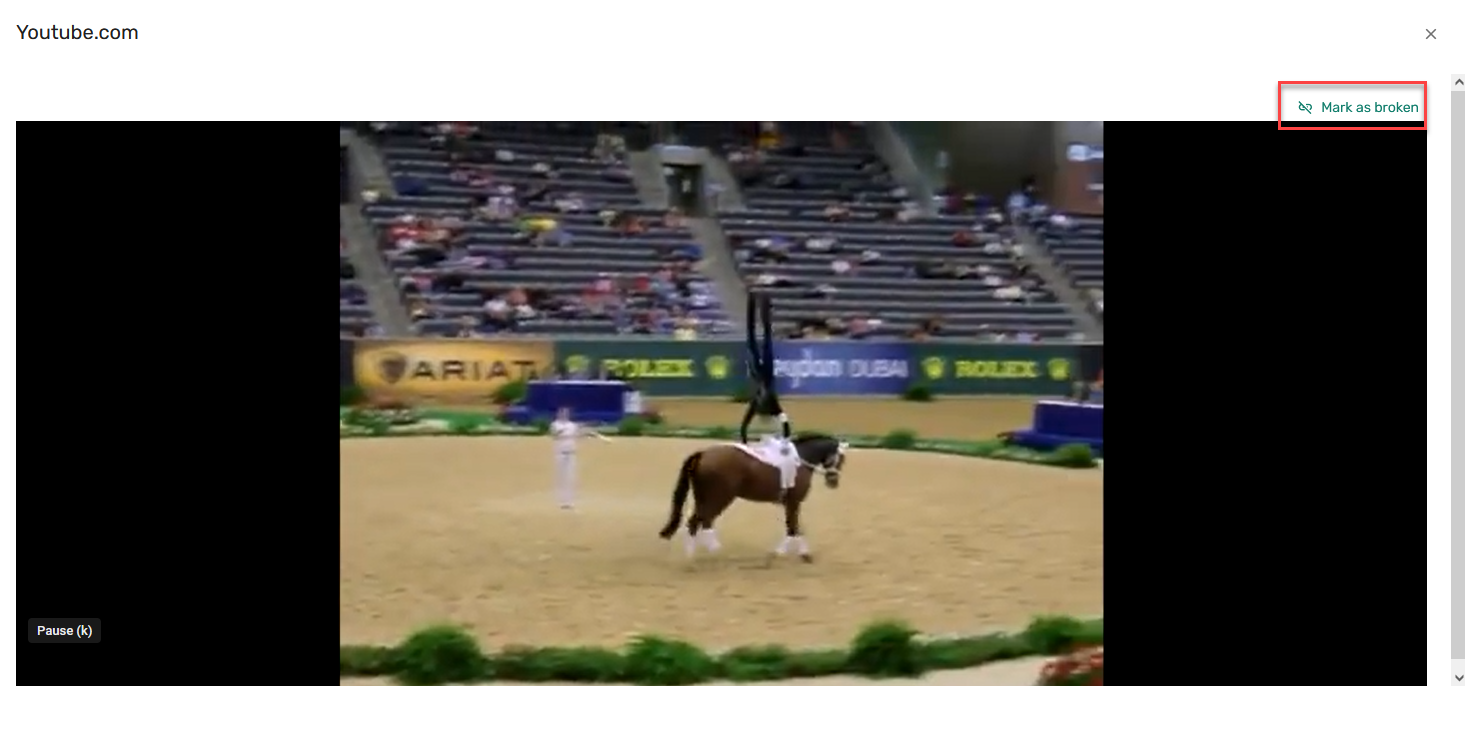
- When the parameter mark_as_broken(Configuration > Leganto > Features > Leganto Features) is set to all or links, users can now Report a problem with the file or Mark as broken when viewing an image/video in the pop-up.
- The Library discussion counter now only includes new unread messages per user.
-
November 2024 Fulfillment and Resource Sharing URM-223189 The Normalized ISSN and Normalized ISBN fields were added to the Citation Metadata Details dimension of the Course Reserves and Leganto Student Usage subject areas. They display the ISSN and ISBN in normalized form – in lowercase with all special characters removed.
Resolved Issues
| SF number | Description |
|---|---|
| 07246001 URM-230030 | In some cases, the help icon was missing when logging in to Leganto in a language other than English. This was fixed. |
| 07228514, 07693318 URM-232970 | Previously, when adding a citation from Primo UI, the Quick links were not added to Leganto. This was fixed. |
| 07176744 URM-233172 | Previously, logging in to CiteIt! using SSO did not work. This was fixed. |
| 07254736, 07689626 URM-230155 | Previously, there was a bug in formatting the Student notes. This was fixed. |
| 07252869 URM-230419 | Previously, when adding a favorite to a list, the default sort order was incorrect. Additionally, the added favorite was not selectable until the list was refreshed. This was fixed. |
| 07261632 URM-230710 | Previously, the Analytics > List scroll bar was too narrow to scroll. This was fixed. |
| 07261661, 07262078 URM-230989 | Previously, the Librarian discussion text List was published and List was unpublished were not customizable. The labels discussion.note.list_publish and discussion.note.list_unpublish (Configuration > Leganto > General > Labels - New UI) are now customizable. |
| 07259712, 07236255 URM-231002, URM-228808 | Previously, the GET PDF link was not proxied when the proxy_url parameter (Configuration > Leganto > General > Settings) had a proxy value. This was fixed. |
| 07490182 URM-231717 | Previously, students were not able to copy notes in the new UI. This was fixed. |
| 07679470 URM-231374 | Previously, when searching for a List ID using a value that was not a valid ID, the wrong error message was displayed. This was fixed. |
| 07487736 URM-231423 | Previously, the mobile interface login page displayed a Logout button. This was fixed. |
| 07497992 URM-231429 | Previously, the label search.searchLine.term.aria_label (Configuration > Leganto > General > Labels) was not displayed as expected. This was fixed. |
| 07269075 URM-231514 | Previously, the course start date in Leganto did not match the course start date in Alma. This was fixed. |
| 07254659 URM-231682 | Previously, when adding a link to a public note without formatting the link, the link did not work. This was fixed. |
| 07272261 URM-231777 | Previously, the availability for recently added items was not displayed until the list was refreshed. This was fixed. |
| 07261892 URM-231780 | In some cases, when Alma roles had been customized, users were able to see more options than their role was assigned. This was fixed. |
| 07680539 | In some cases, instructor tags disappeared after a citation was copied to another section in a list. This was fixed. |
| 07265482 URM-231054 | Previously, when the set_complete parameter (Configuration > Leganto > UI > Citation Menu) was set to No and the citation status was Complete, the Set complete action still appeared in the new UI item action list. This was fixed. |
| 07258469 URM-230675 | Previously, some user settings were incorrectly viewable in the new UI mobile view to guest users. This was fixed. |
| 07484650 URM-230594 | In some cases, the Send button was not viewable in the Library discussion panel. This was fixed. |
| 07265266 URM-230744 | Previously, the Library discussion number count was displayed behind the icon rather than in front. This was fixed. |
| 07208572 URM-230361 | Previously, the course YEAR element was not sent to Bolk through the API. This was fixed. |
| 07258246 URM-230040 | Previously, guest users were able to use the Mark as broken link in the new UI. This was fixed. |
| 07262971 URM-229578 | Previously, items that included instructor tags displayed an extra space in student view. This was fixed. |
| 07254194 URM-229379 | Previously, applying more than one filter to Favorites did not apply more than the first filter. This was fixed. |
| 07255260 URM-229352 | Previously, when configuring Export to Word to display the Item availability option, Item availability did not appear in the Expanded Reading List Style. This was fixed. |
| 07219668 URM-228795 | Previously, disabling the sharable_link parameter (Configurable > UI > List Menu) did not apply when starting in Canvas. This was fixed. |
| 07213984, 07252947 URM-227695 | Previously, when rolling over a course in the DCS, the copyright status on the rolled-over citation in Alma was set to Approved, but the DCS status was incorrectly set to Rejected. This was fixed. |
| 07192963, 07254690 URM-225362 | Previously, when tag messages in the new UI were very long, some of the tag message was cut off. This was fixed. |
| 07254442 URM-229712 | Previously, when creating a new course from Canvas, the default Start/End dates did not populate automatically in the new UI. This was fixed. |
| / URM-229540 | Previously, underlying syntax errors sometimes resulted in timeouts when searching Rialto. This was fixed. |
| 07248040 URM-229527 | Previously, the default order for lists associated with an individual course accessed from an LTI LMS link was incorrect in the new UI. This was fixed. |
| 07239628 URM-229467 | In some cases, citations with long metadata were truncated. This was fixed. |
| 07250733 URM-229451 | In some cases, iFrames did not open in an LMS. This was fixed. |
| 07254755 URM-229363 | In some cases, after moving a section in the Leganto new UI and then refreshing the list, the section was no longer in the new location. This was fixed. |
| 07254761 URM-229358 | Previously, when selecting Favorites in the new UI, the title in the browser did not refresh. This was fixed. |
| 07249270, 07256479, 07257020, 07493489 URM-229293 | Previously, when opening the full view of a citation from Alma or a shareable link, Availability was not displayed. This was fixed. |
| 07134715 URM-229219 | Previously, citations with an uploaded file could not be edited. This was fixed. |
| 07243126 URM-229082 | Previously, when adding a new citation through Cite It! and then adding a Source URL, the URL was not added to Leganto. This was fixed. |
| 07245841 URM-229006 | Previously, when adding an item from Favorites, the option to add the item to Favorites was displayed. This was fixed. |
| 07246001 URM-230030 | In some cases, the help icon was missing when logging in to Leganto in a language other than English. This was fixed. |
| 07228514 07693318 URM-232970 | Previously, when adding a citation from Primo UI, the Quick links were not added to Leganto. This was fixed. |
| 07176744 URM-233172 | Previously, logging in to CiteIt! using SSO did not work. This was fixed. |
| 07254736 07689626 URM-230155 | Previously, there was a bug in formatting the Student notes. This was fixed. |
| 07252869 URM-230419 | Previously, when adding a favorite to a list, the default sort order was incorrect. Additionally, the added favorite was not selectable until the list was refreshed. This was fixed. |
| 07261632 URM-230710 | Previously, the Analytics > List scroll bar was too narrow to scroll. This was fixed. |
| 07261661 07262078 URM-230989 | Previously, the Librarian discussion text "List was published" and "List was unpublished" were not customizable. These labels (discussion.note.list_publish and discussion.note.list_unpublish) (Configuration > Leganto > General > Labels - New UI) are now customizable. |
| 07259712 07236255 URM-231002 URM-228808 | Previously, the GET PDF link was not proxied when the proxy_url parameter (Configuration > Leganto > General > Settings) had a proxy value. This was fixed. |
| 07490182 URM-231717 | Previously, students were not able to copy notes in the new UI. This was fixed. |
| 07489581 URM-230957 | Access to Leganto was blocked based on IP location for a user with an Alma role. This was fixed. |
| 07679470 URM-231374 | Previously, when searching for a List ID using a value that was not a valid ID, the wrong error message was displayed. This was fixed. |
| 07487736 URM-231423 | Previously, the mobile interface login page displayed a Logout button. This was fixed. |
| 07497992 URM-231429 | Previously, the label search.searchLine.term.aria_label (Configuration > Leganto > General > Labels) was not displayed as expected. This was fixed. |
| 07269075 URM-231514 | Previously, the course start date in Leganto did not match the course start date in Alma. This was fixed. |
| 07254659 URM-231682 | Previously, when adding a link to a public note without formatting the link, the link did not work. This was fixed. |
| 07272261 URM-231777 | Previously, the availability for recently added items was not displayed until the list was refreshed. This was fixed. |
| 07261892 URM-231780 | In some cases, when Alma roles had been customized, users were able to see more options than their role was assigned. This was fixed. |
| 07680539 | In some cases, instructor tags would disappear after a citation was copied to another section in a list. This was fixed. |
