
Leganto April 2025 Release Notes
May 2025 Sneak Preview
- CERV 8145, part two: Additional page range fields for book extracts
- Add tags when adding items from search results
- Additional field for Faculty/School on the course record
Main Features
AI Syllabus Assistant (Beta)
April 2025 Leganto URM-238829 URM-239060 URM-237580 URM-237579 URM-225890 URM-237582 URM-237583
It is now possible to create a resource list in Leganto by importing a syllabus or other file containing references. The AI Syllabus Assistant scans the file to identify references to assigned course materials. The AI Syllabus Assistant also identifies section headers relevant to the course materials and identifies or provides a name for the list. Other text, such as course description and other course details, is ignored.
The first phase of the AI Syllabus Assistant is now available in beta for library staff to begin testing and using. We recommend reviewing results for accuracy when using. An instructor-facing flow will be available in a future release.
When the parameter leganto_import_syllabus(Configuration > Leganto> Features > Leganto Features) is set to true(default false), library staff have the option to create a list by importing a syllabus or other file (PDF, Word, or txt).
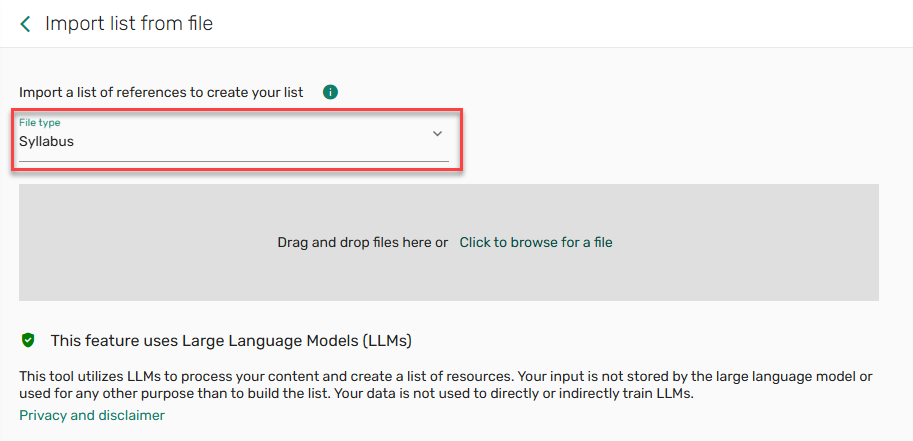
The AI Syllabus Assistant uses Large Lanugage Models (LLMs) to process the content. Your input is not stored by the LLM or used to train the LLM. The Privacy and disclaimer information is displayed in Leganto.
The Privacy and disclaimer text is not customizable.
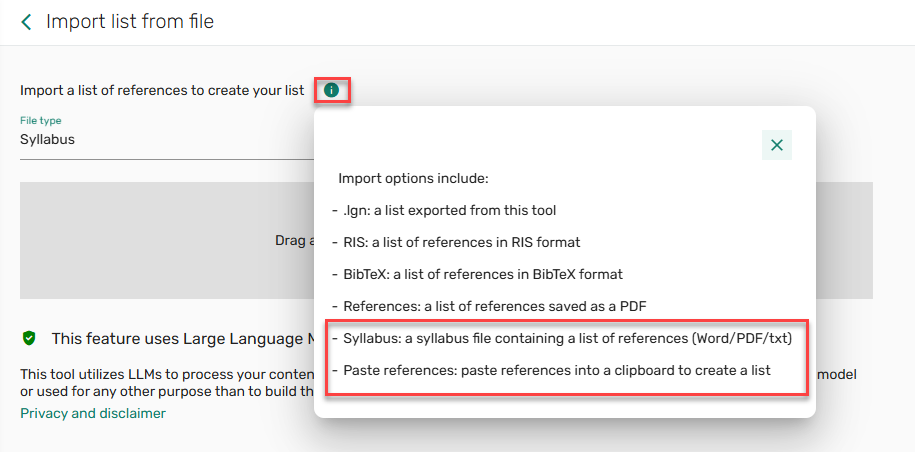
The More information icon now includes the Syllabus and Paste references options.
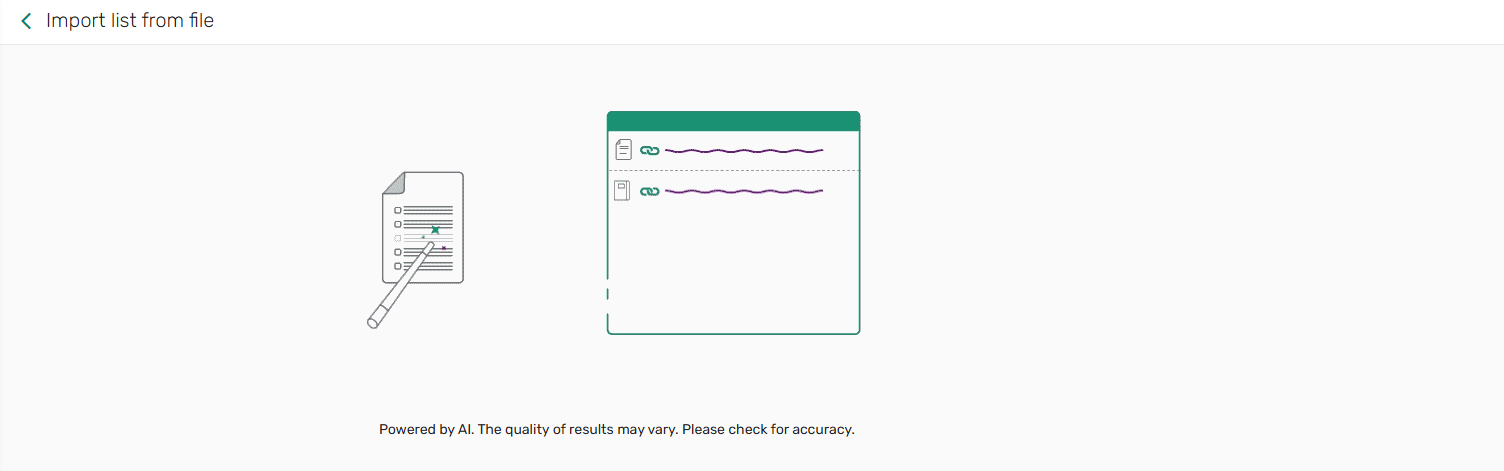
As the syllabus loads and the data is extracted, a gif indicates that the list creation is in progress.
Library staff can also copy and paste references from anywhere to create a list rather than saving the references as a file to upload.
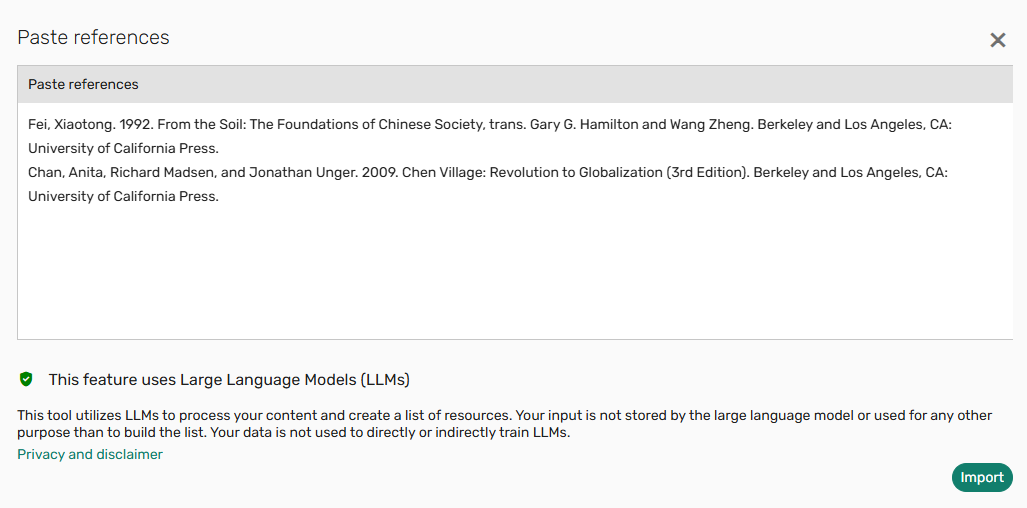
In either workflow (file import or paste references), the metadata is extracted from the file, and the list is created with the title from the file header and the sections and citations from the file.
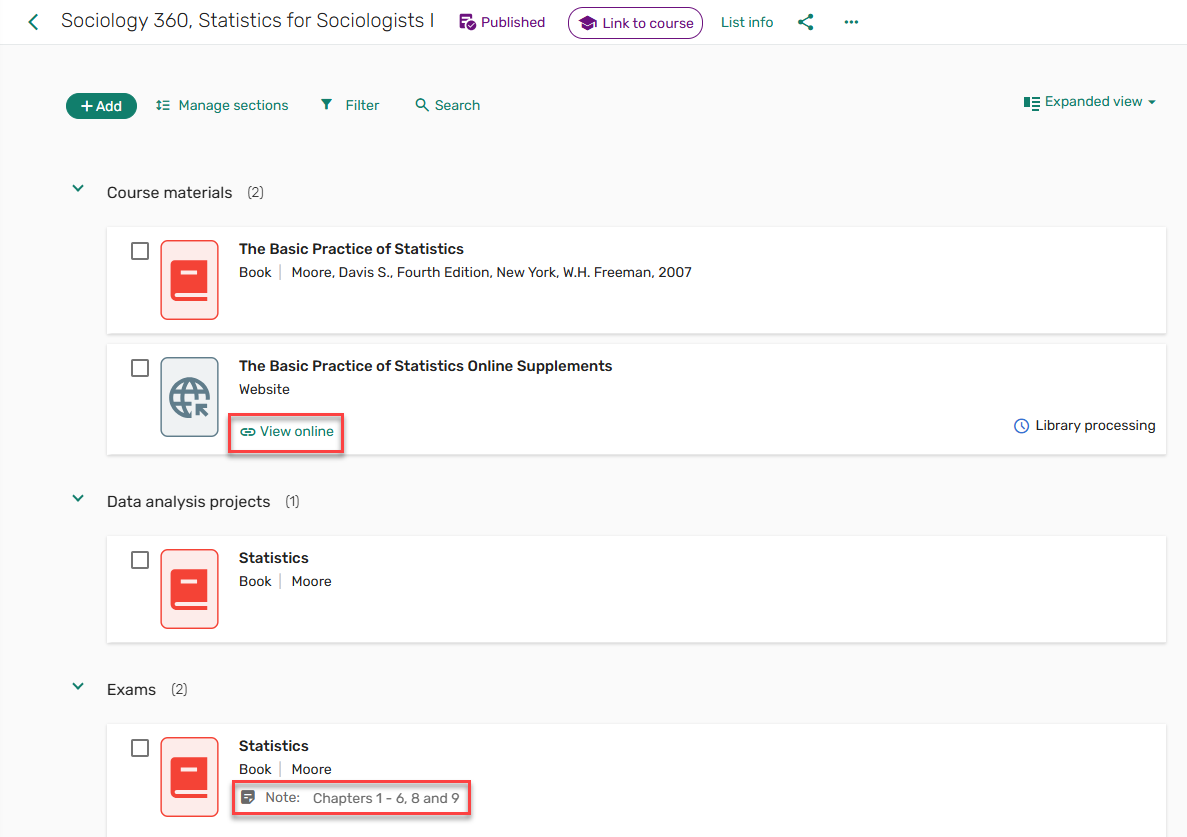
The AI Syllabus Assistant uses a dedicated Resource locate mechanism that first attempts to match by your library collection by ISBN, and if no match is found, by matching the Title, Author, and Year. Citations may also include library links using the link resolver, which requires:
-
ISSN, volume, issue, start page, and publication year
OR
- ISBN
OR
- DOI
In cases where the citation does not automatically link to the library inventory, library staff can use the Manage link to library feature (see Link or Relink Citation to Library Resource in Leganto UI) to link citations manually.
For more information, see Creating a List from a Syllabus and Leganto AI Syllabus Assistant FAQs.
Additional Page Range Fields for Book Extracts, Part 1
April 2025 Fulfillment and Resource Sharing  CERV Enhancement (ID #8145)
To assist library staff in managing requests for various page ranges, the request form Required Pages in Alma and Pages from and Pages to in Leganto now includes up to 10 page ranges.
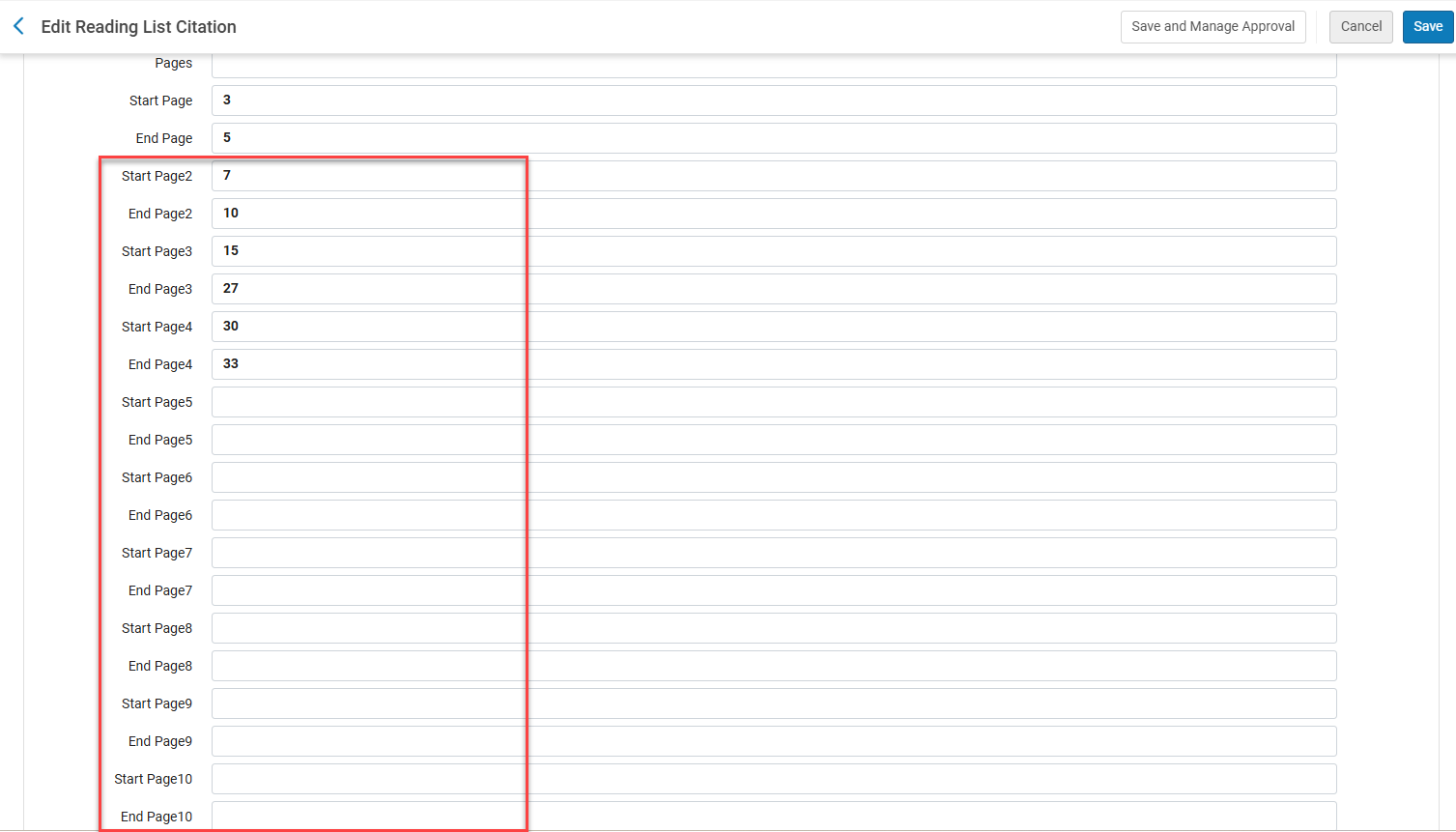
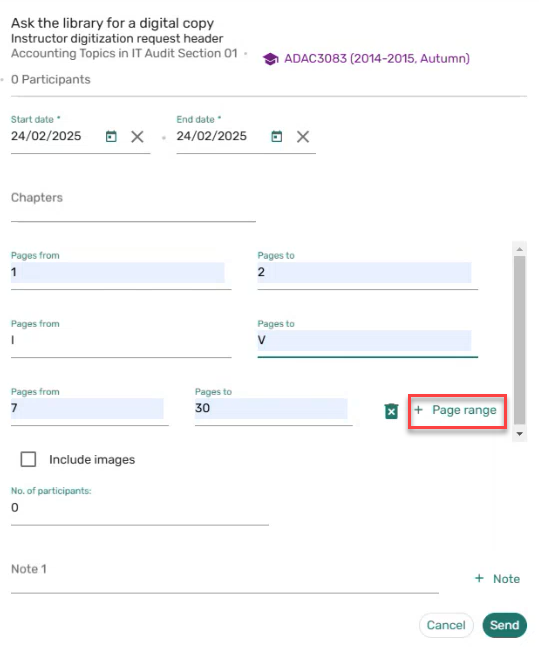
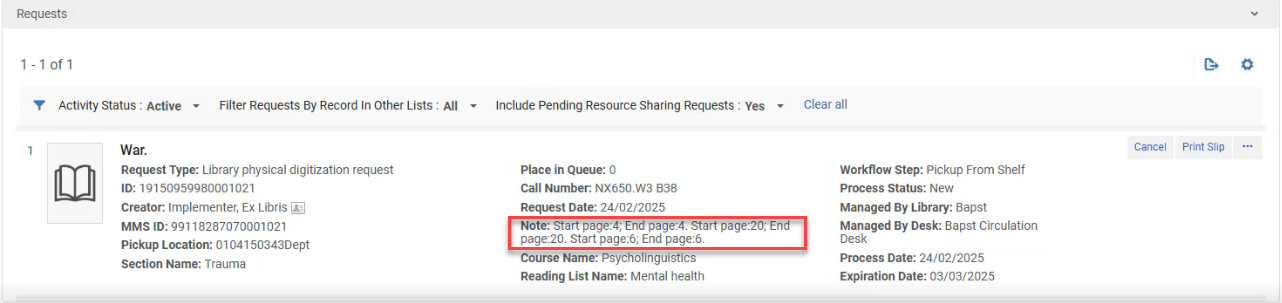
The requested pages are added to the Alma Citation details Note/Leganto full details Library services section.
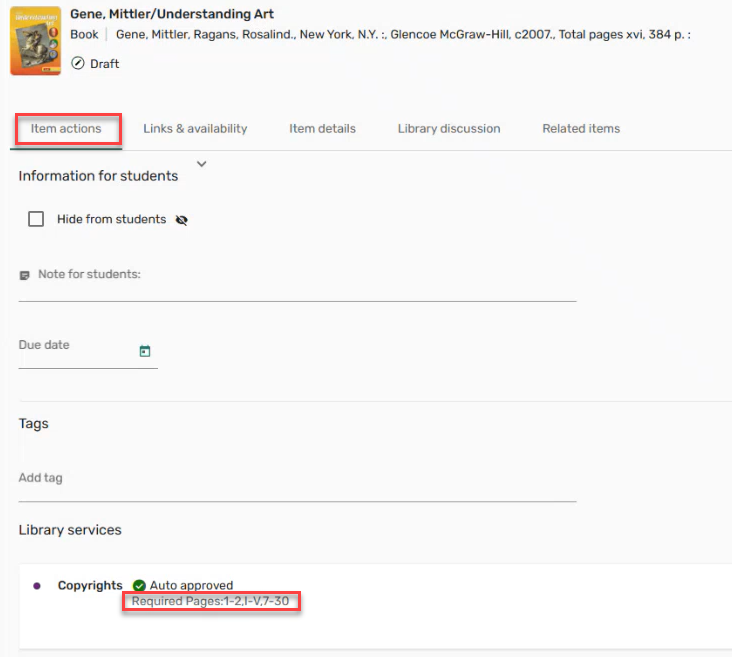
The option to request up to 10 page ranges will be added to the citation metadata per type form, add item form, the notes on the citation brief and full display in a future release.
Additional Enhancements
-
April 2025 Leganto URM-242978 SF: 07903840 07923232 To accommodate additional browser extensions that will be added in future releases, the Cite it! installation window now includes a link to the Leganto browser installation documentation rather than a direct link to each browser's extension store.
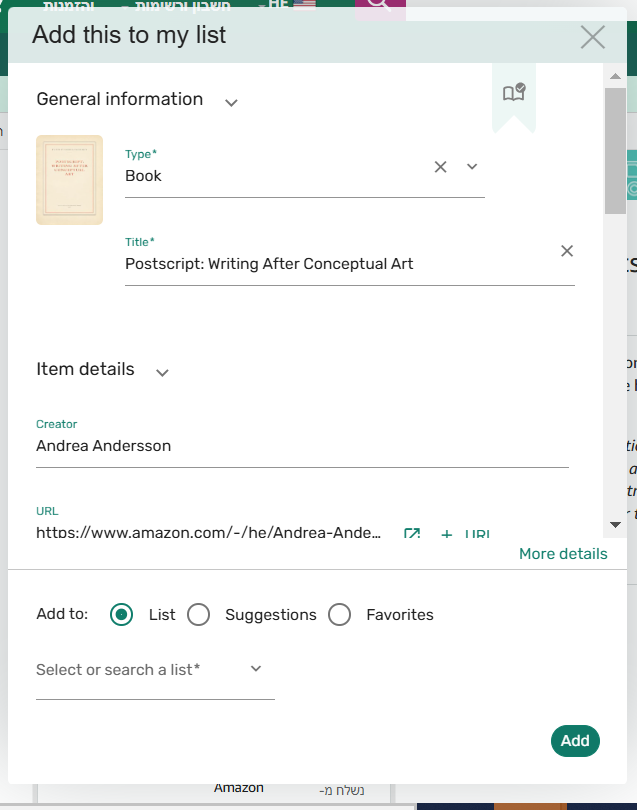
By default, the link value is set to link to Leganto Cite it! Bookmarking Tool Installation Instructions, but the value can be replaced with your institution's custom link by replacing the parameter citeit_browser_extension_installation_link(Configuration > Leganto > Features > Leganto Features) value. When reset, the parameter link value is restored the default Leganto documentation link. To support this change, the out-of-the-box labels were changed for Cite.it.main.description.top.1,Cite.it.description.bottom,Cite.it.description.bottom.2,Cite.it.chromeExtension.description.1,Cite.it.chromeExtension.description.2(Configuration > Leganto > General > Labels - New UI). If you have customized the labels on the Cite it! installation page, we recommend you review your customized labels to see if they need to be updated.
For more information, see Leganto Cite it! Bookmarking Tool Installation Instructions.
-
April 2025 Leganto URM-238827 Cite it! is now available as an Edge browser extension. You can install it from the installation instructions link within User settings > Cite it!, or by searching for Leganto Cite it! Bookmarking Tool on the Microsoft Edge Add-on or from Leganto Cite it! Bookmarking Tool - Microsoft Edge Addons.
For more information, see Edge Browser Extension.
-
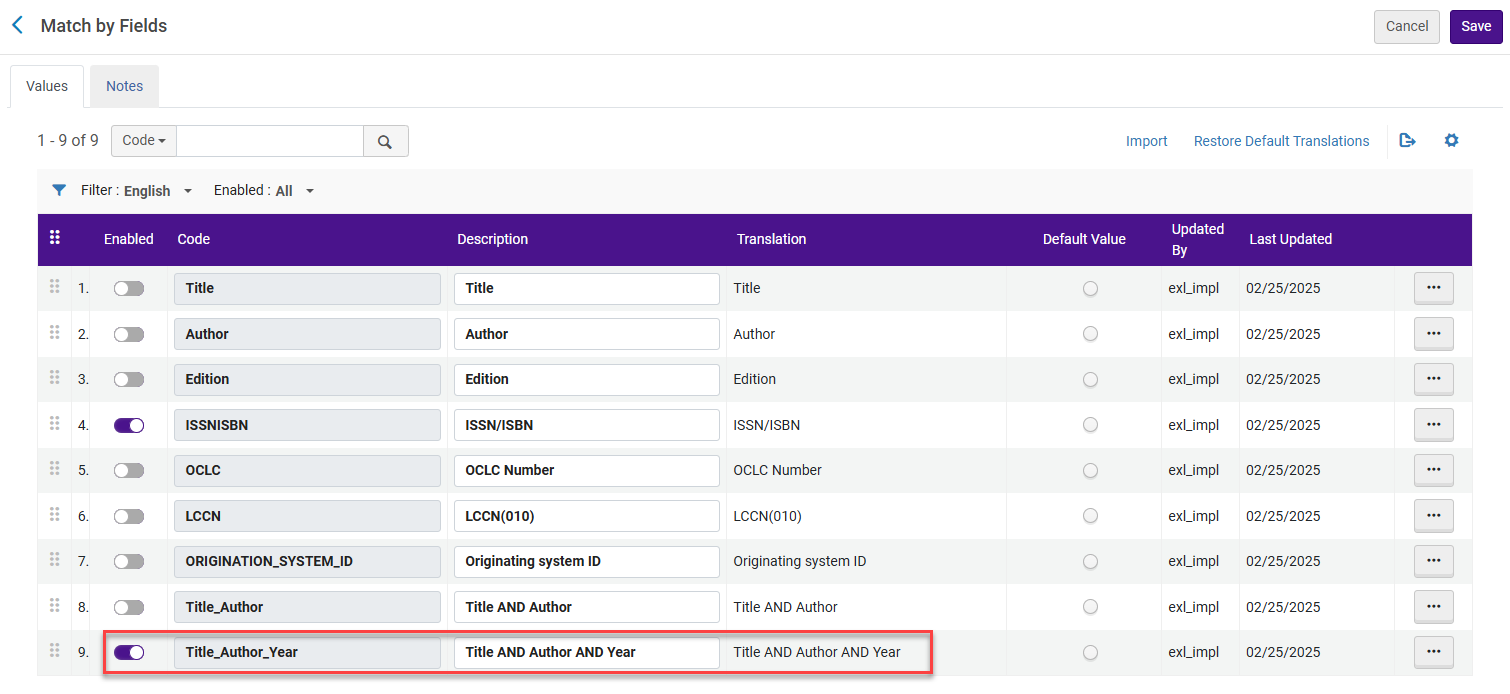
April 2025 Fulfillment and Resource Sharing URM-238062 Leganto provides more flexibility for matching citations to library inventory using the Resource Locate process. The Resource Locate process runs automatically as items are added to lists, manually on demand, or in bulk using a job. It is now possible to specify that a combination of the title, author, and year fields be used to identify matching resources in the library collection. The library can now configure, for example, that Leganto checks for a match using first ISBN/ISSN, and if a match is not found, check for a match using title, author, and year. The title, author, and year must match the repository record for the citation to link to the bibliographic record.
To configure, enable the parameter Title_Author_Year in the Locate Citation by Fields table (Configuration > Fulfillment > Courses > Locate Citation by Fields). When the parameter resource_locate_mode(Configuration > Fulfillment > General > Other Settings) is set to OR, Leganto checks against all enabled fields in the order configured in the table.
-
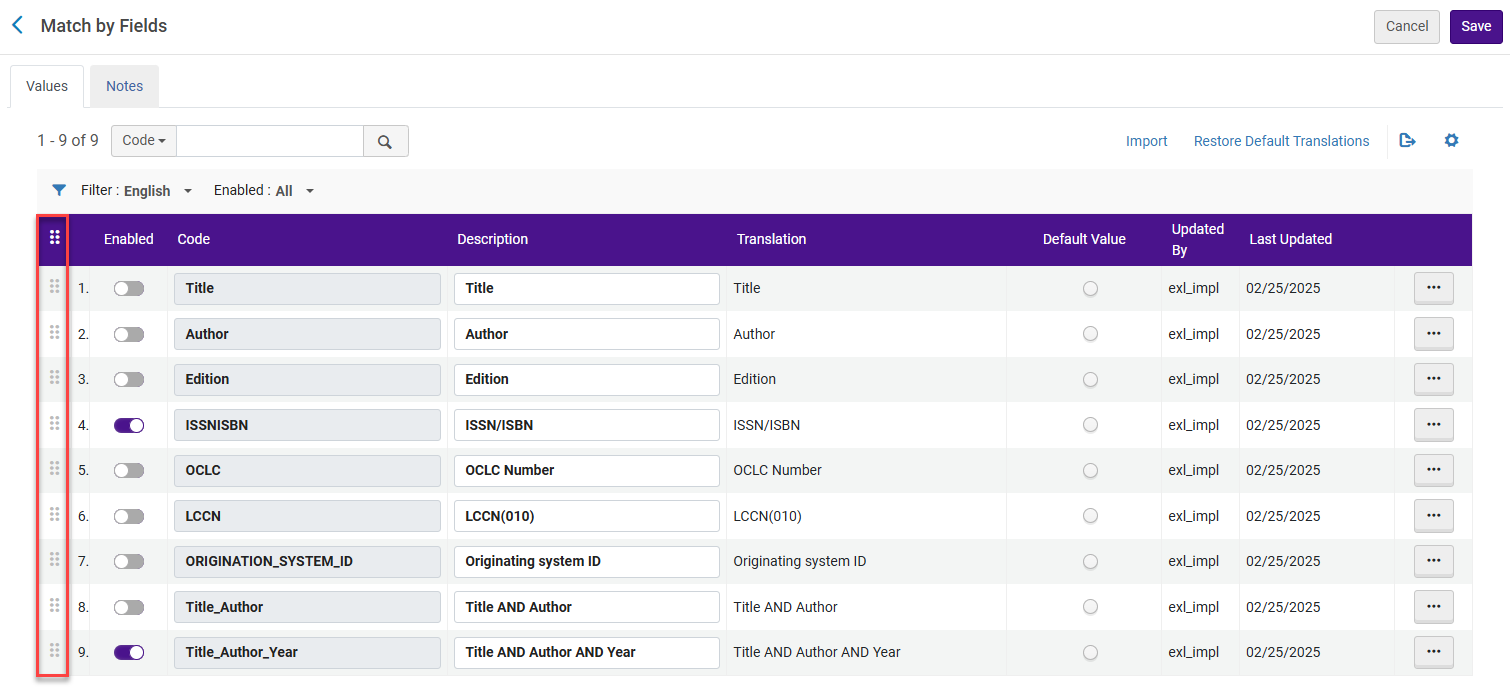
April 2025 Fulfillment and Resource Sharing URM-239843 When resource_locate_mode(Configuration > Fulfillment > General > Other Settings) is set to OR, the priority can now be set for the enabled Match by Fields by using the drag icon and dragging and dropping to order the fields.
-
April 2025 Leganto URM-229350 SF: 07251248 To enhance accessibility, Leganto animations can now be disabled on a per user basis. From the settings icon
 > Accessibility settings, selecting Reduce motion disables Leganto animations.For more information, see Configuring Accessibility Settings.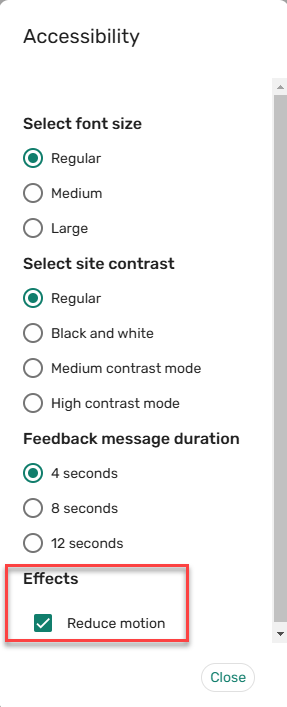
-
April 2025 Leganto URM-240309 SF: 07826390 To improve usability, the brief view no longer displays CLA permissions that are not available.
-
April 2025 Analytics URM-239293 Citations that were deleted and moved to the Recycle Bin no longer appear in Leganto analytics, restoring the behavior of deleted citations to be the same as before the Recycle Bin was introduced in March 2025. As before, any usage information is preserved, but because the usage is no longer associated with a specific citation, it is displayed in a row labeled as -1.
-
April 2025 Analytics URM-237622 The Reading List Number of Loans field was added to the following locations. It displays the number of loans of items on the reading list:
- Leganto Student Usage > Reading Lists
- Leganto Instructor Usage > Reading Lists
- Course Reserves > Reading Lists
If an item appears on the reading list multiple times, loans for that item are counted only once.In addition, in the Leganto Instructors Usage - Lists KPIs out-of-the-box report, the Citation Number of Loans field was changed to the Reading List Number of Loans field to improve the functioning of the counters of the report.
Resolved Issues
| SF number | Description |
|---|---|
| 07858450 URM-243679 | When closing the Mark as broken link comment without saving, the comments were still saved, and the comment and broken link alert were added to Alma. This was fixed. |
| 07895713 URM-243104 | Previously, the Course copyright change job (Admin > Manage Jobs and Sets > Monitor jobs) did not work as expected. This was fixed. |
| 07891615 URM-243142 | In some cases, when selecting I will provide a personal copy to the library, the Personal copy belongs to drop-down list was missing. This was fixed. |
| 07906295 URM-243641 | In some cases, the citation status did not update until the page was refreshed. This was fixed. |
| 07868528 URM-240310 | Previously, CLA was missing the warning icon. This was fixed. |
| 07898465 URM-243098 | Previously, sections could not be copied to empty lists. This was fixed. |
| 07877556 URM-242950 | Previously, merging P and E items did not work as expected. This was fixed. |
| 07878481 URM-241754 | Previously, when importing a citation into an LMS, the alt text for the thumbnail image was not descriptive enough for screen readers. This was fixed. |
| 07885619 URM-241655 | Previously, when copying Quick Cite information, the formatting was not retained. This was fixed. |
| 07883393 URM-241366 | Previously, when exporting Instructor analytics to Excel, the tooltips were included in the title row. This was fixed. |
| 07877211 URM-241212 | In some cases, instructors had the option to Create list/Import list when the instructor_create_list parameter (Configuration > Leganto > List Management > Settings) was set to false. This was fixed. |
| 07733171 URM-241079 | Previously, the text box size in the Library discussion pane could not be adjusted. This was fixed. |
| 07874821 URM-241039 | Previously, when hovering over the clipboard icon, the Clipboard label was displayed in English instead of the configured language. This was fixed. |
| 07862823, 07880930 URM-240625 | Previously, the Active Students column in the Analytics List report did not match the Active Students column in the Alma Analytics Leganto Student Usage report. This was fixed. |
| 07870018 URM-240531 | Previously, the default Bibliographic style was not populated when adding a citation using Canvas. This was fixed. |
| 07852513 URM-240433 | Previously, when associating a list with a course, the No options available tooltip did not have a corresponding code. This was fixed. |
| 07850326, 07889905 URM-240383 | Previously, two different icons were displayed for citations with Type: Journal. This was fixed. |
| 07850178, 07875789 URM-240354 | In some cases, item search results displayed Full text available instead of No full text available. This was fixed. |
| 07864476 URM-240338 | Previously, the Mark as broken option was displayed for guest users in mobile view. This was fixed. |
| 07786626 URM-240089 | Previously, when selecting Add and edit and then editing the citation metadata, the citation status changed. This was fixed. |
| 07856094 URM-239974 | Previously, the hidden icon for hidden items was missing from the full view. This was fixed. |
| 07852381 URM-239798 | Previously, the Public Access Model was displayed in English regardless of the configured display language. This was fixed. |
| 07851930 URM-239641 | Previously, the share icon was missing in the mobile view. This was fixed. |
| 07807132 URM-237627 | Previously, the Advanced Search List title field did not indicate the character limit when exceeding 40 characters. This was fixed. |
| 07759905, 07769829, 07786626 URM-237148 | In some cases, the citation status only updated when the list was refreshed. This was fixed. |
| 07795419 URM-237137 | Previously, when lists were duplicated, the copyright records of citations were also duplicated, resulting in inaccurate copyright records. This was fixed. |
| 07752906 URM-236368 | Previously, citations with DCS status: Approved were marked as Updated by System. This was fixed. |
| 07732650 URM-235005 | Previously, when removing a file from a citation, the copyright settings were not reset. This was fixed. |
| 07717154 URM-234826 | Previously, when moving multiple items, the page did not scroll. This was fixed. |
| 07489892 URM-232592 | Previously, Useful links were not translated when Customer Labels (Configuration > Leganto > General > Customer Labels) were configured. This was fixed. |
| 07086146, 07120360, 07164504, 07246423, 07710468 URM-218441 | In some cases, when managing collaborators, a list owner could not be removed even when there were multiple list owners. This was fixed. |
| 07053158, 07259986 URM-217539 | Previously, when opening a shareable link using SAML, the Lists page was displayed instead of the reading list. This was fixed. |
| 06981828, 07089815 URM-212531 | In some cases, the URL in the Leganto Document Delivery Letter did not work. This was fixed. |
| 07894983 URM-242707 | Previously, the text Additional version available was displayed when searching Primo from Leganto even when no additional version was available. This was fixed. |
| 07745494 URM-237197 | Previously, when the instructor_publishing_options parameter (Configuration > Leganto > List Management > Settings) was set to 4, the publication banner was not displayed when publishing the list. This was fixed. |
| 07826531 URM-238071 | When users in an LMS access Leganto while using the LMS's student view, an error message is displayed. The text of this error message can now be customized using the lti.user.error.studentView label (Configuration > Leganto > General > Labels – New UI). |
