
Code Table Reference
This information is not applicable to Primo VE environments. For more details on Primo VE configuration, see Configuring Display Labels for Primo VE.
This section lists the code tables provided with Primo. For more information on finding and changing labels in the Front End, see Editing Code Tables and Updating Display Labels. The entries in the table below are grouped by the following subsystems:
Back Office Subsystem
| Table Name | Description |
|---|---|
|
User Group |
Defines the institution's user groups. Multiple translations can be separated by a comma. |
Delivery Subsystem
For more information on delivery, see Delivery Functionality and Configuration.
| Table Name | Description |
|---|---|
|
Calculated Availability Text |
Text of the Calculated Availability statuses Text. The following placeholders can be added to the Calculated Availability statuses text. Both are intended for physical items (Physical Items and Microforms):
|
|
Collection Names |
Defines translations for collection names that display in various sections of the Front End (such as the availability line in the brief results section, Locations tab, and so forth). Collection codes are assumed to be unique within an institution To make use of the translations defind in this table, you must include the $$1 code in the display/availibrary PNX field. |
|
Data Sources |
Contains the codes for the data source names (updated in the Publishing wizard - data sources). |
|
GetIt! Sign-in Text |
Defines the text used for GetIt! sign in. |
|
Get It! Tab1 |
Text of the Get It! Tab1. |
|
Get It! Tab2 |
Text of the Get It! Tab2. |
|
Get It! Text |
Text of the Get It! link. |
|
Institution Light box labels code table |
Defines the display labels used in the Institution lightbox for Alma consortia.
|
|
Institution Names |
Defines the codes of the institutions and their labels in order to display in the Front End for Alma consortia. This table is created and updated automatically by the Institution Wizard and includes the institution code and name for the en_US interface language. If necessary, names can be added manually for other interface languages via this code table. |
|
Library Names |
Contains codes of the libraries and their description in order to display in the application. |
Front End Subsystem
| Table Name | Description |
|---|---|
|
A to Z list |
Defines labels used for the A to Z List. |
|
Advanced Index Fields |
The search field's advanced code values table. |
|
Advanced Media Type |
Defines the display labels for the values in the Advanced Search's media type drop-down list. |
|
Advanced Precision Operator |
Defines the labels used for the operators on the Advanced Search page. The following codes define the labels for the boolean operator drop-down lists that combine search terms to filter results:
Advanced searches using the NOT and OR operators are not supported in remote searches (MetaLib). For information on how to hide the boolean operator drop-down lists, see the Primo Technical Guide. |
|
aria Labels |
Defines the labels for objects (such as buttons)that can be read by assistive technology (such as screen readers). |
|
Basic Index Fields |
The search field's simple code values table. |
|
Basic Media Type |
Defines the display labels for the values in the Basic Search's media type drop-down list. |
|
Basic Precision Operator |
Simple search precision operator. |
|
Blocks and Messages List Labels |
This table defines the labels for patron blocks and messages (Aleph only). |
|
Boolean Operators |
This table defines the translations for the Boolean search operators (AND,OR, and NOT) per language. |
|
Browse Lists Labels |
This table defines the labels (such as By Subject and By title) that display in the browse lists drop-down list on the Browse Search page in the Front End UI. These labels only display if the associated browse list is enabled in the Browse Lists mapping table.
|
|
Browse Labels |
This table defines all other labels used for Browse functionality. For more information about this table, refer to the Primo Technical Guide. |
|
Citation Linker Labels |
Defines the labels that display in the Citation Linker lightbox. |
|
Citation Tab Labels |
This table defines the labels used for each publisher's links (WoS and Scopus) in the Times Cited tab in the Front End:
|
|
Collection Discovery |
Defines the labels that display on the Collection Discovery page.
|
|
Custom Code |
Primo uses many code tables to configure display labels and translations used throughout Primo, but using these these tables to translate labels for functionality that you developed yourself may be difficult to manage. This table allows you to manage your custom display labels with a single code table called Custom Code. To utilize this table, add a row for each label and then deploy the changes to your view. For example:
|
|
Details tab |
Defines labels in Details tab. |
|
Display Constants |
This table defines the display constants. For multi-institutional sites, the following display constants are used with Library facets:
|
|
Error messages |
Error messages. |
|
e-Shelf Tile |
Add To Eshelf codes. |
|
Facet Collections |
Facet Collections codes. For more information, see Configuring Collection Names. |
|
Facet Labels |
Defines the labels used for facet types as well as miscellaneous facet-related labels. For more information, see Configuring Static Facets.
|
|
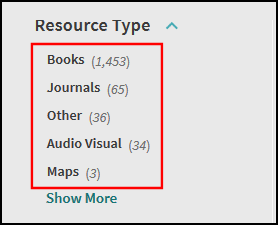
Facet Resource Type |
Defines the labels used for the Resource Type facet's values. For more information, see Configuring Static Facets.
|
|
facet_fsize_values_codes |
Defines the labels used for the File Size facet's values. For more information, see see Configuring Static Facets. |
|
facet_lang_values_codes |
Not used. The Language code code table defines the labels for the Language facet's values. |
|
facet_pfilter_values_codes |
Not used. The Basic Media Type and Advanced Media Type code tables define the labels for the Pre-Filter facet's values. |
|
Facets Code Fields |
Defines the facets which appear in drop-down lists in the Back Office only. |
|
Favorites Labels (new UI only) |
Defines the labels used on the My Favorites page. |
|
Featured Results Labels |
This table defines the labels associated with Featured Results bars. For more information, see Featured Results Bar. |
|
Find Database Full display Labels |
This table defines the labels used for Find Databases on the Full Display page. |
|
Find Databases |
This table defines the labels for the Find Databases light box. |
|
FrontEnd Display Fields |
This table defines the labels that display in various places in the Front End, and it also defines which values appear in the drop-down lists in the Views Wizard. For information on displaying local fields in the Full and Brief Displays, see Displaying Local Display Fields. For addition information on using code prefixes, see Full Display Labels. In addition, this table defines the Expand My Results label, which is configured with the expandresults code: |
|
Full Display Labels |
Defines the labels that typically appear in the Brief and Full Displays. Many of these labels appear in the Details tab. You can modify the labels according to language and view. Codes that begin with the prefix default display the default value for all of the institution's views. If you would want to display a different value in a view, create a new mapping row that starts with a view ID prefix. For example:
For more information on displaying these labels in the Front End, see the following pages in the Primo Back Office: To use a code from this table in the PNX, you must prefix it with $$E. For example, if the PNX contains the following text, the link in the Front End will display This item in WorldCat®: <linktouc>$$Tworldcat_isbn$$Eworldcat</linktouc>
|
|
Getit Tile |
Codes for Getit and availability. |
|
Header/Footer Tiles |
Codes for Header and Footer. |
|
Icon codes |
Brief display eShelf Icon names codes, Full display type value. |
|
Interface Language |
This table defines the labels for the languages that are supported by Primo. |
|
Keeping this item Tile |
Defines the codes associated with the Keeping this item tile. To modify labels for PushTo items, configure the following codes (where <x> is the social bookmark name (such as RefWorks, Delicious, Connotea, EasyBib, and so forth):
|
|
Language codes |
This table defines the 3-character language codes, which comply with ISO 639.2. |
|
Locale CSS Map |
This table allows you to specify a default CSS file for each locale. Additional CSS files can be listed by separating them with a semicolon. The CSS files will be loaded in the order that they are listed. For more information, see the Primo Technical Guide. |
|
My Account Links Labels |
This table defines the name of the link that displays in My Account. Update the Label field for the link code you defined in the My Account Links mapping table. The label’s code is the same as the Link Code defined in the My Account Links mapping table. For more information, see Adding Links to My Account.
|
|
My preferences Tile |
Codes for preferences page. |
|
New Records Type |
Defines the labels used for the New Records facet values. |
|
Page Titles |
Codes for page titles. |
|
Personalize Your Results Degrees |
Contains the lists of degrees, which are defined by Primo Central. This table allows you to translate the labels and set the display order of the degrees in the Degree drop-down list in the Personalized Ranking lightbox. |
|
Personalize Your Results Disciplines |
Contains the list of valid disciplines, which are defined by Primo Central. This table allows you to translate the labels. Note that the disciplines are displayed in alphabetical order in the Personalized Ranking lightbox. |
|
Personalize Your Results Labels |
Contains all labels used by the Personalized Ranking tile in My Account and the Personalized Ranking lightbox. |
|
Recommendation tab messages |
This table defines the messages for the Recommendation tab. |
|
Reference Entry |
This table defines the labels associated with the About the Topic section that appears at the top of the Brief Results page when the Highlight reference entry on top field is enabled in the Views Wizard. |
|
Report a Problem Labels |
This table allows you to customize and translate the labels and error messages associated with the Feedback Tool. In addition, it allows you to customize the content of the feedback letter. For more details, see Configuring the Feedback Tool for the New Primo UI. |
|
Results Tile |
Defines labels for the brief and full results and the Facets tile. |
|
Reviews Tile |
Reviews Tile. |
|
RSS Page |
Defines the labels used on the RSS page. |
|
Search Box Labels |
Defines the labels used for the Primo Search Box. |
|
Search Languages |
Language codes. |
|
Search Publication Dates |
Search Publication Dates for advanced search. |
|
Search Tile |
This table defines the text that appears before the search options (such as resource type, index, and scopes) per language. The following codes allow you to define the text for the fields in the Search box:
|
|
Send Email and Sms |
Email and SMS pop-up and content texts. This table defines the following default e-mail option:
The following error messages allow you to provide different error messages for alerts:
|
|
Sort Values |
Configures the display values for the sort fields in the Front End. |
|
Suggested New Searches Tile |
Suggested New Searches codes. |
|
Suggestions Labels (new UI only) |
Defines the labels associated with the Suggestions area of the Full Display page. |
|
Tags Tile |
Tags Tile and List codes. |
|
Third Node Adaptors |
Defines the labels used for Third Node adaptors in the Back Office. |
|
Top Level Facet |
Top Level Facet Codes. |
|
User Interface Images |
This table defines images used in the user interface. |
|
User Login |
This table defines the labels associated with the user authentication login pages. For more information, see Login Pages for User Authentication. |
|
User Space Menu |
This table defines labels for the user space menus, such as My Shelf and My Account. |
|
User Tile |
Defines the codes for the user area. |
|
View Labels |
Labels of the View configuration. |
|
Virtual browse tab |
Defines the labels (such as for the Previous and Next buttons) in the Virtual Browse tab. |



OPAC Via Primo Subsystem
For more information, see Configuring OPAC Via Primo.
| Table Name | Description |
|---|---|
|
Call Slip Request |
This table defines the labels for the Call Slip Request tab. |
|
Fines List Labels |
This table defines the labels used in the fines and fees list in My Account. |
|
Get it service labels (new UI only) |
This table defines labels for various subsections, messages, and back links in the Get It section on the Full Display page in the new UI. Each of the new codes are prefixed with default.nui. For example, the following code displays the Locations header: default.nui.locations.header
|
|
Hold Request |
This table defines the labels used for all hold requests. |
|
ILL Request |
This table defines the labels used for all ILL requests. |
|
Library Card Labels (new UI only) |
This table defines the labels used in My Library Card (see My Library Card). |
|
Loans List Labels |
This table defines the labels used in the loans list in My Account. |
|
Location Tab |
This table defines the labels for the Locations tab. |
|
Opac via Links messages |
This table defines the labels used for OPAC via Link messages. |
|
Personal Settings Labels |
This table defines the labels used in the personal settings list in My Account. |
|
Photocopy Request |
This table defines the labels used for all photocopy requests. |
|
Recall Request |
This table defines the labels used for all recall requests. |
|
Request Tab |
This table defines the labels for the Request tab. |
|
Request tab messages |
This table defines the labels for the messages used on the Request tab. |
|
Request Tips |
This table defines the labels for tips used on the Request tab. |
|
Requests List Labels |
This table defines the labels used in the requests list in My Account. |
|
Short Loan Request |
This table defines the labels used for all short loan requests. |
|
UB Request |
This table defines the labels used for all UB requests. |
Publishing Subsystem
| Table Name | Description |
|---|---|
|
Character Set |
This table defines the character sets supported by Primo. By default, pipes can convert the source to UTF-8 or MARC-8. If you would like to support additional character sets, select the Enable check box for each additional character set. The enabled character sets display in the Character Set drop-down list on the Data Sources page.
|
|
Export RIS encodings |
Defines the encodings associated with the export of the RIS file format. |
|
Source System |
Source systems. |
Page tags: article:topicProd:Primocontype:documCode Tablesproduct:primocontent:Documentationlang:english
