
Adding Links to My Account
Primo allows you to add up to three external links to Personal Settings and My Library (for OPAC via Link), and to each of the following sections in My Account: Loans, Requests, Fees & Fines, Blocks & Messages, Personal Settings (for OPAC via Primo).
For the new UI only, external links that are configured on the Loans and Requests tabs will not appear unless the tab has items.
When added, the links display below the title:
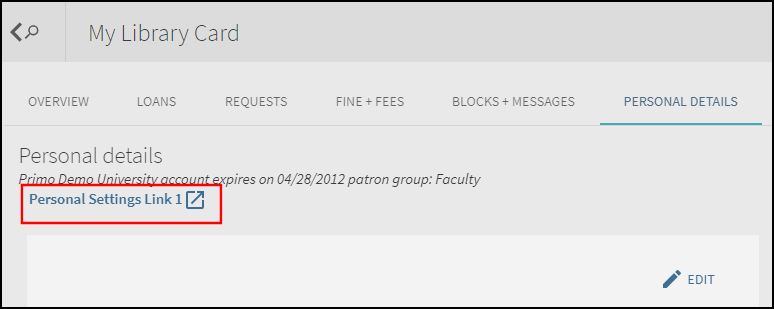
The links are generic with the exception of the link that is defined with the fines.payfinelink link code, which is intended to link to an external payment system. If the fines.payfinelink link is defined in the My Account Links mapping table, it will display below the title only:

The get_loans service, which is configured in the ILS Adaptors Templates mapping table, returns the balance of the fines.
You can include the following placeholders in the external links as is currently done with delivery templates:
-
Institutional base_urls –{{ils_base}} or {{alma_base}}
-
Interface language –{{language}} or {{language_bibliographic}}
-
Primo server IP –{{primo_server_ip}}
-
User IP –{{user_ip}}
-
PDS handle –{{pds_handle}}
-
Timestamp –{{timestamp}}
-
Code of active view –{{view}}
For more information on placeholders, refer to the Linking to Delivery Systems section in the Primo Interoperability Guide.
Back Office Configuration
For information on configuring external links in My Account, refer to the following tables:
-
My Account Links mapping table – See Mapping Table Reference.
-
My Account Links Labels code table – See Code Table Reference.
Page tags: article:topicProd:Primocontype:documBack Office GuideAdditional Primo Featuresproduct:primocontent:Documentationlang:english
