
2025 RefWorks Release Information
table#NoBorder {
    border:none;
}

table#NoBorder td {
    border:none;
    background-color:white;
}
October 14, 2025
New Manage Folders Page
Users now have higher visibility of all their folders within a project from the My Folders page which can be accessed from My Folders menu and Tools dropdown.
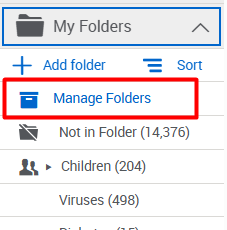
Manage Folders in My Folders menu
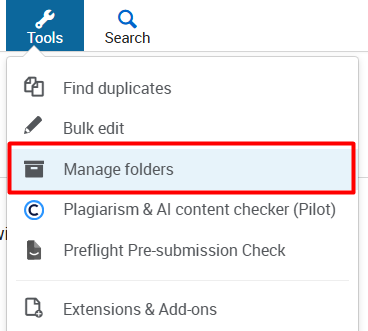
Manage Folders in Tools menu
In the new Manage Folders page, users benefit from a larger, more detailed display of their folders and folder hierarchies. This includes new insights:
- Added indicators for the number of subfolders, references, and attachments within each folder.
- Metadata Display: each folder and subfolder shows Created Date, Last Modified Date, and Sharing.
- Consistent Functionality: Includes the same interaction options as the condensed folder view found in the library pages.
Coming Soon: Support for sharing, hierarchy restructuring, bulk actions and folder merging.
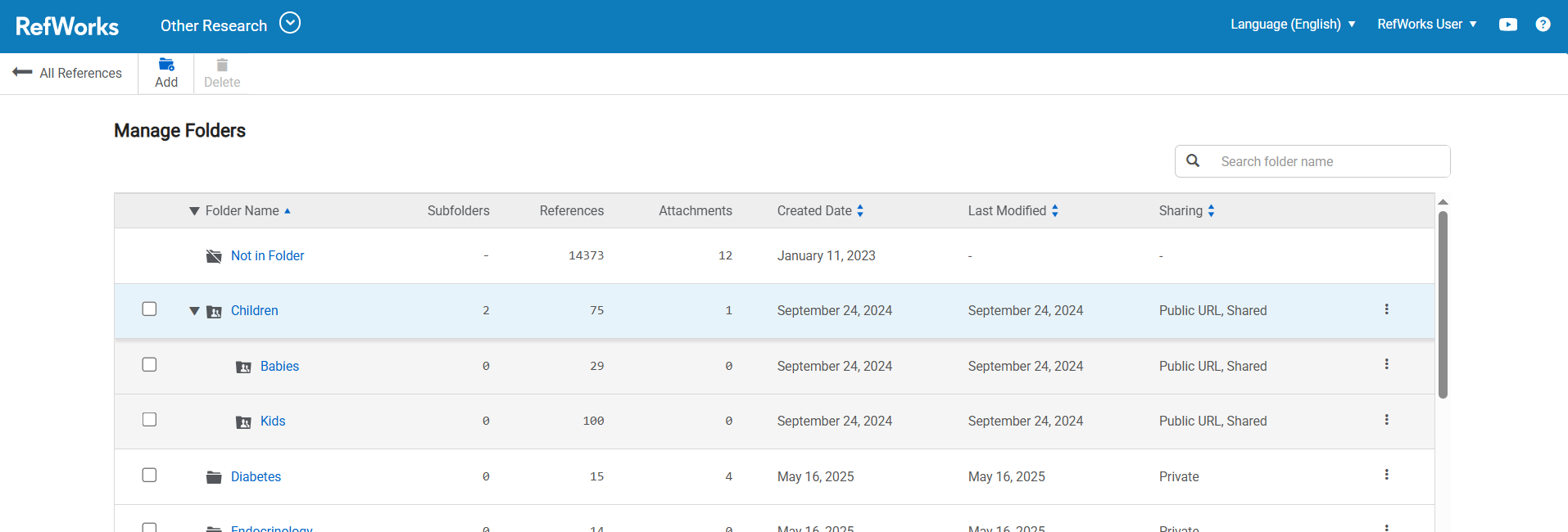
Manage Folders page
Find in PubMed, Google Scholar, Crossref and DOI.org
Users can now easily view reference details and search for sources and related sources directly. This is available in Ref Preview and Ref Editor panes.
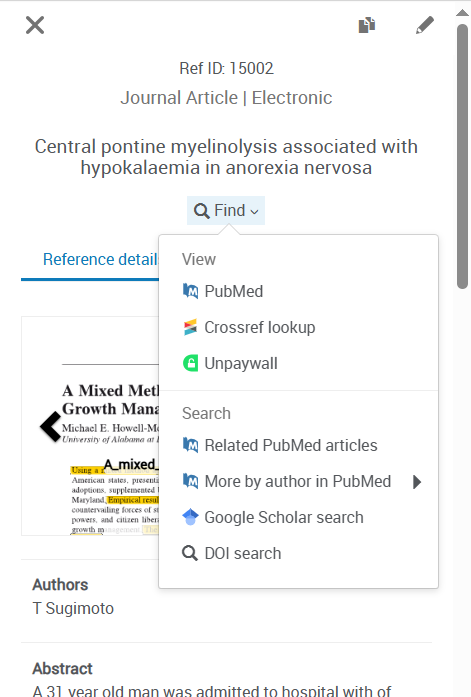
Find options in Ref Preview pane
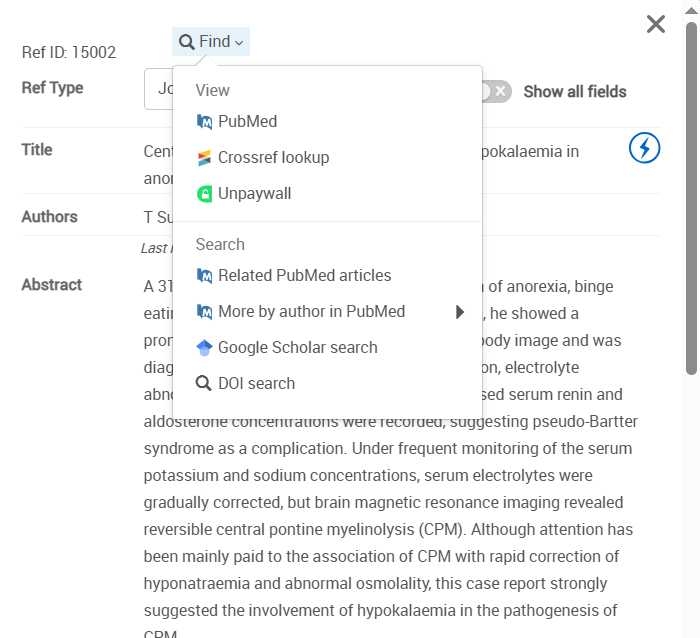
Find options in Ref Editor
PubMed: view source material based on PMID or PMCID, search for related article in PubMed and search for more articles by each author
Crossref lookup: view source material based on DOI
Unpaywall: same functionality as before
Google Scholar: automated search based on reference data: Title, Author(s) and date
DOI search: view source material based on DOI
Find options are also automatically available in Public URL view
Access for the feature is managed by institutional Admins. Admins can enable or disable specific sources for their institution.
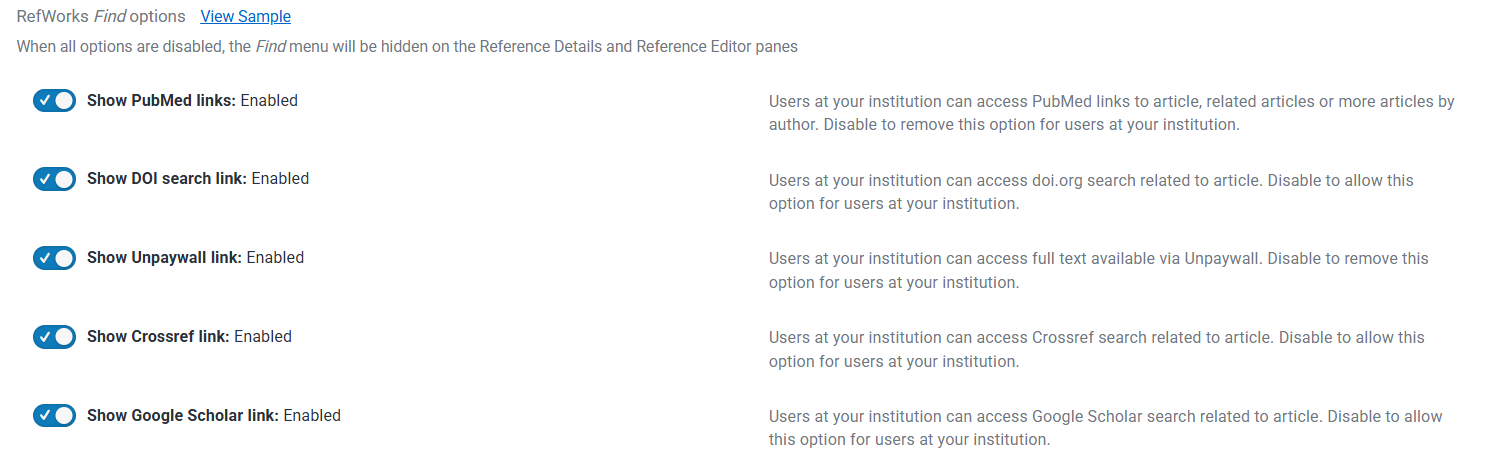
Find options settings in Admin
Workflow Improvements
View Options
User-selected reference display settings (Normal, Full, Table, or Citation) are now retained across sessions until manually changed. This applies to All References, Last Imported, Folders, and Search Results.
Search Databases and Find Duplicates pages will continue to use their default display views.
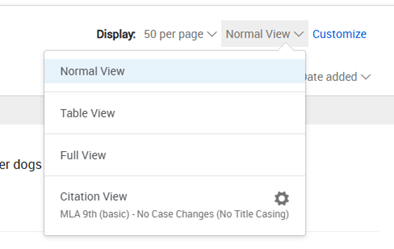
RefWorks Library View Display Settings
Allow Casing Changes in Edit Pane
Change text casing formatting option now available directly within the reference editor, allowing to make changes without manually retyping text.
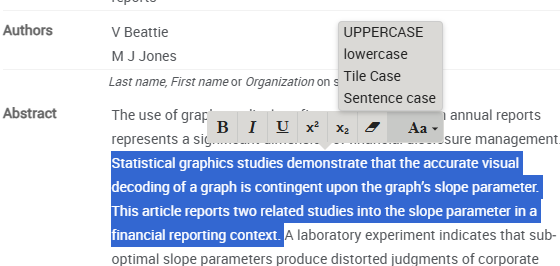
Reference Editor Text formatting Options
Improved Attachments View in Library Reference List
The visual representation of references and attachments has been updated, making it easier for users to identify records and which records have at last one attached file; visible in Normal and Table views.
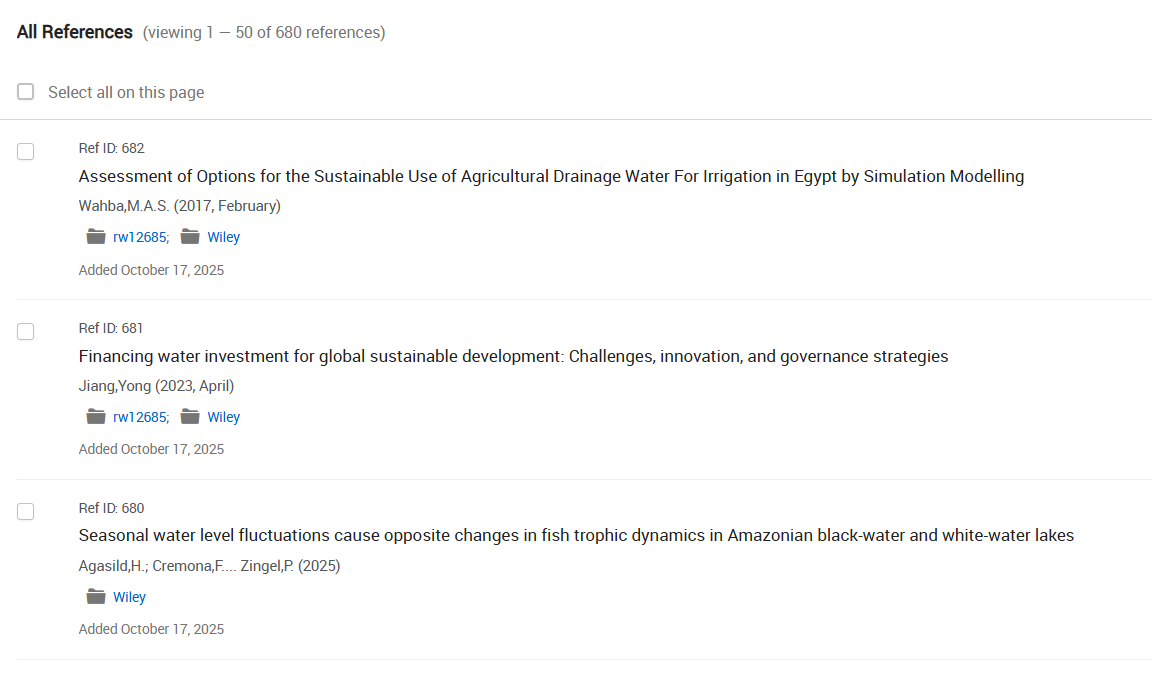
Attachments in Normal View
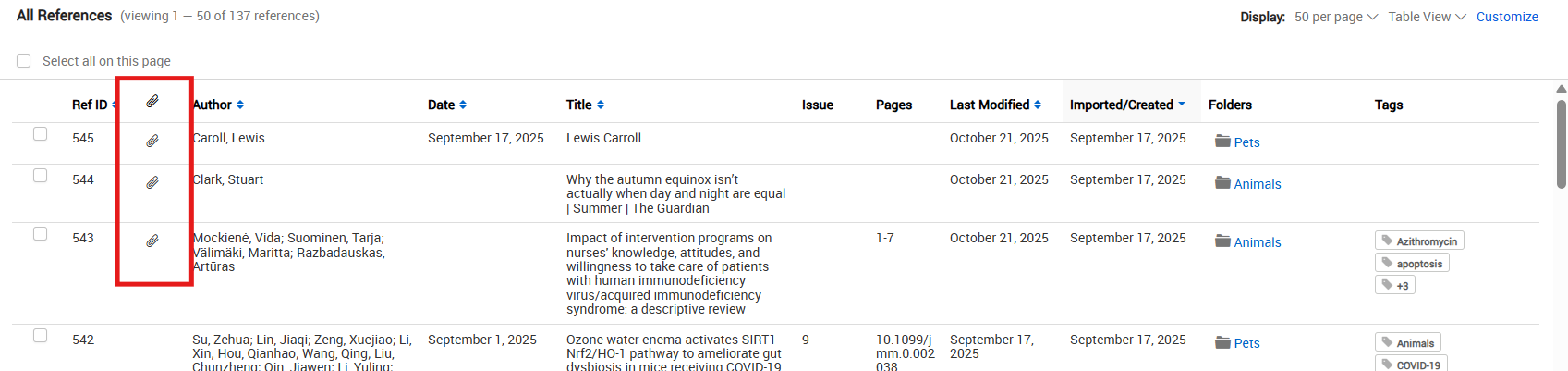
Attachments in Table View
Public URL Folder Improvements
Added localization to Public URL view
Recipients of publicly shared folders can now choose to view the folder in their preferred available language, just as users can in their RefWorks account.
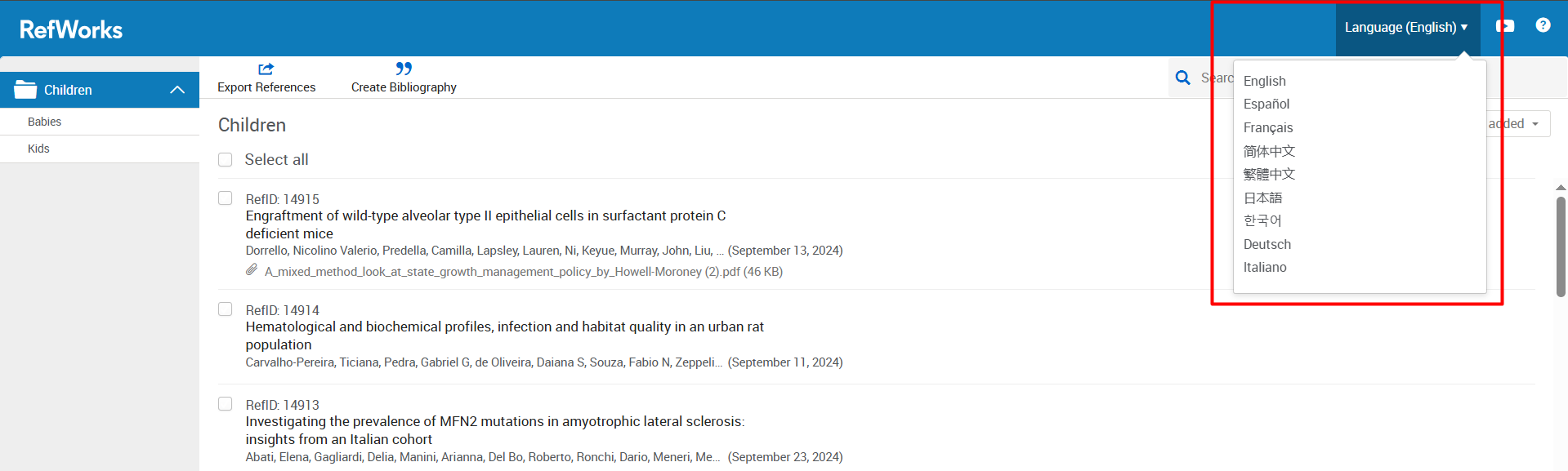
RefWorks Public URL Language dropdown
Improved view of reference list in Public URL view
Users can now quickly view key reference details: Author, Title, and Year within publicly shared folders, without needing to click into each reference for a preview.
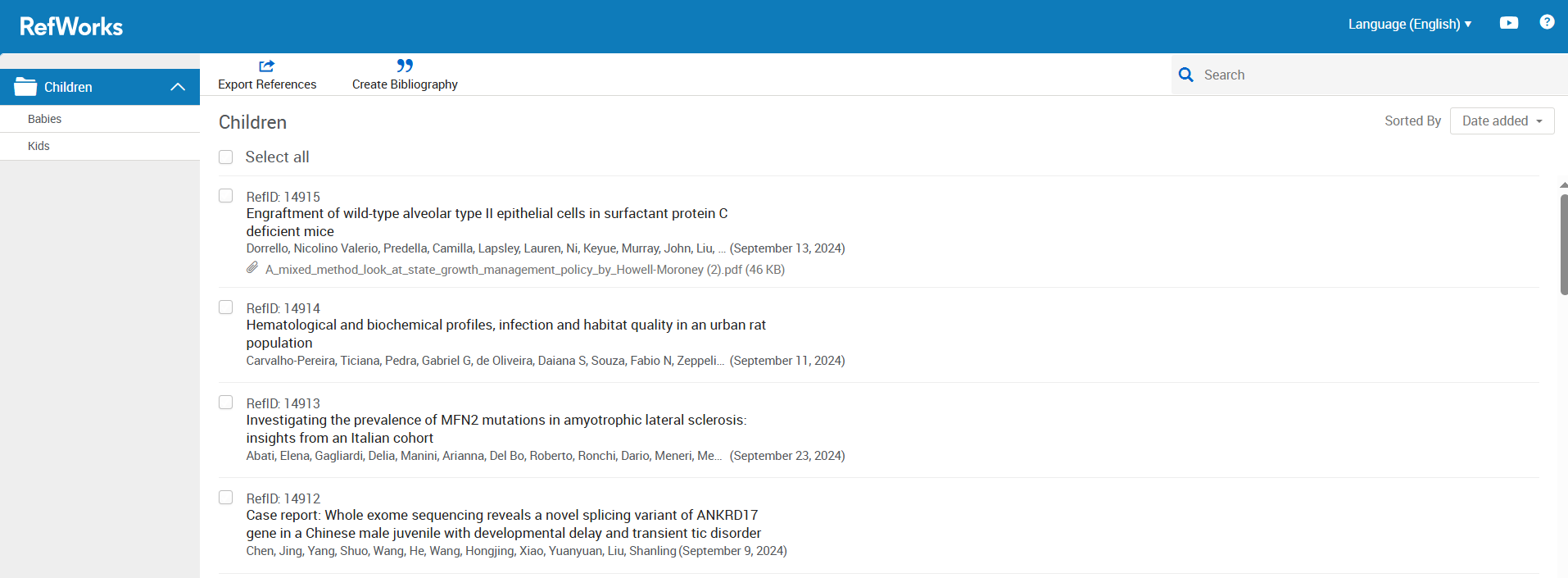
RefWorks Public URL reference list
Added and Improved Ref Types
Users can now format their references more easily by using more Ref Types. These are available when creating a new reference manually, during import, in Citation Style Editor and during export.
Ref Types: Email, Instant Message, Document, Preprint and Dictionary Entry
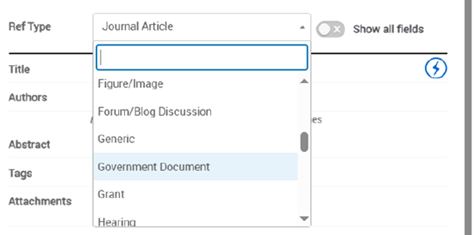
Reference Editor Ref Type dropdown – example: Government Document
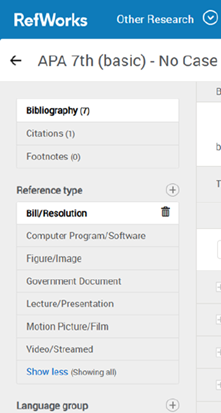
Citation Style Editor – new and updated Ref Types
Old RefWorks Citation Manager (RCM) Add-in End of Support
The older RefWorks Citation Manager (RCM) add-in is replaced by the new RCM add-in.
Deactivation of the old RCM add-in was announced in November 2023: https://knowledge.exlibrisgroup.com/RefWorks/Knowledge_Articles/New_RefWorks_Citation_Manager_(RCM)_add-in_FAQs
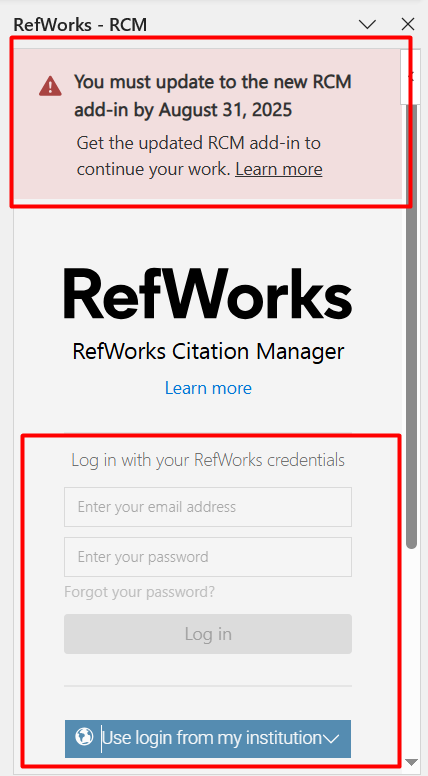
Old RefWorks Ciation Manager (RCM) Inactive login
Citation Styles Added/Updated
Cite them Right Harvard, 13th edition
Chicago 18th Edition (Notes & Bibliography)
NLM – National Library of Medicine
TSAR
Turabian 9th Edition (Notes)
Turabian 9th Edition (Reference List)
Turabian 9th Edition (Ref List)
Accessibility Improvements
Added CSS pseudo elements to Search Database feature
Added focus to Database dropdown menu items
Updated alt text for images on the Extensions & Add-ons page
Improved color contrast for Citation Styles: (CSL) indicators in Citation Style Editor
Corrected missing skip links in library pages
Update pages
Bug Fixes
Fixed a menu option that was not functioning correctly when attempting to remove a reference from a folder within search results.
Resolved a problem where some users were unable to see all available fields in the Bulk Edit dropdown.
Resolved an issue where users with large libraries occasionally experienced missing fields in the Advanced Search dropdown.
Resolved a delay causing some users to be unable to complete import when selecting all search result items using Save to RefWorks in Google Scholar.
Resolved an issue where reports for Publications Added, Publications Cited, Publications Read, or Publications Viewed did not always load as expected in Admin dashboard.
Resolved an issue where references failed to save after manually adding or editing entries that included the PMID or PMCID fields.
Fixed incomplete search results in shared folders issue.
To avoid ambiguity in APA citation styles, when multiple works with three or more authors shorten to the same in-text citation, the system now supports writing out as many author names as needed to distinguish between them—abbreviating the remaining names with "et al." in every citation.
Resolved a problem where some users were unable to create a new citation style based on an existing one.
Corrected an issue where page numbers containing alphabetic characters from the Other Pages field were not exporting properly in RIS and XML formats.
Resolved an issue where searches for tags consisting only of asterisks (e.g., "**") returned no results.
New RefWorks YouTube Channel Videos ¡en español!
July 8, 2025
Import Improvements
Import from Word or PDF
Users can now add references to RefWorks by importing bibliographies from within Word or PDF files.
All references in the document’s bibliography will be added. PDFs can be imported as separate references, but Word files, while saved, won't automatically create reference details. You can also assign them to a folder and avoid duplicates during import.
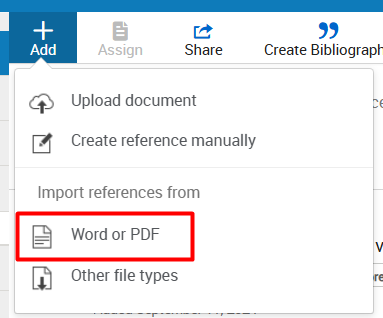
Add menu – Import references from Word of PDF
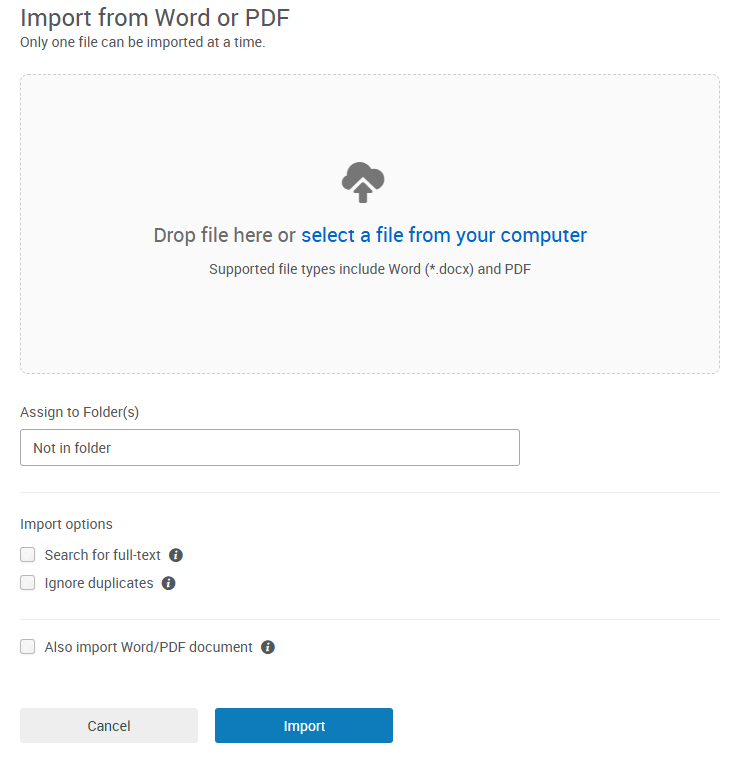
Import from Word or PDF page
Import Related Articles Suggested by bX Recommender
In Normal or Citation view, simply check the "Related articles" tab in the Reference preview pane, select desired articles, and import them. You can also assign them to a folder and avoid duplicates during import.
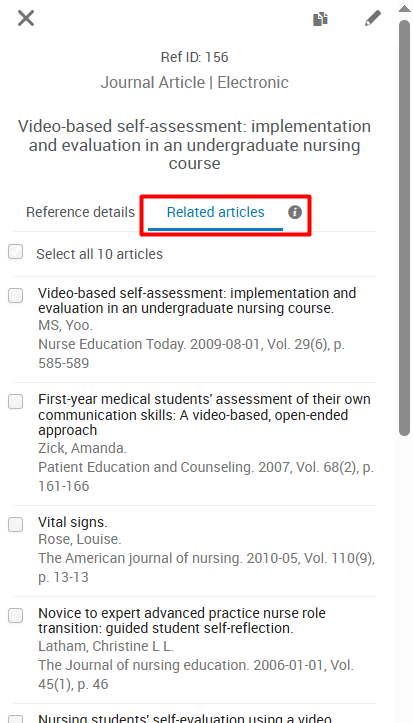
Related articles - in reference preview pane
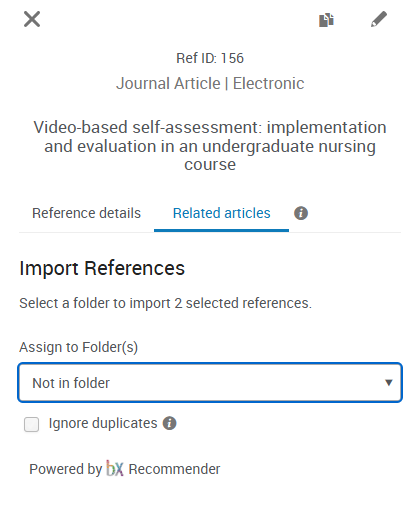
Related articles - deduplicate and import
Authentication Updates
To enhance account security, users must now create stronger passwords. Passwords need to be at least 8 characters long, include one uppercase letter, one lowercase letter, one number, and one special character. Passwords will expire every 180 days and can not be the same as last three passwords.
More information can be found here.
This is a phased deployment, meaning users will be prompted to change their password over the next few months.
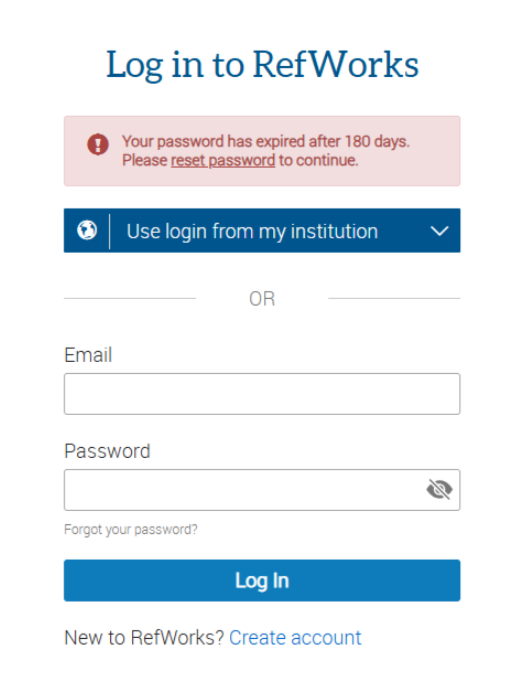
Password expired message
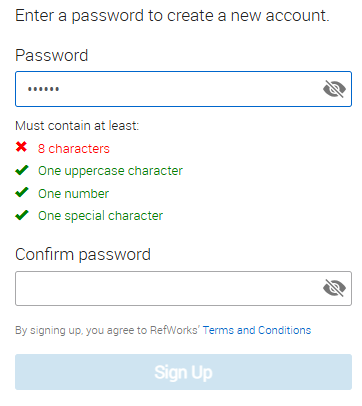
Password creation screen
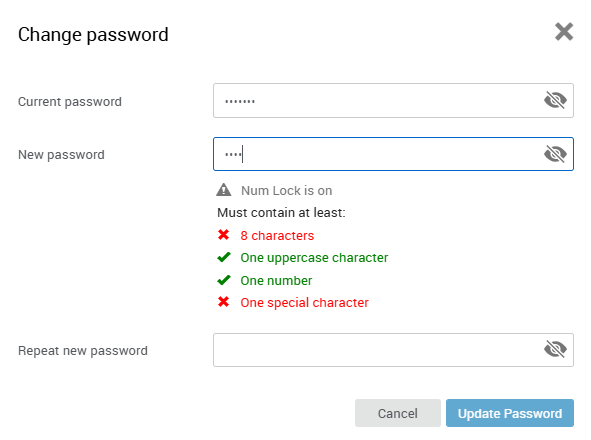
Change password screen
Citation Styles Added/Updated
- Bluebook (notes & bibliography)
- British Journal of Haematology
- Chicago 18th Edition (Author-Date System)
- Chicago 18th Edition (Notes & Bibliography)
- OSCOLA 4th Edition - Oxford Standard for the Citation of Legal Authorities
Accessibility Improvements
RefWorks Citation Manager (RCM) for Word focus order updated to follow logical keyboard navigation order.
Drag & drop references when changing order is disabled when there is only one reference in citation.
Improved keyboard accessibility in change citation styles settings for Differentiating authors with the same surname modal.
In Sharing menu, added page notification for each Folder item: Folder is accepted or refused.
In deduplication results, added keyboard accessibility to close button.
Modals’ dropdown screen reader updates (no longer reads “j” aloud).
Bug Fixes
Updated citing option so users can configure "n.d", or any other notation, when date is missing in reference
Fixed failure to export duplicate references in BibTeX format when citekey is set to authoryeartitle
Resolved issue when for some users, Advanced Search fields dropdown failed to populate
When using Cite Them Right citation style, Bill/Resolution Ref Type, sometimes the bibliography failed to generate in RefWorks, this
was not affected in RefWorks Citation Manger (RCM)
If page number contains alpha characters but isn't a range, it is no longer forced to Other Pages field in export files
Fixed issue when creating bibliography for Audio Ref Type, Conductors & Medium were omitted
New and Updated RefWorks YouTube Channel Videos
Organizing References with Folders
Organizing References with Projects
NEW: Writing with RefWorks Citation Manager (RCM) for Microsoft Word
NEW: Writing with RefWorks Citation Manager (RCM) for Google Docs
April 8, 2025
RefWorks site rebranded to align with Clarivate
To align with our Clarivate brand, the RefWorks logo, typeface and look-and-feel, have been updated. RefWorks related ProQuest branded content is now updated to reflect Clarivate brand.

Previous logos:

Updated logos:


Check out the new logos on our Knowledge Center site.
RefWorks YouTube channel:
Refworks on X@RefWorks:
Plagiarism and AI content checker (Pilot)
In March, RefWorks added a new feature pilot for plagiarism and AI content checker. This initiative is in partnership with Copyleaks.
Every user was granted 40 credits per month by Clarivate. One credit is equivalent to 250 words. Users who use this feature during the pilot retain access to their documents on the Plagiarism and AI content checker page.
This is a limited pilot to explore user engagement and collect feedback. Clarivate will explore this as permanent integration in RefWorks, followed by other products.
RefWorks Citation Manager (RCM) for Word and Google Docs Improvements
New feature for Citation formatting which allows users to switch citations formatting option off to improve performance. Users who are working on large documents may choose to turn automatic Citation formatting: Off to reduce document processing time. Citations will be inserted into document but only formatted once the option is turned On. This feature is only available in RCM for Word.
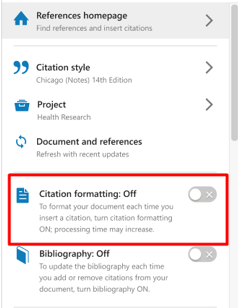
RefWorks Citation Manager (RCM) Citation formatting: Off
New options for formatting citations now available to use when citation details other than Page are needed.
The following details are available now: Appendix, Article, Book, Canon, Chapter, Column, Equation, Figure, Folio, Issue/Number, Line, Location, Note, Opus, Paragraph, Part, Rule, Scene, Section, Sub verbo, Table, Verse or Volume. This feature is available in RCM for Word, RCM for Google Docs and RCM for Hangul Word Processor.
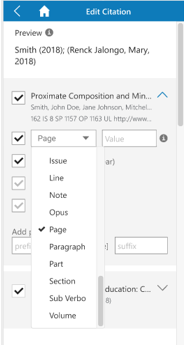
RefWorks Citation Manager (RCM) for Word citation options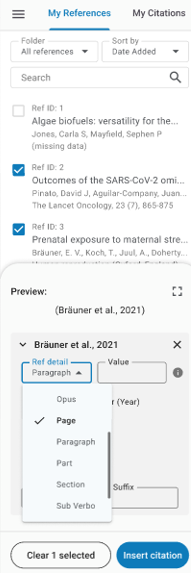
RefWorks Citation Manager (RCM) for Google Docs citation options
Users may now easily see which account they are logged into in RCM for Word. The account info is listed next to Log out, as it is in RefWorks.
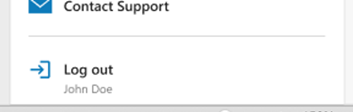
RefWorks Citation Manager (RCM) for Word Log out
Reminder for users who are still writing with the old RefWorks Citation Manager (RCM) in Word, that they must update the add-in to the current add-in by August 31, 2025.
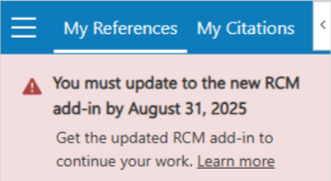
ProQuest RefWorks Citation Manager (RCM) for Word message
Added and Improved Ref Types
Users can now format their references more easily by using more Ref Types. These are available when creating a new reference manually, during import, in Citation Style Editor and during export.
Ref Types: Computer Program/Software, Figure/Image, Government Document, Lecture/Presentation, Motion Picture/Film, and Video/Streamed
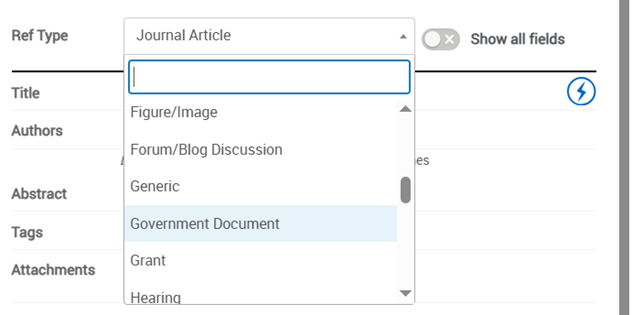
Reference Editor Ref Type dropdown – example: Government Document
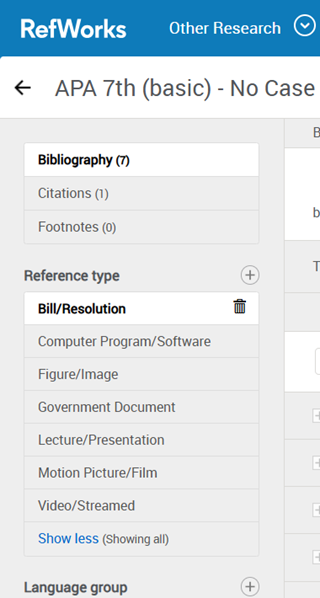
Citation Style Editor – new and updated Ref Types
Accessibility Improvements
Screen reader improvements in RefWorks Citation Manager (RCM) for Word on references home page.
Keyboard accessibility improvements on reference home page and bibliography toggle.
Keyboard accessibility improvements on Import page.
Bug Fixes
Some PDFs failed to show a preview in reference Preview pane.
When sharing a folder as public URL, custom fields were missing in reference details.
When viewing admin usage analytics, end date was sometimes excluded from view due to time zone settings and usage graphs formatted metrics with decimal points on some browsers.
In RCM for hangul Word Processor, the narrative citation formatting was not correctly applied in the document.
Erroneous ending period was inserted next to the URL causing the click through link to become non-functional.
Corrected missing page number detail notation in Cite Them Right Harvard 12th citation style in RCM for Word and Google Docs.
Fixed BibTeX and BibLaTeX export formats issues in Book section Ref Type for Book title and Series Title fields.
Updated RefWorks YouTube Channel Videos
January 14, 2025
Integration with Paperpal Preflight Pre-submission Check
Users now have access to RefWorks Paperpal Preflight via RefWorks Citation Manager (RCM) for Word and Google Docs. With this new integration, Paperpal will enhance the process by providing language and technical compliance checks, ensuring manuscripts are submission ready.
Preflight Pre-submission Check performs a comprehensive scan of manuscripts for technical compliance and language quality, ensuring appropriate grammar, writing mechanics, readability, and academic vocabulary. It will also review technical aspects related to references, disclosures, limits, figure, tables, etc.
Post assessment, a free submission readiness report will be generated, highlighting areas of compliance and areas needing improvement.
Currently, doc, docx, and PDF file formats are supported.
Institutional admins can enable or disable access to this feature for their users in Admin Settings Preferences.
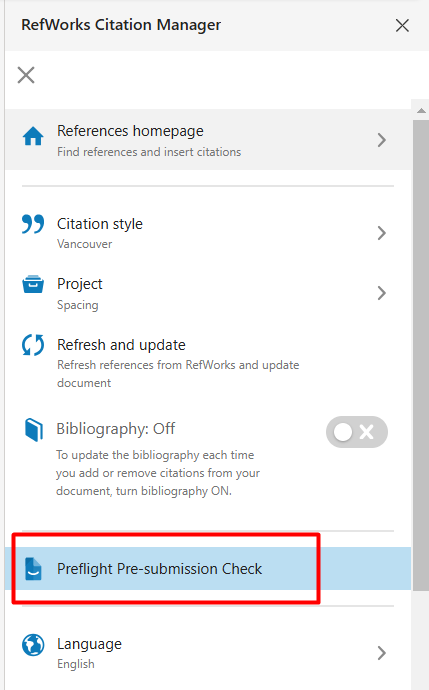
Preflight Pre-submission Check in RefWorks Citation Manager (RCM) for Word
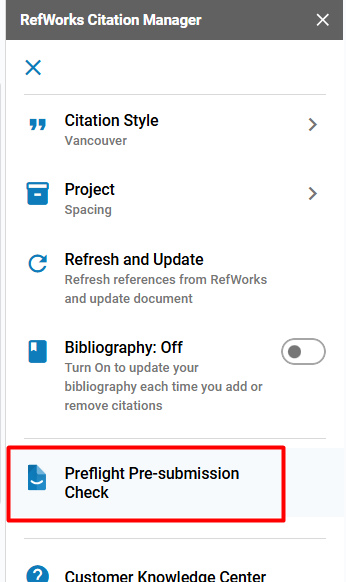
Preflight Pre-submission Check in RefWorks Citation Manager (RCM) for Google Docs
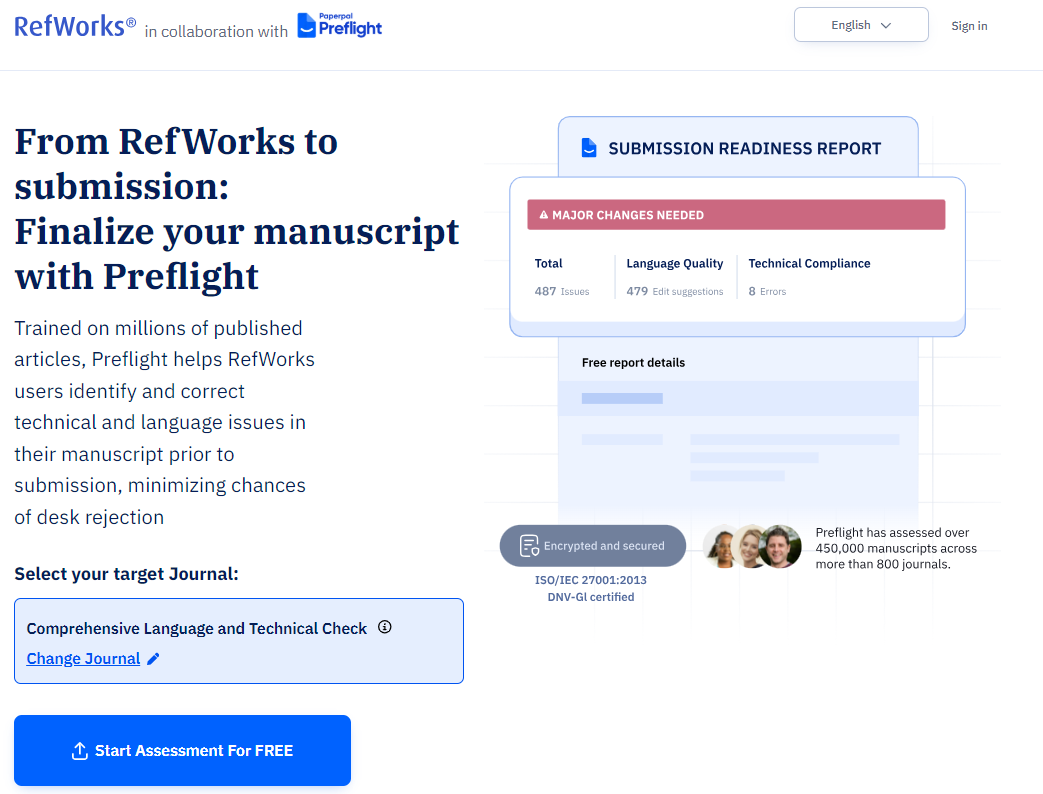
RefWorks in collaboration with Paperpal Preflight Dedicated Page
Institutional Single Sign-On (SSO) Option Added to the RefWorks Citation Manager (RCM) for Google Docs
Users affiliated with institutions that provide OpenAthens or Shibboleth authentication can now log into RefWorks Citation Manager (RCM) for Google Docs using their institutional sign-on. Previously, users had to enter their RefWorks User ID and Password for access. Browser popup blockers must be disabled to allow authentication screen to appear.
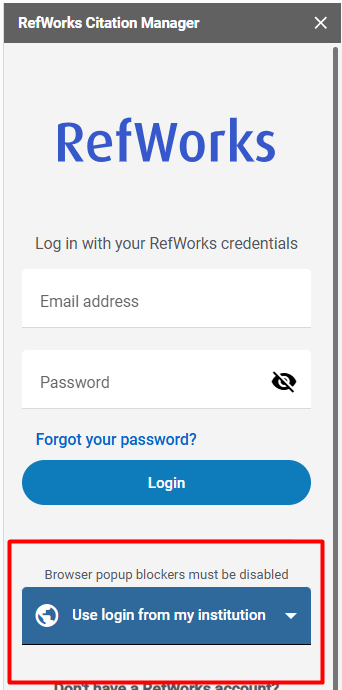
RefWorks Citation Manager (RCM) for Google Docs Institutional Single Sign-On
RefWorks Citation Manager (RCM) for Word Improvements
Users now have an easy way to view and access references cited in their document in the new My Citations tab. My Citations tab lists all references cited in the document. Users can view references in citation view or in bibliography view and can see how many times the reference was cited, in which citation. When clicking on the citation within list in the RCM add-in, cursor is automatically placed in that citation in the document. Search feature allows users to find references included in the document’s citations.
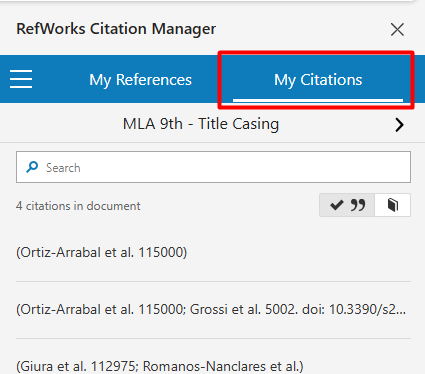
RefWorks Citation Manager (RCM) for Word My Citations Tab
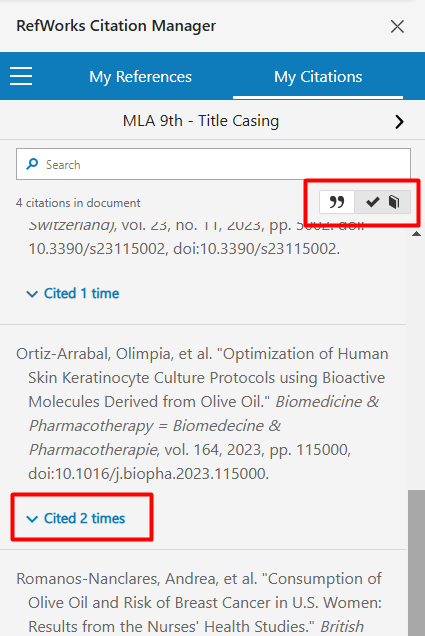
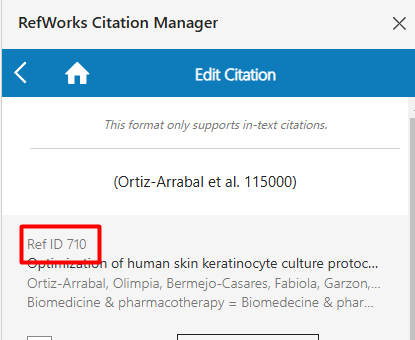
When editing citations, users can now see the Ref ID. This feature makes it easier for users to identify which references were used in the document.
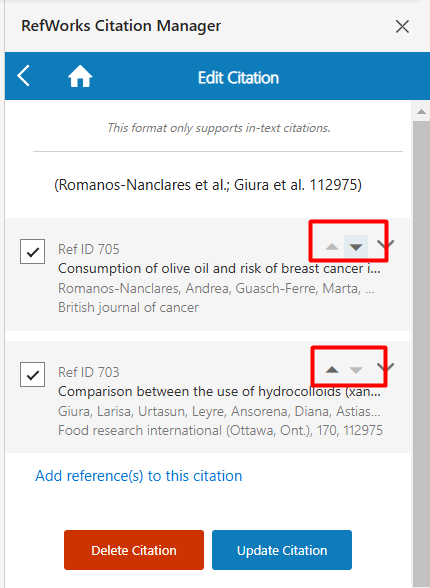
When editing citations, users can now change order of references in a citation. Changing order of references in citation can be done by using arrows, or by dragging and dropping. Note: if citation style rule mandates specified order, changing order while editing will not affect the citation.
Editing page numbers for in-text citations is now available for superscript styles. Default page number(s) formatting is not affected and follows rules set by citation style.
Import Improvements
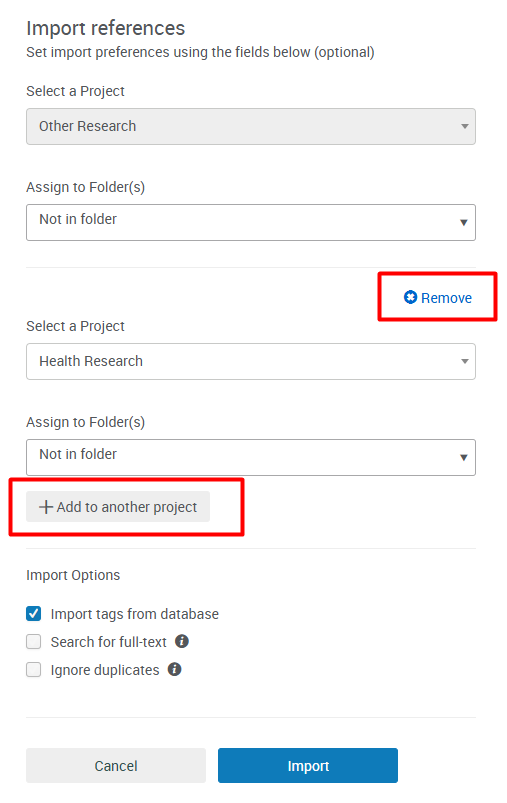
Users can now import references into multiple Projects at the same time when using direct export from databases or via Save to RefWorks. The limit is 5 Projects during an import. This enables easier workflows for organizing research and eliminates the need to move or copy references between projects. Checking for duplicates at import is unique to each Project. References in each Project are assigned a unique Ref ID.
Save to RefWorks (StR) Improvements
Save to RefWorks feature has been updated to improve the quality of reference details and now includes more sites.
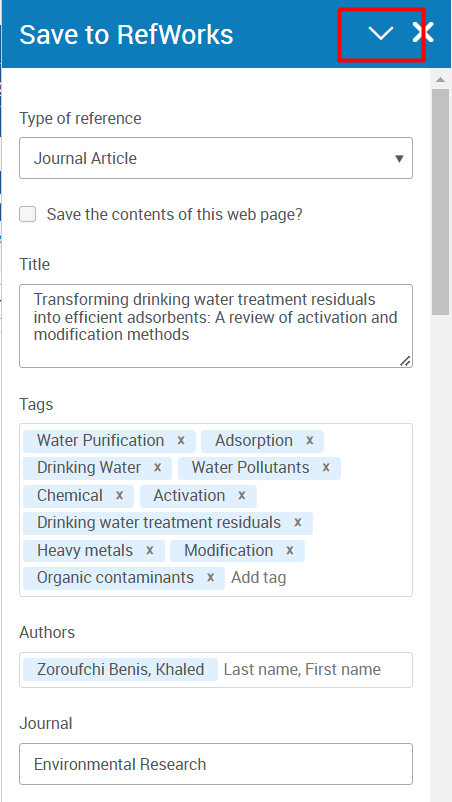
Users can now minimize the Save to RefWorks Window until ready to import, so the source page content is not obstructed.
Workflow Improvements
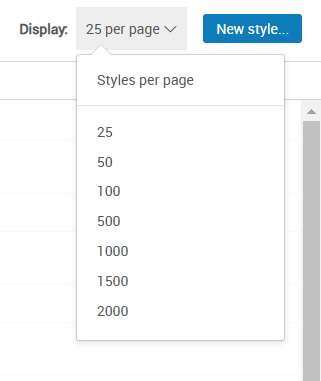
When searching for citation style in Citation Style Editor, users may now set a display scope as they can when viewing references in their RefWorks library. Users may set to view from 25 to 2000 records per page. This setting will be retained until user changes the scope.
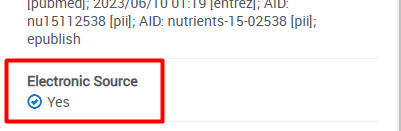
Users can now quickly recognize if a reference source is in Print or Electronic format without the need to open the reference editor. This is important because style formatting relies on Print/Electronic source designation to create bibliographies.
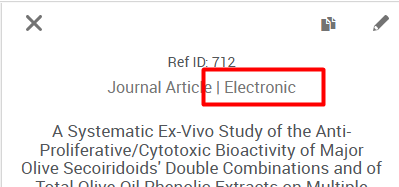
Reference Preview Pane Print/Electronic

If reference details are edited in the Reference Editor and the user closes the pane without saving, a warning message is presented to prevent data loss.

Users may switch to view all fields available in Reference Editor or remain in current view showing default fields. This eliminates the need to add additional fields one by one and gives the user a full view of all fields.

Users may search only the Ref ID field in advanced search. Only numeric query string is accepted.

Export Improvements
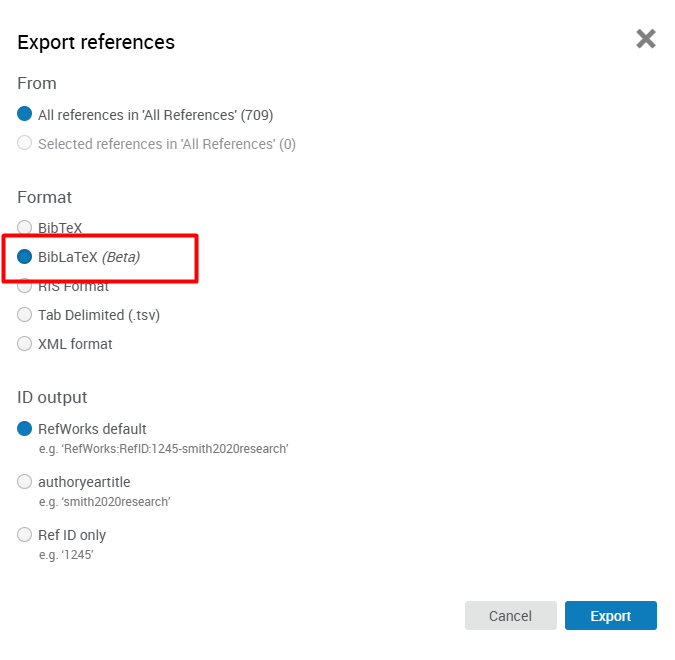
Users now can export references in BibLaTeX format. BibLaTeX is a powerful bibliographic management for creating high-quality technical documents like articles, reports, theses, and books. This feature is in beta as we gather feedback from users.
Citation Styles Added
-
AMA 11th - American Medical Association, 11th Edition (URL)
-
Physiotherapy Canada UPD
-
Ecology
-
Journal of Medical Internet Research (URL)
Accessibility Improvements
-
Added the ability for keyboard only and screen reader navigation to the following areas:
- Reference Edit pane
- Left side navigation items
- Utility toolbar dropdown items
- RefWorks Citation Manager (RCM) for Word -
Added keyboard navigation in reference list
-
Screen reader prompts added to home menu
Bug Fixes
-
Source name corrected from “google” to “Google Scholar” when importing for Google Scholar.
-
Updated missing data field information in RCM for Word and Google Docs. Now the message shows “(missing author)” when there is no author information populated in the reference details and “(missing date)” when there is no date information populated in the reference details.
-
Removed invalid period at the end of bibliography where URL is present, enabling links to click through.
-
Importing references where URLs contained “$” sign were erroneously truncated; this is now fixed.
-
Fixed search in tags to ignore casing.
-
Automatic trim of reference fields when saving.
-
Fixed an outage where sorting by Date Modified criteria failed to execute in RefWorks Citation Manager (RCM) for Word and HWP.
Updated RefWorks YouTube Channel Videos
Editing References in RefWorks
Exporting References to RefWorks
