
Displaying LIB HAS Fields with Resources
You can display coverage from the LIB HAS field in a resource display pop-up window, if the incoming data has a date match in the coverage database.
NOTE
You can edit the LIB HAS field label withAdvanced System Access & Administration .
- Choose Resources from the menu on the left-hand side of the Pathfinder Pro home page.
The Resources tab displays: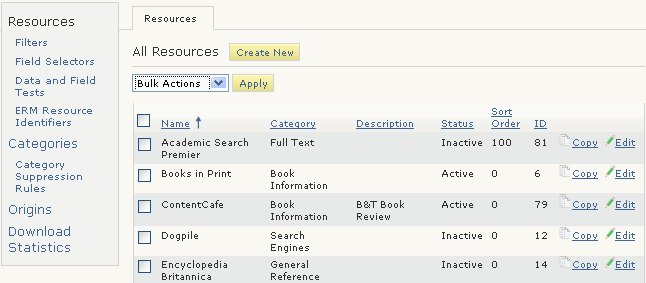
- Choose the Edit button associated with the resource.
The Resource (<resource_name>) tab displays. For example: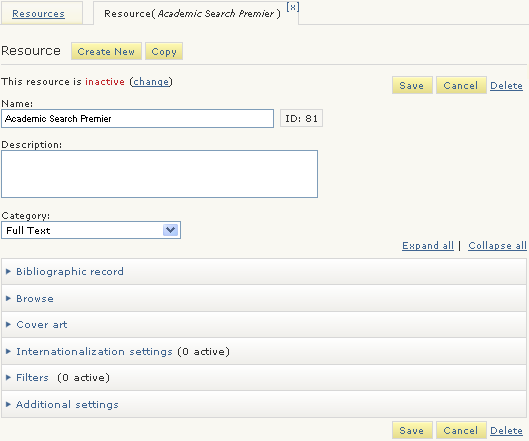
- Expand the Bibliographic record menu:
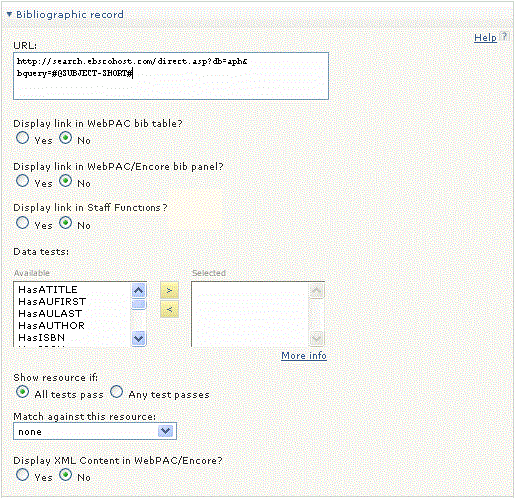
- Choose "Yes" for one of the following:
- Display link in WebPAC/Encore bib panel?
- Display link in Sierra staff functions?
The Show coverage dates? menu option displays. - Choose "Yes" for Show coverage dates?
- Choose Save.
