
The Resource page provides a description of a resource. You can check the following items:
-
Bibliographic information
-
Format
-
Edition information
-
Summary
-
Resource ETA (visible when you log in)
-
Checkout period (visible when you log in)
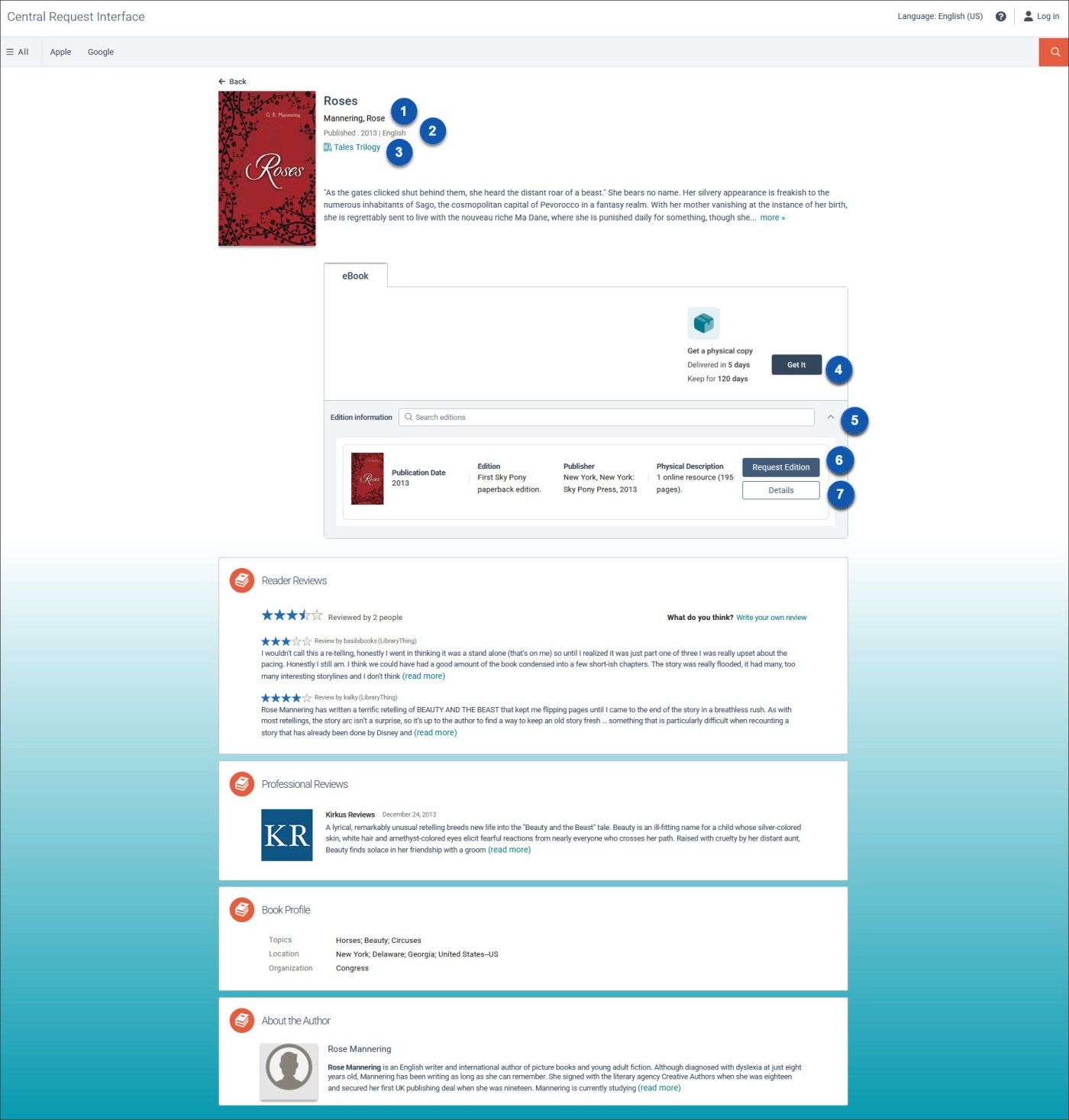

|
Go to the Person page. |

|
Years published and language of the work. |

|
Browse the book series. |

|
Get a copy of the resource. |

|
Search for a specific edition or select the dropdown to view additional edition details about a title. |

|
Request an edition. |

|
View additional edition details. |
