
Vista de tareas de solicitud de restauración
View a report of items that should be restored to their permanent locations.
For links to all the main fulfillment documentation pages see Fulfillment.
- Administrador de servicios al usuario
- Administrador general del sistema
The job Requests - Restore Temporary Shelved Items runs nightly to create restore requests (request type = restore item) on all of the institution's temporarily shelved items whose due-back date is the current day or earlier so that these items can be restored to their permanent locations by the circulation desk operators at these locations. (La tarea ignora ejemplares en ubicaciones temporales que no tienen una fecha del plazo de devolución).
Estos ejemplares pueden incluir:
- Ejemplares de la lista de lecturas para un curso que ha terminado
- Ejemplares que fueron eliminados temporalmente, como un recurso que fue eliminado mientras se estaba dando un curso y ahora debe devolverse
La lista de tareas aparece en la página Lista de tareas de restauración. For information on configuring this job, see Configuring Fulfillment Jobs.
The behavior of this job is affected by the configuration of the Restore Jobs Profiles, which is initially performed during the implementation stage. Como parte de esta configuración, se definen las bibliotecas para las cuales la tarea debe crear solicitudes de restauración y cuándo las solicitudes de restauración deben crearse (cuánto tiempo después del plazo de devolución de los ejemplares). Only Alma Support can access this configuration.
On the List of Restore Jobs page (Fulfillment > Advanced Tools > View Restore Request Jobs), select an action for a restore job from the Actions menu, as follows:
- View – Opens the Job Report page, displaying details of the job, including its status and the number of items processed successfully and unsuccessfully.
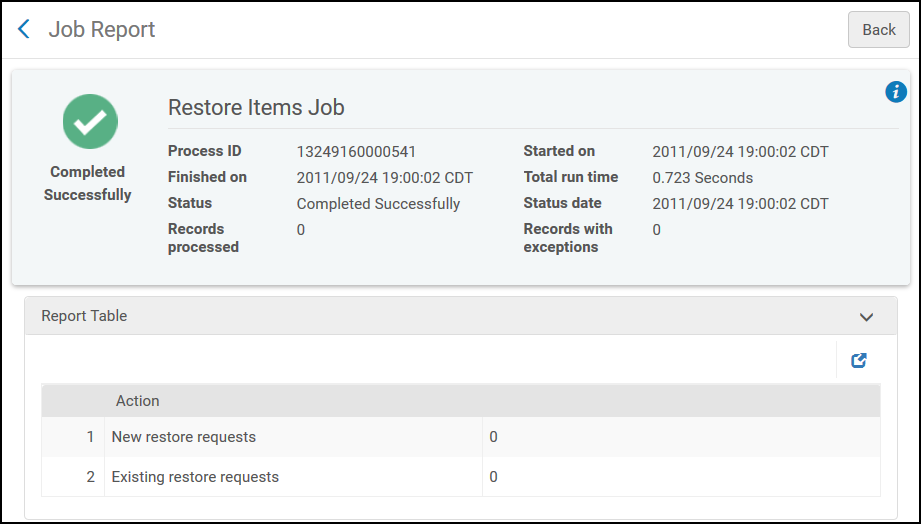
Página Informe de tareas - Events – Opens the Events Report page, displaying details of the events that occurred during the job processing.
Página de Informe de eventos
Page tags: article:topicAdvanced Toolsproduct:almacontent:Documentationlang:englishRestore request jobView a restore job
