
Ejemplares que requieren un acción
Create lists of physical items to compare against inventory on the shelf to determine if certain actions should be taken.
For links to all the main fulfillment documentation pages see Fulfillment.
- Operador de solicitudes
- Administrador de servicios al usuario
- Operador de servicios al usuario
Using a hand-held scanning device, you can scan items on your shelves and receive a beep when the scanned barcode has some condition, for example: is marked missing, is marked on loan, and so forth. Para hacer esto, se debe cargar un fichero generado por Alma en el dispositivo de escaneo. The generated file is not designed for a specific device, and can be used by any such scanning device
You generate and export these files on the Items Requiring Action page (Fulfillment > Advanced Tools > Items Requiring Action). El fichero se crea de acuerdo a los criterios que se definen y se carga en un sitio de FTP utilizando la conexión de FTP que se especifica. Se crea un fichero indpendiente para cada biblioteca y tipo de criterios. El código de la biblioteca y los criterios se incluyen en el nombre del fichero. Después de exportar el fichero desde Alma se deben importar los ficheros a su dispositivo (no se contempla en esta documentación).
- En la página Ejemplares que necesitan una acción introducir la siguiente información.
- S/FTP connection type – Select a connection type from a predefined list (see Configuring S/FTP Connections). Obsérvese que el tipo de conexión seleccionada debe tener un subdirectorio definido.
- Items that do not belong to the current library – When selecting this option, the Library field appears, enabling you to select a library. Los ejemplares que pertenecen a la biblioteca seleccionada se incluyen en el fichero.Seleccionar los criterios requeridos que harán que el dispositivo de escaneo haga "beep".
- Items that are marked as missing
- Items that have requests waiting for them
- Items that are on loan
- Items that are claimed to be returned
- Loaned items that are lost
- Select OK to create a job that exports the files. La tarea aparece en la tabla en la parte inferior de la página.
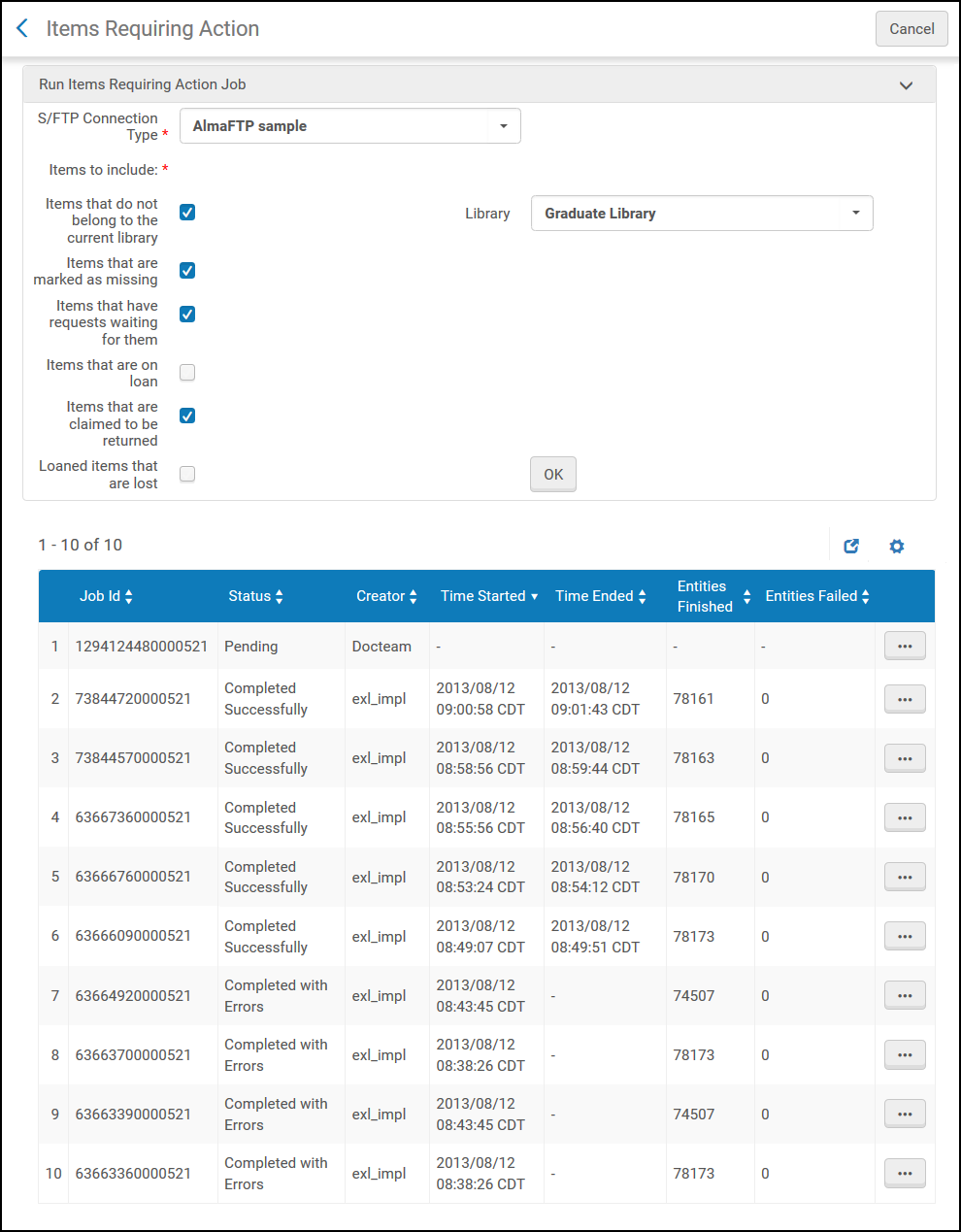
Página de Ejemplares que necesitan una acción
Los ficheros creados por la tarea se cargan en el servidor de FTP.
