
Library Mobile 2025 Release Notes
Developments
No developments match your criteria.
Tile Containers
December 2025 CAM-27206
A new tile type has been introduced to campusM: a Tile container. Tile containers are a way to further organize the campusM homepage and reduce clutter by grouping other tiles together. Tile containers support full customization in order to align with existing branding and provide a cleaner, more engaing look. Inside a tile container, tiles are called subtiles.
Subtiles can be linked to one or more tile containers (for example, an email tile can be linked to a "Useful tools" container for the student role, and to the "Administration" container for the staff role), while preserving the existing role- and tag- based personalization in place. Administrators can add as many subtiles to a tile container as necessary. Subtitles may display a notification badge.
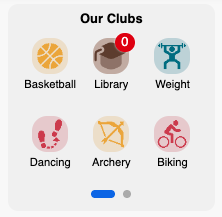
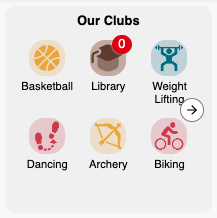
The Tile Container functionality collects Analytics data, but the data will become visible in Q1 2026.
For more information, see Configuring Tile Containers.
No developments match your criteria.
App Manager UI improvements
November 2025 CAM-XXXXX
The CampusM App Manager user interface has been enhanced with aligned color schemes, updated icons, images and more to deliver a more unified and polished experience for CampusM administrators.
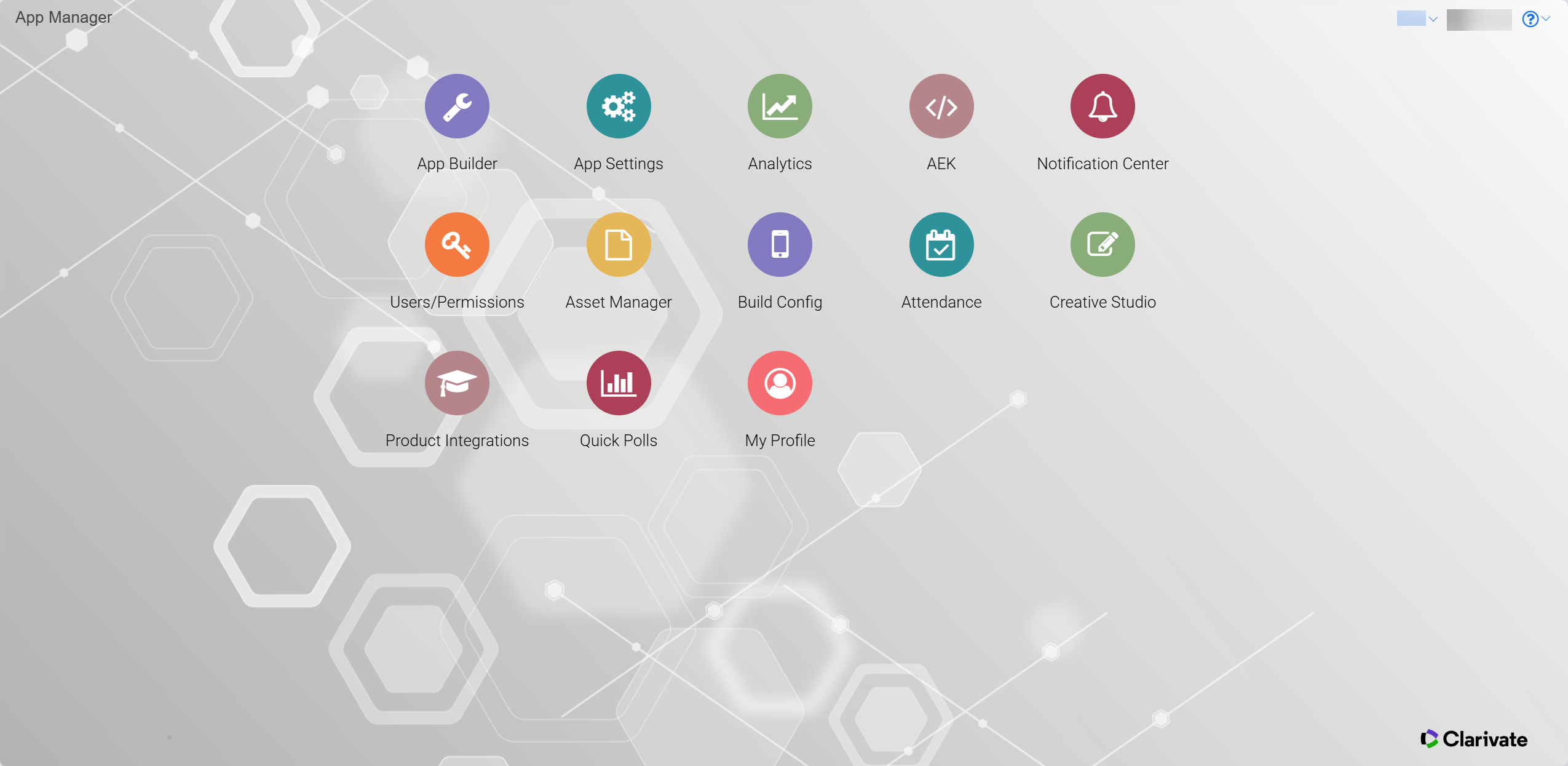
App Manager landing page updated icons
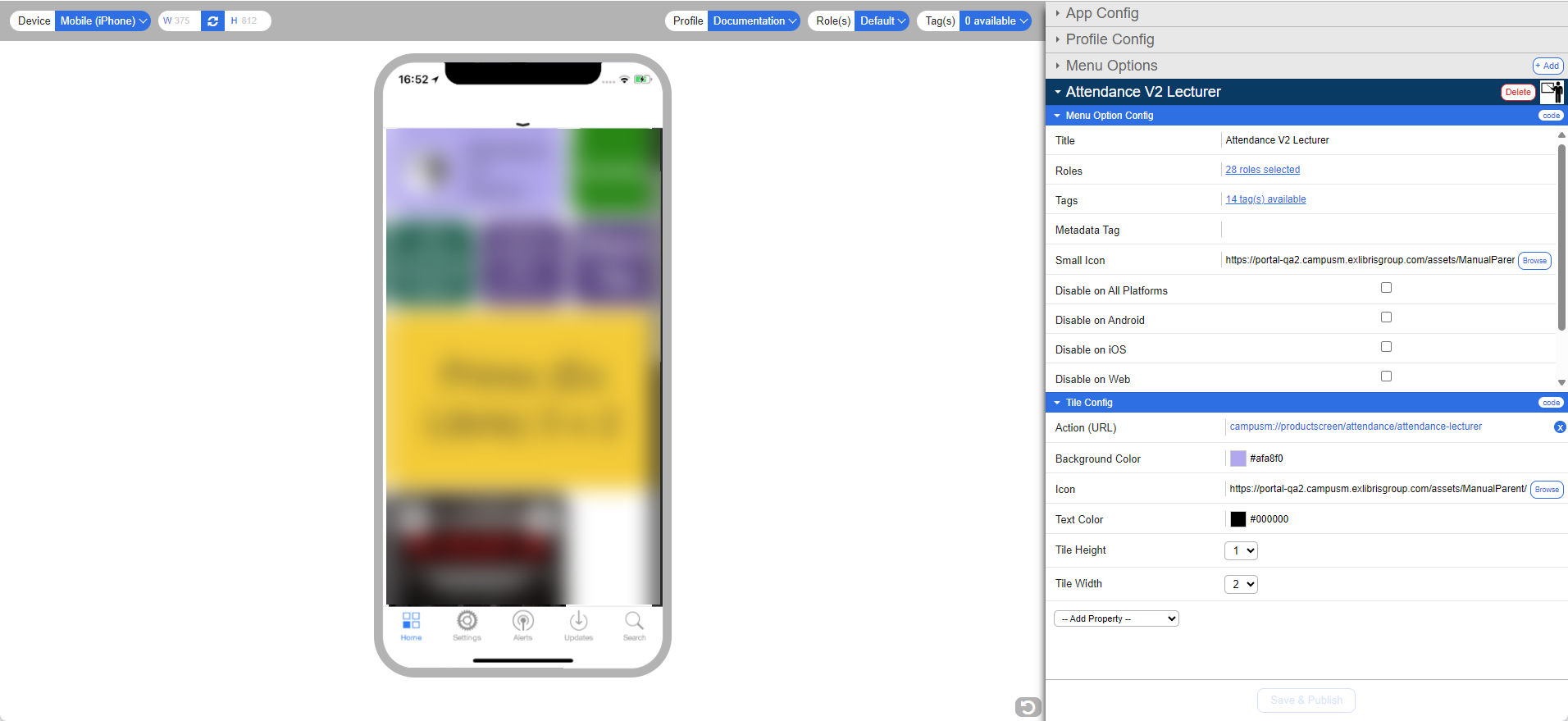
App Builder landing page
No developments match your criteria.
App Builder UX improvements
October 2025CAM-27966CAM-27922
Various UX improvements
As a part of an ongoing development, the Recents Icon field has been renamed to Small Icon in the App Builder tile configuration pane. Additionally, to improve user experience and clarity when creating new tiles, the Tile Types and Tile Properties dropdown lists in the App Builder now display in an alphabetized order.
No developments match your criteria.
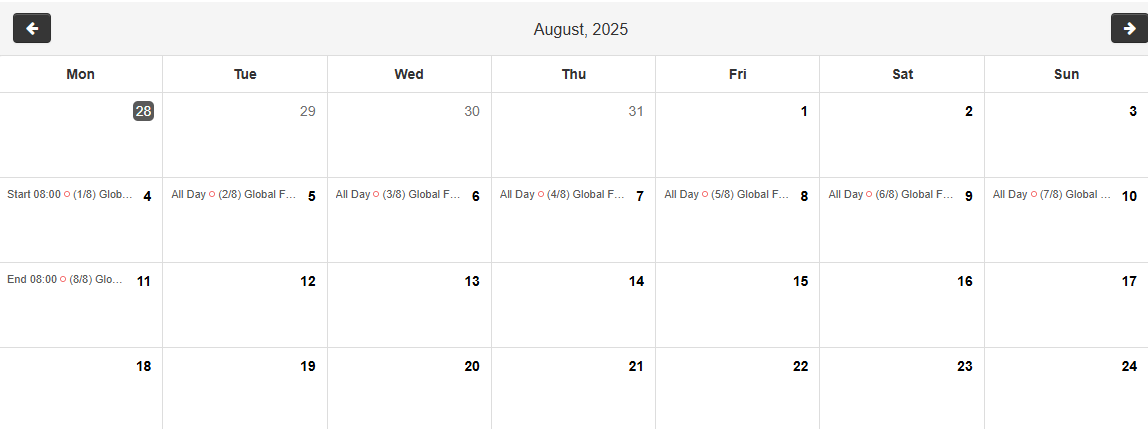
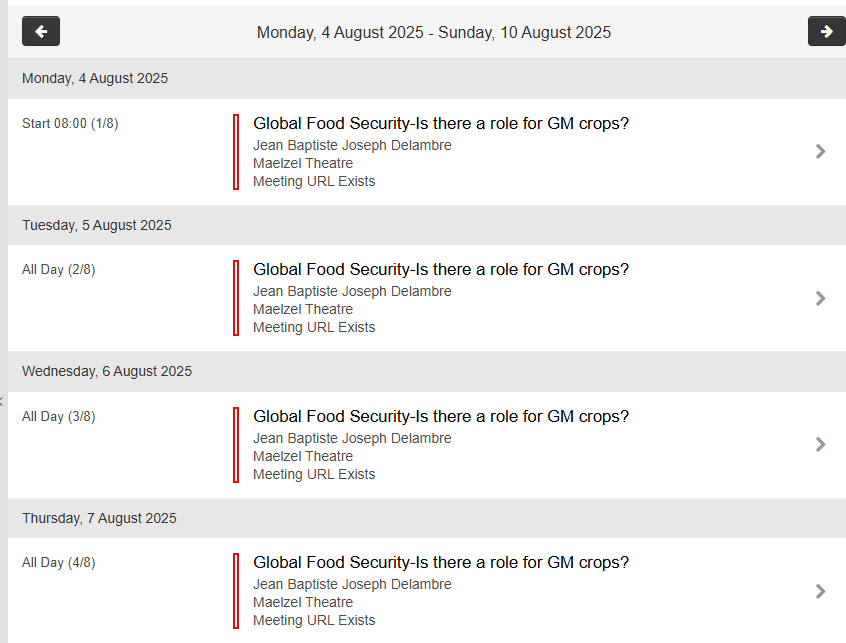
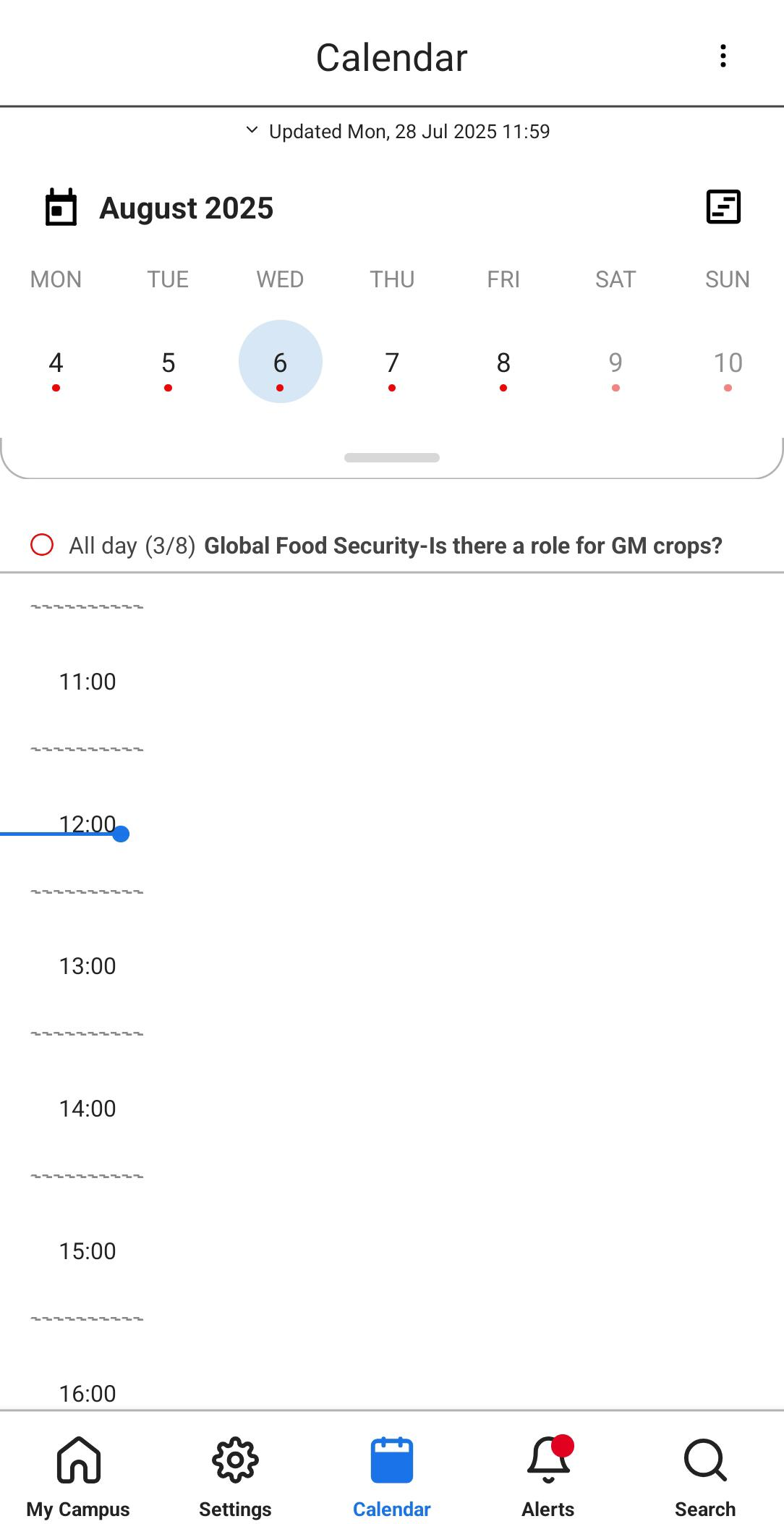
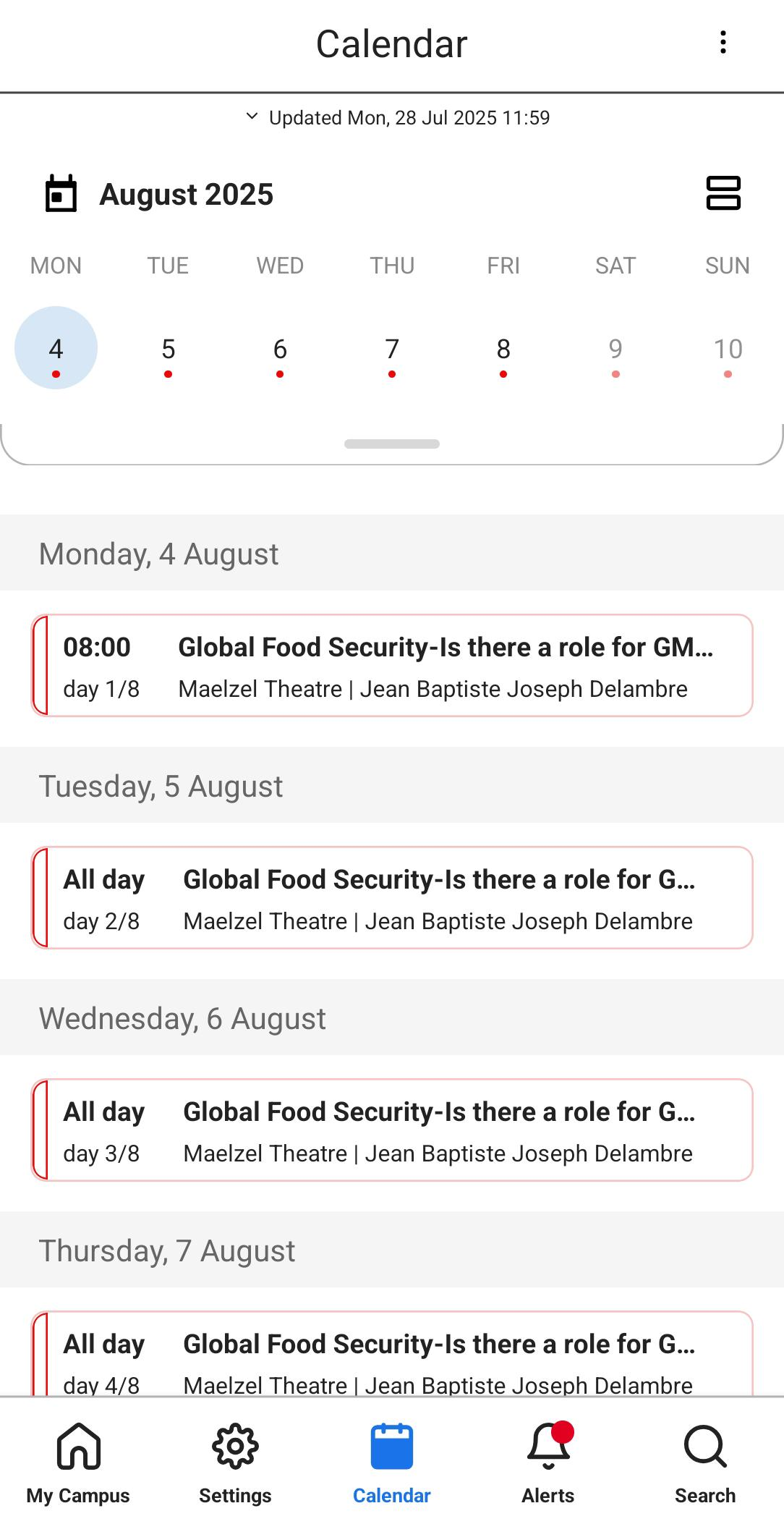
Support for All-Day and Multi-Day Events
September 2025
The mobile and web calendar now support multi-day events, and display them appropriately.
This is supported for the Outlook and RESTful API Timetable PI vendors, and for events coming from the Events PI (regardless of vendor).
No developments match your criteria.
New Product Integration - Self Checkout
August 2025
The Self Checkout product integration allows library patrons to independently check out items from the library on their own using only their phones or desktop browser.
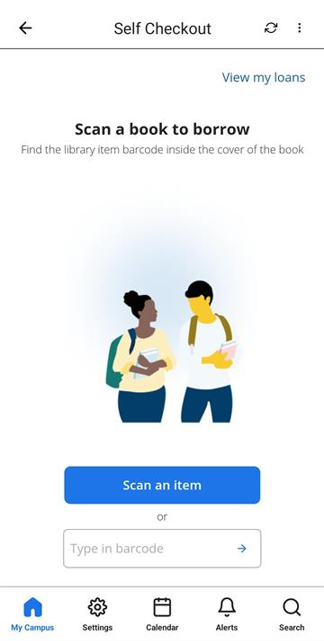
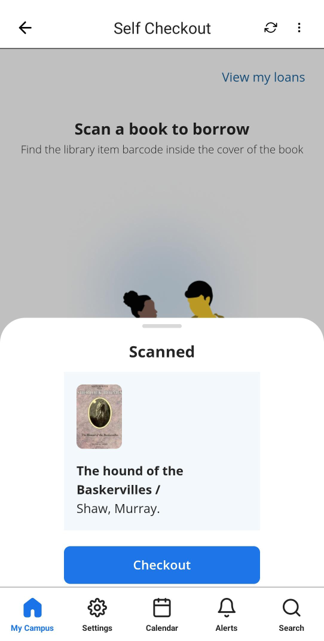
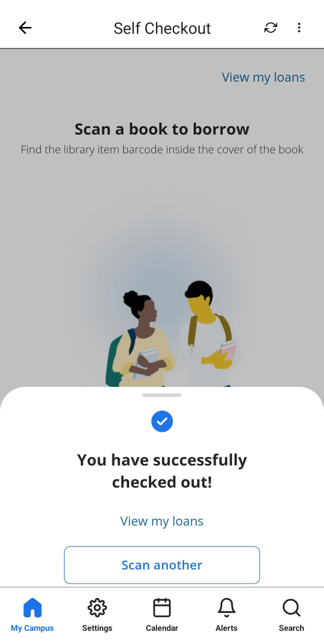
For more information and configuration details, see Self Checkout.
Selection of Multiple Alerts - Web
August 2025
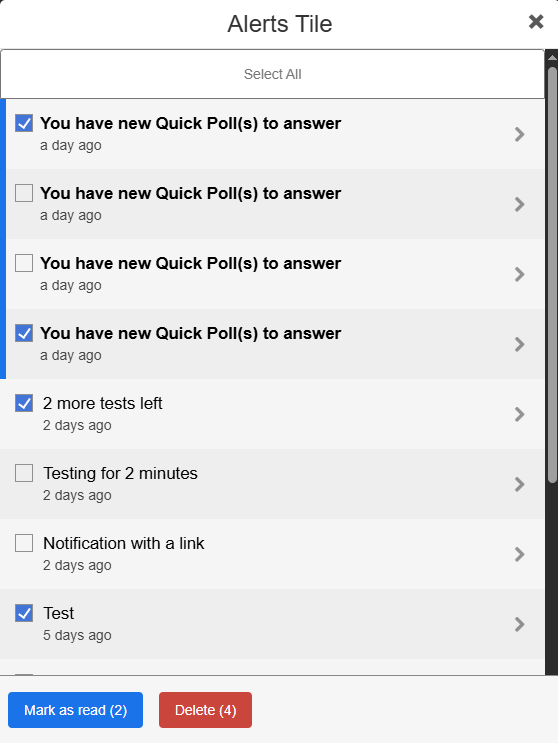
End-users can now select multiple Alerts in on the web app in order to Mark as Read or Delete them in bulk.
No developments match your criteria.
Selection of Multiple Alerts - Mobile
July 2025
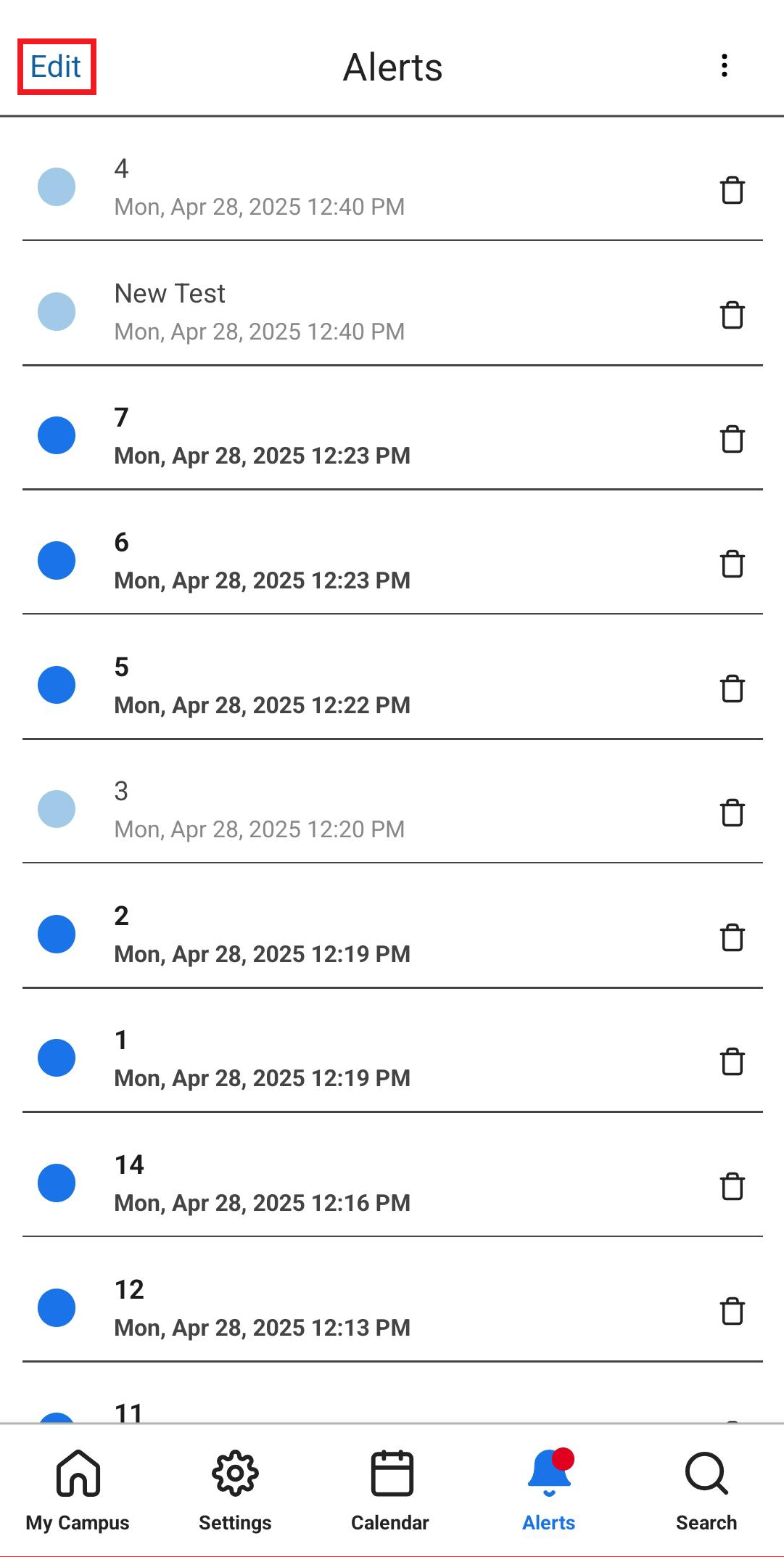
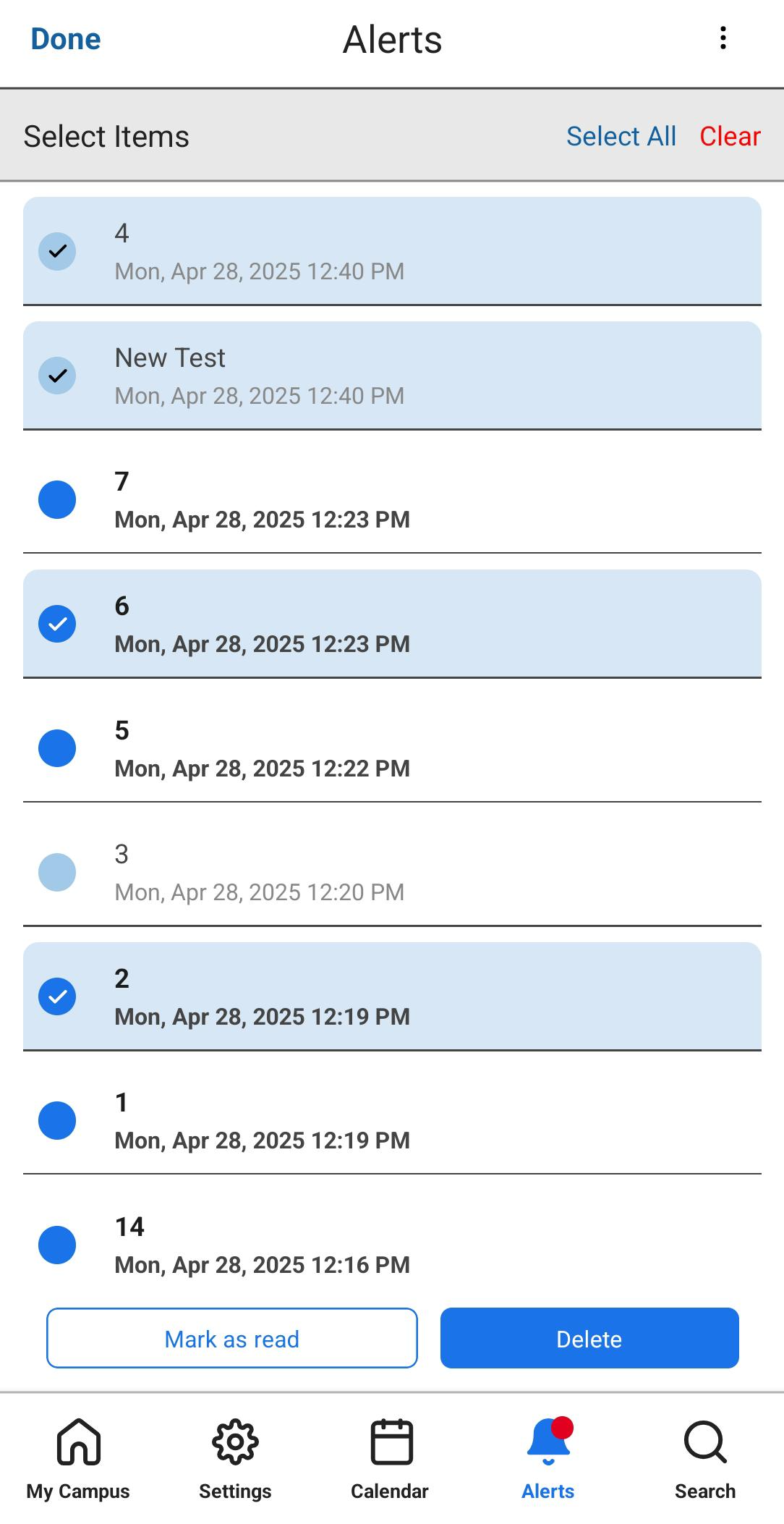
End-users can now select multiple Alerts in the mobile app in order to Mark as Read or Delete them in bulk. This functionality is accessed by tapping the "Edit" button on the top left of the screen.
End-users may manually select several alerts by tapping on them, select all alerts by using the "Select all" option, and deselect all alerts by using the "Clear" option. After selecting the desired alerts and selecting the desired action, users are asked if they are sure they want to perform the action. Once the alerts are deleted/marked as read, a small feedback message appears.
This ability is currently mobile-only, and will be added to the web app in future releases.
PrimoVE Product Integration - slimmer UI
July 2025
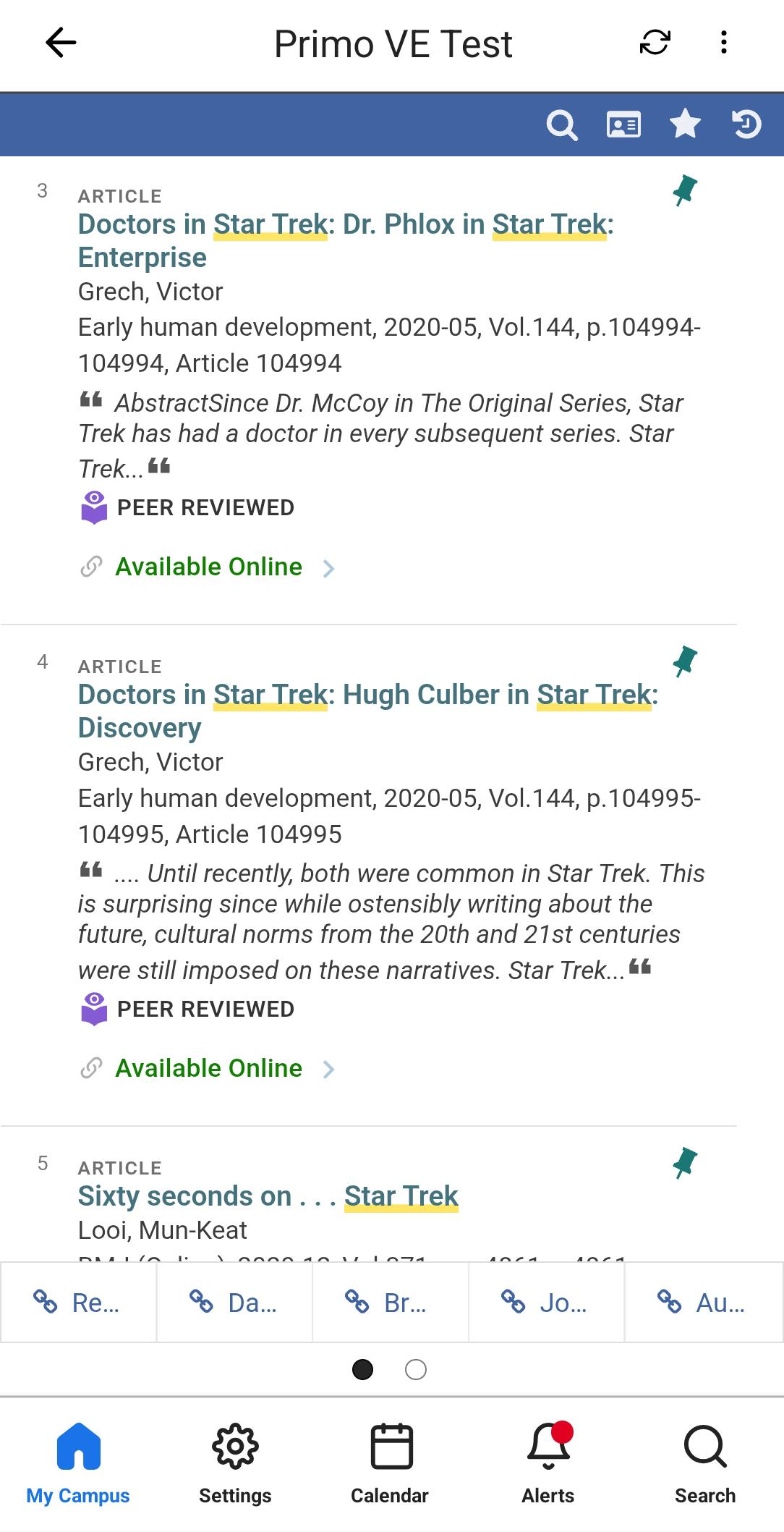
To allow for more room in the PrimoVE Product Integration screen, and specifically for the new AI Research Assistant, the campusM UI on the screen edges has been made smaller.
Calendar - Endless Scrolling in Agenda View
June2025CAM-27198
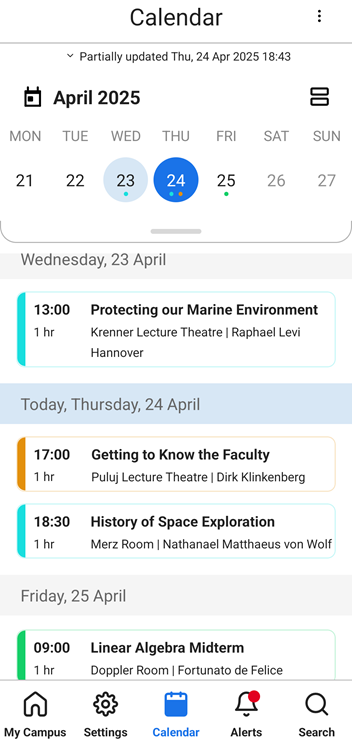
In Agenda view, scrolling is now continuous. End-users can scroll backwards and forwards to see the activities from previous and future days.
For more information, see Feature Focus – My Calendar in the campusM documentation.
Floor Plans
March2025CAM-26566
Updated 26 February 2025
You can now create a map from an image file. If you then link the map to a position, end-users can see the map in the app when they select the position. This can be useful, for example, for providing floor plans of the interiors of buildings, or a custom campus map. The image is displayed in the bottom drawer, in the new Floor Plan tab, and the position it is linked to is marked on the image. In mobile apps under React Native, the image is displayed in the bottom drawer, in the Floor Plan tab, and the position to which it is linked is marked on the image. In the web app, the image is displayed in the Maps tab.
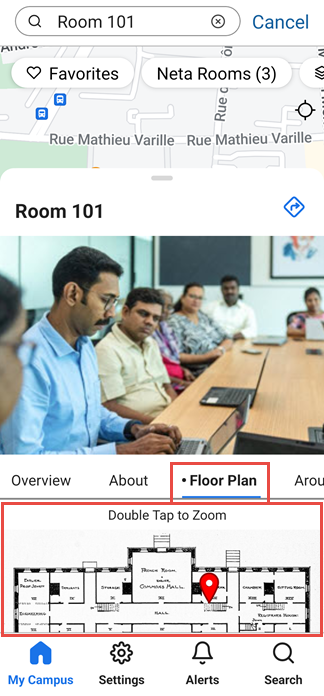
For additional information, see Adding Maps and Locations to Services.
Product Integration - Newsfeed
March2025CAM-26384
A new product integration has been introduced into Library Mobile: a Newsfeed service. This feature allows you to add one or more feeds, either as RSS feeds or API endpoints, to a Newsfeed page. Users can access this page from a tile on the homepage. The main page of the Newsfeed UI displays the headlines of the items, which it receives from the linked feeds. Users can select these items to view their full content. This feature can be used, for example, to incorporate headlines from two feeds, one an RSS feed of breaking stories from a general news agency, and the other an internal news feed from your organization, supplied via an API endpoint and introducing new developments on campus.
Multiple feeds can be included in a single Newsfeed, and the feeds can be filtered by the end-user to limit the display to selected feeds. Feeds are updated automatically every five minutes, so they are always kept up to date. End users can also choose to view feed items from preceding days, to save favorites, and to search for items whose titles and authors' names contain a specified string of text.
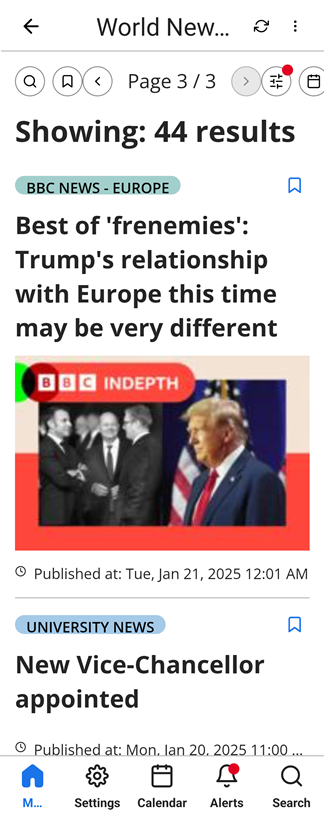
For more information, see Newsfeed.
Login - Logo Displayed on Select a Profile Page
March2025CAM-XXXXX
React Native now supports the display of the institution's logo on the Select a Profile page. If a logo is selected in the Change app device icons page (App Settings > App Settings > Web App Icons), this logo is displayed in the Select a Profile page, followed by the Welcome message configured in Change general settings page (App Settings > App Settings > General Settings). (If no logo is selected, it is replaced in the Select a Profile page with the text, "Welcome to [app name]." "Welcome to" in this message is translatable.)
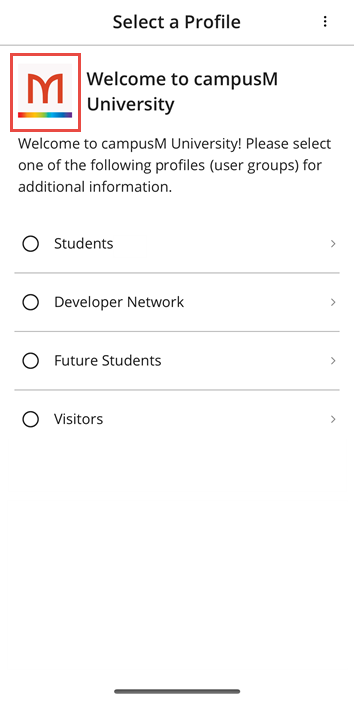
For more information, see Configuring App Basics.
Notification Center - Advanced Role Notification
March2025CAM-25605
A new option has been added to the Send Advanced-role Notification page: Under Select your operator, the Only option has been added. Select this option if you only want to send the notification to users with the role selected under First Role. This modification does not add any new functionality to the feature. It was adopted after internal testing showed that it improved performance.
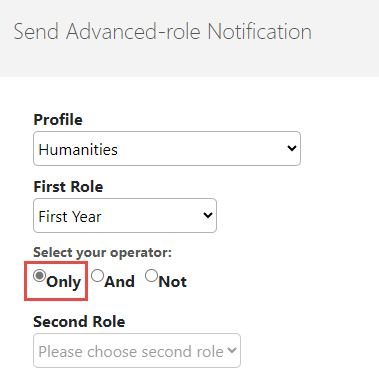
For more information, see Working with the Notification Center.
Maps - PC Availability Information
February2025CAM-25893
React Native now supports the display of PC-availability information in maps. This feature can be used by institutions that provide PCs for students to use, for example, in libraries or laboratory environments. If your institution offers this type of service to students, and your system keeps track of which PCs are in use at any given time and which are available for students to use, you can provide this information in campusM maps. To do this, your system must have a server that can provide information about PC availability at specific positions whenever it is requested.
PC-availability information can be included in maps by attaching it to a special location category. When the end-user selects this location category in a map, a list of relevant locations opens at the bottom of the map. The list includes information about the total number of PCs found at each relevant site and the number of these PCs currently available for use.
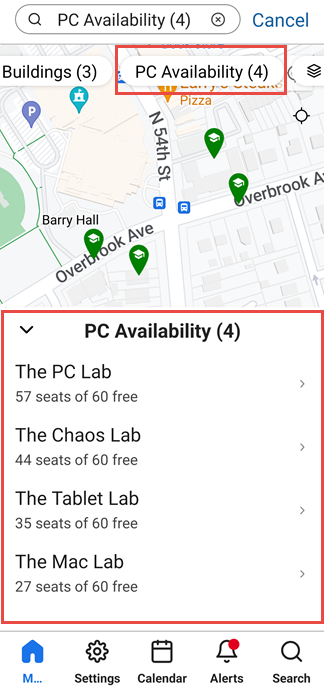
For more information, see Adding Maps and Locations to Services.
Analytics - Analysis of Page Views by User Role
February2025
 Idea ExchangeCAM-26520
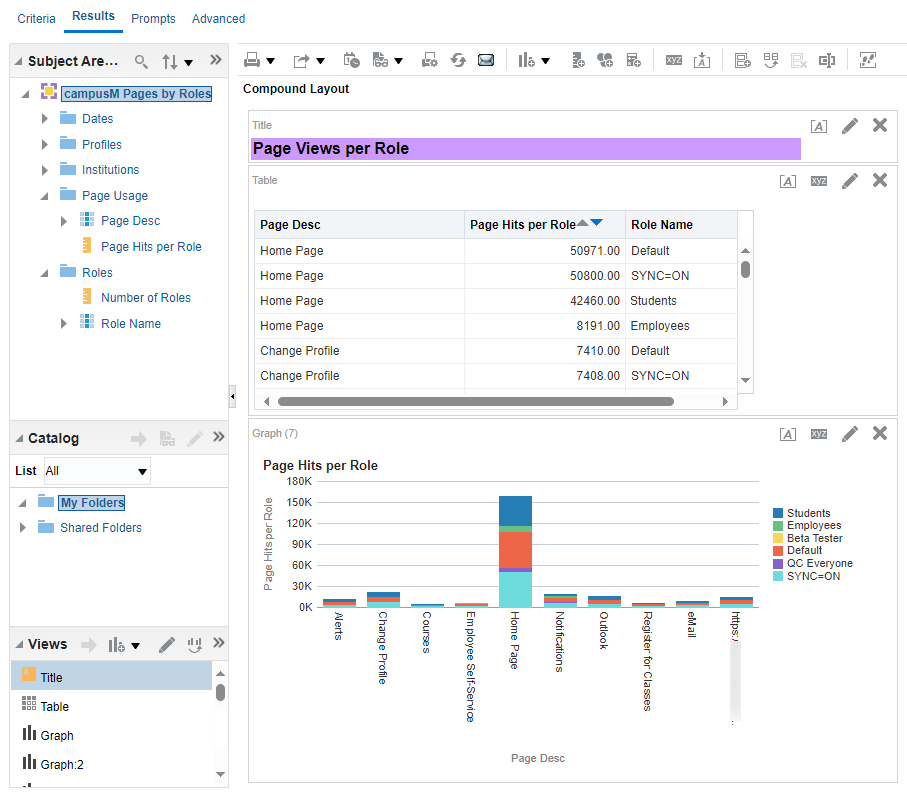
Two new subject areas have been added to Analytics:
- Home Page by Roles
- Pages by Roles
These new subject areas enable you to break down data about tile and page selection by user roles. For example, from the Home Page by Roles subject area, you can create a report that shows how many users with specific roles selected each tile in the homepage. This can indicate which tiles are most useful to users of different types. Based on this information, you might decide to move certain popular tiles to the top of the homepage for specific types of users, or remove certain tiles that are never used by specific types of users from the homepage entirely.
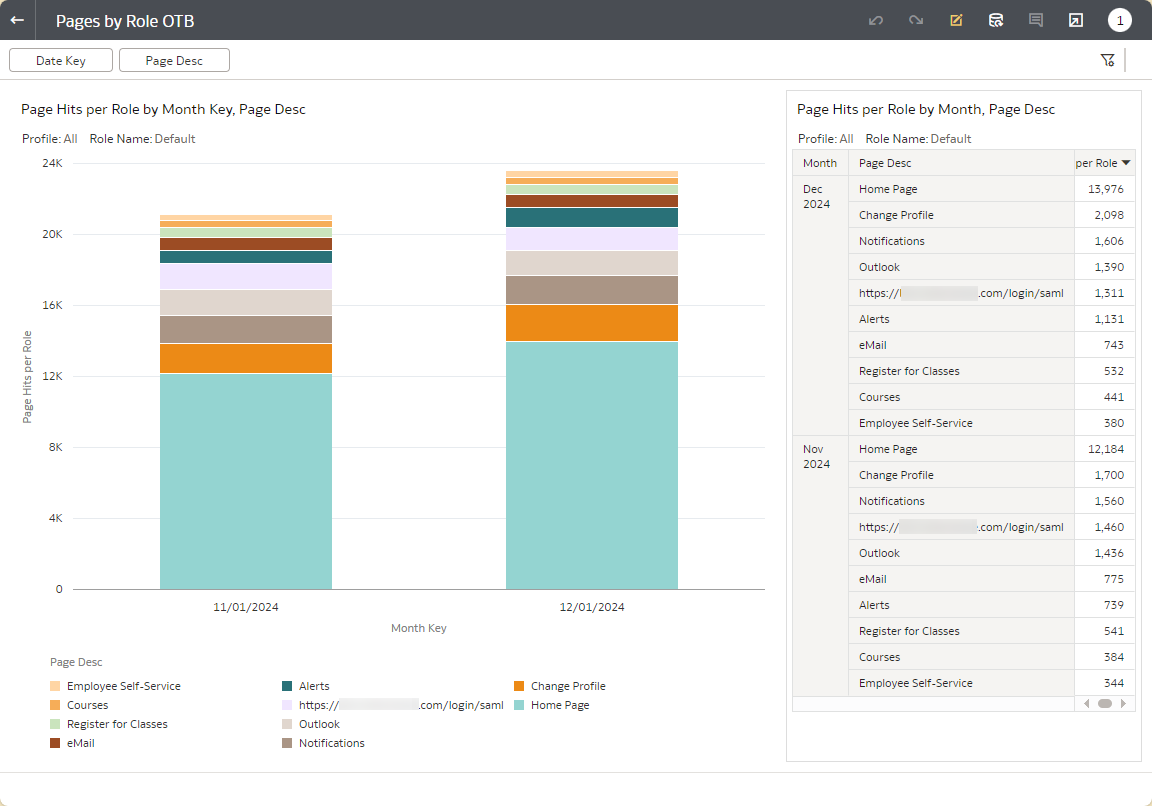
Two out-of-the-box (OTB) reports built on these subject areas are also now available:
- Home Page by Role OTB
- Pages by Role OTB
These reports can be used to quickly create reports of tile- and page-use per user role.
For more information, see Analytics Subject Areas.
Resolved Issues
No resolved issues match your criteria.
- November 2025 Platform:Mobile, WebCAM-27958 In the mobile app, the logo at the top of the homepage intermittently did not appear when it refreshed. This was fixed.
- November 2025 Platform:iOSSF: 07980895CAM-25461 On iOS devices, some screens across the app zoomed in unexpectedly when the user focused on a text input field. This was fixed.
- November 2025 Platform:App ManagerCAM-26913 The Add Link functionality in the Notification Center is now aligned with the Action URL functionality in App Builder, providing a more consistent experience for both end-user and admin.
- November 2025 Platform:WebSF: 08071461CAM-27678 On the Web Calendar, events had a white "Show less" link which was only visible upon selection, and served no function. It has been removed.
- November 2025 Platform:WebSF: 08172991, 08179657CAM-28156 On the Web App, opening a notification sometimes did not mark it as read. This was fixed.
- November 2025 Platform:WebSF: 07933590CAM-27118 In some areas of the app, characters with diacritics (e.g. ñ, é) were not displayed correctly. This was fixed.
- November 2025 Platform:WebSF: 08001065CAM-27419 In Creative Studio, when editing the HTML/CSS code directly, the code was sometimes not saved as expected. This was fixed.
- October 2025 Platform: MobileSF: 08130863 When using Alma Authentication, the logo configured to appear in the login screen was not resized to fit onto the device screen when appropriate. This was fixed.
- October 2025 Platform: AndroidSF: 08027701 In some cases, navigation through Pocket Guides in Android using the back button did not behave as expected. This was fixed.
- October 2025 Platform: WebSF: 07984361 Redirects created through Creative Studio were not functioning correctly, and did not lead to the intended link. This was resolved, and now clicking on them opens the redirect URL as expected.
- October 2025 Platform: iOSSF: 08103046 Previously, in the ID card product integration, it was not possible to use the Cache Enabled option together with the Enable adding ID card to the Apple wallet option. This was fixed, and now both functionalities can be used together.
- October 2025 Platform: iOS The focus when using the Date Picker component (used in the Events PI, Newsfeed PI, and elsewhere in the app) did not behave as expected, and users could not swipe through the elements inside. This was fixed.
- October 2025 Platform: Web The API Key field in the Library Self-Checkout PI configuration page was not mandatory causing incorrect PI configuration. This was fixed and the field is now mandatory as expected.
- October 2025 Platform: MobileSF: 07958258 Switching between two profiles groups with different authentication details did not behave as expected. This was fixed.
- October 2025 Platform: Web, Android The Add to Wallet button no longer displays for Android users as the ID Card PI is currently not supported on Android devices. The label in the Wallet Configuration section for ID Card PIs was fixed.
- October 2025 Platform: AndroidSF: 07982197 In some cases, the text appearing in Search results from inside Content Pages was missing spaces between words. This was fixed.
- October 2025 Platform: Web In the Alerts screen on the web app, the colors of the Select All and Unselect All buttons did not comply with accessibility contrast standards. The colors were changed and are now compliant with the WCAG 2.2 AA standard.
- September 2025 Platform: Android The app infrastructure was updated to comply with the newest Google API level requirements. The app now targets Android 15 (API level 35). See Google documentation about these requirements here.
- September 2025 Platform: MobileSF: 08062299 In some edge cases, CSS failed to apply to Pocket Guides, making the text too small to be comfortably read on mobile. This was fixed.
- September 2025 Platform: AllSF: 08058572, 08116996 Analytics on Banner Tile clicks weren't being collected correctly, and may have lowered these reported numbers for some institutions. This was fixed, and analytics on Banner Tile clicks should be collected correctly starting with the September release.
- September 2025 Platform: WebSF: 07851281 The OK button in the Terms of Use page did not have not sufficient contrast between background and text. This was fixed.
- August 2025 Platform: iOSSF: 06438297 The Leganto product integration exhibited unexpected behavior when navigating the different pages inside it. This was fixed.
- August 2025 Platform: iOSSF: 07889924, 07908165 The ID Card product integration in iOS did not work as expected for all vendors with Apple Wallet, and caused errors when using some configuration options. This was fixed.
- August 2025 Platform: AllSF: 07958258 In some cases, end-users saw a "Not authorized" error when trying to view the home page. This was fixed.
- August 2025 Platform: MobileSF: 08000229, 08003884, 08009987 In some cases, when using the in-app browser, scrolling down would cause the page to refresh. This was fixed.
- August 2025 Platform: App ManagerSF: 07936996 App Manager users with access to the Asset Manager intermittently lost the ability to copy and delete files. This was fixed.
- August 2025 Platform: WebSF: 07850759 The Terms of Use screen did not comply with the WCAG 2.2 AA accessibility standard. This was fixed.
- August 2025 Platform: AllSF: 07970528 In some cases, usage data from Guest profiles was not collected and sent to our analytics platform. This was fixed, and usage data for these users should be collected as expected from August 2025 onward.
- July 2025 Platform: WebSF: 08009269 In some cases, links to items in the Newsfeed Product Integration were not opened correctly on the web platform. This wis fixed.
- July 2025 Platform: iOS (iPad)SF: 07694947 Previously, when logging into a Standard Authentication profile on iPad in landscape mode, the login fields could not be seen. This was fixed, and users may now scroll down to see the necessary fields.
- July 2025 Platform: iOS Previously the homepage presented an unhelpful error when trying to load the home page without an internet connection on an iOS device. Now the error page indicates the connectivity issue and a "Retry" button to press once the connection is restored.
- July 2025 Platform: WebSF: 07842975 Previously the Feedback form on the Web app was not accessible. Accessibility features were now added to this page.
- July 2025 Platform: AllSF: 07793446 The badge counts on live tiles were not updating as often as expected on the home-screen. This was fixed, and they now update at least once per minute.
- June 2025CAM-27280 In some cases, if a user was logged out of the end-user app by the system because the SSO token had timed out, the logout notification popup did not appear. This was fixed.
- June 2025 Platform:MobileCAM-27119 In AEK, the Image Picker component did not open the camera as expected. This was fixed.
- June 2025 Platform:AndroidSF: 07904959CAM-27047 When a user selected a link to an external URL that required authentication, they were either redirected endlessly or an error was generated because too many redirects were attempted. This was fixed.
- June 2025 Platform:WebSF: 07862274CAM-26713 Nested tiles were incorrectly included in search results in the Web app. This was fixed; these tiles are now omitted from search results on all platforms.
- June 2025 Platform:MobileSF: 07816525CAM-26588 In some cases, mobile devices were receiving notifications meant for users that had already logged out of those devices. This was fixed.
- June 2025 Platform:iOSSF: 07977210 07942807CAM-27267 In some cases, when a user made use of the Send Feedback feature, the app version was not recorded correctly in the feedback that was sent. This was fixed.
- June 2025CAM-27239 In the Newsfeed Product Integration, viewing search results on pages numbered 2 and above caused unexpected pagination issues in subsequent searches. This was fixed.
- May 2025 Platform:AndroidCAM-27061 The Share feature was not working on Android. This was fixed.
- May 2025SF: 07689763CAM-26961 In the Newsfeed product integration, the names of days were not localized as they should have been. This was fixed.
- May 2025 Platform:AndroidCAM-26948 In some cases, the Favorite icon in the Maps page was not working as expected. This was fixed.
- May 2025SF: 07868856CAM-26762 A security issue in the registration workflow for guest profiles was identified and resolved.
- May 2025 Platform:iOSSF: 07793438CAM-26672 Opening files, such as PDFs, from a content page caused navigation issues in the in-app browser. These files now open in an external browser if possible (as they do on Android).
- May 2025SF: 07789954CAM-26421 In some cases, changes made in Creative Studio were not saved as expected. This was fixed.
- May 2025 Platform:iOSSF: 07183314CAM-25140 Opening files, such as PDFs, from within the Leganto product integration caused navigation issues in the in-app browser. These files now open in an external browser if possible (as they do on Android).
- April 2025 Platform:React NativeSF: 07488270 07858571 07488273CAM-25457 CAM-26727 CAM-25458 Various React Native AEK issues were fixed.
- April 2025 Platform:React NativeSF: 07848383 06438297 07796711CAM-25360 CAM-25621 Various issues involving the Back button were fixed.
- April 2025 Platform:MobileSF: 07796731CAM-26406 Search results on mobile platforms did not prioritize results in which the keywords appeared in the titles, as they should have and as they did in the Web app. This was fixed.
- April 2025CAM-26564 Links in the PrimoVE integration were not displayed in the correct color. This was caused by a problem in the CSS coding. The problem was fixed.
- April 2025 Platform:React NativeSF: 07775379CAM-26664 At times, the heading of the About page did not display properly. This was fixed.
- April 2025 Platform:ReactNativeCAM-25555 When a nested tile had a link to a content sub-menu, the sub-menu title was not displayed correctly. This was fixed.
- March 2025 Platform:MobileSF: 07771340 07496112 07187353CAM-25207 The message that appeared when a user entered incorrect credentials was misleading and ambiguous. This was fixed.
- March2025CAM-26601 In maps, the initial zoom for location categories and positions has been improved so that the area included in the map when it opens is more useful for users. When a location category is selected, the map shows all the positions that belong to the category. When a single position is selected, a larger area surrounding the position is shown.
- March 2025CAM-26463 A frame was incorrectly added to certain icons when they were selected. This was fixed.
- March 2025 Platform:iOSSF: 07790071 07743027CAM-26373 When a website containing a background video was opened from a link in the app, the video automatically began playing in full-screen mode. This was fixed.
- March 2025 Platform:React NativeSF: 07173337CAM-25205 When a web page was opened from the app, it was not possible to zoom in or out of the page. This was fixed.
- March 2025 Platform:MobileSF: 07764504 07764867 07765192 07772633 07772820 07837049CAM-26302 Immediately after end-user login, a blank screen was displayed in the app. This was fixed.
- February 2025 Platform:AndroidSF: 07269332CAM-26293 Scrolling in certain pages appeared choppy and at times content failed to load during scrolling. This was fixed.
- February 2025 Platform:MobileSF: 07809400CAM-25818 When the user changed the profile in the app, the app continued to display the content for the previous profile. This was fixed.
- February 2025SF: 07729746CAM-26217 Security upgrades were implemented in order to address a number of concerns that arose.
- February 2025SF: 07737479CAM-26381 When using the Events Product Integration with JSON API, modifying the configuration of the Product Integration caused the app to display no events. This was fixed.
- February 2025 Platform:React NativeSF: 07235492CAM-25558 When users zoomed in on a map position, the maximum zoom was implemented immediately, hiding the surroundings of the position. This was fixed; the zoom is now implemented in stages.
- February 2025SF: 07681033CAM-25964 Alerts sent to end-users about Quick Polls did not appear in the list of notifications in the Notification Center. This was fixed.
- February 2025 Platform:React NativeSF: 07775311 07759769CAM-26327 For customers who require a token for authentication in their attendance history endpoint, no indication of successful checking-in was shown to students after they checked in from the app. The Submit button remained visible even after the check-in was completed. This was fixed.
- February 2025 Platform:React Native AndroidSF: 07774871 07269265 07259645 07168963 07101627CAM-24662 When an end-user was viewing a sub-page of a page that they had opened by selecting a tile on the homepage, selecting the Back button brought them back to the homepage, rather than to the page from which they had opened the sub-page. This was fixed.
- January 2025 Platform:iOSCAM-25954 Certain permission-related text lines were not translated into the interface language when it was set to a non-English language. This was fixed.
- January 2025 Platform:React NativeSF: 07734946 07729416CAM-26219 When an end-user checked their notification channel subscriptions, their subscriptions were automatically toggled off. This was fixed. The channel subscription settings no longer change when the user opens the settings page.
- January 2025 Platform:React NativeCAM-26133 When users of screen readers navigated through certain pages, the headings were not identified by the reader. This was problematic for blind and visually impaired users, who could not tell which text was a heading rather than body text. The problem was fixed.
- January 2025 Platform:React NativeSF: 07221266CAM-25673 Actions linked to map positions were not functioning properly. For example, when a content page was linked to a position, the page did not open when the position was selected. This was fixed.
Page tags: article:topiccontent:Release_Notesproduct:campusmlang:english
