
Working Copy January 2024 Release Notes
Developments
No developments match your criteria.
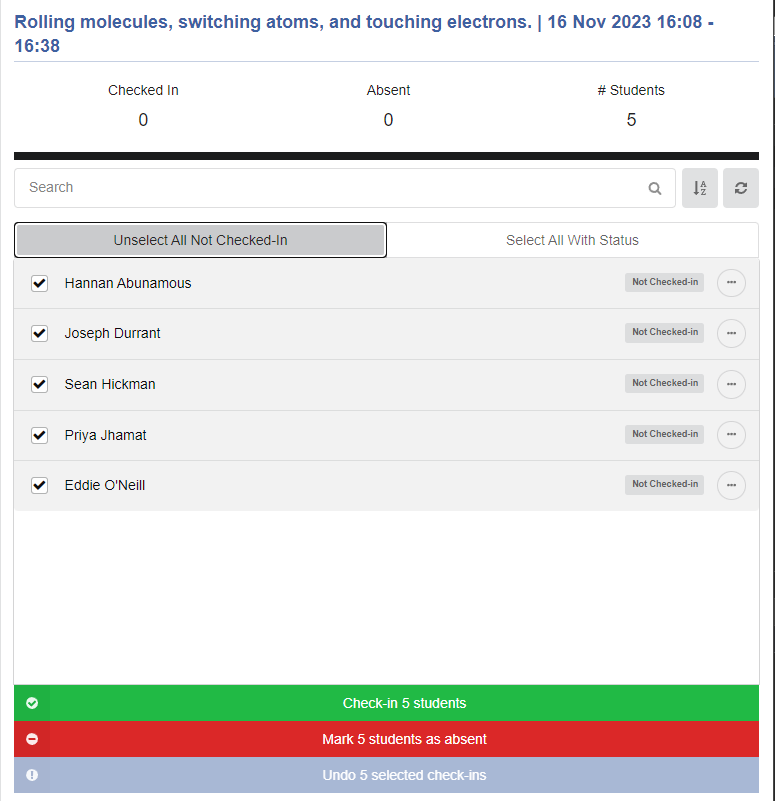
(CAM-23186) Attendance - Enhanced Bulk Management
January2024CAM-23186
CM only
Lecturers can now select multiple students to check-in or mark absent using Select All Unsubmitted Students and Select All With Status buttons. In addition, when one or more students are selected, lecturers can set their status in one action, by selecting an option from below the list of students. For additional information, see campusM Attendance Lecturer Experience
(CAM-22241) Notifications - Editing of Future Notifications
January 2024CAM-22241
CM & LM
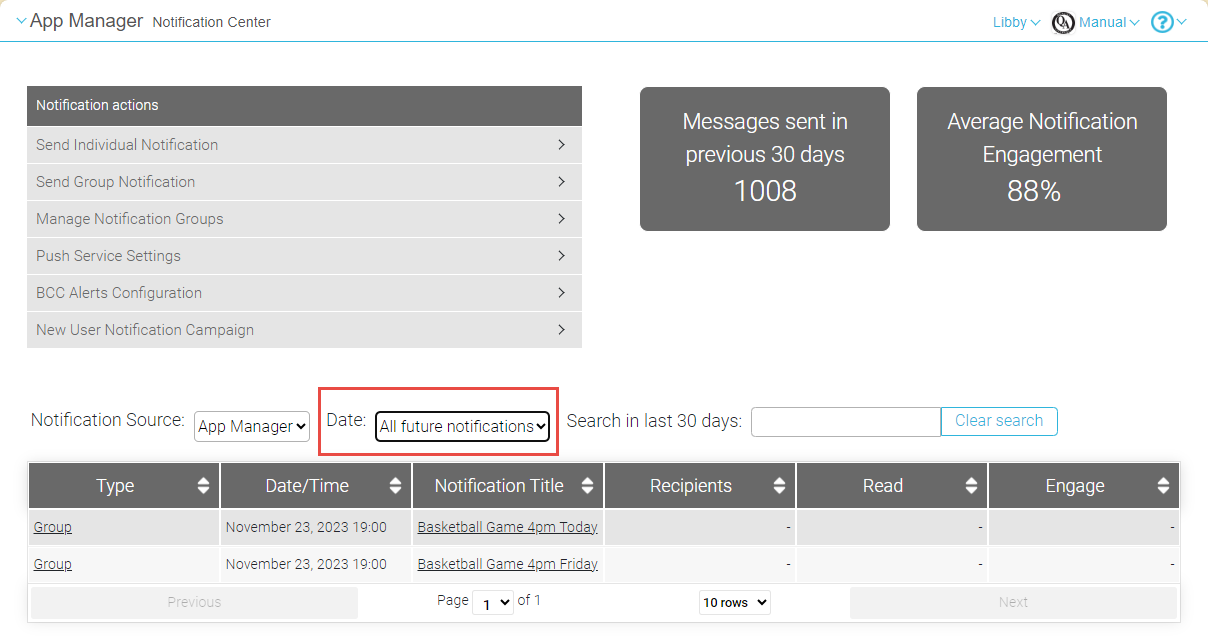
You can now edit scheduled notifications that have not yet been sent. To do so, in the Notifications Dashboard (Notifications), under Date, select All future notifications to open a list of scheduled notifications, and then select the notification you want to edit. For more information, see Sending Notifications to End-Users from Notification Center.
(CAM-23084) App Builder - Configurable Location for Banner Controls
January 2024CAM-23084
CM & LM
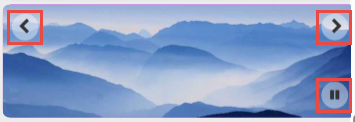
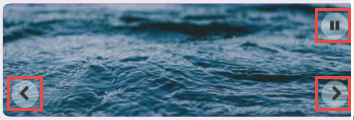
It is now possible to configure where the User Controls of banner tiles are placed - at the top or the bottom of the image. When a Play/Pause control is also included in the banner, it is placed in the alternate location. For additional information, see Configuring Services.
Resolved Issues
No resolved issues match your criteria.
- January 2024 CM & LM (CAM-21810) Previously, there was an issue with the pagination in the Notification Center, in the Change notification group subscriptions page, when the "Only Subscribed Users" filter was applied. This was fixed.
Page tags: product:alma_specto
