|
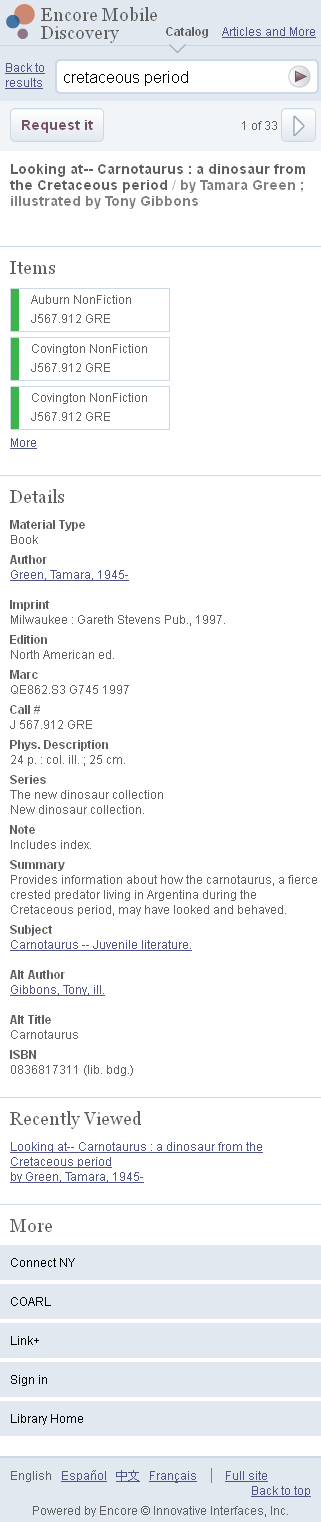
The Encore Mobile Discovery Details page displays information for an individual bibliographic record. It can include the following sections:
Header
The header provides:
- a link to the Home page.
- the content indicator to specify a catalog or articles search.
- a link back to the results page.
- a search box to initiate a new search.
- a button to request the current item. (Requesting requires login.)
- a button to page through additional items from the results list.
Items
The items section lists the call number and location of items held by the library. Up to three items appear by default. Tap "More", when available, to see additional items.
Details
The details section displays bibliographic details for the item. Tap any links that appear in this section to start a new search using the underlined terms.
Recently Viewed
A list of items you viewed recently during this session.
More
The footer provides a collection of tools provided by your library to assist your search.
|