Contact RapidILL Library
The Rapid Library Directory area is where you can find important information such as:
- Contact names
- Contact email addresses and phone numbers
- Delivery preferences and addresses
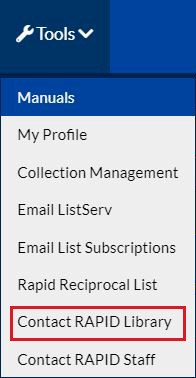
To contact Rapid Library, select Rapid Library Directory from the Settings drop-down menu at the top of the Rapid page.
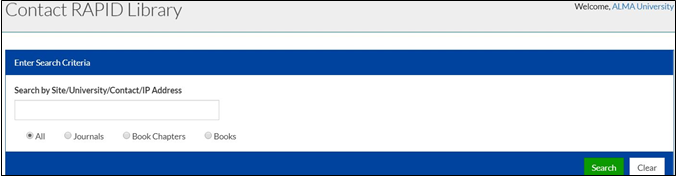
The following page appears:
Contact Rapid Library Link
Contact Rapid Library
You can search the Rapid participants list by site code, university name, and IP address. For example, if you know the code of the library you want to contact, enter it into the search box and select Search or press Enter. You can also limit your search to libraries participating in specific servicers (Journals, Book Chapters, or Books).
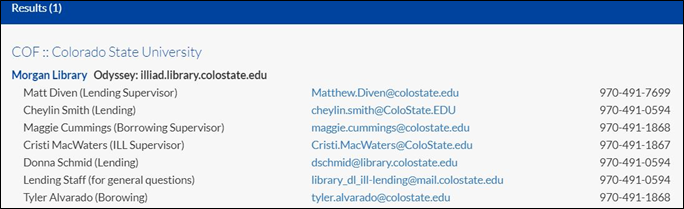
Doing a search for COF displays the following page:
COF Results
Note: The search box is designed as a key word box, so typing a partial or incomplete search may result in multiple returns. If, for example, you enter a partial code, such as colo, Rapid displays every site that has colo in its entry.
