
2025 Release Notes
December 3, 2025
Summon Enhancements
CERV Enhancement for Searching the Summon Administration Console
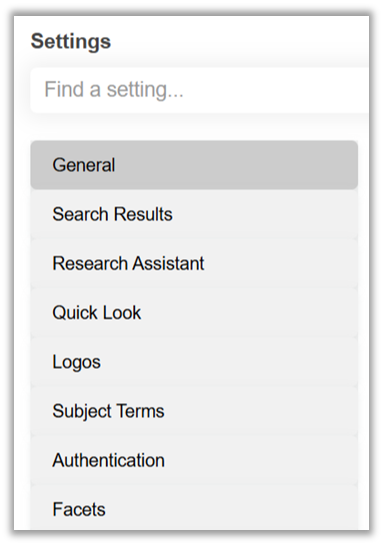
If you’re sometimes confused where a particular setting "lives"; in the Admin Console, you’re not alone. Summon offers so many configuration options that it may be difficult to remember where to find a setting. With the December release there is now a search option for the Settings page that offers suggestions as you type:
New search box on Settings page
Search Suggestions for "authentication"
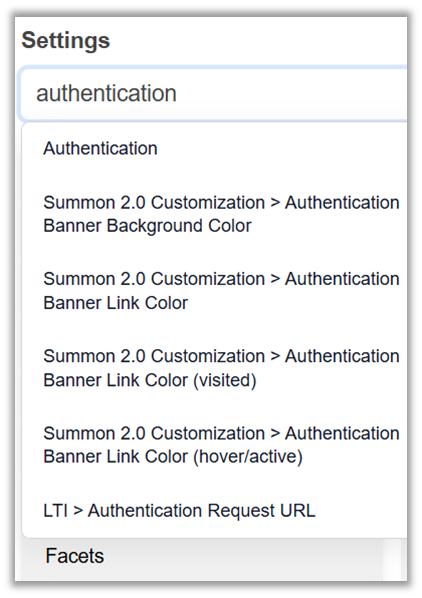
Note that the suggestions include sub-headings beneath from the Settings page ('Authentication') as well as individual configuration options.
CERV Enhancement for Applying Multiple Content Types to a Catalog Record
There is a need to apply more than one content type to some records. From the Idea Exchange description: "hellip; the same resource might be both a 'catalog' and a 'book.' Defining it as a 'catalog' should not mean it is excluded in a search limited to 'books'
This can now be accomplished with the following caveats:
1. Relevant only to library catalog records
2. The library is opted out of the match and merge process
3. The library will need to submit a new mapping request via Customer Care
The content types will display in the brief results, facets, and Quicklook.
Summon Improvements and Resolved Issues:
-
Display Secondary Content Type warnings in the brief results
-
Add help text for all Administration Console options
-
Allow libraries to retain the large logo on the home page
-
Remove unnecessary labels from the A&I section if option doesn’t exist
-
Accessibility: allow facet pane to close at 400% zoom
-
Accessibility: don’t return empty child elements under h3 headings
Summon Research Assistant Improvements:
-
Long label causes button overlap
-
Icons displaying incorrect directionality for right-to-left languages
November 12, 2025
Summon Enhancements
-
More than 200 libraries have enabled the new Summon homepage customization features! In response to your feedback, we made the following improvements:
-
Reduce the white space between homepage elements to reduce scrolling
-
Center the library's logo at the top of the page. This is how it worked previously, and many clients asked that we reinstate that alignment.
-
-
The Ex Libris UX team designed an improved scheme for highlighting the Home, Library Search, and Summon Research Assistant tabs in the header. The goal was to make the tabs more obvious to users and to ensure accessibility.
-
New Secondary Content Type: 'Open Educational Resource' has been added to the CDI.
-
Will display in the filters list for Secondary Content Types
-
Will display in the brief result and Quick Look as a 'regular' content type – not a warning
-
Translation is available in the Summon Administration Console
-
August 6, 2025
CERV Improvement for the Summon Home Page:
Summon libraries now have the ability to customize the Summon home page to promote services, events, announcements/alerts, and local people and teams, to suggest just a few ideas. The home page is now customizable using up to 5 new components, with mixing and matching possibilities to boost important information for your community. No coding or technical skills are required: all customizations are done in the Summon Administration Console.
Here is a example of the new components available to use:
For full documentation please visit this page in the Knowledge Center.
CERV Improvement for the Summon Custom Links:
-
Summon libraries need to define more than one custom link for the header and hamburger menu.
-
The updated Custom Links section of the Settings page allows you to create up to ten custom links for display in the header and/or hamburger menu.
-
The Custom Links, like the content on the new home page options, can navigate to any services, tools, suggestions, etc. that you think will aid researchers.
-
See details on this page.
NEW! AI Doc Insights Navigation
Researchers can now navigate from a Summon brief result to a provider platform's AI-enhanced tools or capabilities to gain key information at a glance and take advantage of further exploration paths. When this feature is enabled, an Insights button appears in the brief display for eligible collections. Selecting the button opens a new window/tab displaying the Document Insights for the resource on provider platform.
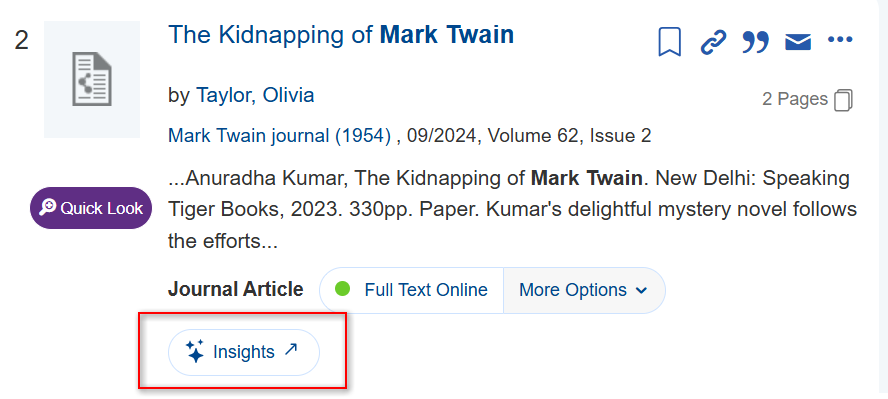
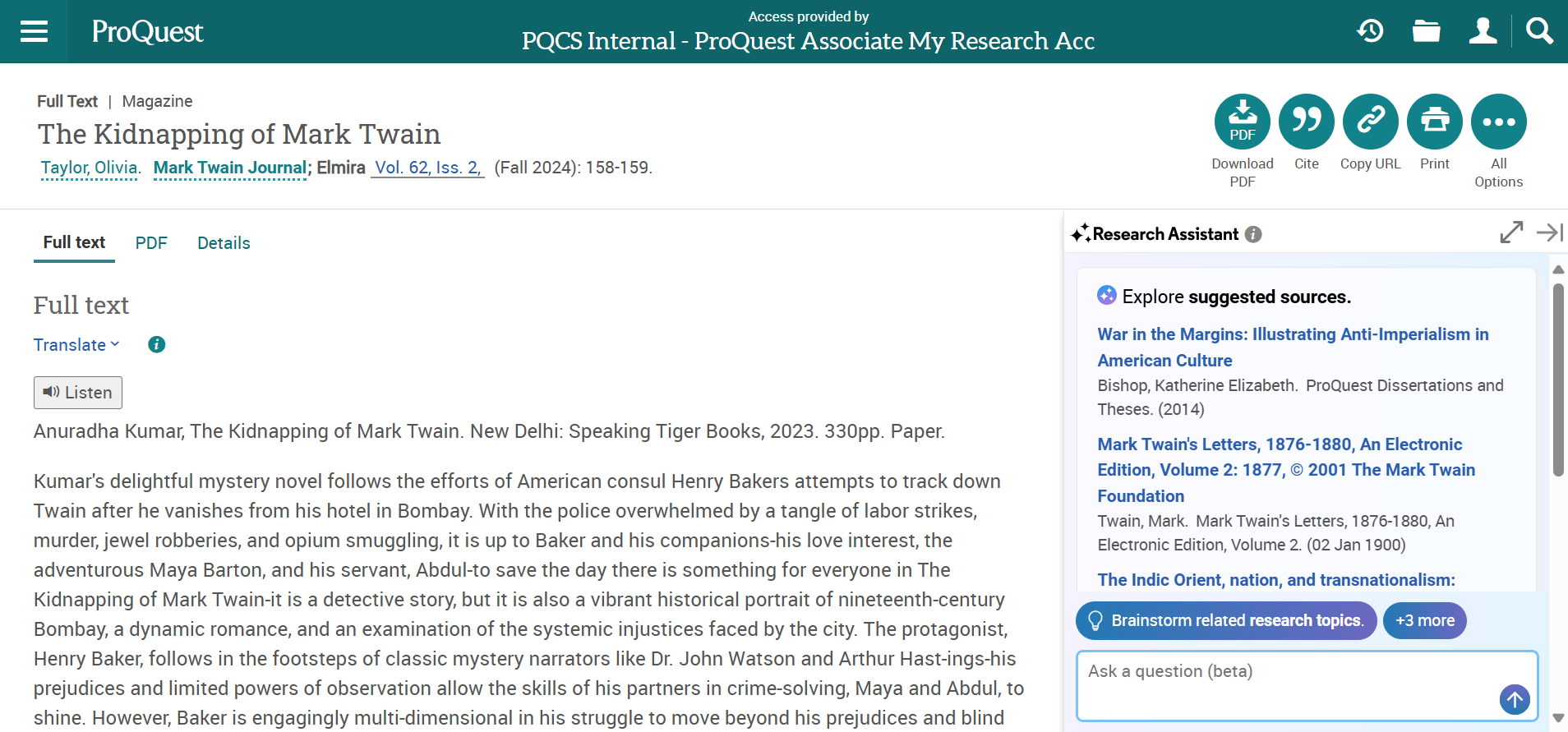
Clicking the Insights button from the brief result links to the page below with additional tools displayed on the right.
-
Doc Insights provides enhanced contextual information about a particular resource (e.g. a journal article or book chapter)
-
The feature is provider-agnostic and can be integrated with platforms that offer AI tools or capabilities for linking
-
Quicklinks must be enabled for AI Doc Insights
Further documentation is located here.
July 9, 2025
The new secondary content type 'Online First Article' now displays in the brief result, facets, and Quick Look. This feature is an indication to researchers that the resource has not yet been assigned to a journal issue, and thus lacks enumeration, chronology and page numbers. See Summon: Glanceability Feature - Ex Libris Knowledge Center for a complete list of secondary types.
The display text can be configured in the Summon Administration > Translations list.
May 7, 2025
CERV Improvement for the Summon Date Picker:
If a user selects one of the Publication Date filters (1, 3, 5 or 10 Years) the end date will no longer default to today. Instead, if will remain open-ended.
-
This gives users access to more content
-
Includes resources that haven't yet been assigned publication date (e.g. Online First)
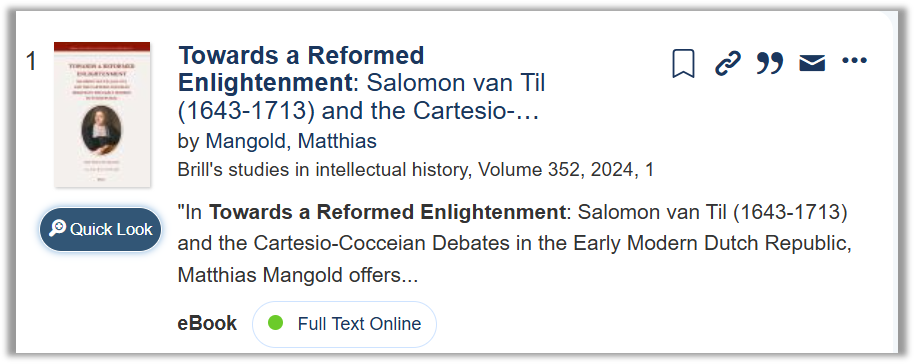
CERV Display Series Volume in Brief Results:
-
Gives users more enumeration information up front, in the Summon search results
-
Mirrors what is already display in the Quick Look panel
Summon Research Assistant Enhancements:
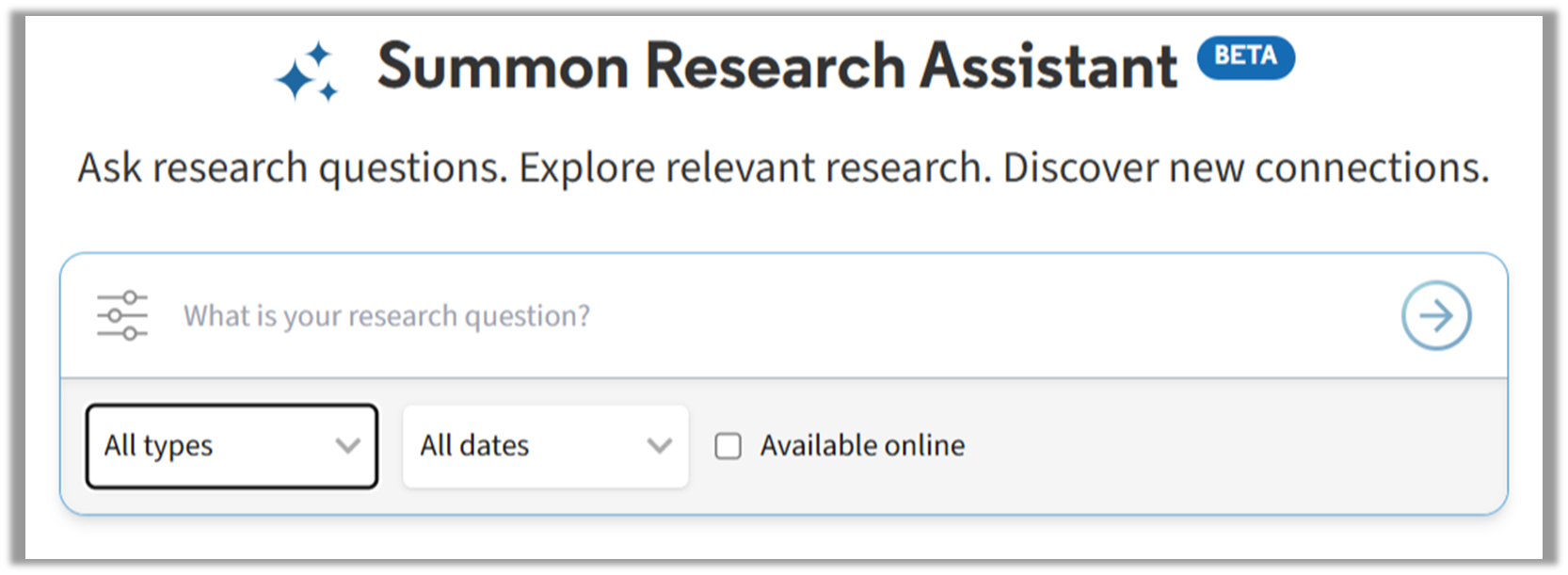
1. Users can now refine their search queries by online availability, rather than all CDI resources.
-
Users can select the "Available Online" option in the search bar
-
The option's value is remembered throughout the session unless the user changes it
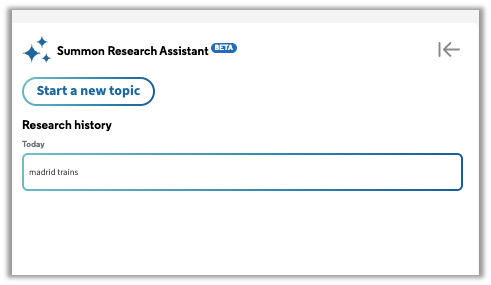
2. Retain Research History topics across sessions for logged-in users.
-
Up to 200 topics will be maintained in the Research History feature (left panel) if a user logs in
-
If the 200 topic limit is exceeded, the oldest topics will be deleted from the log
-
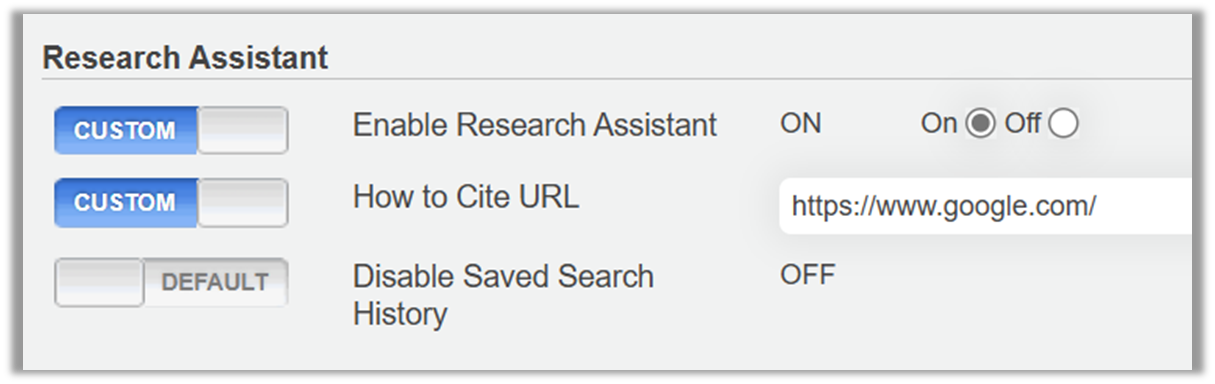
This is configured at the institution level in the Admin Console
-
By default it is turned ON--if your library opts out of this feature you should change the configuration in the Admin Console
Summon Resolved Issues:
Usage statistics not available, or only partially available since March 6.
-
Some usage statistics were not collected between March 6 and May 7
-
Once the production release is live those statistics will be collected
-
Please note that we cannot recreate the statistics from March 6 to May 7; we apologize for this gap
April 2, 2025
CERV CDI Enhancement for Book Reviews:
Improved identification of book reviews for CDI records, previously classified as articles. This fix includes the following:
-
Additional criteria were added to identify book reviews based on information in the title or abstract field. Some examples of such criteria are:
-
CDI resource type is article, and the Title contains the phrase book review.
-
CDI resource type is article, and the Title contains an ISBN followed by at least one digit.
-
CDI resource type is article, and the abstract starts with the phrase Book reviewed in this article.
-
-
For merged records, the rule for selecting the resource type for logical records was changed for cases where participants from different providers had different resource types. Previously, the resource type found in most of the participants determined the resource type. This is no longer the case for book reviews because preference is given to the resource type instead of simply identifying it as an article.
Summon Resolved Issues:
-
Save Items between sessions: You cannot log out of Google.
-
Nothing happens after clicking "Sign in with Microsoft" in a Summon saved search - regular login menu works.
-
Selected facets display an incorrect amount of facets.
-
Summon known item search has a low relevance ranking for the targeted item.
-
A Corporate Author link on the Detail Page generated an incorrect search.
-
Summon over Alma Course Reserves Page - cannot scroll.
-
Clicking the title opens the catalog detail page.
Summon Research Assistant Enhancements:
-
Improved labeling and help text for the "How to Cite URL" option in the Summon Admin Console.
-
Sources will now display the first author (if multiples exist).
February 5, 2025
Resolved Issues:
-
SAML timeout after 15 minutes was extended to 24 hours to support researcher workflows better.
-
Chat Widget will now send all emails from noreply@clarivate.com so that the DKIM, DMARC and SPF protocols are properly supported.
-
Content Ingestion Report emails:
-
Changed the From address to noreply@clarivate.com.
-
Fixed the use case causing a few emails to contain only the <br> HTML element.
-
-
Bulk Export email now correctly displays CJK.
-
Impacted Sierra and Koha libraries will no longer experience delayed real-time availability displays on the details page.
-
Records whose only rights source is a print-format Library Specific Holdings database will display a Check Availability status instead of Full Text Online.
-
New linker updates for Elsevier databases (ScienceDirect, ClinicalKey, ClinicalKey Nursing, Health, Masson Premium) [360 Link].
March Release Sneak Preview: Summon Research Assistant
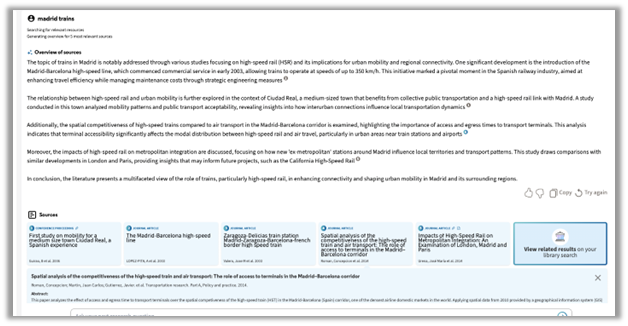
We are finishing up the Summon Research Assistant for delivery to both the Preview and Production environments in our March 5 release. Research Assistant enables natural language queries of your academic content to pinpoint five articles that answer researcher questions. The AI-powered tool synthesizes the critical information from each article's descriptions/abstracts into a summary response and includes links to source references.
Highlights of the Summon Research Assistant:
-
Opt-in via the Summon Administration Console, and available from the Summon page menu
-
Available to logged-in users and IP-authenticated users
-
Built-in accessibility principles
-
Responsive design
For example, a search for "madrid trains" returns an overview of the sources and the related sources in the response:
Many more details and documentation will be shared in the coming weeks!
