
Configuring Institution Notifications
- General System Administrator
You can configure notifications that appear for all users in your institution. These notifications appear within the date/hour range you define, and they appear until they are dismissed by each user.
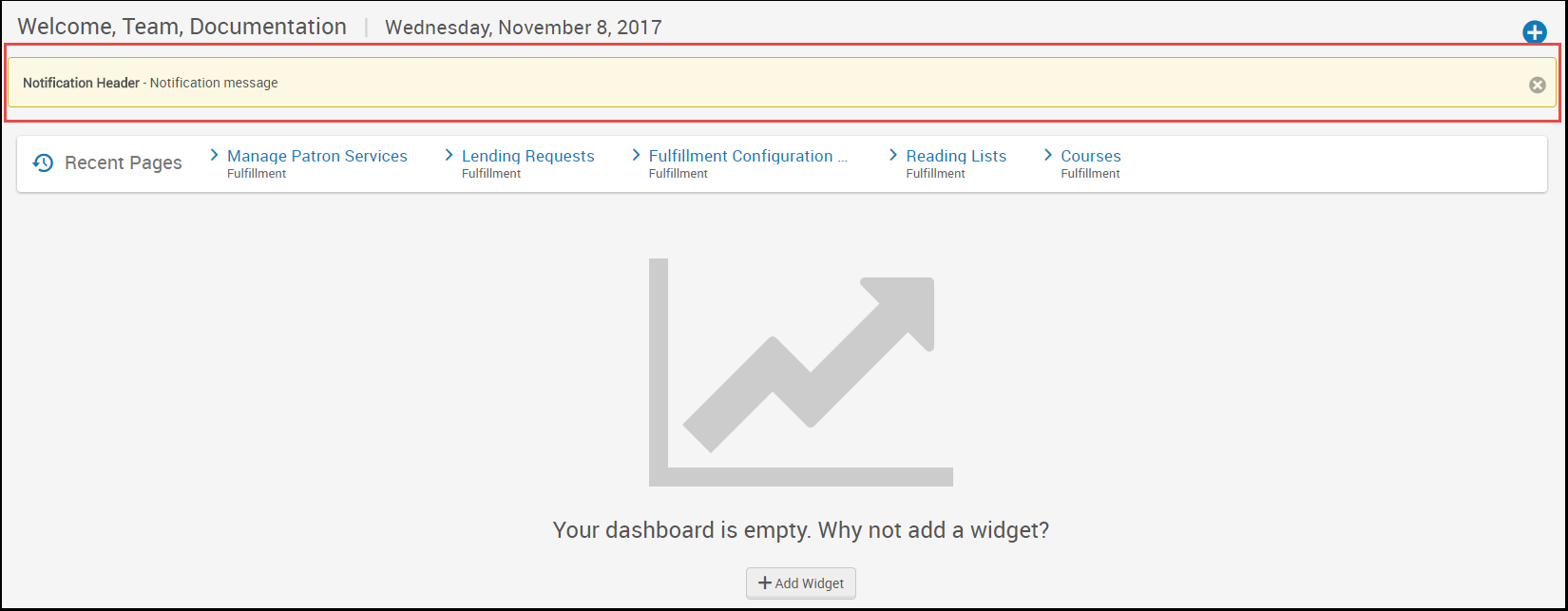
For general, non-time restricted information and messages, consider using the home page notification widget; see Configuring the Home Page Notification Widget.
You configure institution notifications on the Institution Notifications mapping table (Configuration Menu > General > General Configuration > Institution Notifications). For more information about mapping tables, see Mapping Tables.
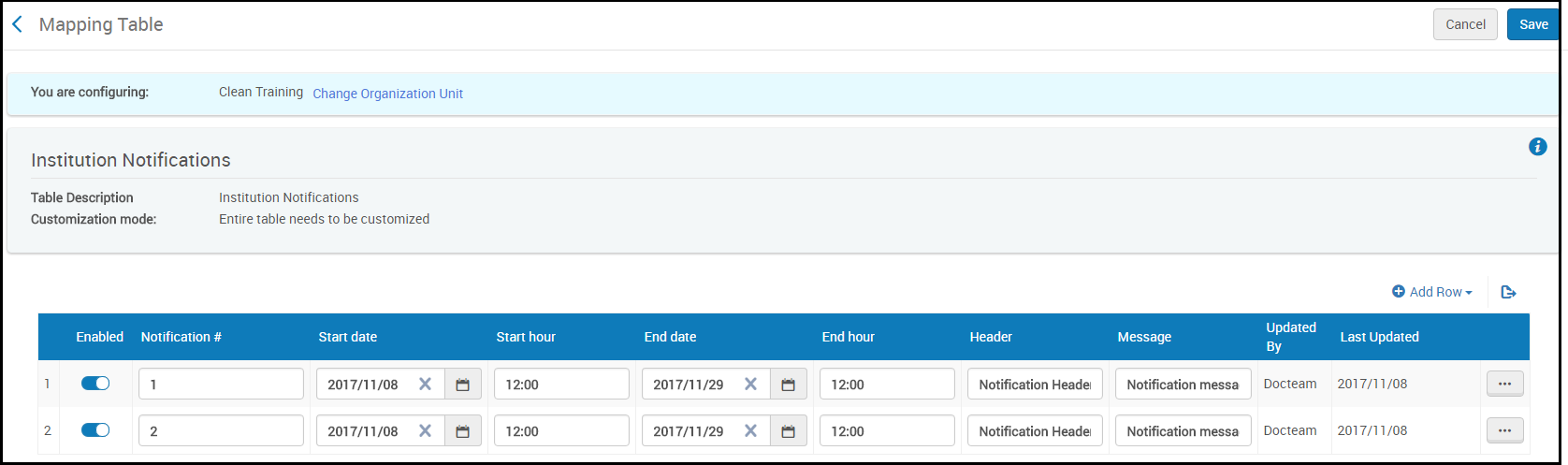
For each notification, configure the following fields:
- Notification # - Must be unique among notifications currently defined on this page.
- Start date/End date - The start and end date for the notification to appear. Note that the notification will not appear after a user has dismissed it.
- Start hour/End hour - The start hour (on the start date) and the end hour (on the end date) for the message to appear. Enter a value as hh:mm in 24 hour notation.
- Header - A bold prefix for the message, if any. Up to 512 char.
- Message - The message, up to 1024 char.
Select Configure or Save when you are done. To delete a notification, select Delete in the row action list.
