
DARA Recommendations
- General System Administrator
Configuring DARA Recommendations
You can configure DARA Recommendations on the Configuring DARA Recommendations page (Configuration > General > General Configuration > DARA Recommendations):
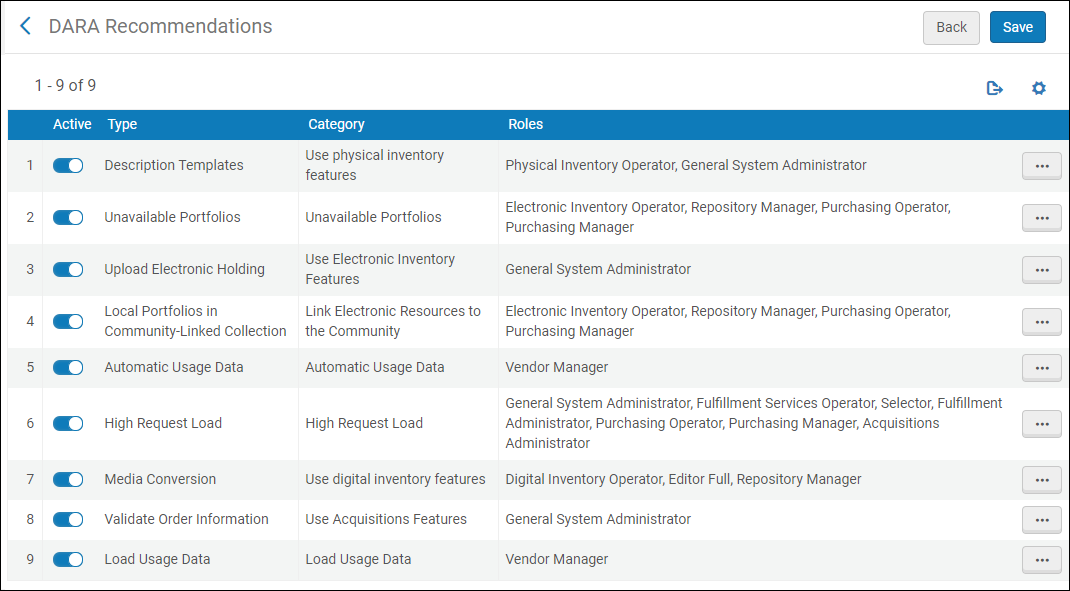
Move the slider to activate/deactivate a recommendation for your institution. When deactivating a recommendation, an option to dismiss all existing recommendations of that type is displayed.
Select the Actions button and select Edit to display the following page:
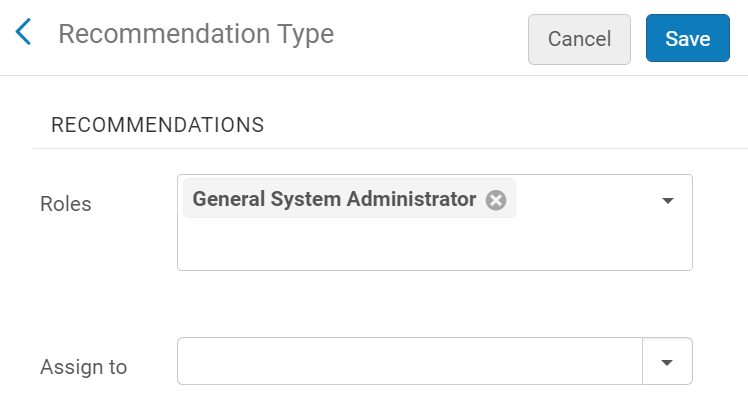
The following configurations are available:
- Roles – a list of the roles that are configured for the recommendation. You can remove or add one of the configured roles.
- Assign To – assign recommendation types to a specific user. This allows only that user to view all the recommendations of that type. (Only users with roles configured to view the recommendation type are available in the drop-down list.)
For more information on working with DARA Recommendations, see DARA – Data Analysis Recommendation Assistant.
Configuring the Job Failure Recommendation
You can configure the number of times and the time period that a job must fail before a recommendation is triggered.
To configure the number of times and the time period that a job must fail before a recommendation is triggered:
- Select Edit from the actions for the Job Failure Recommendation.
- Select Configure thresholds. The following appears:
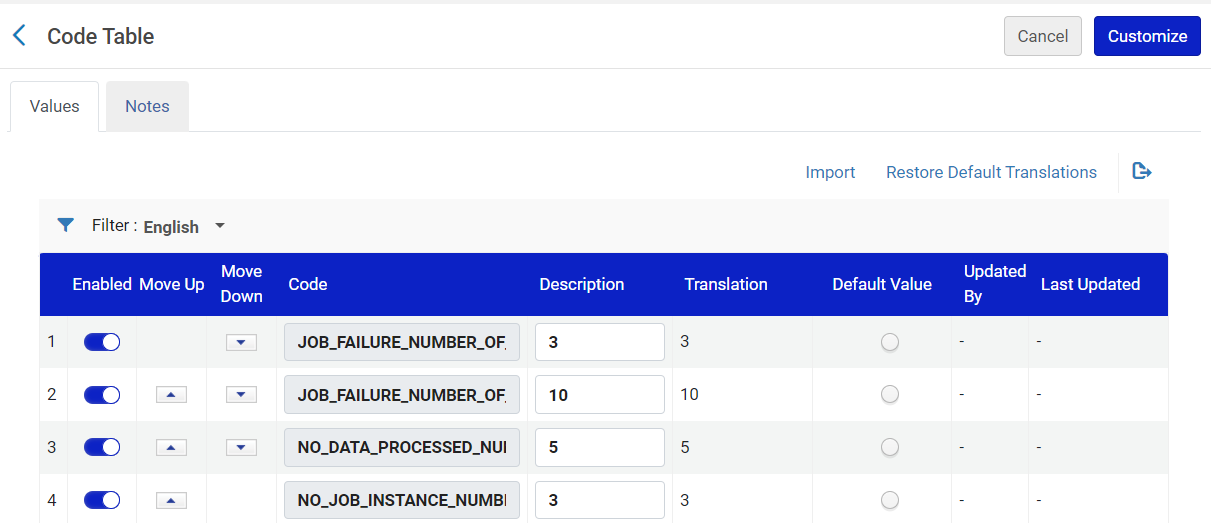 Configure Thresholds
 - Edit the parameters as desired.
- Select Customize to save your changes.
