
Configuring Primo Fines & Fees Currency Symbols
Configure rules for discovery interface display.
Configuring Primo Fines & Fees Currency Symbols
- General System Administrator
- Fulfillment Administrator
You can define the currency symbol exposed to the Primo user in Fine & Fees under My Account. The table is empty by default and can be customized according to the institution's enabled languages.
Access the Currency Symbols page (Configuration Menu > Fulfillment > Discovery Interface Display Logic >Currency Symbols).
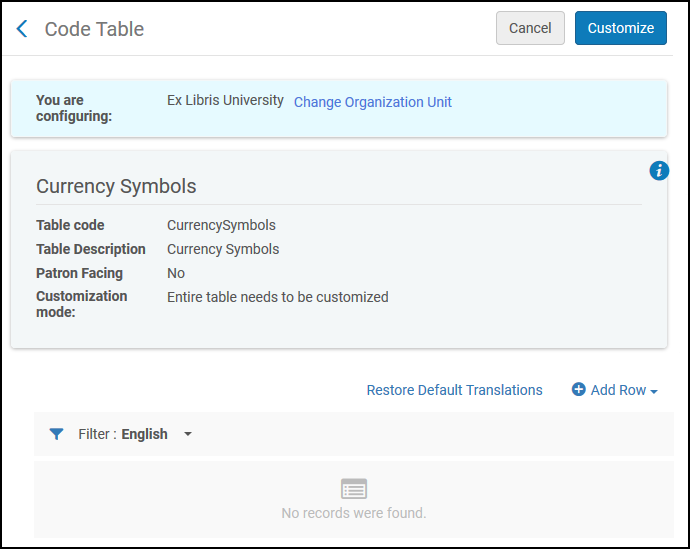
- Add a row for the currency type, including the currency description and whether the description is the default for this currency. Select Add Row.
- From the Filter drop-down, select the language for which you will enter a translation value.
- In the Translation field of the currency, enter the value that will appear in the translation of the Primo Fines & Fees page.
- If there are additional languages that will use a translation value, select the next language from the Filter drop-down and repeat step 3.
- Select Save.
Page tags: article:topicproduct:almacontent:Documentationlang:englishgeneral electronic servicediscovery interface displaydisplay logic rulesdiscovery interface service labelscommonly used labelsrelated records for electronic servicesdirect linkingorder of online servicesorder of primo search resultsprimo request formsprimo resource sharing request formsprimo fines and fees currency symbols
