
Library Mobile 2023 Release Notes
Developments
No developments match your criteria.
Action URLs - CMAuth Tokens in Action URLs
December 2023
You can now use a CMAuth token attribute as a part of a link on a tile. This can be done by adding a placeholder to the link defined in the Action(URL) field for the attribute you want to use. All placeholders must start with “cmattr_†followed by the name of the token attribute you wish to include, for example,cmattr_username.
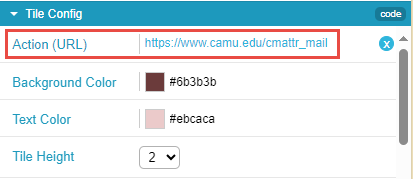
For additional information, see Working with App URLs.
Notifications - Option to Duplicate
December 2023
You can now create a duplicate of an existing notification, which can then be edited as required and sent. You can choose whether the duplicate notification will be an individual or a group notification.
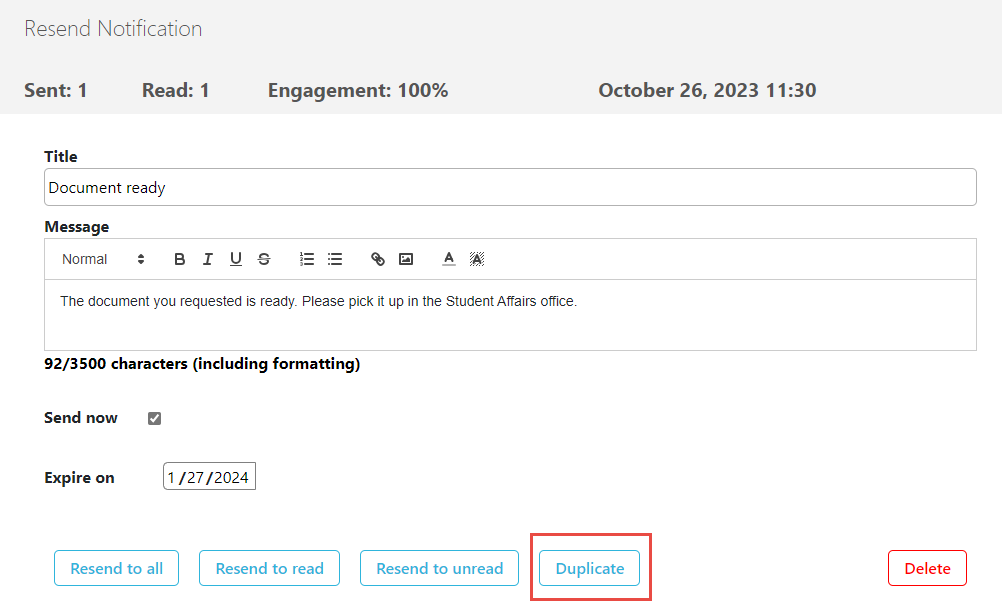
For more information, see Sending Notifications to End-Users.
Notifications - Character Count
December 2023
The number of characters included in the text of a notification now appears below the Message text box. If the total is within 50 characters of the maximum length of 3500 characters, the character count appears in orange. If the total exceeds 3500 characters, the character count appears in red.
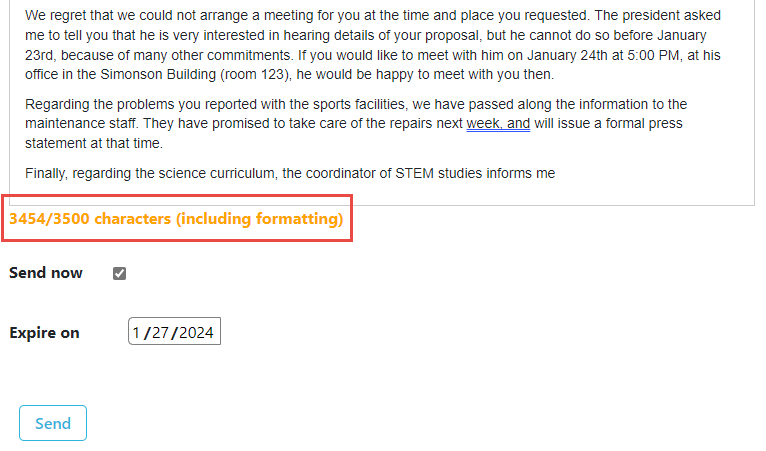
For more information, see Sending Notifications to End-Users from Notification Center.
Notification Management - New "Delete Notification" Feature
November 2023
You can now delete notifications that have already been sent to end-users. When you delete a notification that has already been sent, it is removed from all the original recipients' devices and apps, whether they have already read it or not.
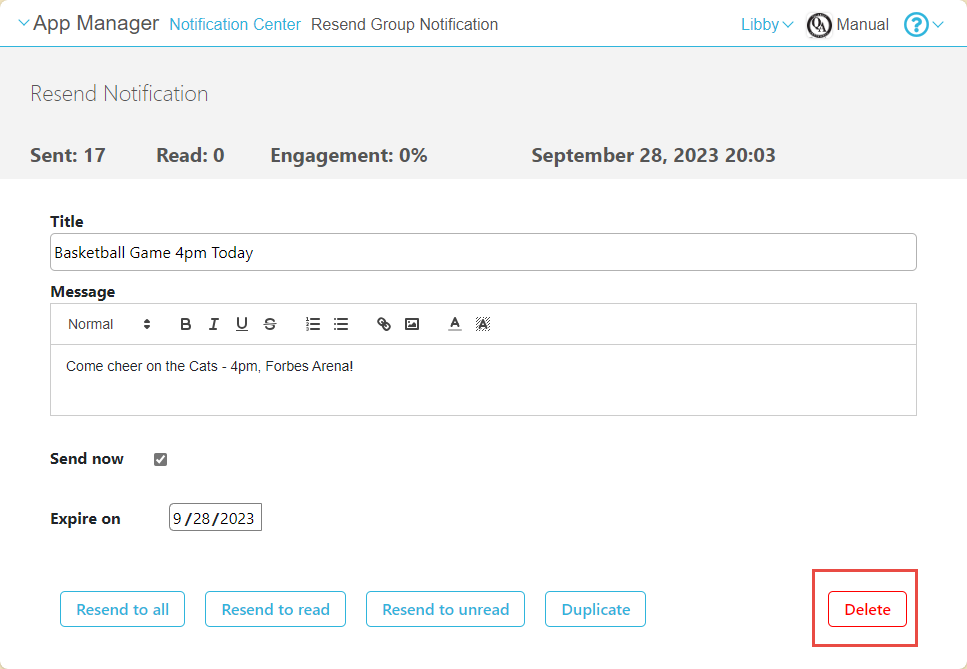
For more information, see Sending Notifications to End-Users.
New API for User Details
October 2023
You can now update user details (Email/First Name/Last Name).
For more information see Developer Network.
User Permissions
October 2023
The name of the I nsight user permission was updated to Analytics.
For more information see User Permissions.
Nested Smart Tiles
September 2023
With the Nested Smart Tile, users can now add multiple buttons within a single tile. This feature allows for a nested menu option appearance, presented in a carousel format.
By grouping items together, users can minimize the real estate occupied on the homescreen, providing a clutter-free user interface. For more information see Nested Smart Tiles.
New Certificate for SAML
September 2023
A new certificate was implemented for SAML. Administrators need to configure the new certificate as described in Configuring Integration Profiles.
More Specific Message for Login Issues
September 2023
In the case of an error when logging in, the user now receives a more specific message that can help the Support team to track down the issue.
Person Attribute Available for APIs
September 2023
The Person attribute is now available to use when calling the following APIs:
New Template for Creative Studio
August 2023CAM-18347
A new template for social media was added to Creative Studio.
For more information see Creating a Page from a Template.
New APIs
August 2023CAM-22245
New APIs were added for the following areas. Select the links below to go to the relevant information in the Developer Network.
Get and update the person attribute:
Predefine Event IDs for non-GUID RSS Fields
July 2023CAM-22022
You can now predefine the event ID from an RSS field that is not GUID. This allows you to enable check-in for events also using non GUID RSS fields.
For more information see Events.
Delete Files from Asset ManagerCreating a New Page
July 2023SF: 06740341CAM-22046
In order to delete files from the asset manager, you now need either the Resource : Can delete resources role or all permissions.
For more information, see Managing Files with the Asset Manager.
Creative Studio — Sorting Pages by Alphabetical Order
July 2023SF: 06625878CAM-21281
Creative studio pages are now sorted in alphabetical order. Previously they were sorted by creation date.
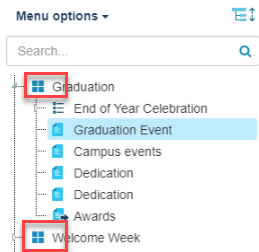
The top/root level is sorted alphabetically.
Events Product Integration — Search for Events
July 2023CAM-19280CAM-21900
Users can now search for events using keywords.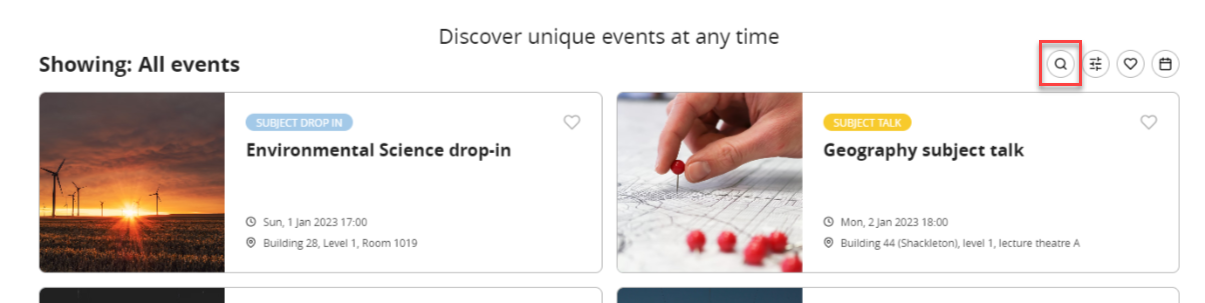
For more information see Events.
Creative Studio - Draft Page Workflow
June 2023CAM-21544
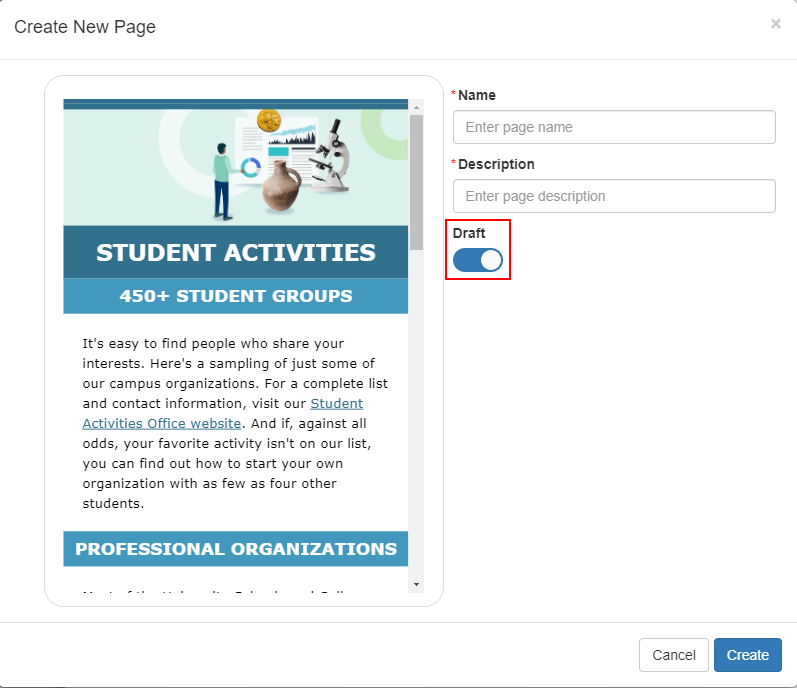
For users with the assigned permission Content item : Can manage drafts in Creative Studio(App Manager > Users/Permissions > Users > User permissions), we added the ability to publish new Creative Studio pages when saving without needing to first create the page as a draft by disabling the Draft toggle when creating the new page.
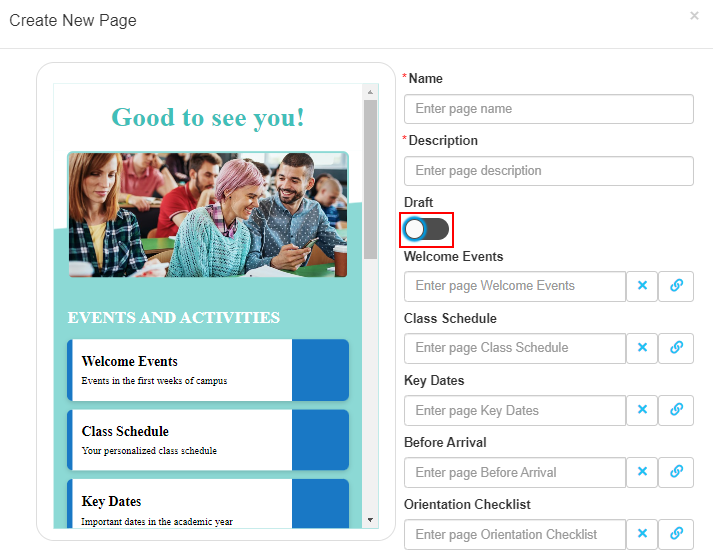
For more information, see Creative Studio.
Last Login Date for Registered Users
June 2023CAM-17429
To better manage your users and their app usage, we added a Date Last Used column to App Manager > App Settings > User Management > Registered Users and to the CSV file to identify when users last used the app.
Null values appear for users whose last usage date was prior to September 2022.

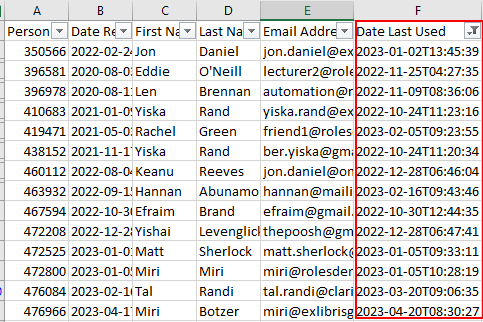
For more information, see Registered Users.
Events Product Integration – Tags Order
June 2023CAM-20195
Events tags are now listed in alphabetical order.
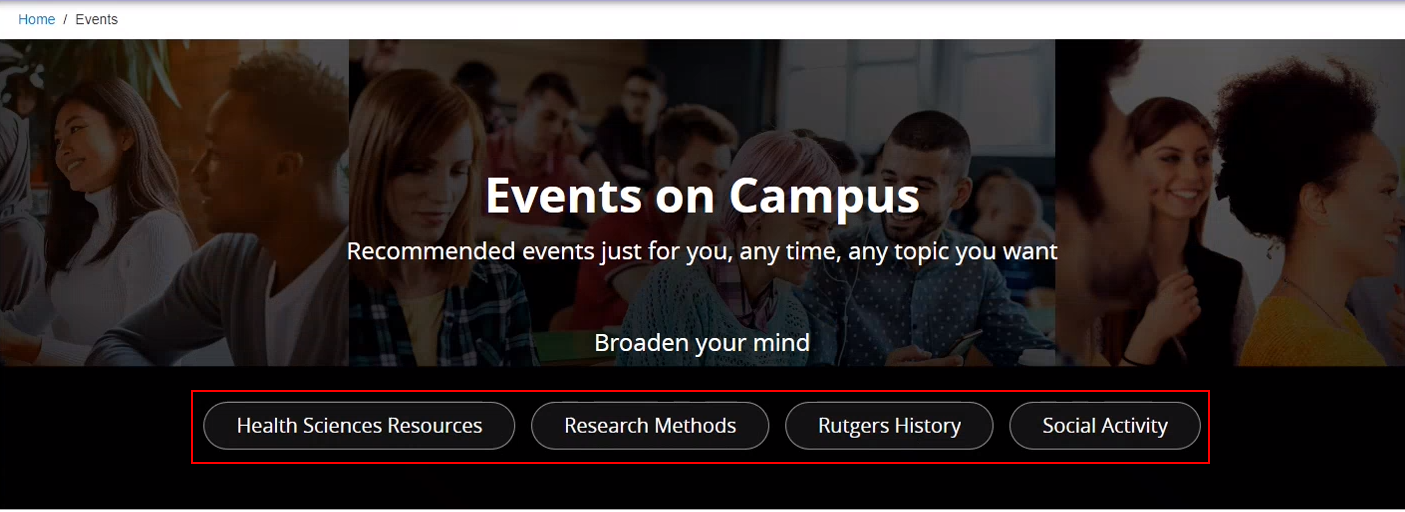
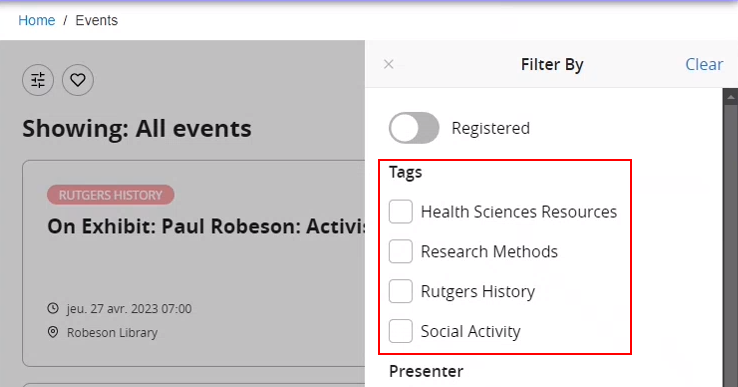
For more information, see Events.
Events Product Integration – Hiding the Duration Field
June 2023SF: 06479282CAM-20286
You can now hide the DURATION section from the event details by unchecking Display Event Duration in App Manager > Product Integration > Events > Event Details.
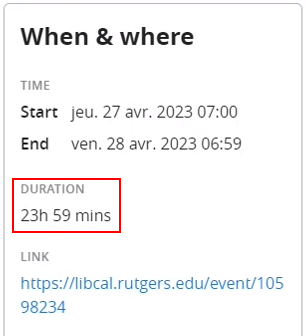
For more information, see Events Configuration.
Greeting Product Integration – Background Image
June 2023SF: 06706317CAM-21156
To enhance the Greeting tile, you can now add a background image to the Greeting tile from the Tile Config section of the App Manager > App Builder.
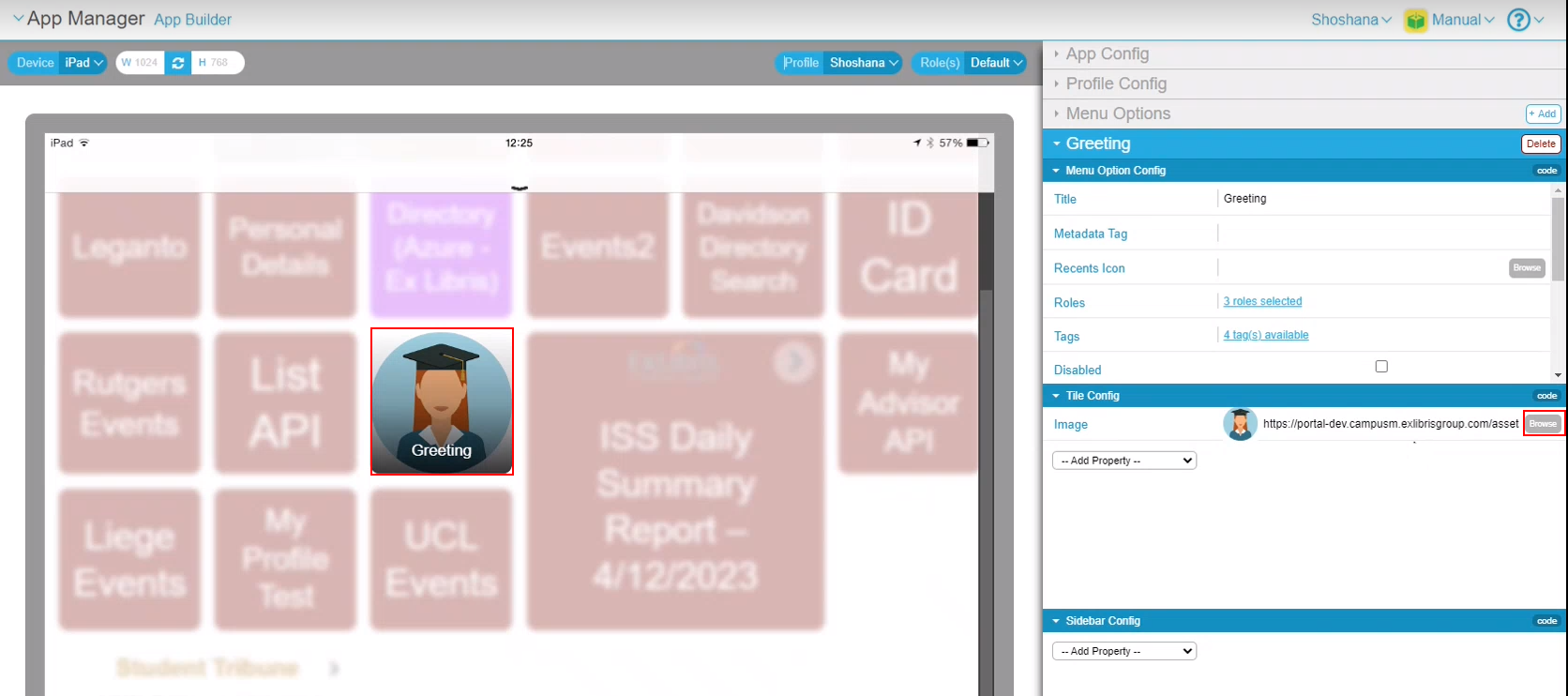
For more information, see Greeting Configuration.
Analytics Update
April 2023
 Idea ExchangeCAM-19438
You can now use App Manager (Analytics > Catalog > Folders > Shared Folders > campusM > Dashboard > Statistics) to view an out-of-the-box dashboard to show the usage of the campusM app.
Select the Month and Year and select Apply to view monthly app engagement.
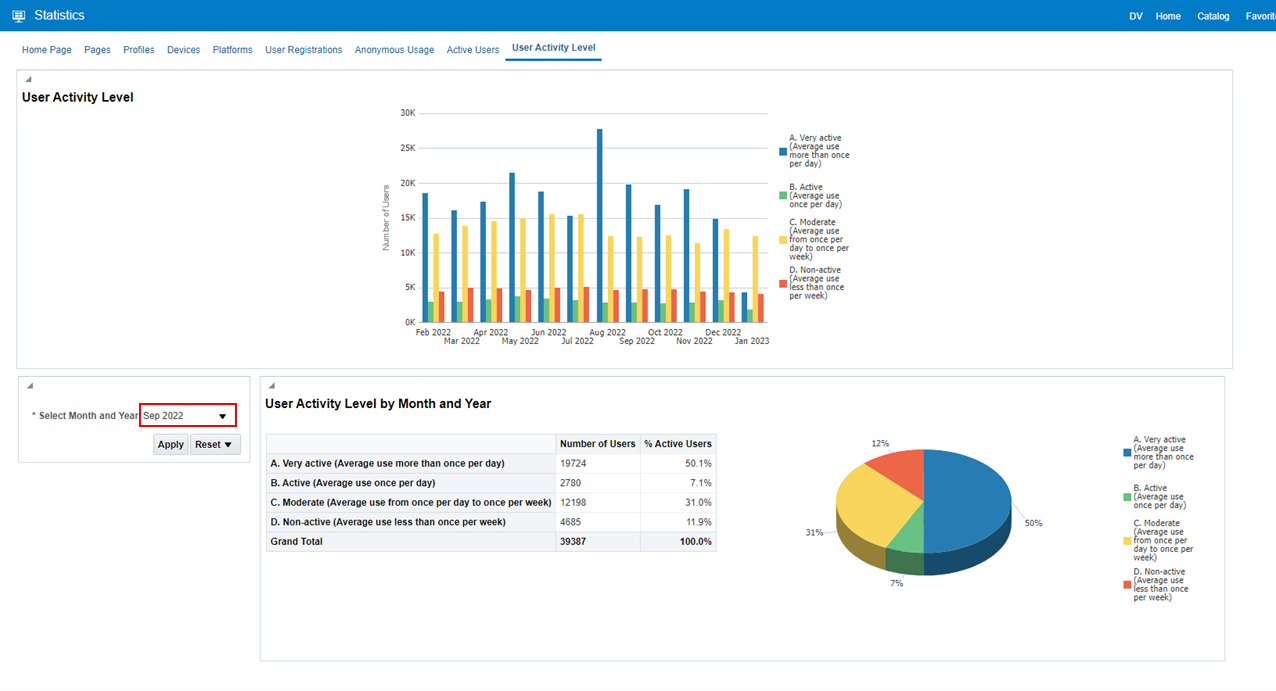
For more information, see Analytics.
My Profile
April 2023CAM-21473
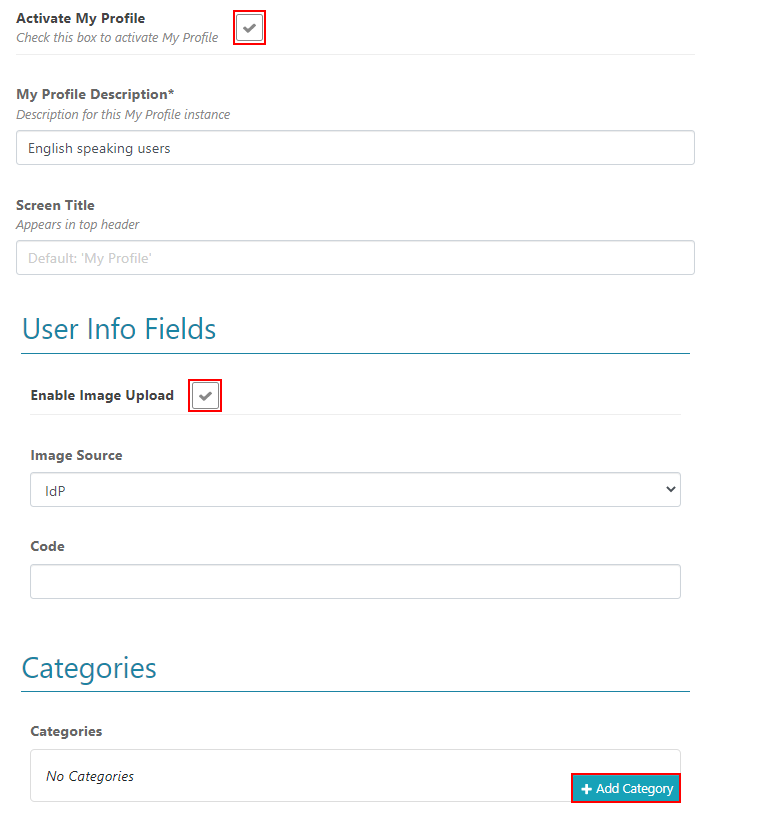
To enable users to better manage their profile preferences, when configured in App Manager > My Profile, users can customize their profile settings and tags in their assigned categories.
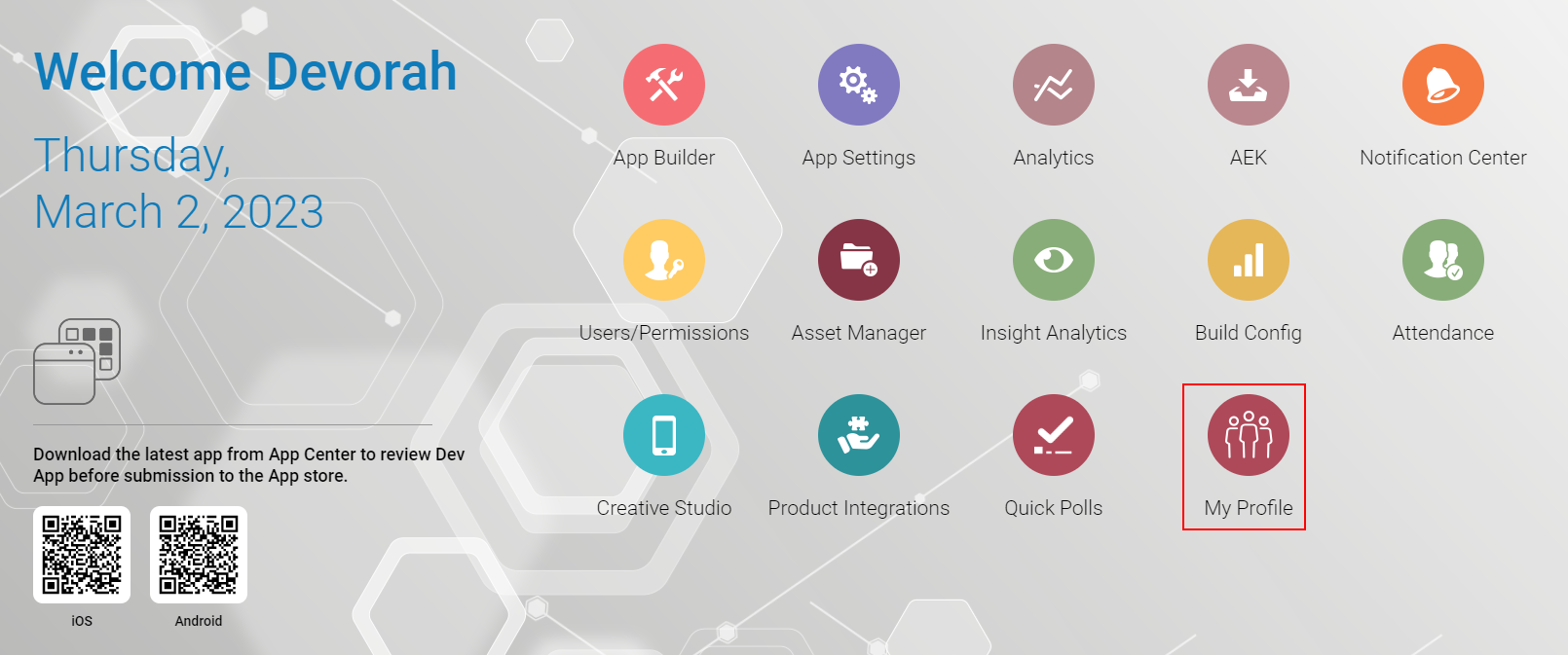
Create profiles in the My Profile Settings > My Profile Configuration settings.
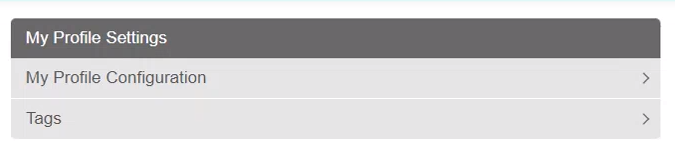
Select Add My Profile to create each profile instance.

Configure if users are allowed to add profile images, assign categories to users, and add tags to those categories.
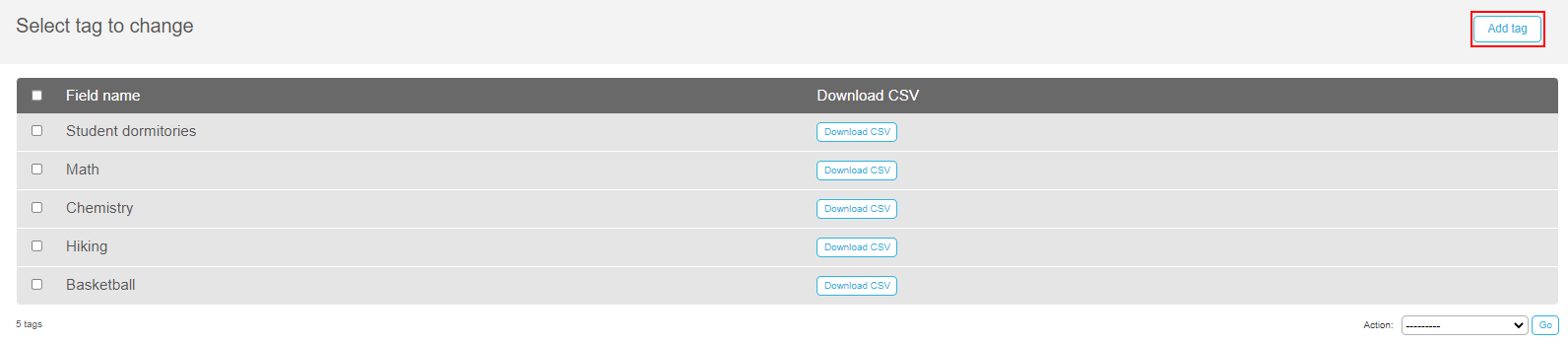
You must first create tags before they can be added to a profile.
Use the Add tag button to add tags, tag icons, and set alert groups on the My Profile Settings > Tags.
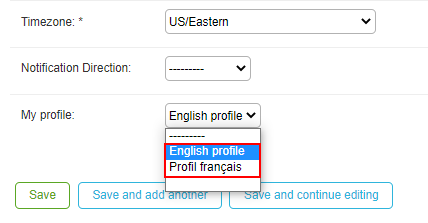
After the tags and profiles are created, associate the profile from App Manager > Enterprise Roles > App Profile and select the relevant profile in the dropdown list.
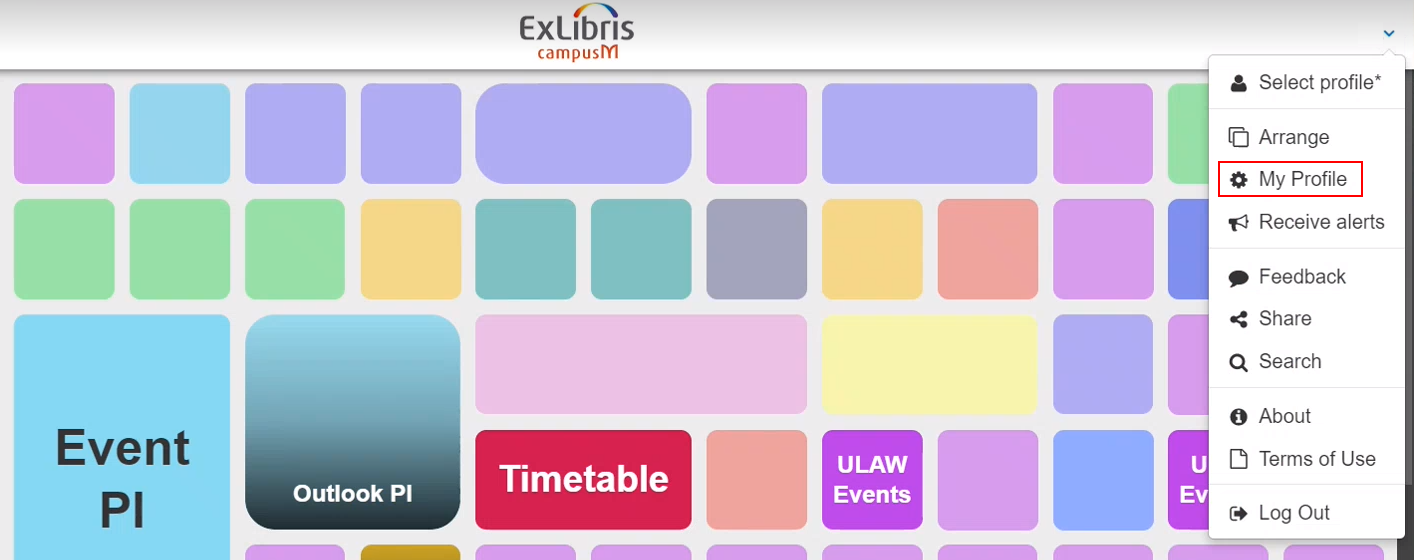
When enabled, users can access My Profile from the app Settings > My Profile.
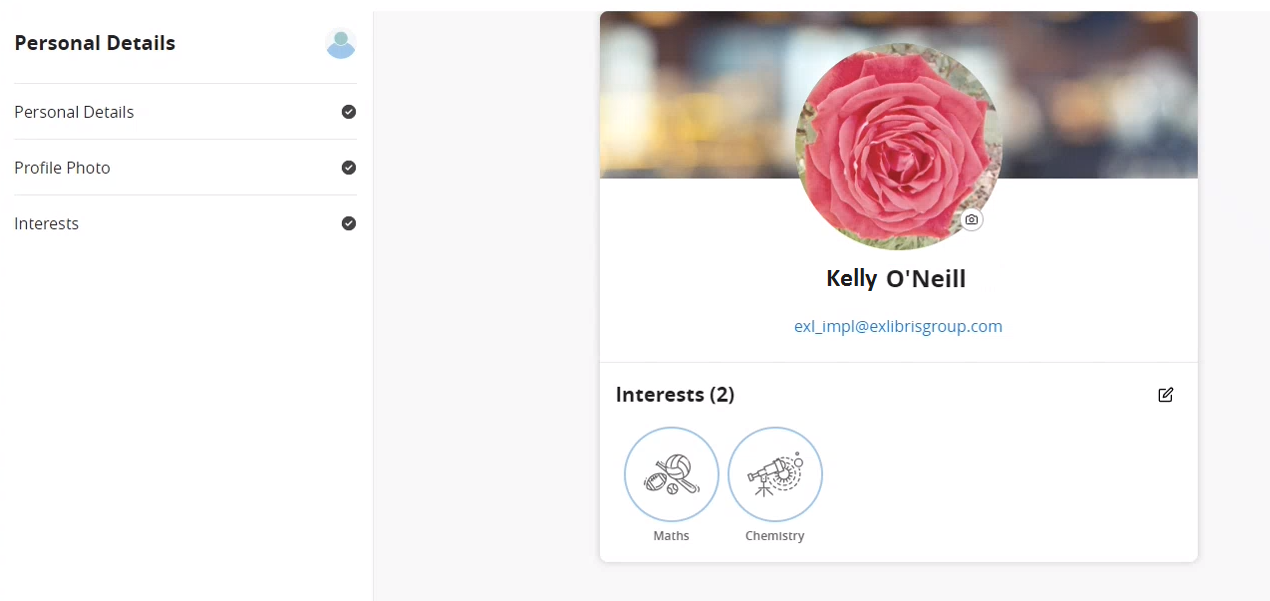
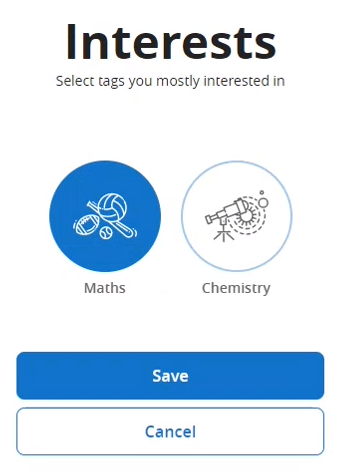
Users can view their details, upload their profile photo, and edit their interests by adding or removing tags from their categories.
Creative Studio – Create Draft Pages
April 2023CAM-19935
New pages created in Creative Studio (App Manager > Creative Studio > Add new) are now created as a draft by default.
Additionally, a Draft label is appended to each draft page until the page is published.
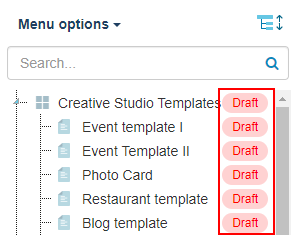
When you are ready to publish the draft page, use the edit iconto open the Page Details and disable the Draft. Then select Save.
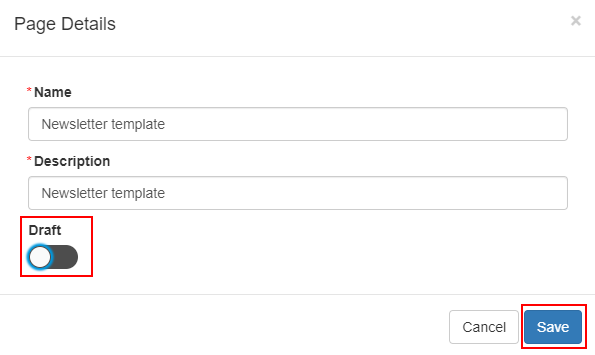
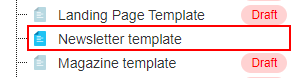
The draft label is then removed, and the page is published.
For more information, see Creative Studio.
Creative Studio – Duplicate Pages
April 2023CAM-19304
When using the duplicate iconto duplicate pages in Creative Studio (App Manager > Creative Studio > Add new) are now created as a draft by default.

For more information, see Creative Studio.
Events Product Integration – Filter Options
April 2023SF:06530729CAM-20713
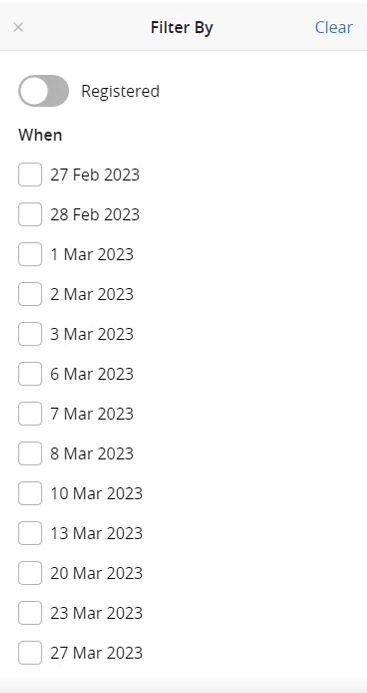
The Events Filter By list now only includes events with a Start Time.
For more information, see Events.
Events Product Integration – Maximum Events Displayed (HOTFIX FOR MARCH)
April 2023CAM-19634
To display the Events tiles more efficiently, a maximum of 200 events are now loaded at a time. A message appears at the bottom of the screen informing you that you can use the filters to narrow your screen. You can customize the Maximum Events Displayed Message Text from the App Manager > Product Integrations > Events > Text/Labels.
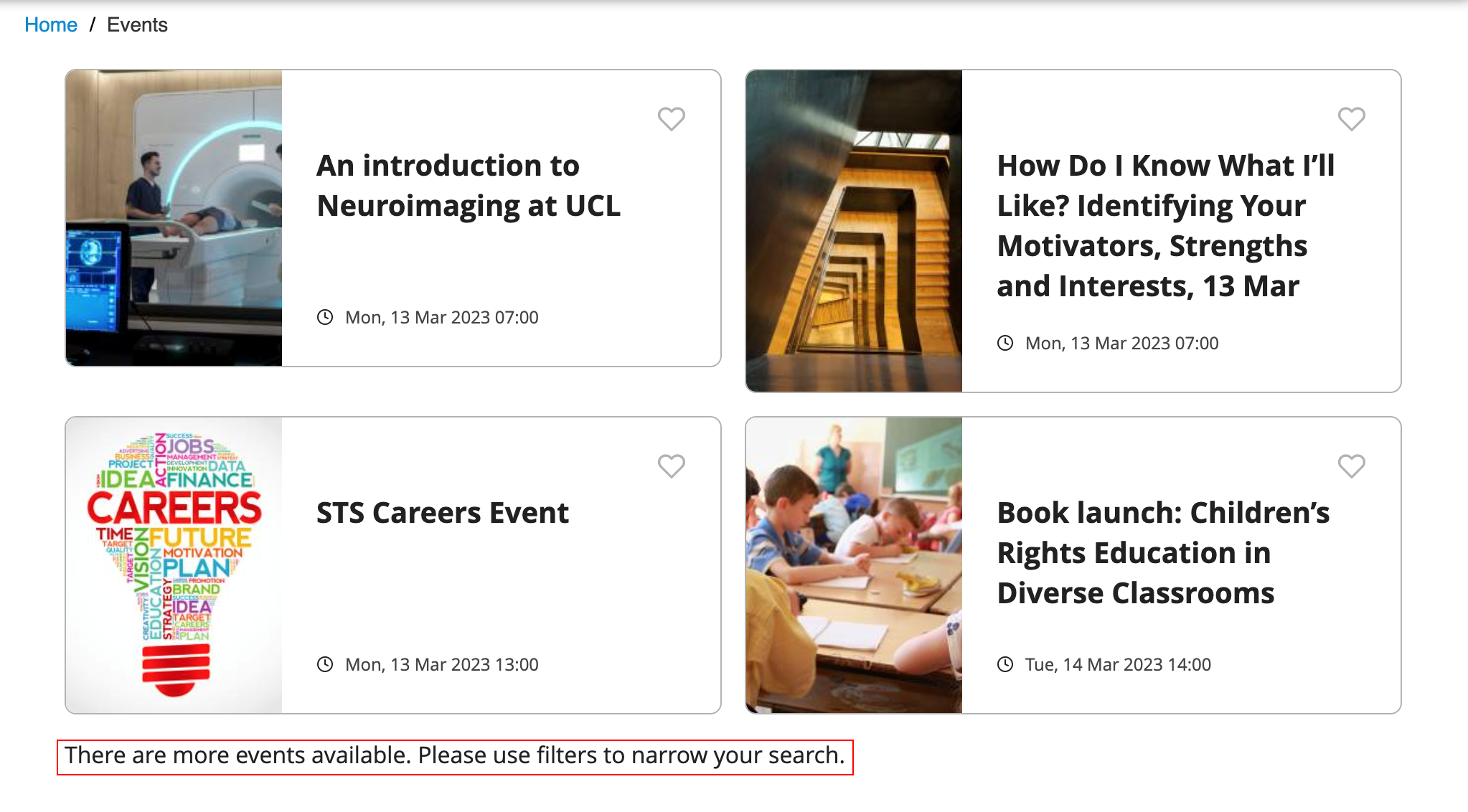
For more information, see Events.
Events Product Integration – Additional Columns for Exports
April 2023CAM-20729
When exporting events that have been registered using the Export Event Registrations as CSV button (App Manager > Product Integrations > Events > Text/Labels), the exported file now includes a Favorite and Registered column.
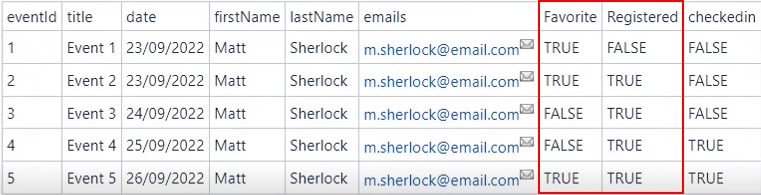
For more information, see Events.
Aliases
April2023CAM-20656
You can now add aliases to the App Manager > General Settings that are searchable when opening the Library Mobile app.

Notification Text Alignment (HOTFIX FOR FEBRUARY 2023)
March 2023CAM-21132
We now support text alignment for Right to Left languages for Notifications. To control the text alignment, select your desired text alignment direction from the Notification Direction drop-down list (App Manager > App Settings > Enterprise Roles > App Profiles).
For more information, see Sending Notification to End Users.
Accessibility
February 2023
As part of our ongoing commitment to Accessibility and reissuing of our updated Voluntary Product Accessibility Templates (VPAT) for our apps, we are undertaking enhancements to accessibility across the platform. This release provides enhancements to the following:
Web App
We enhanced screen reader behavior for Banner Tiles, correctly announcing the Description within the reader. Additionally, we ensured that the refresh timetable widget in the Lecturer Check-in screen was identified as an active element by screen readers.
iOS
We ensured that the refresh timetable widget in the Lecturer Check-in screen was identified as an active element by screen readers.
For more information, see Accessibility Statement.
Automate Email Notifications for Certificate Renewals
February 2023
As part of our continued efforts to ensure smooth business continuity, we added automated reminder emails for SSL Certificate Renewals before they expire. To receive these enhanced notifications, we require customers to populate the App Manager with an appropriate email address to receive these notifications.
We added a Contact email field to the App Manager > App Settings > General Settings page and for customers to populate this field with a distribution email address that processes certificate renewal notifications for your campusM environments:
Library Mobile Signed Certificate Updated for SAML Integration Profiles
February 2023
We updated the Library Mobile Signed Certificate with an extended expiry date that can be selected for signing against a SAML integration profile. The latest available certificate is the default selection when creating a new integration profile.
For more information, see Configuring Integration Profiles.
Library Mobile API – User Registration Enhancement
February 2023
We added the ability to check if a user already exists on the User Registration API.
For more information, see User Registration API.
Feedback Emails – Platform and App Version Included on Report a Problem
February 2023
We enhanced the Report a problem feedback email to include both the platform and the app version from where the user reported the problem. This enhances the data provided by the app for troubleshooting.
Accessibility
January 2023
As part of our ongoing commitment to Accessibility and reissuing of our updated Voluntary Product Accessibility Templates (VPAT) for our apps, we are undertaking enhancements to accessibility across the platform. This release adds the following enhancements:
Web App
We enhanced accessibility with a focus on keyboard access in our maps feature, and in the navigation breadcrumbs that appear when the portal view is enabled. We have also enhanced how the app responses to screen readers for carousels, images, barcodes, etc.
iOS
We resolved a few issues with Voiceover for the logo in the Current Profile section in Settings, the Timetable Events, and the Maps position images.
For more information, see Accessibility Statement.
Feeds Tile Animation
January 2023
We modified the Feeds Tile animation to ensure that the carousel movement follows the direction of the user input. For example, if the user clicks right (to advance the Feed), the Tile animates according to this direction. This is a more intuitive experience.
campus URL Schema — Location Categories
January 2023
We added a parameter to the campusm://uniloc? to enable linking to a location category for a map. The URL format must be:
campusm:/campus?mapCode=<MAPCODE>;locCode=<LOCATIONCODE> where the Map Code and Location Code can be found in the URL when selecting the respective configuration in App Manager:
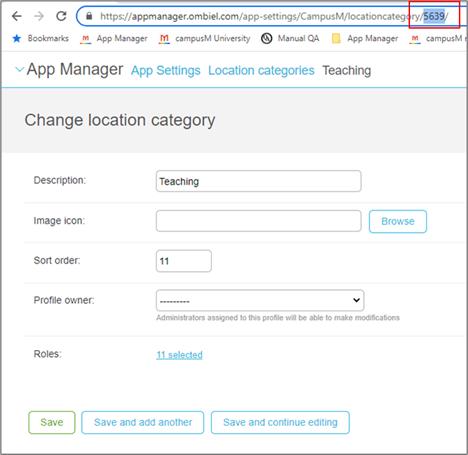
For more information on the campusM URL Schema, see Working with App URLs.
Events Product Integration — Homescreen Smart Tile
We are pleased to provide our first homescreen smart tile for the Events product integrations. Smart tiles form the basis of more dynamic homescreen components that bring the interface to life around the student.
The Events smart tile shows a view of the next upcoming event, to entice a user to explore further. Selecting the smart tile directs the user directly to the highlighted event, where they can view additional information. It can be configured to show the image associated with the event or just the description. Smart tiles can be used in conjunction with the Product Integration Tile.
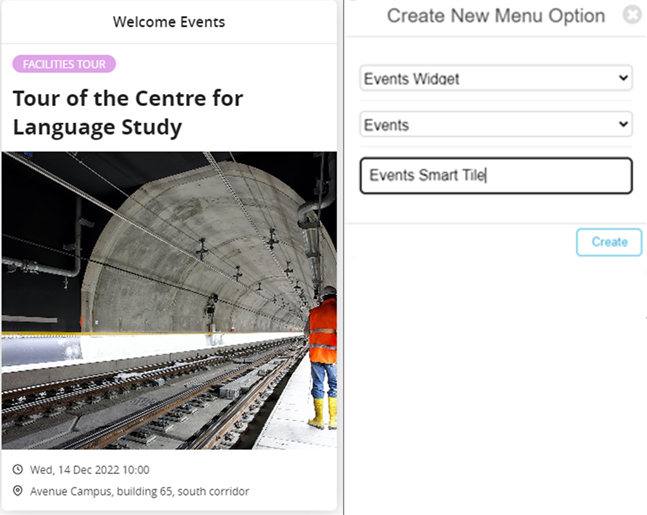
To deploy the new Events smart tile, navigate to the App Builder and add a new Menu Option. Select Events Widget from the available menu option types to reveal a dropdown list of available event Product integration Instances to link the smart tile to. Provide a name for the smart tile and select Create to add to the homescreen preview. You can now configure the smart tile title and select if the image for the event should be shown on the face of the smart tile.
You can configure if the smart tile appears as a navigational link in the Side Bar in the same way as traditional menu options.
As this is our first smart tile, we want feedback to help shape these types of experiences going forward. Look out for more widgets throughout 2023.
For more information, see Events.
Resolved Issues
No resolved issues match your criteria.
- December 2023 Platform:CloudCAM-23145 There was a failure to upload events from an Excel spreadsheet to the Events PI under certain circumstances. This was fixed.
- December 2023SF: 06858141CAM-22959 Previously, the integration with Primo VE would not accept language code zh-tw. This was fixed.
- November 2023SF: 06850540CAM-22897 A fault in the logic of the test wizard caused errors to be shown when there were not, in fact, any errors. The logic of the comparison that caused this to occur has been corrected.
- November 2023SF: 06523179CAM-20599 When ID cards were configured to retrieve end-users' pictures from Alma, the pictures were not shown in the ID cards of the App. This was fixed.
- October 2023 Platform: CloudSF: 06844583CAM-22814 Events in Library Mobile were not displayed. This was fixed.
- October 2023SF: 06842003CAM-22798 The link to create a support ticket went to the incorrect site. This was fixed.
- October 2023 Platform: WebSF: 06698295CAM-21790 Widget count for fees displayed even though it was configured to not display. This was fixed.
- September 2023 Platform: iOS appCAM-22175 An option for push notification for LDAP appeared incorrectly in Settings. This was removed.
- September 2023 Platform: WebCAM-22050 The input field for the banner URL was not focusing when clicked into, so the banner pop up was disappearing. The focus has been corrected and now the popup appears as expected when clicking into the input field.
- September 2023 Platform:WebSF: 06630088CAM-21707 There was an issue with searches related to the 'Class Description' field, for the Alternative Lecturer check-in. This was fixed.
- September 2023 Platform: WebSF: 0530053606375702CAM-20392 Placeholders were not working when sending scheduled notifications including campaigns. This was fixed.
- September 2023 Platform: WebSF: 05314527CAM-17497 Group notifications with personalized message appeared as individual in the notification center. This was fixed.
- August 2023 Platform: N/ASF: 06753911CLM-22101 Pages in Creative Studio were incorrectly marked as drafts. This was fixed.
- August 2023 Platform: Android appSF: 06771968CLM-22238 The application would crash when opening a notification that had a % character in the title. This was fixed.
- July 2023 PlatformSF: 06649186CAM-21529 Events Product Integration — The events product integration was parsing descriptions with extra text from the RSS feed. This was fixed.
- July 2023 PlatformSF: 06736038CAM-22015 Primo VE Product Integration — In Primo VE the search results toolbar was hidden. This was fixed.
- June 2023 iOS App Android AppSF: 06565664CAM-20742 Previously, users were unable to log in to campusM from an embedded view using an out-of-date browser.
- April 2023SF: 06511457CAM-20442 Notification Groups — Previously, adding an alert group to a role with many users took a very long time. This process is now much quicker.
- April 2023PlatformCAM-21184 BCC Notifications — Alerts sent through the API are now displayed as expected.HOTFIX FOR MARCH 2023
- April 2023 PlatformSF: 06659031 06660267CAM-21536 Previously, the alignment of notifications prevented users from marking notifications as READ and from deleting notifications. This was fixed.
- March 2023 Android AppSF: 06612009CLM-21225 When the token was about to expire, on the force logout process the OK button on the Logout Required prompt was not visible, leaving the app in an unresponsive state.HOTFIX FOR FEBRUARY 2023
- March 2023 Android AppSF: 0662789506627935CLM-21279 Push notifications were received indicating that a new message was sent; however, the message was not delivered.HOTFIX FOR JANUARY 2023
- March 2023 Android AppCLM-17534 Accessibility — Upon signing in, the screen reader did not announce the screen locking icon for the app. The screen reader now announces the screen locking icon.
- February 2023 Platform Authentication - SSO Token Refresh: Resolved an issue where the app could not use the refresh token to get a new access token due to the Scope field not being sent to the refresh service. We have now added the option to send the scope to the refresh token service.HOTFIX FOR DECEMBER 2022
- February 2023 PlatformSF: 06536490 Events Product Integration - Reminder Notifications: Resolved an issue where reminder notifications were not sent for registered events if the event details were provided through an RSS feed (rather than the Excel spreadsheet upload). Now all registered events deliver reminder notifications to the native app if enabled within the configuration.
- February 2023 PlatformSF: 06424927 Events Product Integration - Multiple Event PI Showing Previous Events Before Loading: Resolved an issue where users switching from one event product integration to another first saw the previous events before the new events were loaded. We now show a loading screen while the new events are loaded into the interface.
- February 2023 Platform Events Product Integration - Reminder Notifications: Resolved an issue that presented the event time in the wrong time zone in the reminder notification. The notification now shows the right time of the event as per the event's time zone configuration.
- February 2023 PlatformSF: 06518606 Leganto Product Integration - Physical Reading List Items: Resolved an issue where physical items presented on the user ’s reading lists did not appear correctly and instead showed a 404 error. We now ensure that the routing for this data goes through the correct proxy to render the correct details on the screen for physical locations.HOTFIX for JANUARY 2023
- January 2023 Platform List Product Integration: Resolved an issue that prevented the due dates for items populated by the PeopleSoft vendor. Due dates are now pulled through and shown to the user.
- January 2023PlatformSF: 006527830 Events Product Integration: Resolved an issue where the date/time format for the RSS feed was not accepted despite being configured in the product integration. We modified the configuration to correctly parse the date/time format.
- January 2023 PlatformSF: 06535715 App Manager Users: Resolved an issue that prevented App Manager users (administrators) from being deleted from the Users/Permissions configuration.
- January 2023 iOS App General: Resolved an issue when using the Switch Profile URL from the iOS app, switching to a profile that the user had not yet visited, resulting in a blank screen.
Page tags: article:topiccontent:Release_Notesproduct:campusmlang:english
