
Leganto October 2026 Release Notes
November 2026 Sneak Preview
- More accessibility improvements across the interface
Main Features
Accessibility Improvements Across the Leganto User Interface
October 2026 Leganto
Several improvements have been made to enhance accessibility in the Leganto user interface. Most notable improvements include:
-
Add Tags: Replaced the “Add Tags” component with a multi-select control that more clearly indicates users can select multiple tags from a predefined list.
-
List Header, Move Item, Import List from File, and Manage Link to Course: Improved page structure and relationships to support more reliable navigation and interpretation by screen readers.
-
List Header, Move Item, and Manual Entry: Improved accessible labels, status information, and dialog/grid announcements for assistive technologies.
-
Mark Link as Broken, Import List from File, Manage Link to Course, Manual Entry, More Details, Bulk Actions, Quick Start, and Publishing: Improved keyboard focus management, including focus order, initial focus, focus return, and visible focus indicators.
-
Locked Sections, Syllabus Assistant, and Help Menu: Added clearer text alternatives for visual status and navigation indicators.
-
Cookie Settings: Added textual on/off indications to the toggle switches and improved the contrast on the cookie toggle switches.
Additional Enhancements
-
October 2026 Leganto Leganto now enables institutions to provide alternative text for their customized logo.
A new Logo Alt Text field is now available under Configuration > Leganto > UI > Branding. Enter the alternative text for the logo text in this field. The field supports codes from Customer Labels under Configuration > Leganto > General.
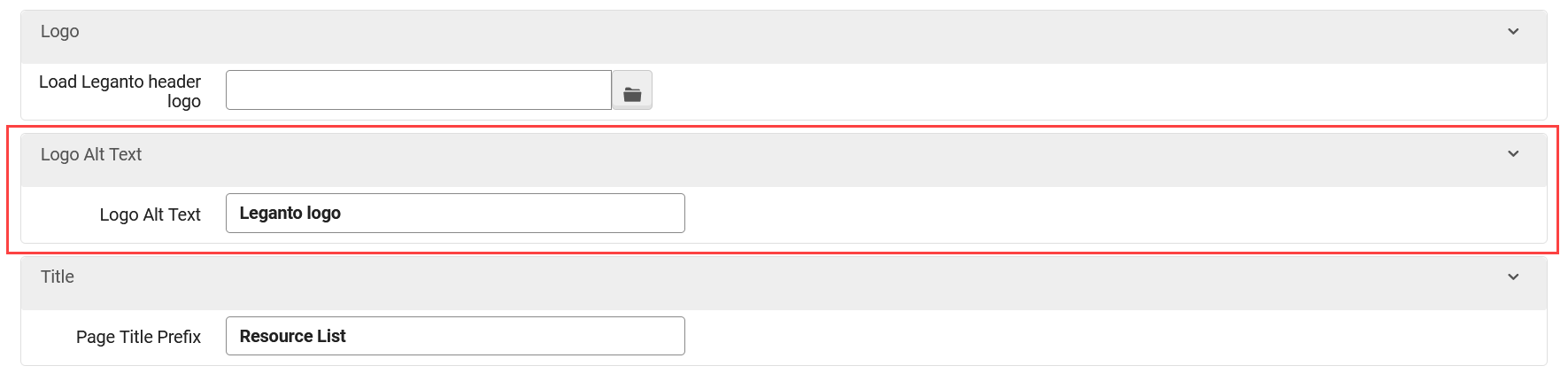
Adding alternative text helps users who rely on screen readers understand the content conveyed by the logo and the text displayed with it. URM-333040
-
October 2026 LegantoThe out-of-the-box Leganto logo has been updated to align with Clarivate branding guidelines. If your institution has not customized your logo, the updated logo is displayed in the following locations:
-
The Leganto login screen
-
The left pane above the Lists and Favorites buttons
The updated logo is displayed only for new customers and institutions using the default, out-of-the-box logo. URM-330265
-
-
October 2026 Leganto The names of RefWorks and EndNote have been updated throughout Leganto to reflect the rebranding of RefWorks to EndNote Fusion.
All out-of-the-box UI labels and parameters that previously referenced RefWorks now use EndNote Fusion, while those that referenced EndNote now use EndNote Online. Customized labels are not affected by this update. URM-332867
-
October 2026 Leganto The external link to the CCC Marketplace Product Terms and Conditions is now available directly from the CCC license processing workflow.
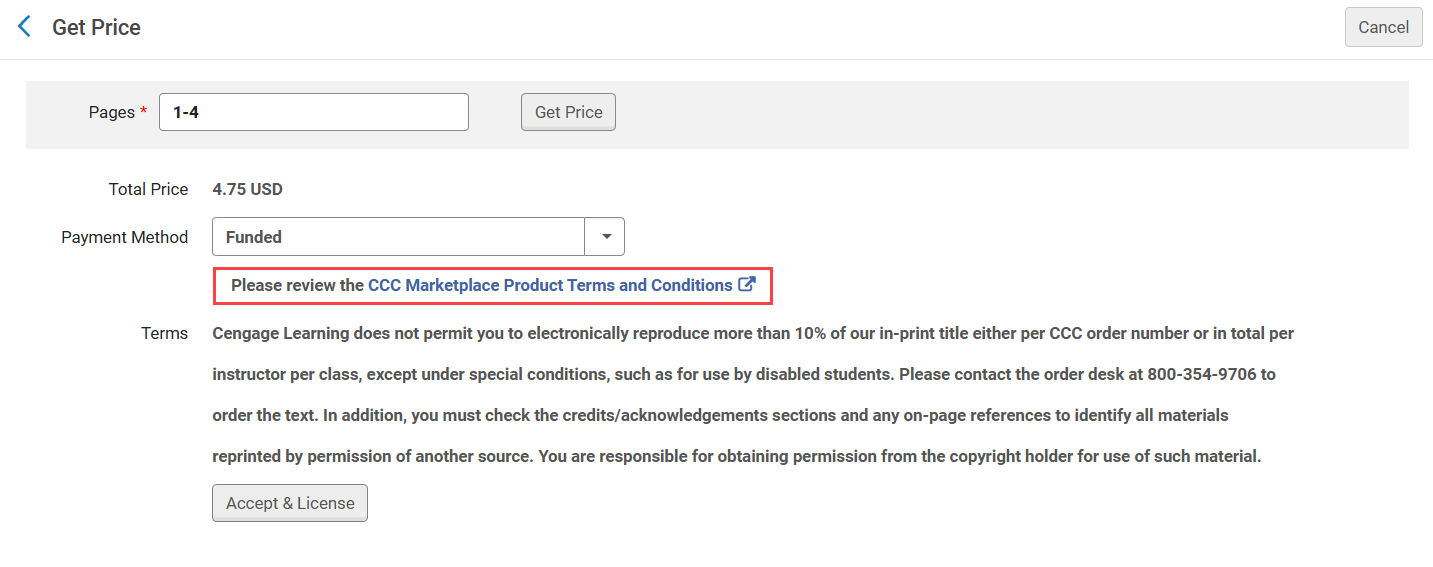
Selecting the link opens the terms and conditions in a new browser tab. The publisher-specific terms provided by CCC continue to be displayed as before, along with the option to accept the license. URM-328597
-
October 2026 Leganto SVG and XML files are now blocked from being uploaded to Leganto. These file types can contain JavaScript that may execute when the files are opened, creating a potential security risk.
This enhancement strengthens Leganto security by preventing potentially unsafe file types from being introduced into the system. URM-331840
-
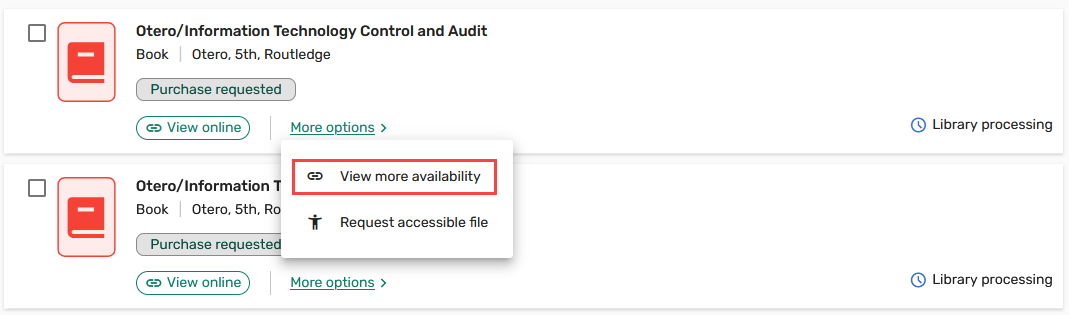
October 2026 Leganto The View more availability option in the More options menu when inspecting an individual item now includes an icon, matching the other options in the menu. This update provides a more consistent menu experience.URM-334877
-
October 2026 Analytics and Insights The MMS NZ field was added to the Citation Metadata Details folder in the following Analytics subject areas:
-
Course Reserves
-
Leganto Instructor Usage Events
-
Leganto Student Usage
This field enables institutions to report on and analyze items using the Network Zone MMS identifier.
For more details, see Course Reserves, Leganto Instructor Usage Events, and Leganto Student Usage. URM-332959
-
Resolved Issues
| SF number | Description |
|---|---|
| 10718900 URM-335644 | The CMS Roles Mapping table did not correctly assign the instructor role when an LTI role name contained spaces. This was fixed so that CMS roles with spaces in their names are now correctly mapped and assigned as configured. |
| 10754125 URM-335585 | Even when institutions disabled the Edit Item action, instructors and other users could still see this option in the item menu and open the item for editing. This was fixed so that the Edit Item option is now correctly hidden when editing is disabled. |
| 10728057 URM-334939 | When only one list was associated with a course, selecting the All Reading Lists for this Course button displayed an error page. This was fixed so that the associated list is now displayed correctly even when it is the only list linked with the course. |
| 08395120 URM-326567 | Previously, the physical availability section was displayed for titles that were suppressed from publishing, and an error appeared when the availability could not be retrieved. This was fixed so that physical availability is no longer displayed for suppressed titles. |
| 08376986 URM-325734 | When the australian-guide-to-legal-citation style was selected, Quick Cite did not display all sources. This was fixed so that all sources are now displayed correctly regardless of the selected style. |
