Choosing Custom Slips
The Custom Slips feature enables Sierra users to choose a customized hold and/or transit slip to print instead of the default hold and/or transit slips.
Slip Choices
The system can print only one type of hold slip and one type of transit slip. To enable one of the custom hold and/or transit slips described below, or to return to the system default hold and/or transit slip, contact Innovative.
You can choose one of the following hold slips:
You can choose one of the following transit slips:
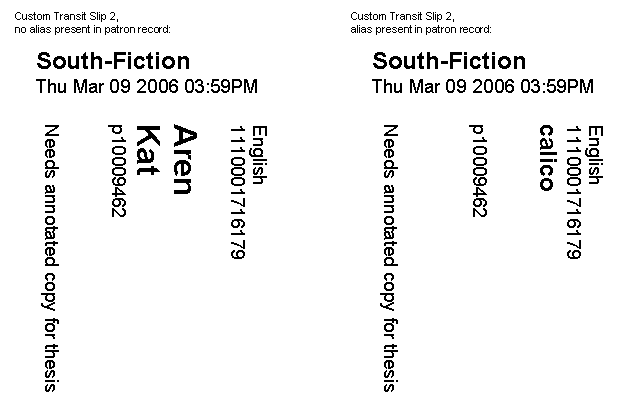
Custom Hold and Transit Slips 2 and 3 enable the use of a patron alias, if the Patron Alias feature is enabled and an alias is present in the patron record.
Printer Requirements
Before requesting that Innovative enable the Custom Slips feature, check the printers your site uses for hold and transit slips.
- Printers must be narrow-format receipt printers that are capable of graphical printing. The Custom Slips feature does not function with printers that do not meet these requirements.
- You must deselect text printing and enable graphical printing.
- If you are requesting Custom Hold Slip 1 or Custom Transit Slip 1, check the print margin boundaries. Inform Innovative whether the left margin of your printed receipts starts at position 0 or position 20.
Custom Hold Slips
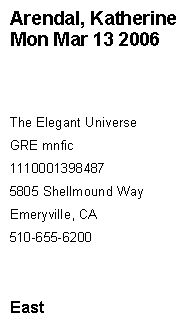
Custom Hold Slip 1
Custom Hold Slip 1 prints the following information:
- Patron name
- Hold expiration date
- Title
- Call number
- Item barcode
- First and second lines of patron's address
- Patron phone number (from the patron record's TELEPHONE field)
- Hold pickup location
For example:
Custom Hold Slip 2
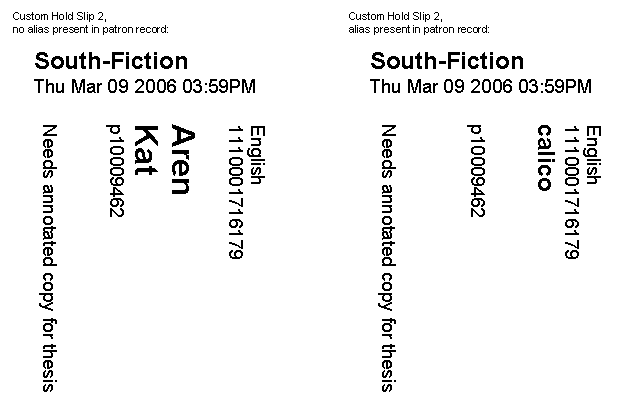
Custom Hold Slip 2 prints the following information:
- Hold pickup location
- Checkin date
- Patron's PCODE3 field value
- Item barcode
- Patron alias, if present (20 characters maximum)
- Patron's last name (4 characters maximum; only if no alias is present in patron record)
- Patron's first name (3 characters maximum; only if no alias is present in patron record)
- Patron record number
- Hold note, if any
For example:
Custom Hold Slip 3
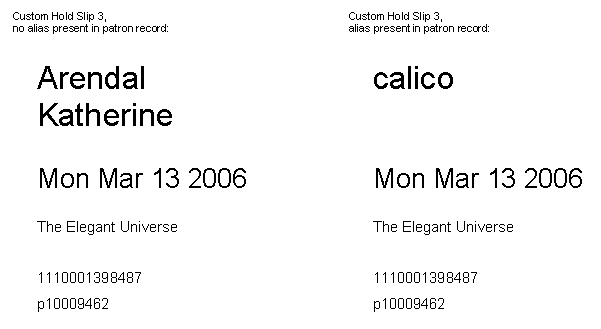
Custom Hold Slip 3 prints the following information:
- Patron alias, if present
- Patron's last name (if no alias is present in patron record)
- Patron's first name (if no alias is present in patron record)
- Hold expiration date
- Title (200-pixel, 2-line maximum)
- Item barcode
- Patron record number
For example:
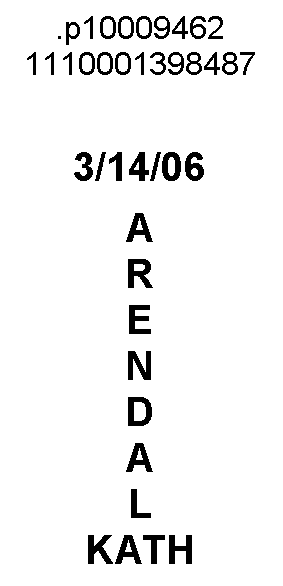
Custom Hold Slip 4
Custom Hold Slip 4 prints the following information:
- Patron record number
- Item barcode
- Hold expiration date (mm/dd/yy format)
- Last name (10 characters maximum)
- First name (4 characters maximum)
For example:
Custom Hold Slip 5
Custom Hold Slip 5 prints the following information:
- Patron's last name (4 characters maximum)
- Patron's first name (3 characters maximum)
- Patron record number
- Item barcode
- Hold expiration date
- Hold pickup location
For example:

Custom Transit Slips
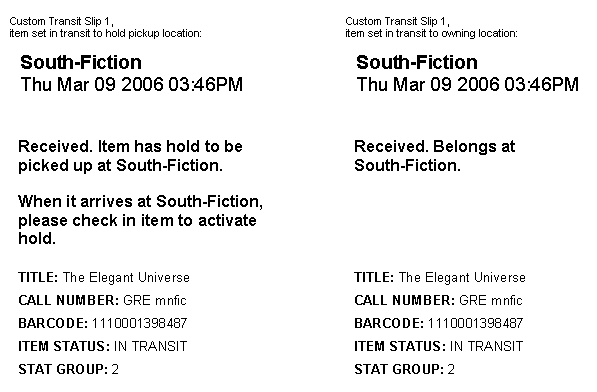
Custom Transit Slip 1
Custom Transit Slip 1 prints the following information:
- Transit destination
- Checkin date
- Transit message (190-pixel, 3-line maximum)
- Checkin instructions (190-pixel, 3-line maximum)
- TITLE: Title
- CALL NUMBER: Call number
- BARCODE: Item barcode
- ITEM STATUS: Item STATUS
- STAT GROUP: The statistics group assigned to the login, if any
For example:
Custom Transit Slip 2
Custom Transit Slip 2 prints the following information:
- Transit destination
- Checkin date
- Patron's PCODE3 field value
- Item barcode
- Patron alias, if present (20 characters maximum)
- Patron's last name (4 characters maximum; only if no alias is present in patron record)
- Patron's first name (3 characters maximum; only if no alias is present in patron record)
- Patron record number
- Hold note, if any
For example:
Custom Transit Slip 3
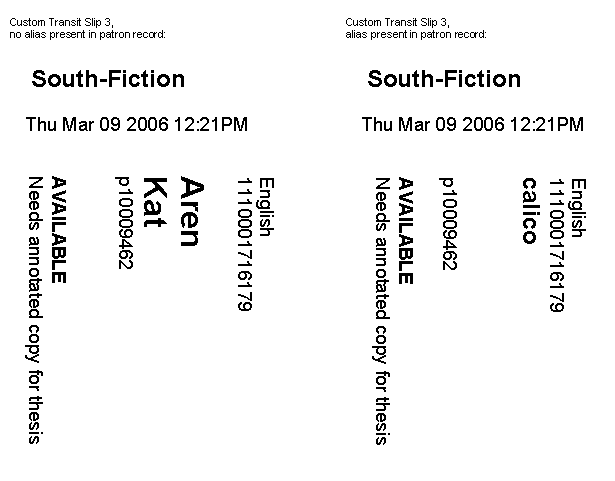
Custom Transit Slip 3 prints the following information:
- Transit destination
- Checkin date
- Patron's PCODE3 field value
- Item barcode
- Patron alias, if present (20 characters maximum)
- Patron's last name (4 characters maximum; only if no alias is present in patron record)
- Patron's first name (3 characters maximum; only if no alias is present in patron record)
- Patron record number
- Item STATUS previous to being set in transit
- Hold note, if any
For example: