
Publishing to NBK
Overview of publishing to COPAC and instructions for configuring a COPAC publishing profile.
- Catalog Administrator
- Repository Administrator
- General System Administrator
Alma provides publishing support for the Consortium of Online Public Access Catalogues (NBK), a UK-based union catalog.
Initial Publishing to NBK
Prior to running your ongoing automatic synchronization process with NBK, you need to coordinate and process an initial publishing of the Alma records that you want exposed in NBK.
- Communicate with NBK to let them know that you will be running an initial publishing of records from Alma and discuss any profile configurations that need to be coordinated between your institution and NBK.
- Prepare for your communication with NBK by familiarizing yourself with the Alma publishing profile details in Publishing and Inventory Enrichment (General Publishing), and by reviewing any shared information in the Ex Libris Developer Network. (For an example, refer to https://developers.exlibrisgroup.com/blog/Publishing-to-Copac-Experience-of-the-University-of-York.)
- Prepare a checklist of questions that should address the following Alma configuration requirements:
- FTP configuration details (see Adding S/FTP Connections for additional information)
- MARC output format (MARC 21 binary or MARC 21 XML)
- File size preference (1,000, 5,000, or 10,000 records per file or one single file)
- File naming convention (prefix) for published files
- Publishing schedule
- Create the logical set of records that you want to publish to NBK. See Creating Logical Sets.If you need to normalize these records before publishing, refer to Working with Normalization Processes for more information and/or use the normalization options provided on the Data Enrichment tab of the publishing profile (see the example below).
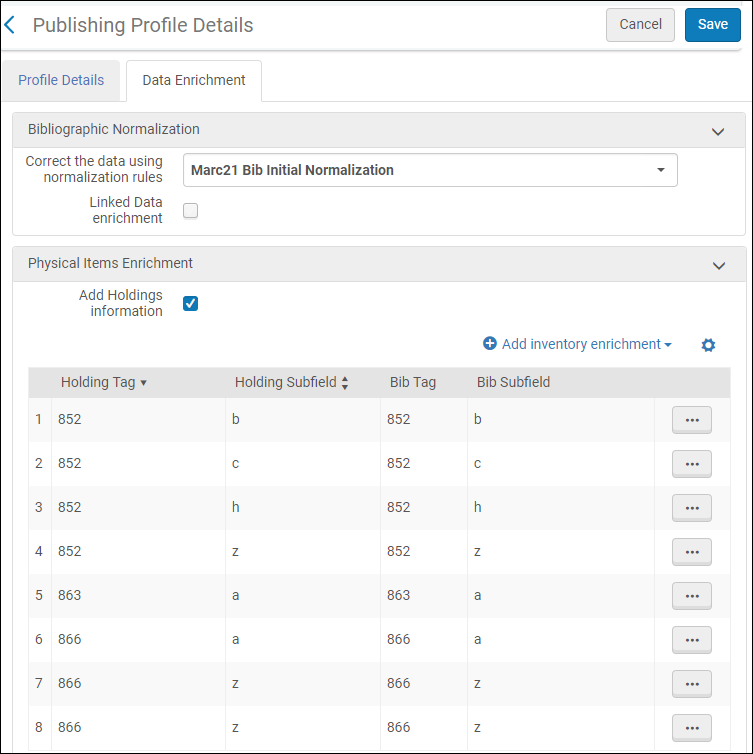 Data Enrichment Tab (Publishing Profile)
 - With the information that you have gathered, create the Alma publishing profile for publishing to NBK (Configuration > Resources > Publishing > Publishing Profiles) using the procedure in Publishing and Inventory Enrichment (General Publishing). See below for an example.
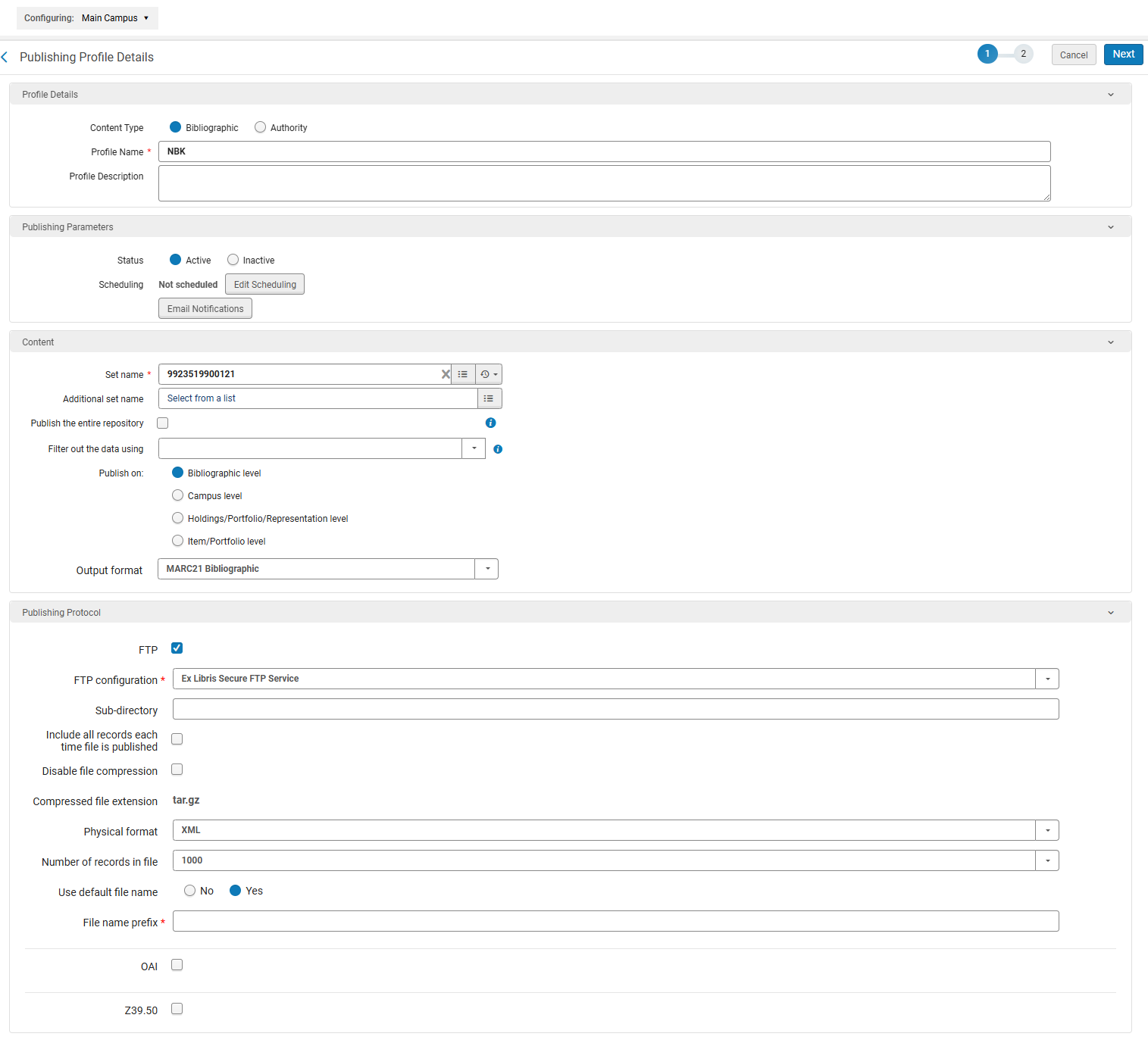 Profile Details Tab (Publishing Profile)
 - According to your pre-arranged schedule with NBK, run your initial load publishing job.
- Access the NBK publishing profile that you have configured (Resources > Publishing > Publishing Profiles).
- Select Run in the row actions list.
- Check the History tab on the Monitor Jobs page (see Viewing Completed Jobs) to determine the status of your NBK publishing job.
- Follow up with NBK to confirm that your publishing job was successfully received and that your files have been loaded into the NBK database.
- Configure your NBK publishing profile for the ongoing publishing of your records to NBK. See the next section,Ongoing Publishing to NBK.
Ongoing Publishing to NBK
Once you have completed your initial publishing job with NBK and confirmed that your files have been loaded into the NBK database, you are ready to begin the incremental/ongoing process of updating your records in NBK. Alma general publishing is designed to do one initial full upload of records with the necessary logic incorporated to identify the incremental changes to each previous upload and only publish those records that have changed since the last publishing job was run. As a result, republishing a full load is not provided as an option.
For ongoing publishing, you may find it easier to set your publishing profile to run automatically on a repeating schedule.
- On the Publishing Profiles Details page (Resources > Publishing > Publishing Profiles), select Edit in the row actions list for the publishing profile that you created for the initial upload to NBK.
- Modify the Scheduling parameter to match your preference.

- Select Save.
Page tags: article:topic product:alma content:Documentation lang:english COPAC initial publishing data enrichment
