
引用リンカー
Primoの引用リンカーの使用法を説明します。
If you are working with Primo VE, see Configuring Fetch Item for Primo VE for more details.
引用リンカーのライトボックスでは、フルテキストを表示したり、追加サービス(ILLなど)をリクエストしたりするために、ユーザーがフォームを介して論文・書籍・ジャーナルタイプの書誌情報を検索できます。
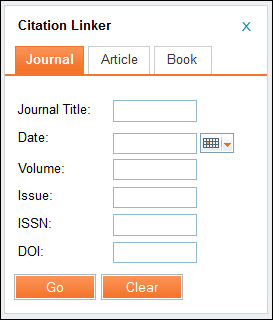
For information on configuring the Citation Linker, see Configuring the Citation Linker.
Note that in order to be able to search by Digital Object Identifier (DOI) in the Citation Linker you must have a Resolver Augmentation integration profile.この統合により、DOIを使用してCrossRefデータベースを照会し、完全な論文レベルのメタデータを取得できます。For information on configuring this integration profile, see Almaリゾルバ拡張.
-
Primoフロントエンドで[引用リンカー]を選択します。
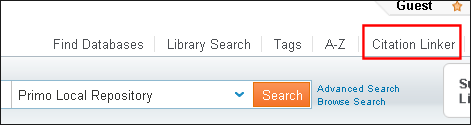 引用リンカーボタン
引用リンカーのライトボックスが開きます。
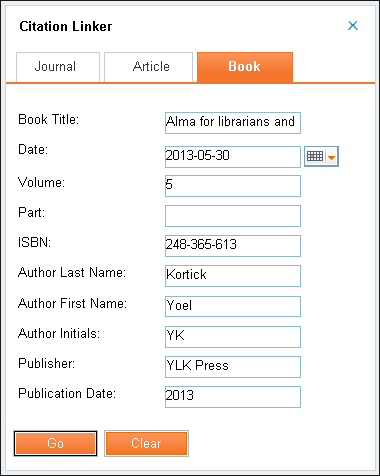 引用リンカーのライトボックス
-
検索情報を入力し、[進む]を選択します。
選択したアイテムの結果が表示されます。
-
In the item's results, select the Get It tab.
利用可能なリクエストリンクが[Get It]タブに表示されます。
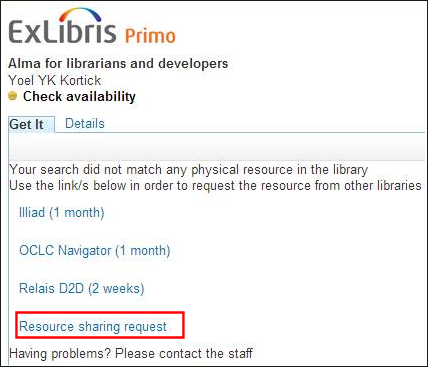 [Get It]タブリクエストリンクこれらのリンクは、表示ロジックルールに基づいて表示または非表示になります。For more information, see Primoに関連する設定.
-
リソースシェアリクエストリンクを選択し、Primoでリソースシェアリクエストのフォームを表示します。
リソースシェアに関する追加情報については、次のトピックを参照してください。
-
リソース情報と配信情報のセクションに記入し、[リクエスト]を選択します。
[Get It]タブに確認が表示されます。
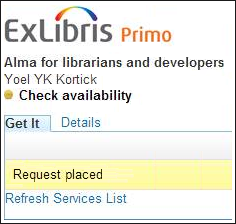 リクエスト確認メッセージ
Page tags: article:topicproduct:almacontent:Documentationlang:english
