
Library Mobile 2024 October Release Notes
Developments
Add ID Card to Apple Wallet
Users can now add their ID card from campusM to Apple Wallet. This is disabled by default, i.e., administrators need to enable this functionality in the ID Card configuration (see Digital Wallet Support). Google Wallet will be supported in a future release.
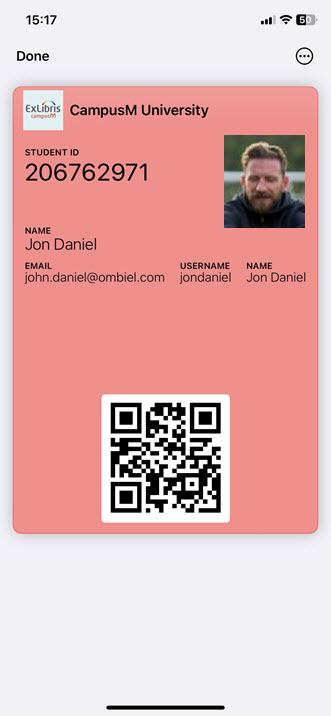
For more information see ID Card - Digital Wallet Support.
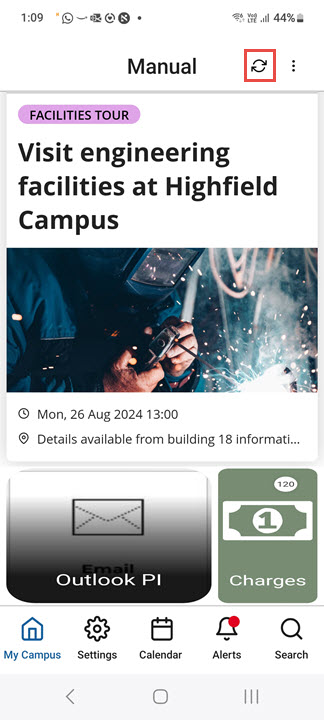
New Refresh Button
A Refresh button ( ) has been added to the Homepage and to AEK and PI pages. Selecting this button refreshes the data and, depending on the type of page, implements changes that were made to the tiles in the Homepage or to the functionality of the AEK or PI.
Bug Fixes
| SF number | Platform | Description |
|---|---|---|
| 07257344, 07233542 | React Native - Android | Under certain circumstances, when the end-user app was closed on an Android device, it could not be reopened without reinstalling. This was fixed. |
| 07204106 | React Native iOS Android |
|
| 07187286 | React Native iOS, Android | In some cases, http links were causing errors. This was fixed; campusM now converts these links to https. |
| N/A | React Native iOS | Accessibility - There were issues on the ID Card that impacted screen reading of the labels. This was fixed. |
| N/A | React Native iOS |
|
