
Working Copy campusM December 2023 Release Notes
Developments
No developments match your criteria.
(CAM-22724) My Profile - Preview and Deployment of Tags in App Builder
December 2023
CM only
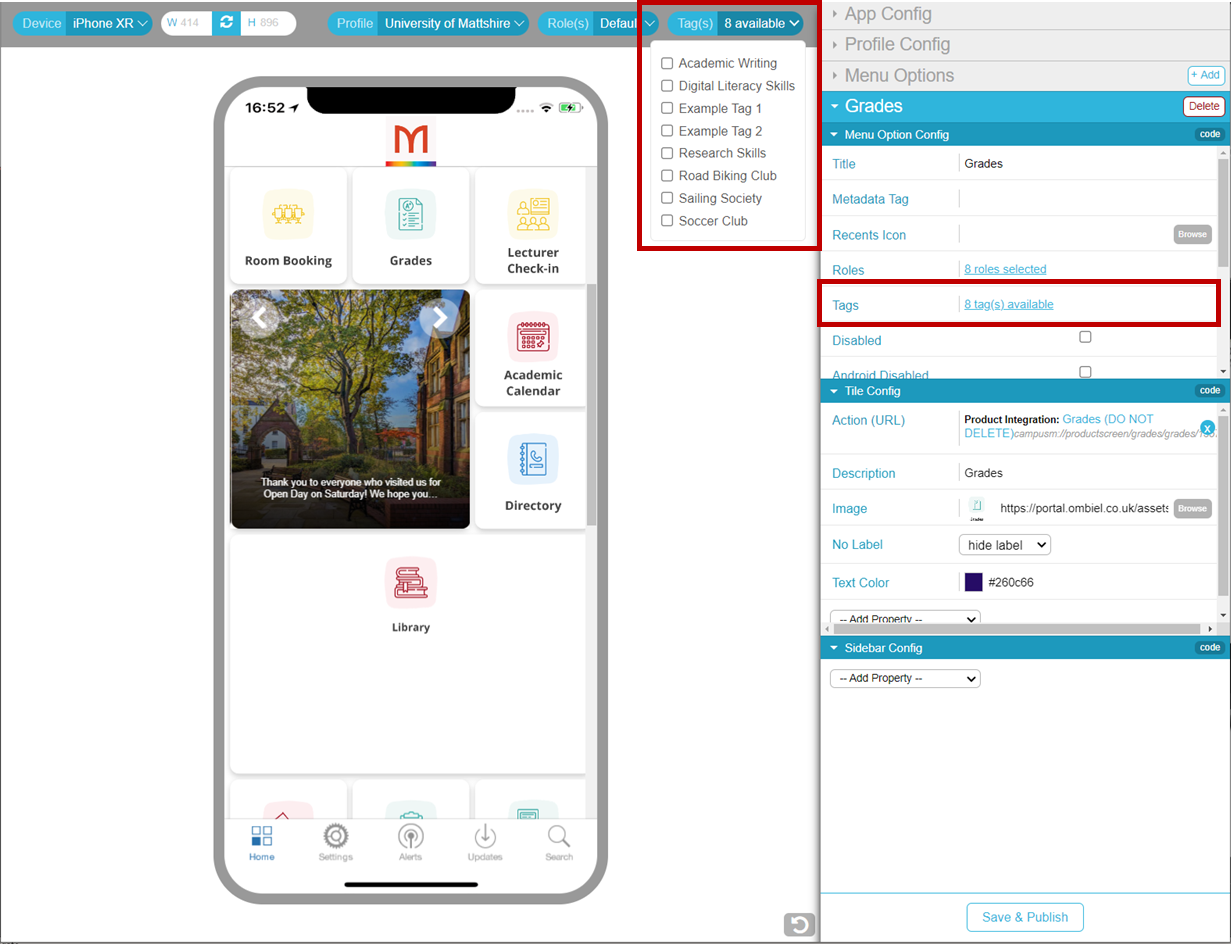
You can now preview and manage the deployment of My Profile tags in App Builder, in a similar way to the way you can preview and manage roles. My Profile tags enable users to select content of interest to them. Tiles related to the tags they select are then included in their apps.
App Builder enables you to link tags to tiles by selecting the tags in the tile configuration, under Menu Option Config > Tags. It also allows you to preview what users with particular tag selections will see in their apps, by selecting the tags from the dropdown list of available tags above the preview area.
For more information, see Managing My Profile;The App Manager UI.
(CAM-19993) Action URLs - CMAuth Tokens in Action URLs
December 2023
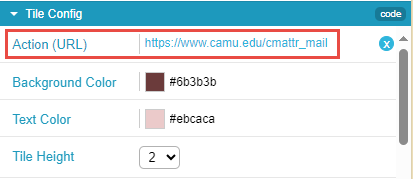
You can now use a CMAuth token attribute as a part of a link on a tile. This can be done by adding a placeholder to the link defined in the Action(URL) field for the attribute you want to use. All placeholders must start with “cmattr_†followed by the name of the token attribute you wish to include, for example,cmattr_username.
For additional information, see Working with App URLs.
(CAM-18474) Notifications - Option to Duplicate
December 2023
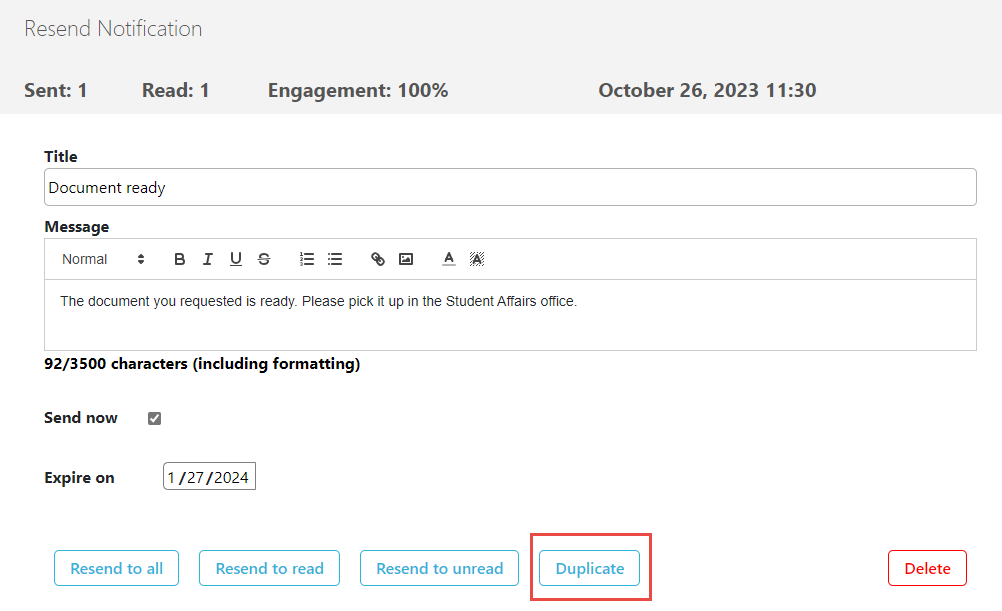
You can now create a duplicate of an existing notification, which can then be edited as required and sent. You can choose whether the duplicate notification will be an individual or a group notification.
For more information see Sending Notifications to End-Users.
(CAM-22910) Notifications - Character Count
December 2023
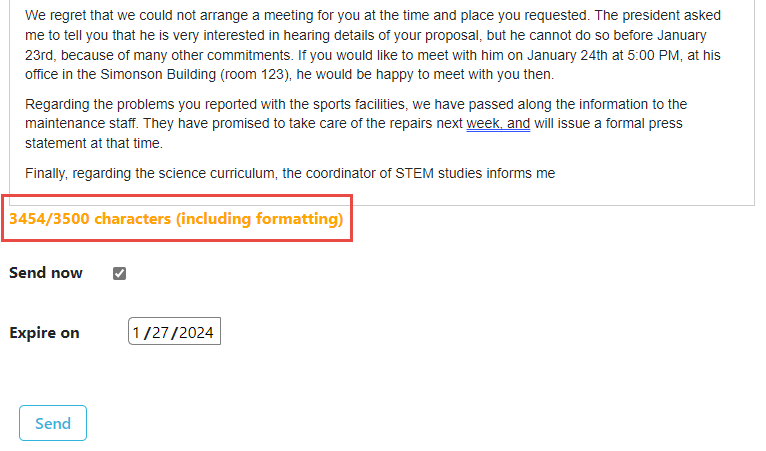
The number of characters included in the text of a notification now appears below the Message text box. If the total is within 50 characters of the maximum length of 3500 characters, the character count appears in orange. If the total exceeds 3500 characters, the character count appears in red.
For more information see Sending Notifications to End-Users.
(CAM-22083) Attendance - Lecturer Check-In
December 2023
CM Only
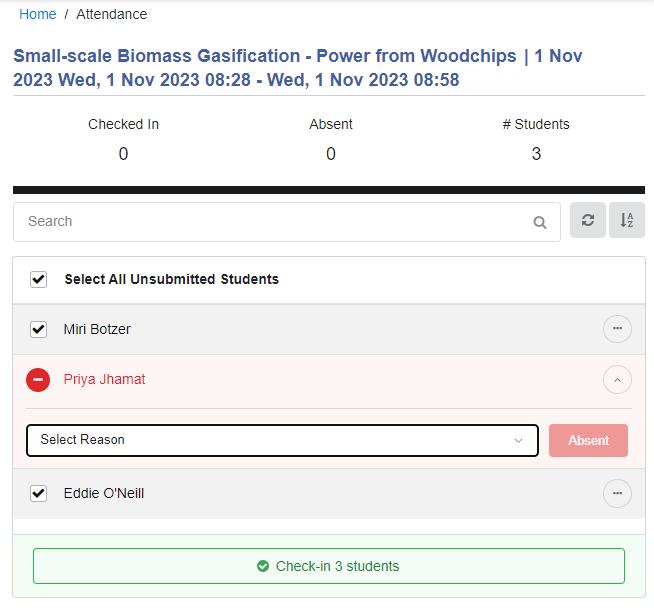
Two enhancements have been implemented in the Lecturer Attendance Check-In Page:
- Select All Unsubmitted Students option – Lecturers can select this option to select all of the students whose attendance status has not yet been set.
- Marking students absent – Lecturers can now mark individual students as either present or absent even when students are selected. Selected students are marked as present unless the lecturer marked them as absent.
For more information, see campusM Attendance Lecturer Experience.
Resolved Issues
No resolved issues match your criteria.
- December 2023 Platform:CloudCAM-23145(CAM-23145). There was a failure to upload events from an Excel spreadsheet to the Events PI under certain circumstances. This was fixed.
- December 2023 Platform: AndroidSF:06887895CAM-23088(CAM-23088) In certain cases, an incorrect login screen opened for new students using the app on Android, and when these students attempted to log in, the message "Not Authorised" appeared. The app had to be uninstalled and reinstalled in order to solve the problem. This was fixed.
- December 2023 Platform:IOS (iPad)SF: 06882526CAM-23035(CAM-23035) Previously, the About page would not open in the app when it was running on iPad. This was fixed.
- December 2023SF: 06858141CAM-22959(CAM-22959) Previously, the integration with Primo VE would not accept language code zh-tw. This was fixed.
Page tags: product:alma_specto
