
Working Copy campusM April 2023 Release Notes
Developments
No developments match your criteria.
(CAM-19438) Analytics Update
April 2023
 Idea ExchangeCAM-19438
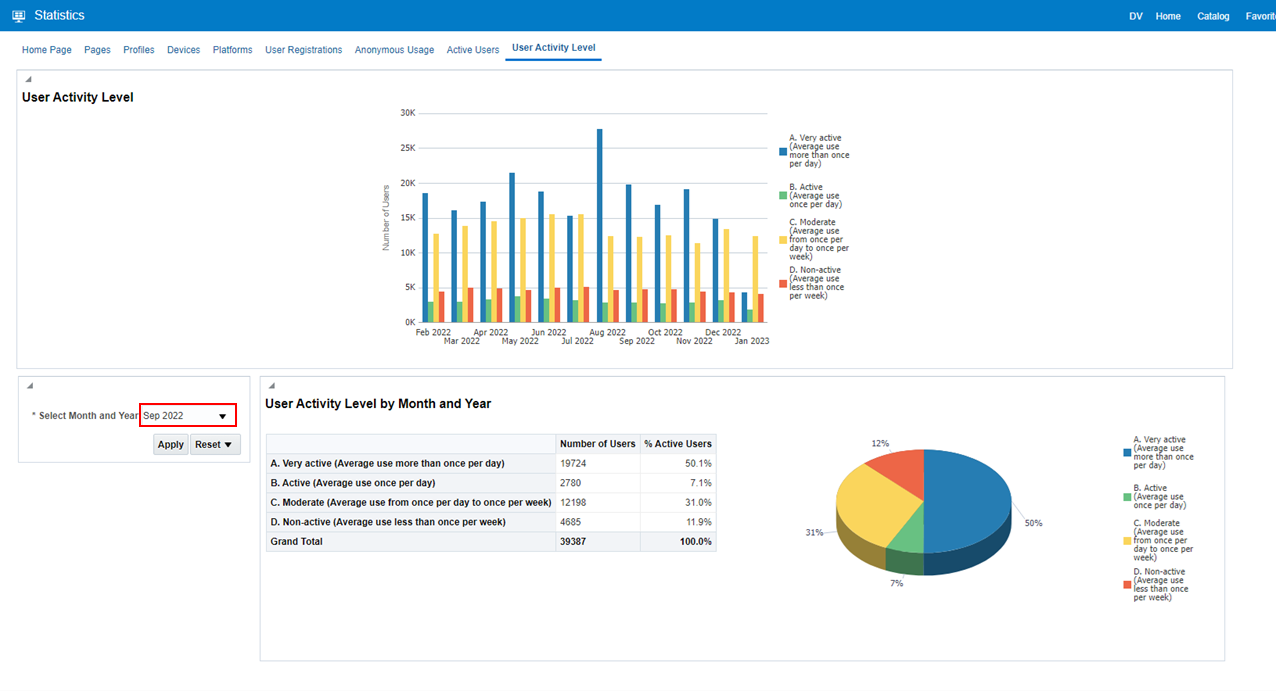
You can now use App Manager (Analytics > Catalog > Folders > Shared Folders > campusM > Dashboard > Statistics) to view an out-of-the-box dashboard to show the usage of the campusM app.
Select the Month and Year and select Apply to view monthly app engagement.
For more information, see Analytics.
(CAM-21473) My Profile
April 2023CAM-21473
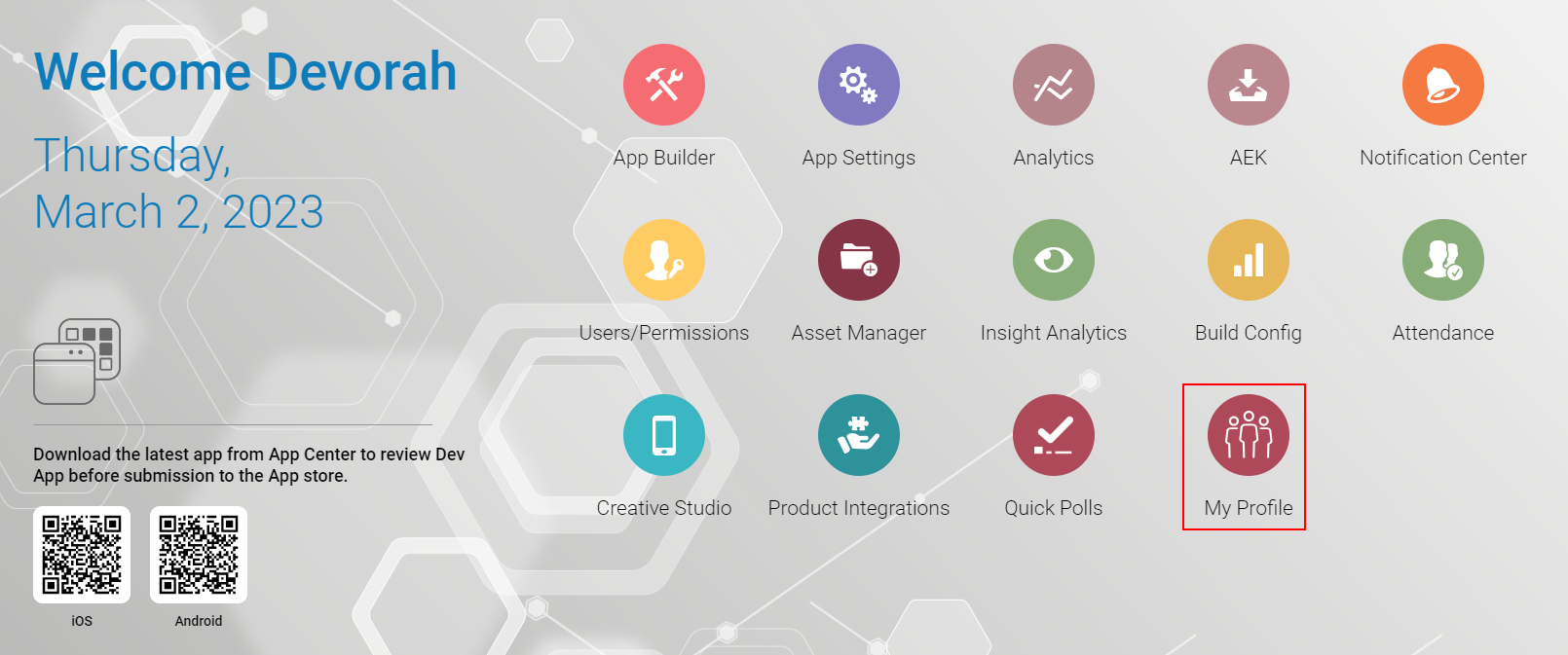
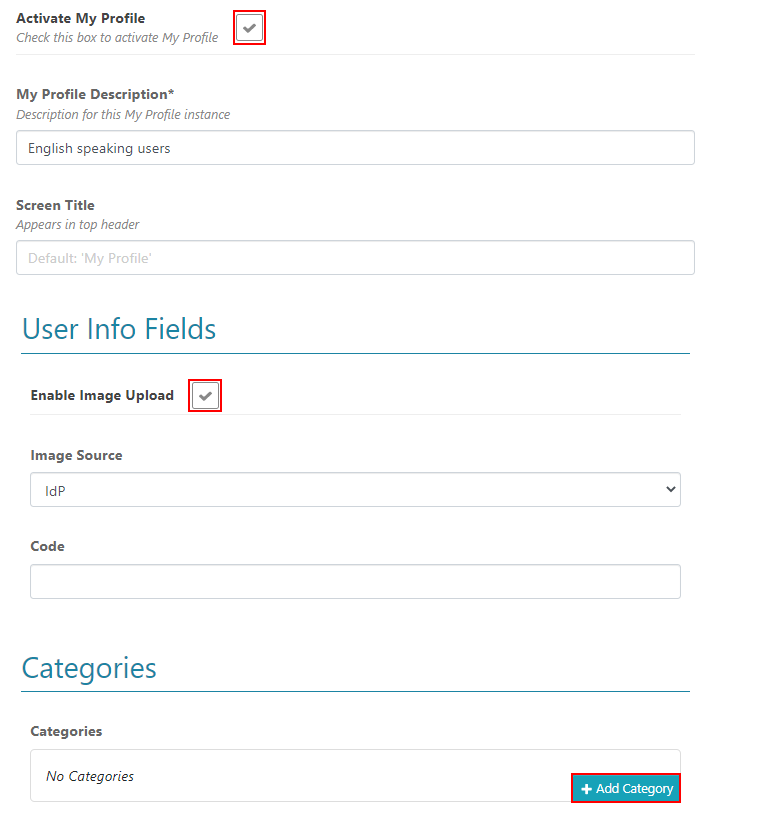
To enable users to better manage their profile preferences, when configured in App Manager > My Profile, users can customize their profile settings and tags in their assigned categories.
Create profiles in the My Profile Settings > My Profile Configuration settings.
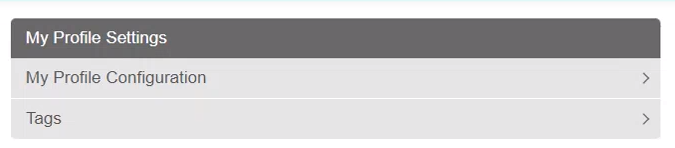
Select Add My Profile to create each profile instance.

Configure if users are allowed to add profile images, assign categories to users, and add tags to those categories.
You must first create tags before they can be added to a profile.
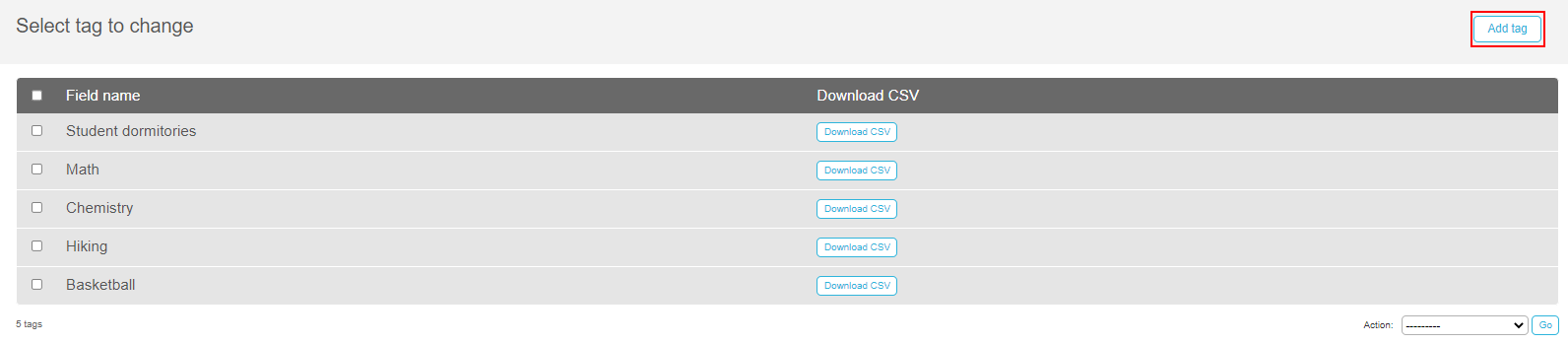
Use the Add tag button to add tags, tag icons, and set alert groups on the My Profile Settings > Tags.
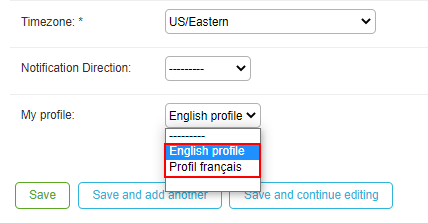
After the tags and profiles are created, associate the profile from App Manager > Enterprise Roles > App Profile and select the relevant profile in the dropdown list.
When enabled, users can access My Profile from the app Settings > My Profile.
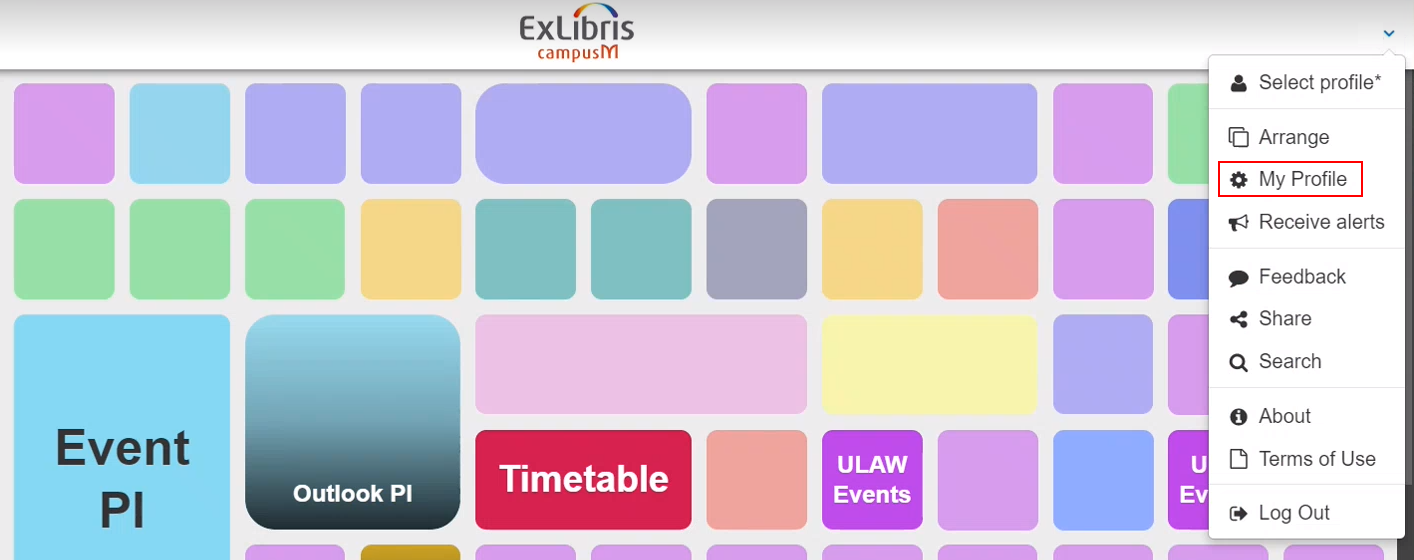
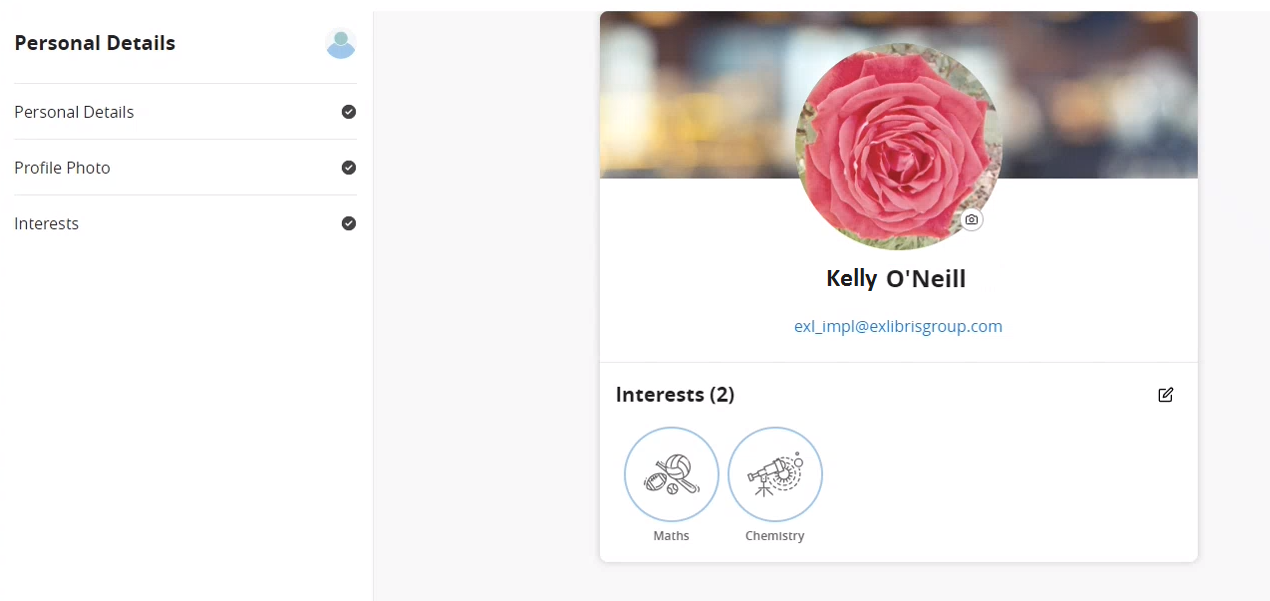
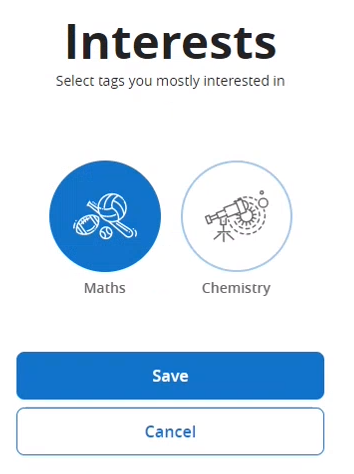
Users can view their details, upload their profile photo, and edit their interests by adding or removing tags from their categories.
(CAM-19935) Creative Studio – Create Draft Pages
April 2023CAM-19935
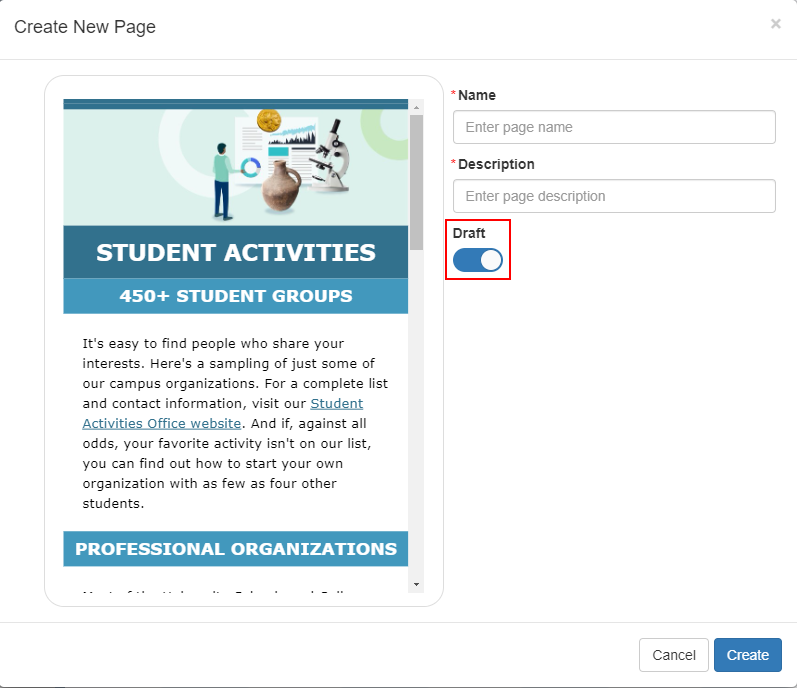
New pages created in Creative Studio (App Manager > Creative Studio > Add new) are now created as a draft by default.
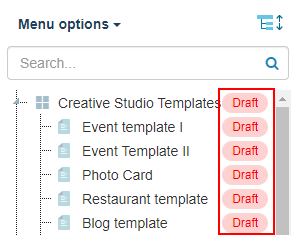
Additionally, a Draft label is appended to each draft page until the page is published.
When you are ready to publish the draft page, use the edit icon to open the Page Details and disable the Draft. Then select Save.
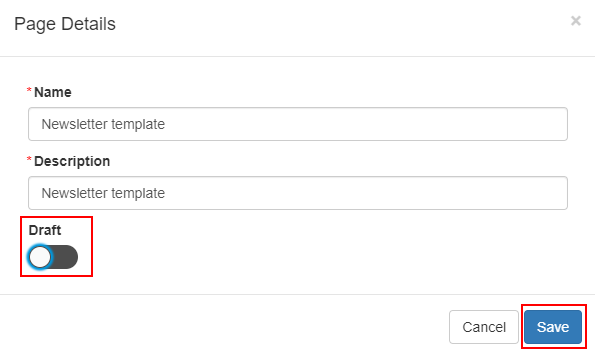
The draft label is then removed, and the page is published.
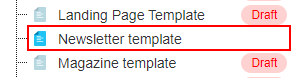
For more information, see Creative Studio.
(CAM-19304) Creative Studio – Duplicate Pages
April 2023CAM-19304
When using the duplicate icon to duplicate pages in Creative Studio (App Manager > Creative Studio > Add new) are now created as a draft by default.

For more information, see Creative Studio.
(CAM-21296) Timetable Product Integration – Error Handling
April 2023CAM-21296
We improved the error handling for Timetable to maintain the cache after receiving an error response. Therefore, if there are errors when retrieving any of the Timetable data, the cached data remains, and an error is reported. If no errors exist, the old data is deleted and the new data is loaded.
For more information, see Timetable.
(CAM-20713) Events Product Integration – Filter Options
April 2023SF:06530729CAM-20713
The Events Filter By list now only includes events with a Start Time.
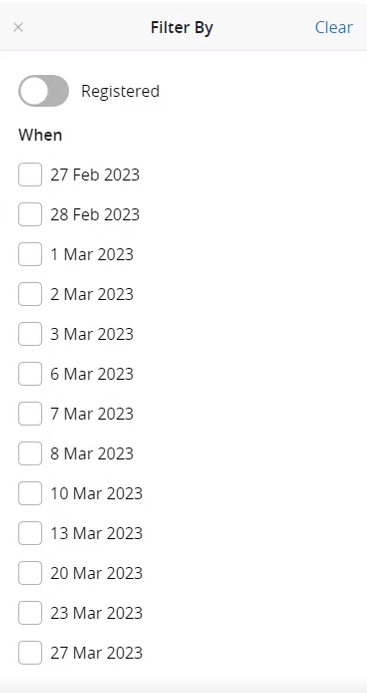
For more information, see Events.
(CAM-19634) Events Product Integration – Maximum Events Displayed (HOTFIX FOR MARCH)
April 2023CAM-19634
To display the Events tiles more efficiently, a maximum of 200 events are now loaded at a time. A message appears at the bottom of the screen informing you that you can use the filters to narrow your screen. You can customize the Maximum Events Displayed Message Text from the App Manager > Product Integrations > Events > Text/Labels.
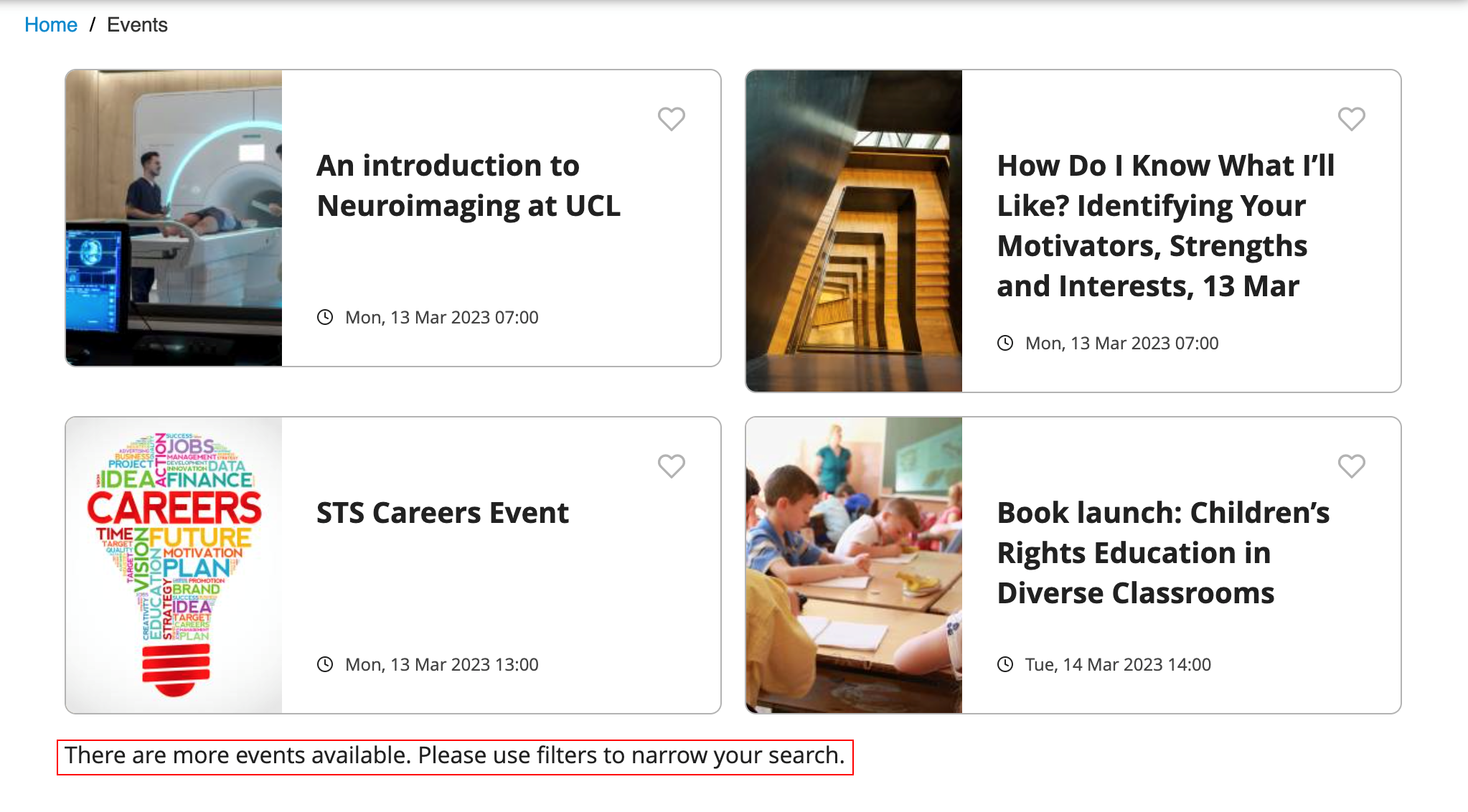
For more information, see Events.
(CAM-20729) Events Product Integration – Additional Columns for Exports
April 2023CAM-20729
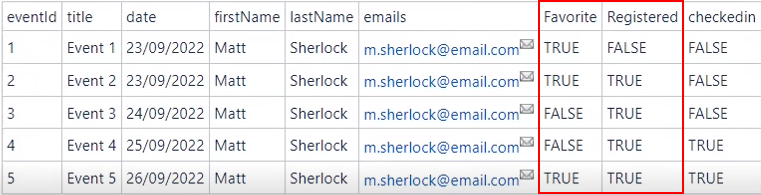
When exporting events that have been registered using the Export Event Registrations as CSV button (App Manager > Product Integrations > Events > Text/Labels), the exported file now includes a Favorite and Registered column.
For more information, see Events.
Resolved Issues
No resolved issues match your criteria.
- April 2023 iOS AppSF: 06562074 Moodle Product Integration — Previously, the parameter information appended to URL was removed. This caused the app to always redirect to the product integration main page. The parameters are now maintained in the URL, including the product integration internal tabs and sections.CAM-20779
- April 2023SF: 06511457CAM-20442 Notification Groups — Previously, adding an alert group to a role with many users took a very long time. This process is now much quicker.
- April 2023 Moodle Product Integration — Embedded audio files did not play correctly. This was fixed.HOTFIX FOR MARCH 2023
- April 2023PlatformCAM-21184 BCC Notifications — Alerts sent through the API are now displayed as expected.HOTFIX FOR MARCH 2023
- April 2023SF: 06655041CAM-21493 App Role Imports — When empty fields were included in the upload file, the import failed. Now the import is successful even when the import file includes empty fields.
- April 2023SF: 06650184CAM-21504 Moodle Product Integration — The Prioritize Live Tile Items(App Manager > Product Integrations > Moodle) did not prioritize the tiles. This was fixed.HOTFIX FOR MARCH 2023
- April 2023 PlatformSF: 06659031 06660267CAM-21536 Previously, the alignment of notifications prevented users from marking notifications as READ and from deleting notifications. This was fixed.
Page tags: product:alma_specto
